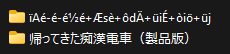
None [Translation Request] The molester train is back [帰ってきた痴●電車]

Sleeping_King

Member
Jul 9, 2024
110
99
122
Sry if I messed up somewhere... can't really find info abot this one. Only on one site, so... help is appreciated. Als,o I am sure some folks will want it too.

Only one link is .

The name is in Japanese, and this is another Train Moilster.


  • Title: The molester train is back [帰ってきた痴●電車]
  • Developer: -
  • Publisher: -
  • Release date: 2023/5/3
  • Version: -
  • Language: Japanese (Official)
  • Store: -
 

Sleeping_King

Member
Jul 9, 2024
110
99
122


this one?
Can't see anything there... Tho ty.

Anyway, I did find it on Kimochi, my JP nolage in enough for it. If someone needs it or wishes to translate, here it
 

virio

Member
Jan 17, 2021
169
57
177
Can't see anything there... Tho ty.

Anyway, I did find it on Kimochi, my JP nolage in enough for it. If someone needs it or wishes to translate, here it
i guess you need japan vpn to access it, a certain genre like rori or if the character seems to be in school uniform can't be accessed by foreigner unless you use japan vpn. thanks to visa cencorship.
 
  • Like
Reactions: Sleeping_King
Dec 22, 2017
39
52
103
Hi, I'll share a .zip which contains:
  1. Correct version of Bepinex for Mono BepInEx_win_x64_5.4.23.4
  2. Auto-translator plugin for Bepinex XUnity.AutoTranslator-BepInEx-5.5.0 (Since most text are images, this won't do much)
  3. A plugin from kumarin Texture Replacer v1.2.0.2
  4. Images to be replaced with the previous plugin (BepInEx\plugins\ModImages)
  5. modified .asset file containing the tutorial images (Couldn't make it work properly with the plugin)
I leave it detailed so if anyone doesn't trust the .zip shared, they can replicate the translation with the steps listed. the only
irreplaceable assets then would be images on "BepInEx\plugins\ModImages" and "sharedassets3.assets"
You can find the game , when extracting the password is "otomi-games.com" and if the extraction of the .zip inside "otomi-games.com_ZLOW7PZ6" seems like the following image 1768173207997.png , you need to:
Open with Winrar ->Options -> Name Encoding -> 932 - Japanese. You'll see the proper name and then you can extract.
Extract the zip provided where the .exe file is