
Being a Dik, Season 3 black screen

Spaem

New Member
Feb 21, 2022
8
0
85
Hi ya'll!

I'm having issues trying to play Being a Dik, Season 3.

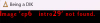
I keep having this issue:
1729236296741.png

No images show, dialog can be seen on the bottom of the screen.

1729236319629.png

^ I downloaded the game from the provided links above, and seasons 1-2 worked perfectly.

Yet when I import my save to Season 3, I can't play.

Any help?
 

anne O'nymous

I'm not grumpy, I'm just coded that way.
Modder
Donor
Respected User
Jun 10, 2017
13,030
21,896
1,077
I'm having issues trying to play Being a Dik, Season 3.
What do they say about this in the game thread, that feel like the best place to ask a question about the game, since you're sure that anyone who will read it have played the game ?
 

anonnyscouse

Active Member
Jul 25, 2020
979
2,860
448
Hi ya'll!

I'm having issues trying to play Being a Dik, Season 3.

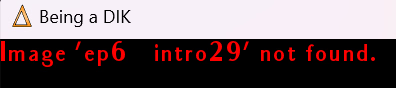
I keep having this issue:
View attachment 4143799

No images show, dialog can be seen on the bottom of the screen.

View attachment 4143800

^ I downloaded the game from the provided links above, and seasons 1-2 worked perfectly.

Yet when I import my save to Season 3, I can't play.

Any help?
Ep 6 shouldn't be part of the season 3 download, did you unzip season 3 into the season 1+2 folder? Season 3 should be stored in a separate folder.
 
  • Like
Reactions: ZenoMod

whowhawhy

Well-Known Member
Jan 19, 2023
1,118
2,070
373
- are the images showing without import?
- are you using any mods or used different mods in different seasons?
- are there any non-English characters or symbols in names of folders you keep the game in?
- are you on other os than windows?
 

Spaem

New Member
Feb 21, 2022
8
0
85
- are the images showing without import?
- are you using any mods or used different mods in different seasons?
- are there any non-English characters or symbols in names of folders you keep the game in?
- are you on other os than windows?
-Afaik you can't play season 3 without importing a save
-No non-english characters in nor symbols that aren't present in the name already
-No, I use windows.

-I did use multimod at one point, but I didn't do anything that should break a game, mostly so I could see the other paths after my chosen one

I did try to ask in the games own thread but one one replied, they just talked about their favourite characters mostly.
 

Spaem

New Member
Feb 21, 2022
8
0
85
What do they say about this in the game thread, that feel like the best place to ask a question about the game, since you're sure that anyone who will read it have played the game ?
There are over 5000 pages in the parent thread, so there is no way for me to flip through them all.

I DID try to use search function with different wordings, but didn't find anything relevant.
 

anonnyscouse

Active Member
Jul 25, 2020
979
2,860
448
No, season 3 is in a different folder.
The only thing I can suggest is to delete the season 3 folder and unzip it again, it could be a corrupted file during the unzipping. If it still happens after that then delete the zip file and try and download from one of the other sources (eg f you used mega try gofile).
 

Spaem

New Member
Feb 21, 2022
8
0
85
The only thing I can suggest is to delete the season 3 folder and unzip it again, it could be a corrupted file during the unzipping. If it still happens after that then delete the zip file and try and download from one of the other sources (eg f you used mega try gofile).
I have tried this three times, so it's unlikely that it's any corruption.

I will try those saves, thanks whowhawhy!
 

ZenoMod

Well-Known Member
Nov 12, 2022
1,787
2,257
437
Ep 6 shouldn't be part of the season 3 download, did you unzip season 3 into the season 1+2 folder? Season 3 should be stored in a separate folder.
No, season 3 is in a different folder.

I have checked with AstroGrep the entire codebase of both "Season1+2" and "Season 3".

ep6_intro29 is called ONLY in v0.8.3 (which is the latest release of "Season1+2") in the following script:
\game\season2\scripts\update6.rpy

And it is NEVER called in any of the scripts of Season3.

So, if running Season 3 this error
shows up, then its's definitely because you have update6.rpy in your Season 3 game folder — and that file should not be there.

This is absolutely certain, because that script is the only place in the entire Being a DIK codebase where the image ep6_intro29.jpg is ever called.