WhiteVanDaycare
Member
- Mar 23, 2021
- 361
- 427
- 207
If one of you having the issue wants to try a fix:
1. Exit F95Checker
2. Start -> type 'Internet Options'
3. Select Content tab
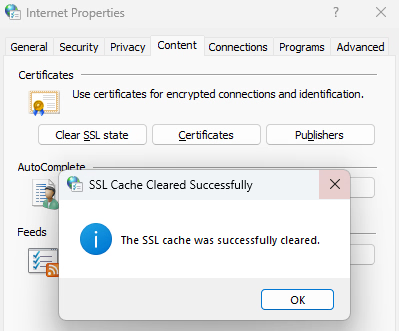
4. Click Clear SSL state button (confirmation pops up)
5. Open browser tab to
6. If no errors, reopen F95Checker.
Let us know if this works (it isn't going to hurt anything, just browser will download new certs when visiting sites).
EDIT: If that doesn't fix the problem, in your browser open to

1. Exit F95Checker
2. Start -> type 'Internet Options'
3. Select Content tab
4. Click Clear SSL state button (confirmation pops up)
5. Open browser tab to
You must be registered to see the links
and refresh page6. If no errors, reopen F95Checker.
Let us know if this works (it isn't going to hurt anything, just browser will download new certs when visiting sites).
EDIT: If that doesn't fix the problem, in your browser open to
You must be registered to see the links
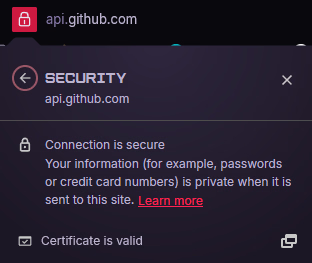
is there a lock to the left? Does it say valid when you click on it?