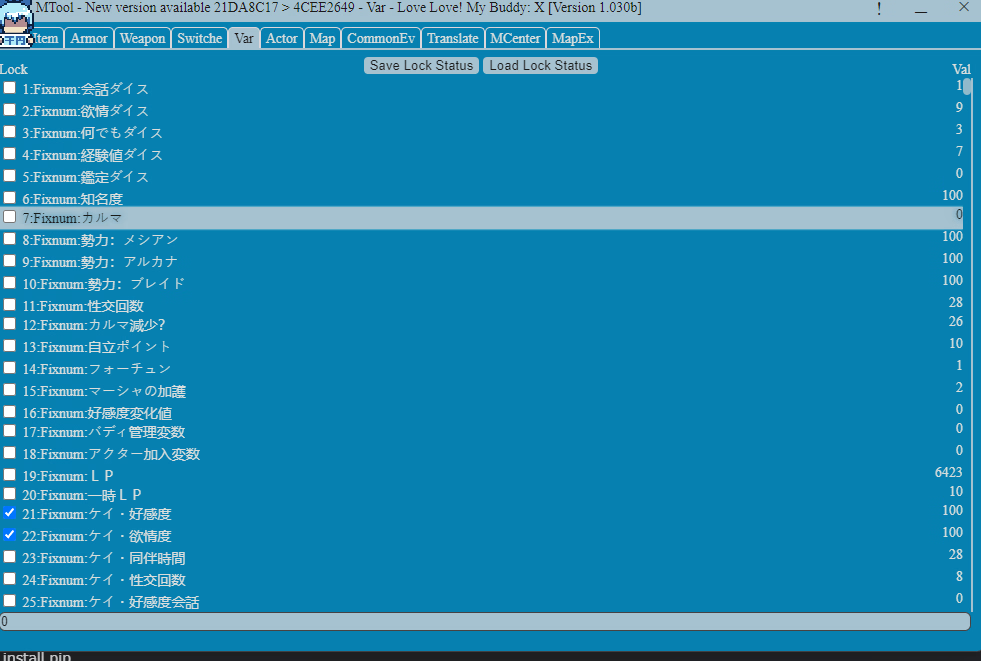
Tool RPGM MTool: RPGMaker/WolfRPG/TyranoBuilder/SRPGStudio/Kirikiri2/SGB/Bakin/Ren'Py/PGMMV Real-time cheat + one-click machine translation tool

4.00 star(s) 12 Votes

Cerish69420

New Member
Aug 11, 2024
8
2
132
Such an annoying tool, error this error that, the only good thing about it are those cheats for game...About translation, Eww Nope...What ? Paid version has better translation, Still Bigger Eww and Bigger Nope. There are better Auto Translators for each engines and they are even free too but i wont say their names, well, just saying.
Hello kind sir, do you have a translator recomendation, reply this or Massage me, thank you
 

granzon619

Newbie
Jun 29, 2017
33
21
256
is there a way to inject manual translation directly into the game?
yes you can follow this ytb guide or just using translator++ to overwrite the game after translated but idk what recently updated but inject custom translation doesn't work anymore Text kinda glitchy 1765037289280.png
 

bro2121bro

New Member
Aug 1, 2024
3
0
11
Would it be possible to increase equipment slots with this? I'm playing Black Souls 1 and will play BS2 later, and I want more ring slots so I can permanently have the two item boosting rings equipped without using up half of the ring slots.
 

Yziks

Member
Jan 16, 2022
147
537
267
Does the developer plan to add hotkeys for the Save/Load actions (for RPG Maker games)? That's the only reason I'm still using "MVMZ Cheat" along with Mtool.
 

TaoKirito

Legendary King
Donor
Jul 2, 2017
522
173
258
Hey guys i got a question is the free version same with the paid one ? or is any change on it ?
 

ymirxy

Member
Jun 25, 2021
105
506
230
Hey guys i got a question is the free version same with the paid one ? or is any change on it ?

23432 (5).png

Very good translation app, but it really needs a one-time paid version of about 20-30MB (the free version is only 10 MB) of text availability, even if it doesn't receive future updates. Video games, at least those related to this forum, are usually updated every 2 to 3 months.
 

jun ja

Newbie
Mar 11, 2022
74
8
127
Can you add lighting effect and blur effect turn off feature in the mtool? Because of those features some games fps goes down a lot.
 

baubau42

Newbie
Aug 12, 2024
27
30
133
Guide to running on Linux (At least on Linux Mint 22.1 Xia)
: Install Bottles through Software Manager.
: Create a new Bottle with any name you want. (Make sure it's an Application)
: Click on your new Bottle and in Settings set the Runner to sys-wine. Then go back, click the 3 dots in the top right, and click "Browse Files": Download and extract MTool in this "drive_c" folder.: Move or copy your game folder(In my case, since it's on Steam, I can find it's folder by right clicking it in my Library, clicking "Manage" and "Browse local files")
: Click "Add Shortcuts..." and change it to All Files (Above "Add" in the bottom right). drive_c → MTool →Use me to open the Tool.bat
: Add another shortcut with the path to your games .exe file (In my case: drive_c → Princess & Conquest → Game.exe
: Click the play button for MTool.
: In the tool, uncheck "Simplified UI" in the bottom left. Then check "Inject to running game" along with "Lazy inject".
: Click on the text asking you to select a game executable file.
: Click on My Computer → C: → Game's Folder → Game.exe
: Back in Bottles, click play on Game.
: In MTool, click "Start Game".

Depending on the size of the game, how much text etc, the game might take longer to load the translation data. Just give it about 30-60 seconds before loading into a save. For me it crashed the first time it loaded the translation data so if that happens just try again.

Edit: If you wanna still count the hours on Steam, then go to the drive_c folder again and make a "Steam" folder in it. Then you must add a new Library folder on Steam (Click Steam in the top left → Settings → Storage → Click on your current storage → Add Drive → Let me choose another location, then paste the path to the folder titled "Steam" in the drive_c folder). Then add this as a launch option and run the game in Steam instead of running the game directly through Bottles.
PROTON_NO_ESYNC=1 PROTON_NO_FSYNC=1 /usr/bin/flatpak run com.usebottles.bottles run --bottle "Bottle Name" "Game.exe path in drive_c"
Replace Bottle Name with the name of your bottle (Keep the quotation marks) and replace the game path with your own (also keep the quotation marks on this one).
In MTool the process is the same to find the Game.exe file, just a different path since it's in the steam folder instead of its own folder.


Previous edit just stopped working for me so instead just click "Install Programs..." in Bottles and download Steam, download whichever game inside the virtual Steam environment, then run said game and lazy inject, inject into running game.

Can confirm that this works, thanks man! The final step just confused me a bit since it first failed to initialize graphics. Turns out I needed to wait for Bottles to fully launch the game first (like already on the main menu) before firing it upon MTool.
 

dtta

Newbie
Oct 23, 2018
41
12
144
i've been supporting on tier 1 for mtool for some months and just curious but whats reputation or credits? can i use my credits for some time if i want to save some money right now and get the same benefits of being lvl 1 support ?
 
4.00 star(s) 12 Votes