Create and Fuck your AI Cum Slut –70% OFF
x

Putting games on Anbernic rg35xx H or other handhelds devices.

fappypanda

New Member
Apr 19, 2021
5
3
21
I ended up picking up an Anbernic rg35xx H and was curious if there are any NSFW games especially from here I can put on it especially from here or if its even possible. Any insight is appreciated. Thanks.
 
  • Like
Reactions: Wiseturtle18

Senjusuki

New Member
May 20, 2022
4
1
137
Im looking too xD.
I found that it support easyrpg
so old rpgmaker Games works like Violated heroine.

But i think you can port renpy games on it by portmaster
 

engine1

New Member
May 8, 2019
11
4
38
If you're running MuOS on your Anbernic handheld, you can play certain RPG Maker games (XP, VX, VX Ace) using PortMaster.
Here's how to do it step by step:
- Check if the game runs on Windows using Falcon-mkxp (google "Falcon-mkxp github" because I cannot post download link at the moment). Download and extract Falcon-mkxp_v1.01_win.zip to your game folder, then run Falcon-mkxp_debug.exe. If it works, there's a good chance it'll run on your handheld.
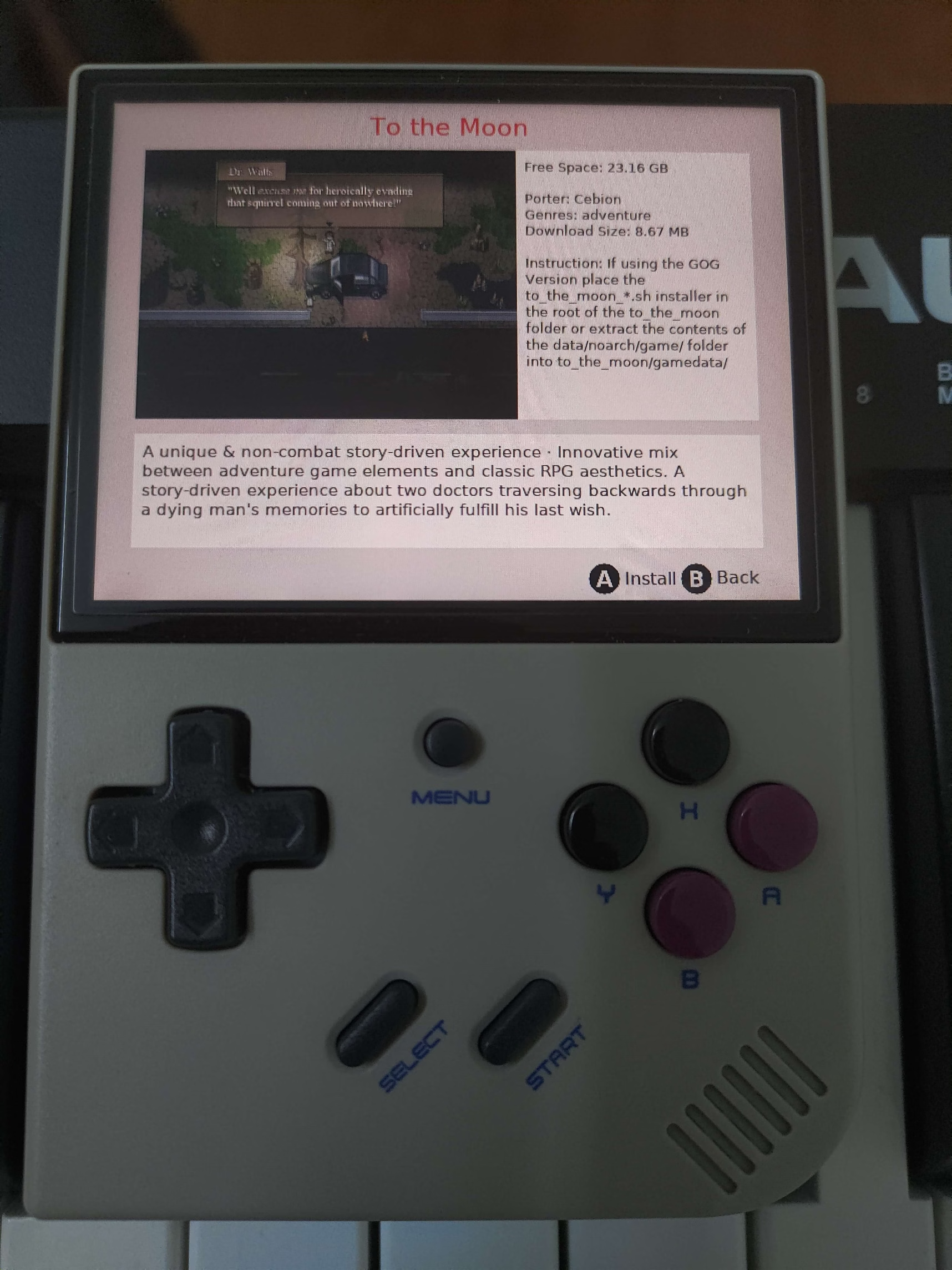
- Grab the To The Moon port from PortMaster (this is the easy route, this port comes with a precompiled Falcon-mkxp runtime, so you don't need to build one yourself).
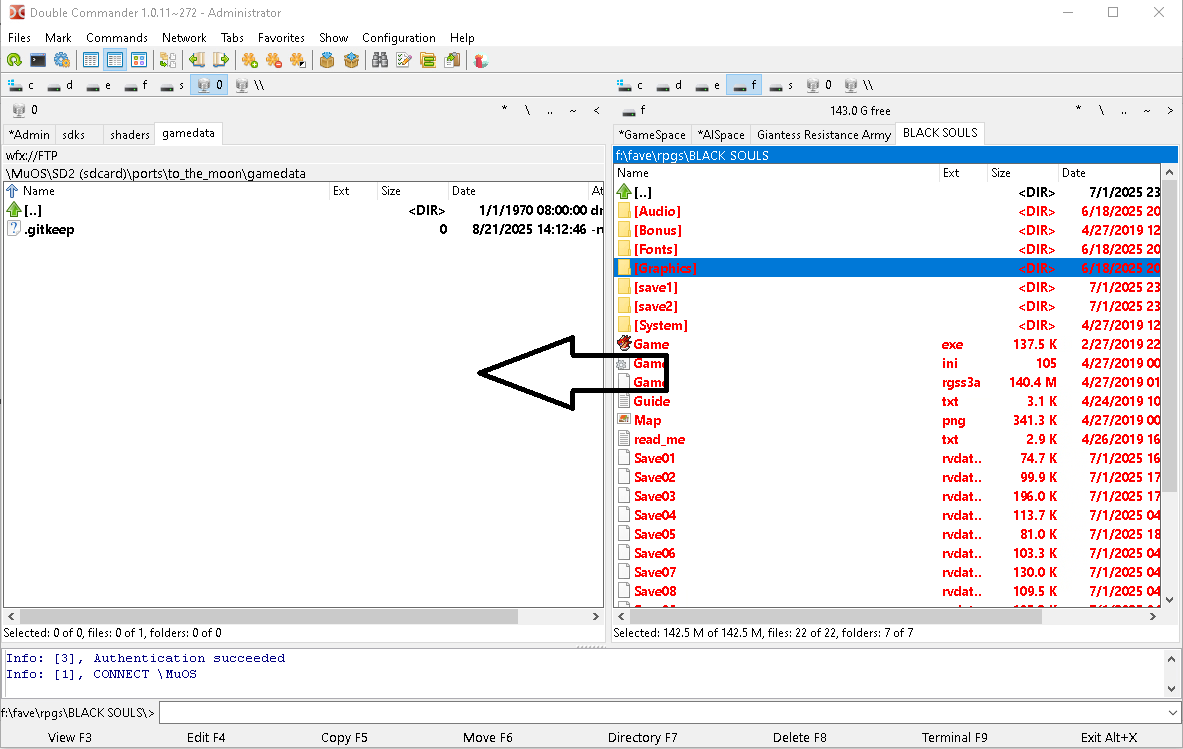
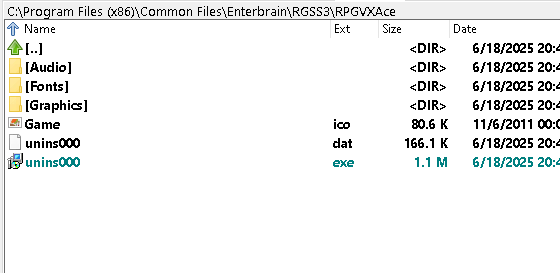
- Follow the To The Moon PortMaster installation steps, but copy your H game's content (plus RTP data if requires) to the to_the_moon/gamedata/ folder instead.
- Launch To The Moon. If you're lucky, it'll run on your device without any mods.

A few games I know that work:

Work out-of-the-box:
- Black Souls (DLsite version)
- Black Souls 2 (DLsite version): A few parts of the game has performance issue, likely due to my RG35XX Plus only has 1GB of RAM, also the game crashes if I try to save in Queensland with SEN > 0.
- Red Hood's Woods
- Brave Princess Milia

Need mods:
- Rune's Pharmacy: Need to remove all Win32 API calls in the Ruby script.
- Naedoko Demon's Ground: Same as above.
- Dark Hero Party: Aside from modifying script, you need to convert every single MIDI files in Audio/BGM directory to ogg format, then delete those MIDI files.
DL:
 
Last edited:
  • Like
Reactions: Robinx4

Robinx4

New Member
Aug 19, 2025
8
0
1
dosent work for me do i need linux version of the games? if you coud show me photos of how the files look like it would be of great help i'm trying to put black souls
 

chaulinpigslayer

New Member
Dec 23, 2023
1
0
35
If you're running MuOS on your Anbernic handheld, you can play some RPG Maker games (XP, VX, VX Ace) using PortMaster.
Here's how to do it step by step:
- Check if the game runs on Windows using Falcon-mkxp (google "Falcon-mkxp github" because I cannot post download link at the moment). Download and extract Falcon-mkxp_v1.01_win.zip to your game folder, then run Falcon-mkxp_debug.exe. If it works, there's a good chance it'll run on your handheld.
- Grab the To The Moon port from PortMaster (this is the easy route, this port comes with a precompiled Falcon-mkxp runtime, so you don't need to build one yourself).
- Follow the To The Moon PortMaster installation steps, but copy your H game's content (plus RTP data if requires) to the to_the_moon/gamedata/ folder instead.
- Launch To The Moon. If you're lucky, it'll run on your device without any mods.

A few games I know that work:

Work out-of-the-box:
- Black Souls
- Black Souls 2
- Brave Princess Milia

Need mods:
- Rune's Pharmacy (need to remove all Win32 API calls in the Ruby script).
Hey, I tried following your steps to run Black Souls using the To The Moon port, but it’s not working on my device. Could you explain in more detail what you did to make it work? I want to make sure I’m not missing any crucial step. Thanks.
 

Robinx4

New Member
Aug 19, 2025
8
0
1
ye ty i manage to make it work i had the steam version that has the win32 in it so i had to find a older version and i had to add the RTP and black souls 1 and 2 are the only one that work from what i have tried
 

Robinx4

New Member
Aug 19, 2025
8
0
1
what did you do to remove all Win32 API calls in the Ruby script?
most of the game i have tried have that problem
 

engine1

New Member
May 8, 2019
11
4
38
what did you do to remove all Win32 API calls in the Ruby script?
most of the game i have tried have that problem
Open the game in RPG Maker XP/VX/VX Ace and modify the scripts by hand. Running the game via Falcon-mkxp_debug.exe should tell you where those APIs is called.
 

Robinx4

New Member
Aug 19, 2025
8
0
1
i try to edit Demon's Ground myself but stil geting errors but not about win32api if you can send me the script you have to see what i edit wrong , also do you tink Monster girl quest: paradox whoud run on this ? its 7gb XD
 

engine1

New Member
May 8, 2019
11
4
38
i try to edit Demon's Ground myself but stil geting errors but not about win32api if you can send me the script you have to see what i edit wrong
I updated my first post to include download link.

also do you tink Monster girl quest: paradox whoud run on this ? its 7gb XD
You can try. Or get the RG34XXSP, that thing has 2GB RAM and can handle more stuff. I hate the sticks and the unbalanced screen bezel tho.
 

Robinx4

New Member
Aug 19, 2025
8
0
1
i try the script for Demon's Ground
and this is the log after i try to but it on my anbernic on my pc works fine

Selected game file 'minisode2' written to selected_game.txt
/mnt/union/ROMS/Ports/To the Moon.sh: line 68: systemctl: command not found
/mnt/union/ROMS/Ports/To the Moon.sh: line 90: 6061 Killed $GPTOKEYB "love"
[GPTK]: Running in UINPUT output mode.
FAILED to open SigCorp Minisode 2.ini
RGSS version 1 (XP)
ALC_SOFT_pause_device present
GL Vendor : ARM
GL Renderer : Mali-G31
GL Version : OpenGL ES 3.2 v1.r20p0-01rel0.8ec337de4ddab3365a32cff58063a9da
GLSL Version : OpenGL ES GLSL ES 3.20
Failed mounting Audio.dat
Failed mounting lang.dat
Failed to load libfluidsynth.so.1. Midi playback is disabled.
EventThread termination requested
RGSS thread ack'd request after 0 ms
Shutting down.
/mnt/union/ROMS/Ports/To the Moon.sh: line 87: systemctl: command not found
 

engine1

New Member
May 8, 2019
11
4
38
RGSS version 1 (XP) <--- Are you sure this is Naedoko Demon's Ground? For some reason the runner think your game is a RPG Maker XP game which is not. The correct line should be "RGSS version 3 (VX Ace)"

Edit: FAILED to open SigCorp Minisode 2.ini <--- The runner tried to find this file which only exists in To The Moon game.
 
Last edited:

Robinx4

New Member
Aug 19, 2025
8
0
1
ye i have this one
Naedoko Demon's Ground [v1.12] [Tsukinomizu Project]

all i did is add the rtp and the file you posted
 

Robinx4

New Member
Aug 19, 2025
8
0
1
solution:
the game works on pc but after i try to run it on rg35xx plus with falcon debug
i get the no game script specified (missing game.ini)
but i have the file
something briks the files when i run it true rg35

wile i was saing this i realyze that the game workt befor so ther was somting that was briking the game
it was falcon_mkxp.bin it gets added when you start the game
so what i did to fix it
i edited mkxp2.conf from to_the_moon/conf/mkxp2.conf
and replace the full thing with the mkxp.conf from Falcon-mkxp_v1.01_win
beacos you can play your games in gamedata,minisode1 and minisode2 and the mkxp2.conf had difrent code also
you shoud add in to_the_moon/conf/mkxp2.conf and mkxp.conf your keybinds you can change them, this is what i prefer for this games
(this is the full thing i have in my mkxp2.conf)(and my mkxp.conf i just added the keybinds i left it how it is it whoud probably work the same if i add this code)

back = esc
start = enter
a = z
b = x
x = c
y = a
l1 = \"
l2 = \"
l3 = \"
r1 = shift
r2 = \"
r3 = \"
up = up
down = down
left = left
right = right

### If you want to enable a setting remove the symbol # from the beginning of the line.
### detailed information here

defScreenW=1280
defScreenH=960
winResizable=true
smoothScaling=true
vsync=true
subImageFix=true
enableBlitting=false
anyAltToggleFS=true
useScriptNames=true

fixedAspectRatio=true
fullscreen=false
enableReset=true
#fixedFramerate=0
#syncToRefreshrate=true

#############################################
######### Default RTP directories ###########

#RTP=C:/Program Files (x86)/Common Files/Enterbrain/RGSS/Standard/
#RTP=C:/Program Files (x86)/Common Files/Enterbrain/RGSS2/RPGVX/
#RTP=C:/Program Files (x86)/Common Files/Enterbrain/RGSS3/RPGVXAce/


#############################################
## Important settings - do not modify them ##
preloadScript=Falcon_preload/win32_wrap.rb###
midi.soundFont=Falcon_preload/GMGSx.sf2######
#############################################

 

Robinx4

New Member
Aug 19, 2025
8
0
1
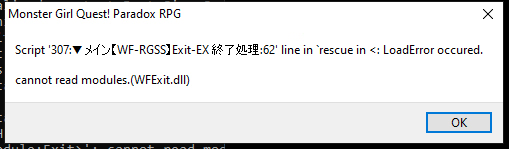
i instald monster girl quest: paradox and i got this error from falcon
1755946669611.png
if you end up trying this game let me know, ty for the suport for the other problems
 

engine1

New Member
May 8, 2019
11
4
38
Based on the error message, the game likely relies on White Flute's WF-RGSS, a win32 DLL for image processing. Chances for the game to run is close to zero unless you replace all the WF functions with Ruby ones.