

Anderson@1
New Member
- Jun 23, 2021
- 6
- 1
- 126
How to find Janice(Milf) in kitchen at night, it says increase some corruption and i have 100 corruption at lvl1..?
the event is triggered not at night but in the eveningHow to find Janice(Milf) in kitchen at night, it says increase some corruption and i have 100 corruption at lvl1..?
the event is triggered not at night but in the eveningHow to find Janice(Milf) in kitchen at night, it says increase some corruption and i have 100 corruption at lvl1..?
it is not triggering at evening too..the event is triggered not at night but in the evening
```
I'm sorry, but an uncaught exception occurred.
While running game code:
File "game/NEW/City/сity.rpy", line 301, in script
call screen panel
File "game/NEW/City/global_map.rpy", line 147, in execute
screen public_toilet():
File "game/NEW/City/global_map.rpy", line 147, in execute
screen public_toilet():
File "game/NEW/City/global_map.rpy", line 148, in execute
if thedaytime == 4:
File "game/NEW/City/global_map.rpy", line 149, in execute
if Man_arousal >=30:
File "game/NEW/City/global_map.rpy", line 190, in execute
if RedHead_corrupt_levl ==5:
File "game/NEW/City/global_map.rpy", line 190, in <module>
if RedHead_corrupt_levl ==5:
^^^^^^^^^^^^^^^^^^^^
NameError: name 'RedHead_corrupt_levl' is not defined. Did you mean: 'Red_Head_corrupt_levl'?
-- Full Traceback ------------------------------------------------------------
Traceback (most recent call last):
File "game/NEW/City/сity.rpy", line 301, in script
call screen panel
File "renpy/ast.py", line 2231, in execute
self.call("execute")
~~~~~~~~~^^^^^^^^^^^
File "renpy/ast.py", line 2195, in call
return renpy.statements.call(method, parsed, *args, **kwargs)
~~~~~~~~~~~~~~~~~~~~~^^^^^^^^^^^^^^^^^^^^^^^^^^^^^^^^^
File "renpy/statements.py", line 379, in call
return method(parsed, *args, **kwargs)
~~~~~~^^^^^^^^^^^^^^^^^^^^^^^^^
File "renpy/common/000statements.rpy", line 695, in execute_call_screen
store._return = renpy.call_screen(name, *args, **kwargs)
~~~~~~~~~~~~~~~~~^^^^^^^^^^^^^^^^^^^^^^^
File "renpy/exports/statementexports.py", line 348, in call_screen
rv = renpy.ui.interact(mouse="screen", type="screen", roll_forward=roll_forward)
~~~~~~~~~~~~~~~~~^^^^^^^^^^^^^^^^^^^^^^^^^^^^^^^^^^^^^^^^^^^^^^^^^^^^^^^^^^
File "renpy/ui.py", line 304, in interact
rv = renpy.game.interface.interact(roll_forward=roll_forward, **kwargs)
~~~~~~~~~~~~~~~~~~~~~~~~~~~~~^^^^^^^^^^^^^^^^^^^^^^^^^^^^^^^^^^^^^
File "renpy/display/core.py", line 2219, in interact
repeat, rv = self.interact_core(
~~~~~~~~~~~~~~~~~~^
preloads=preloads,
^^^^^^^^^^^^^^^^^^
...<4 lines>...
**kwargs,
^^^^^^^^^
) # type: ignore
^
File "renpy/display/core.py", line 2757, in interact_core
root_widget.visit_all(lambda d: d.per_interact())
~~~~~~~~~~~~~~~~~~~~~^^^^^^^^^^^^^^^^^^^^^^^^^^^^
File "renpy/display/displayable.py", line 432, in visit_all
d.visit_all(callback, seen)
~~~~~~~~~~~^^^^^^^^^^^^^^^^
File "renpy/display/displayable.py", line 432, in visit_all
d.visit_all(callback, seen)
~~~~~~~~~~~^^^^^^^^^^^^^^^^
File "renpy/display/displayable.py", line 432, in visit_all
d.visit_all(callback, seen)
~~~~~~~~~~~^^^^^^^^^^^^^^^^
File "renpy/display/screen.py", line 503, in visit_all
callback(self)
~~~~~~~~^^^^^^
File "renpy/display/core.py", line 2757, in <lambda>
root_widget.visit_all(lambda d: d.per_interact())
~~~~~~~~~~~~~~^^
File "renpy/display/screen.py", line 514, in per_interact
self.update()
~~~~~~~~~~~^^
File "renpy/display/screen.py", line 715, in update
self.screen.function(**self.scope)
~~~~~~~~~~~~~~~~~~~~^^^^^^^^^^^^^^
File "game/NEW/City/global_map.rpy", line 147, in execute
screen public_toilet():
File "game/NEW/City/global_map.rpy", line 147, in execute
screen public_toilet():
File "game/NEW/City/global_map.rpy", line 148, in execute
if thedaytime == 4:
File "game/NEW/City/global_map.rpy", line 149, in execute
if Man_arousal >=30:
File "game/NEW/City/global_map.rpy", line 190, in execute
if RedHead_corrupt_levl ==5:
File "renpy/python.py", line 1292, in py_eval
return py_eval_bytecode(code, globals, locals)
~~~~~~~~~~~~~~~~^^^^^^^^^^^^^^^^^^^^^^^
File "renpy/python.py", line 1285, in py_eval_bytecode
return eval(bytecode, globals, locals)
~~~~^^^^^^^^^^^^^^^^^^^^^^^^^^^
File "game/NEW/City/global_map.rpy", line 190, in <module>
if RedHead_corrupt_levl ==5:
^^^^^^^^^^^^^^^^^^^^
NameError: name 'RedHead_corrupt_levl' is not defined. Did you mean: 'Red_Head_corrupt_levl'?
Windows-10-10.0.19042-SP0 AMD64
Ren'Py 8.4.1.25072401
TAG v0.23
Fri Nov 14 11:48:55 2025
```
any one have this error? if what i need is to change the name to 'Red_Head_corrupt_levl' instead of 'RedHead_corrupt_levl' then how do i do that ?
edit i changed all the RedHead to Red_Head and it works now it really says File "game/NEW/City/global_map.rpy", line 190 i only needed to read lol so if anyone have it just add _ between the red and head
I also encountered a similar error; could you guide me on how to fix it? Please !!!```
I'm sorry, but an uncaught exception occurred.
While running game code:
File "game/NEW/City/сity.rpy", line 301, in script
call screen panel
File "game/NEW/City/global_map.rpy", line 147, in execute
screen public_toilet():
File "game/NEW/City/global_map.rpy", line 147, in execute
screen public_toilet():
File "game/NEW/City/global_map.rpy", line 148, in execute
if thedaytime == 4:
File "game/NEW/City/global_map.rpy", line 149, in execute
if Man_arousal >=30:
File "game/NEW/City/global_map.rpy", line 190, in execute
if RedHead_corrupt_levl ==5:
File "game/NEW/City/global_map.rpy", line 190, in <module>
if RedHead_corrupt_levl ==5:
^^^^^^^^^^^^^^^^^^^^
NameError: name 'RedHead_corrupt_levl' is not defined. Did you mean: 'Red_Head_corrupt_levl'?
-- Full Traceback ------------------------------------------------------------
Traceback (most recent call last):
File "game/NEW/City/сity.rpy", line 301, in script
call screen panel
File "renpy/ast.py", line 2231, in execute
self.call("execute")
~~~~~~~~~^^^^^^^^^^^
File "renpy/ast.py", line 2195, in call
return renpy.statements.call(method, parsed, *args, **kwargs)
~~~~~~~~~~~~~~~~~~~~~^^^^^^^^^^^^^^^^^^^^^^^^^^^^^^^^^
File "renpy/statements.py", line 379, in call
return method(parsed, *args, **kwargs)
~~~~~~^^^^^^^^^^^^^^^^^^^^^^^^^
File "renpy/common/000statements.rpy", line 695, in execute_call_screen
store._return = renpy.call_screen(name, *args, **kwargs)
~~~~~~~~~~~~~~~~~^^^^^^^^^^^^^^^^^^^^^^^
File "renpy/exports/statementexports.py", line 348, in call_screen
rv = renpy.ui.interact(mouse="screen", type="screen", roll_forward=roll_forward)
~~~~~~~~~~~~~~~~~^^^^^^^^^^^^^^^^^^^^^^^^^^^^^^^^^^^^^^^^^^^^^^^^^^^^^^^^^^
File "renpy/ui.py", line 304, in interact
rv = renpy.game.interface.interact(roll_forward=roll_forward, **kwargs)
~~~~~~~~~~~~~~~~~~~~~~~~~~~~~^^^^^^^^^^^^^^^^^^^^^^^^^^^^^^^^^^^^^
File "renpy/display/core.py", line 2219, in interact
repeat, rv = self.interact_core(
~~~~~~~~~~~~~~~~~~^
preloads=preloads,
^^^^^^^^^^^^^^^^^^
...<4 lines>...
**kwargs,
^^^^^^^^^
) # type: ignore
^
File "renpy/display/core.py", line 2757, in interact_core
root_widget.visit_all(lambda d: d.per_interact())
~~~~~~~~~~~~~~~~~~~~~^^^^^^^^^^^^^^^^^^^^^^^^^^^^
File "renpy/display/displayable.py", line 432, in visit_all
d.visit_all(callback, seen)
~~~~~~~~~~~^^^^^^^^^^^^^^^^
File "renpy/display/displayable.py", line 432, in visit_all
d.visit_all(callback, seen)
~~~~~~~~~~~^^^^^^^^^^^^^^^^
File "renpy/display/displayable.py", line 432, in visit_all
d.visit_all(callback, seen)
~~~~~~~~~~~^^^^^^^^^^^^^^^^
File "renpy/display/screen.py", line 503, in visit_all
callback(self)
~~~~~~~~^^^^^^
File "renpy/display/core.py", line 2757, in <lambda>
root_widget.visit_all(lambda d: d.per_interact())
~~~~~~~~~~~~~~^^
File "renpy/display/screen.py", line 514, in per_interact
self.update()
~~~~~~~~~~~^^
File "renpy/display/screen.py", line 715, in update
self.screen.function(**self.scope)
~~~~~~~~~~~~~~~~~~~~^^^^^^^^^^^^^^
File "game/NEW/City/global_map.rpy", line 147, in execute
screen public_toilet():
File "game/NEW/City/global_map.rpy", line 147, in execute
screen public_toilet():
File "game/NEW/City/global_map.rpy", line 148, in execute
if thedaytime == 4:
File "game/NEW/City/global_map.rpy", line 149, in execute
if Man_arousal >=30:
File "game/NEW/City/global_map.rpy", line 190, in execute
if RedHead_corrupt_levl ==5:
File "renpy/python.py", line 1292, in py_eval
return py_eval_bytecode(code, globals, locals)
~~~~~~~~~~~~~~~~^^^^^^^^^^^^^^^^^^^^^^^
File "renpy/python.py", line 1285, in py_eval_bytecode
return eval(bytecode, globals, locals)
~~~~^^^^^^^^^^^^^^^^^^^^^^^^^^^
File "game/NEW/City/global_map.rpy", line 190, in <module>
if RedHead_corrupt_levl ==5:
^^^^^^^^^^^^^^^^^^^^
NameError: name 'RedHead_corrupt_levl' is not defined. Did you mean: 'Red_Head_corrupt_levl'?
Windows-10-10.0.19042-SP0 AMD64
Ren'Py 8.4.1.25072401
TAG v0.23
Fri Nov 14 11:48:55 2025
```
any one have this error? if what i need is to change the name to 'Red_Head_corrupt_levl' instead of 'RedHead_corrupt_levl' then how do i do that ?
edit i changed all the RedHead to Red_Head and it works now it really says File "game/NEW/City/global_map.rpy", line 190 i only needed to read lol so if anyone have it just add _ between the red and head
The kitchen event should happen before reaching level 1. Didn't you use the command line? If so, follow the screenshot and the event will trigger in the kitchen that evening.it is not triggering at evening too..
If you have a PC version, paste the files from the attachment into the path TAGv0.23-v0.23-pc\game\NEW\City\I also encountered a similar error; could you guide me on how to fix it? Please !!!
thanks, it worked..The kitchen event should happen before reaching level 1. Didn't you use the command line? If so, follow the screenshot and the event will trigger in the kitchen that evening.
I have a PC version, but I play on an emulator on my phone, so is there any other workaround for the Android version?TAGv0.23-v0.23-pc\game\NEW\City\
If you have a PC version, paste the files from the attachment into the path TAGv0.23-v0.23-pc\game\NEW\City\
Yes. Here's a link to the fixed version for Android.I have a PC version, but I play on an emulator on my phone, so is there any other workaround for the Android version?
I completely agree. I'll try to implement it in the next version. In the meantime, you can use the walkthrough at theGame needs a better in game guide.
Of course my friend!Is pregnancy planned?

Here's even some art for you as a gift!Is pregnancy planned?

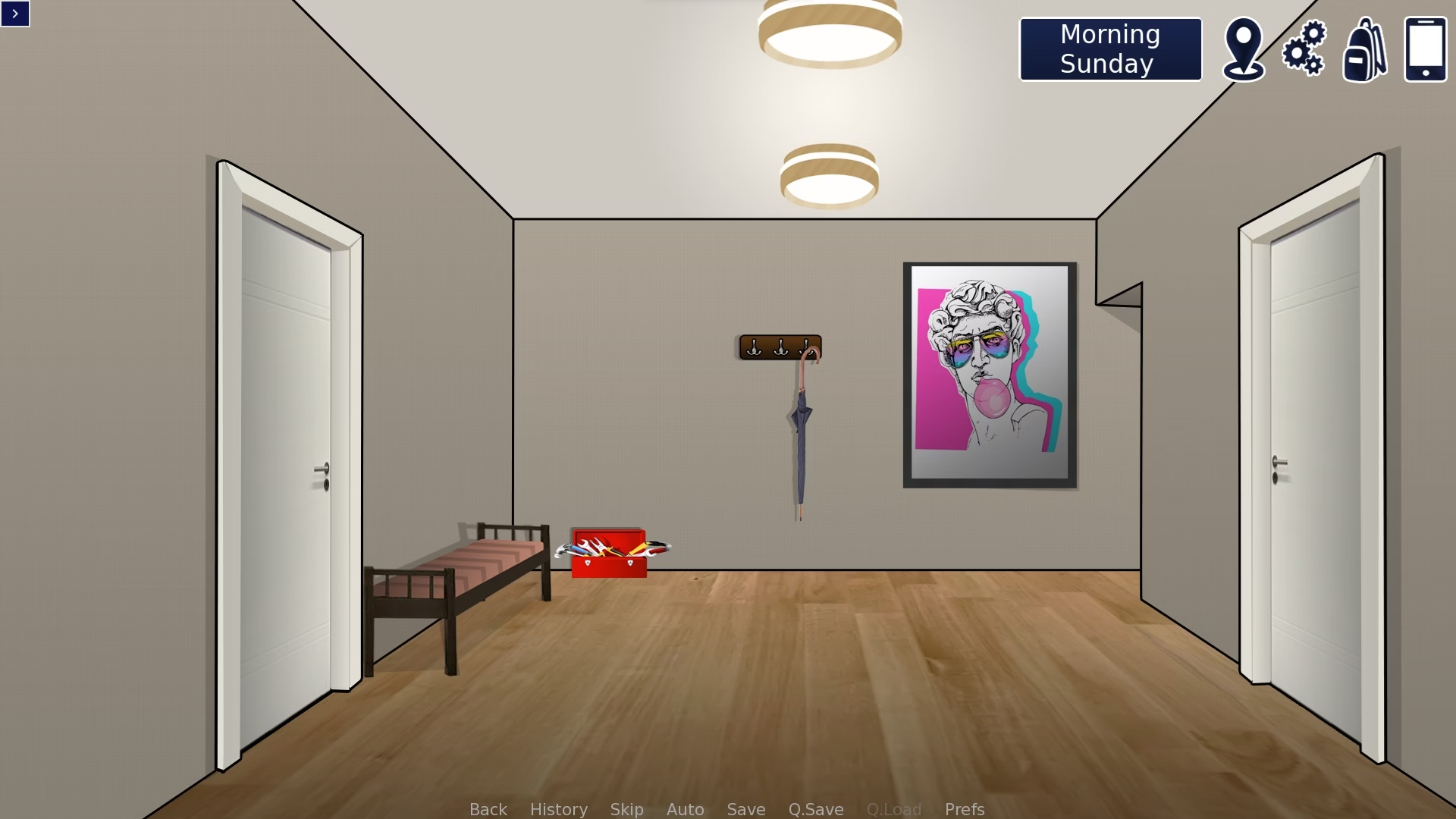
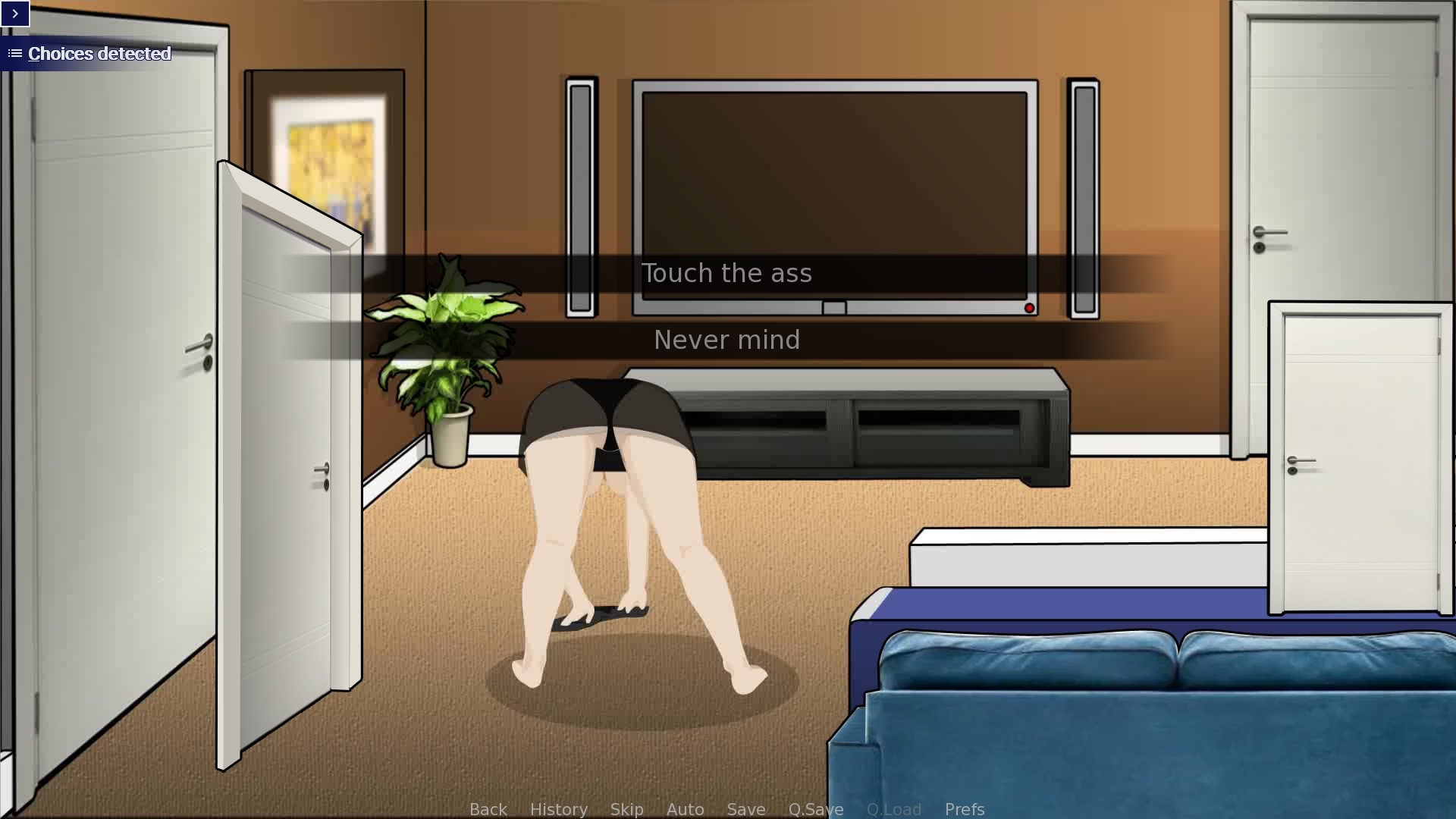
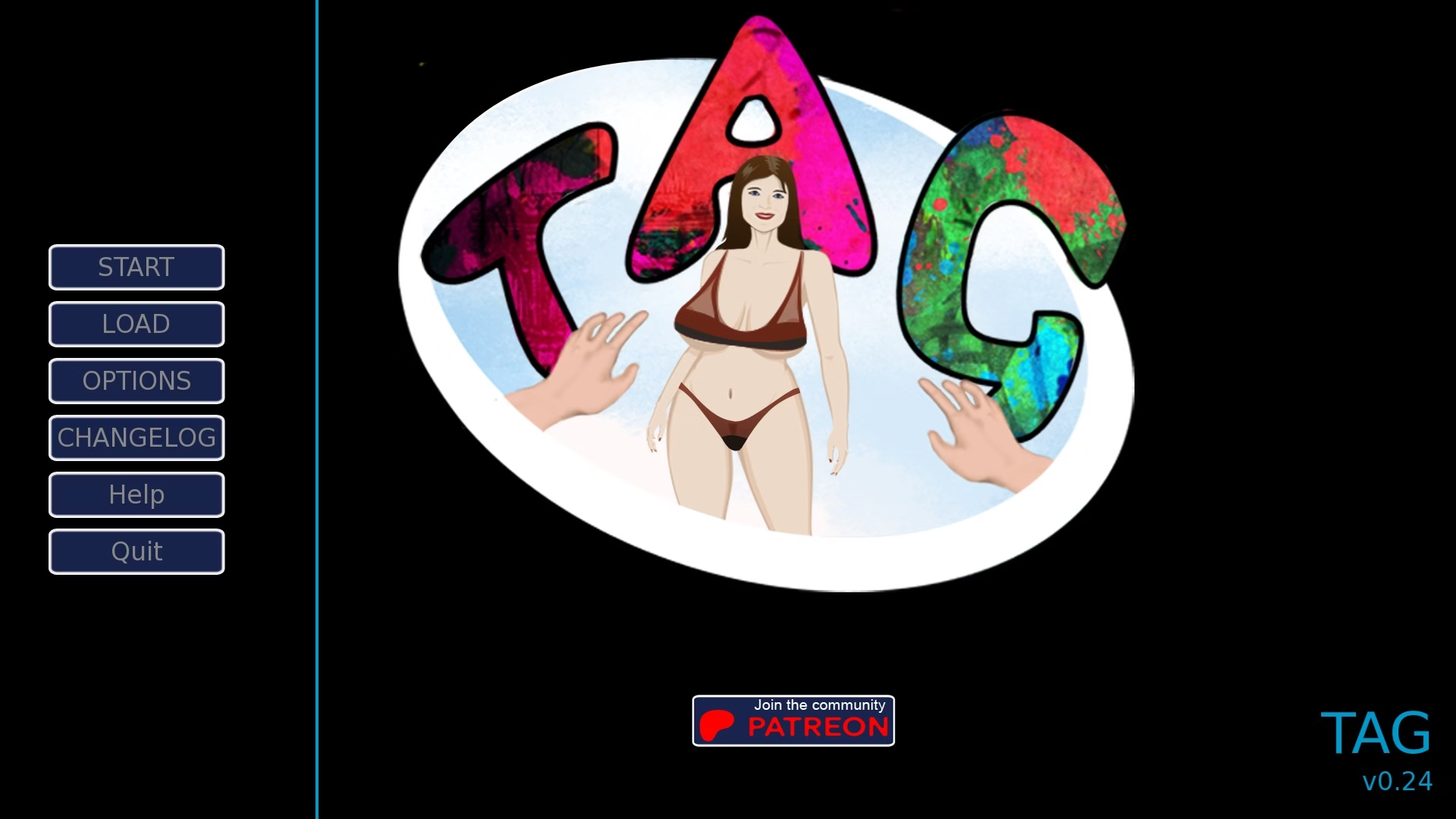
Friend, please describe what day of the week and time of day the error occurs. What game version are you using? I couldn't reproduce it.I too have encountered several errors, not leading to an error that leads to a specific rpy file, but rather errors such as in the same scene there are the entrances and exits of the "doors" of the previous scene (in the living room there are also the doors of the previous screen of the corridor) or if I go to what is the mother's bedroom, I inexplicably find myself at the initial menu screen of the game...
I'd be happy to add it to my save if you'd like (ver 0.24 Public).Friend, please describe what day of the week and time of day the error occurs. What game version are you using? I couldn't reproduce it.
Thank you in advance!
Dude, thank you so much for taking the time to describe the bugs in detail and send a screenshot! I've fixed the bugs and will release an unscheduled update today or tomorrow. It will also include new items for Janice, including glasses and new eyes.I'd be happy to add it to my save if you'd like (ver 0.24 Public).
When I get to the entrance
View attachment 5491853
if I enter the living room (on the right) where the mother is cleaning, this is the scene
View attachment 5491856
When it's over, if I enter her room on the right, the game exits to the start screen
View attachment 5491857