

Tethra Thruliath
Newbie
- Feb 8, 2022
- 22
- 6
- 38
Page 3Where did you guys download this game? or did you just play the demo
You must be registered to see the links

No_Thinker
New Member
- Jan 28, 2024
- 5
- 4
- 38

hhugzru
Member
- Oct 18, 2022
- 109
- 57
- 129
Make sure that you also installed BeepInEx.Honestly still confused on how to apply the translations. I installed XUnity.AutoTranslator-BepInEx-5.5.0 but don't exactly know what to do from there.

allinon
Member
- Sep 12, 2017
- 345
- 257
- 278
Do not worry, many of us are confused as wellHonestly still confused on how to apply the translations. I installed XUnity.AutoTranslator-BepInEx-5.5.0 but don't exactly know what to do from there.

Tethra Thruliath
Newbie
- Feb 8, 2022
- 22
- 6
- 38
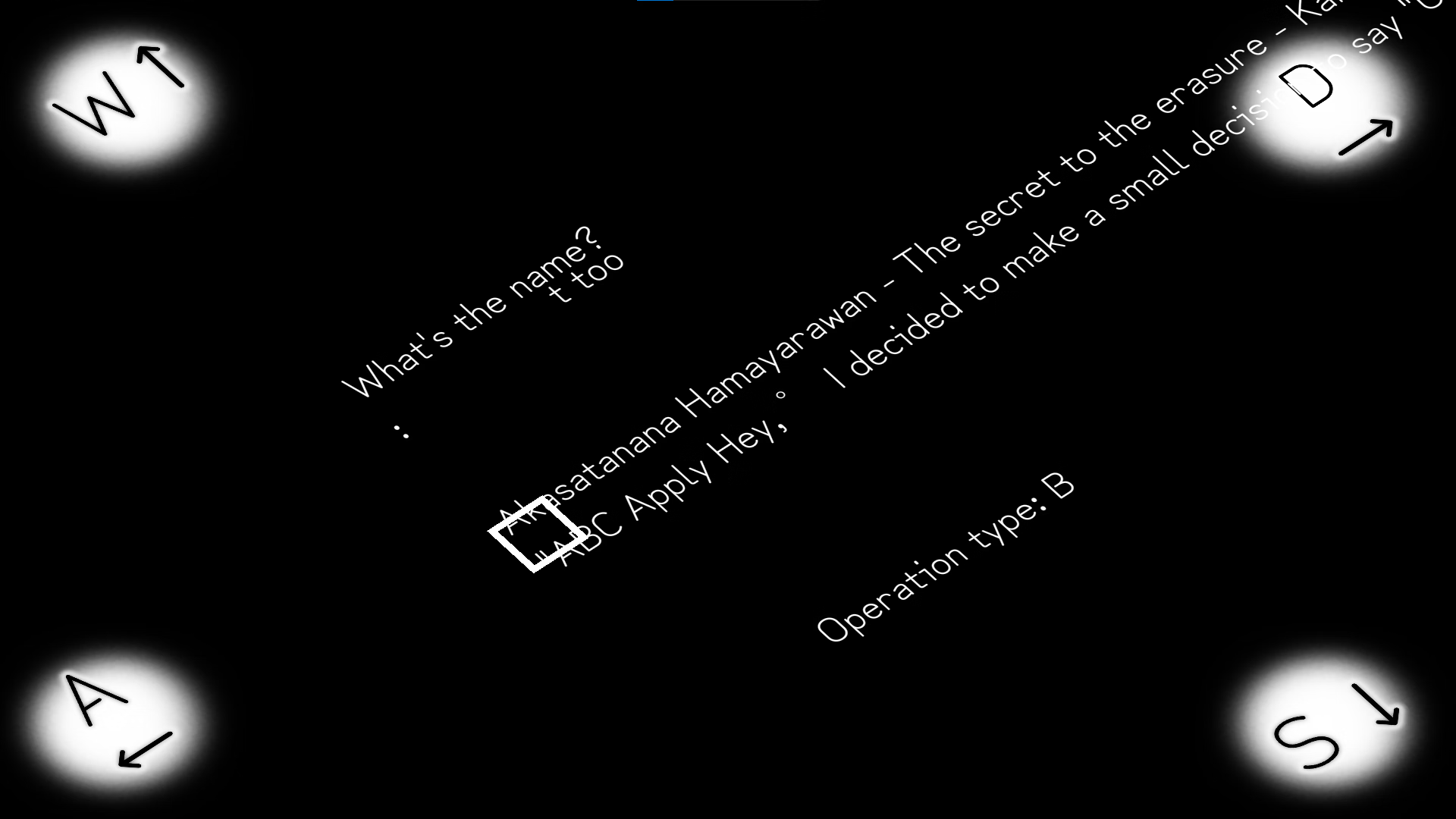
To fix click alt+0 to bring up the menu and then cancel the translation. I think by enabling it you can also translate the parts where it wasnt manually translated.
Last edited:
Tethra Thruliath
Newbie
- Feb 8, 2022
- 22
- 6
- 38
Assuming youve downloaded BeepInEx too and unzipped these into the game folder (the one with the game exe), You should run the game if you havent before. After that download, unzip the translations by Zanar get the autogeneratedtranslation.txt (I do not know why theres two, i just picked the one with the answer) then move it to the BepInEx>translation>en>Text folder replacing the old file. This is what I did at leastHonestly still confused on how to apply the translations. I installed XUnity.AutoTranslator-BepInEx-5.5.0 but don't exactly know what to do from there.
No_Thinker
New Member
- Jan 28, 2024
- 5
- 4
- 38
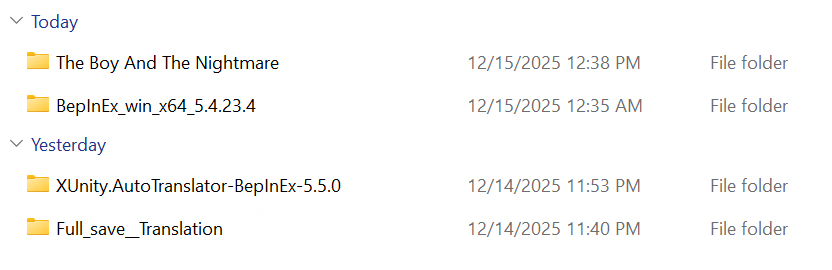
Sorry guys but still kinda confused. Here's what the files currently look like right now. I downloaded the latest release of BepInEx and then the latest Auto Translator. But what exactly do you mean by extracting it into the game folder? Do I just copy and paste those two files into the game folder or do I put it somewhere specific? And then from there, where exactly do I put Zanar's translations?Make sure that you also installed BeepInEx.
Last edited:

OuroboricCycle
Newbie
- Apr 24, 2019
- 69
- 42
- 166
Possibly been asked before, but didn't the dev say they'd make a english translation or version themselves at some point...? Has there been any news on that? I'm holding off on playing it fully until then. I already played a bit but dealing with all the minor issues that come from the translation is kinda annoying. If there won't be an english translation then I'll play it with the current autotranslator translation.
No_Thinker
New Member
- Jan 28, 2024
- 5
- 4
- 38
Yeah I remember them mentioning that, and in some of their previous updates I believe they added an option to at least see the settings in english. But it wasn't any translation of the gameplay, and it's been a long while since they mentioned anything about a translation iirc. The game's been out for like a year now, so I wouldn't bet on any official translation coming out at this point.Possibly been asked before, but didn't the dev say they'd make a english translation or version themselves at some point...? Has there been any news on that? I'm holding off on playing it fully until then. I already played a bit but dealing with all the minor issues that come from the translation is kinda annoying. If there won't be an english translation then I'll play it with the current autotranslator translation.
You have all the "ingredients" separately, you should still put it together and cook some of it.Sorry guys but still kinda confused. Here's what the files currently look like right now. I downloaded the latest release of BepInEx and then the latest Auto Translator. But what exactly do you mean by extracting it into the game folder? Do I just copy and paste those two files into the game folder or do I put it somewhere specific? And then from there, where exactly do I put Zanar's translations?
View attachment 5531287
All BepInEx folders and files should be inside game folder where exe is located (BepInEx. winhttp.dl, doorstop etc.), then run the game once, close. then put auto-translator plugin, structure should look something like this.
You don't have permission to view the spoiler content.
Log in or register now.
And if you want o use already TL file, then translated txt file goes to
*game name*\BepInEx\Translation\en\Text
Please, i try to do the translation sinces month and it still don't work for me, i don't understand a single thing to how to do it, so please i beg you, can you give me to download a already translated version, or a version where all the files are in the good places, i don't get it how to do the translation i'm so frustrated you have no idee, its litteraly a nightmare because i freaking want to play this game since months, and i still don't succed on trad this freaking game, i have all the forlder but inside my game, where the .exe his, i don't find any "*game name*\BepInEx\Translation\en\Text" files, i have not this file and i can't find it, plus i still don't know where to places files, this is absolutly incomprehensible for me, to be honest, english is not even my first language, but i still manage to understand, so i can enjoy playing game in english, but this one still impossible for me, i beg for help since month and no one really help me, your my last hope i really beg you to help me please for ever i swear on my life i'm maybe just dump for not understand how to translate this game but its just too difficult for me please someone help me playing this game in english im so so so so frustatred and sad for not being able to play it right now, i have 0 knowleage of how to translate things, im noob please help i begYou have all the "ingredients" separately, you should still put it together and cook some of it.
All BepInEx folders and files should be inside game folder where exe is located (BepInEx. winhttp.dl, doorstop etc.), then run the game once, close. then put auto-translator plugin, structure should look something like this.
You don't have permission to view the spoiler content. Log in or register now.
And if you want o use already TL file, then translated txt file goes to
*game name*\BepInEx\Translation\en\Text
No_Thinker
New Member
- Jan 28, 2024
- 5
- 4
- 38
Managed to get the translation working and it works great for the battle encounters. But now the puzzles where you have to type an answer are all messed up and gibberish. I honestly only need the translations for the battle encounters and dialogue in them as there are some guides online for answers to the puzzles. Is there a way to have it so that the translations only apply to the battle encounters and not the puzzles where you have to type answers?
OuroboricCycle
Newbie
- Apr 24, 2019
- 69
- 42
- 166
Probably not without like, modifying every single translation line related to the puzzles so that it doesn't translate. Since it's an autotranslator and all. You should still be able to turn off the translation at any moment through the BepInEx menu (I forgor the keybinds)Managed to get the translation working and it works great for the battle encounters. But now the puzzles where you have to type an answer are all messed up and gibberish. I honestly only need the translations for the battle encounters and dialogue in them as there are some guides online for answers to the puzzles. Is there a way to have it so that the translations only apply to the battle encounters and not the puzzles where you have to type answers?
Please, i try to do the translation sinces month and it still don't work for me, i don't understand a single thing to how to do it, so please i beg you, can you give me to download a already translated version, or a version where all the files are in the good places, i don't get it how to do the translation i'm so frustrated you have no idee, its litteraly a nightmare because i freaking want to play this game since months, and i still don't succed on trad this freaking game, i have all the forlder but inside my game, where the .exe his, i don't find any "*game name*\BepInEx\Translation\en\Text" files, i have not this file and i can't find it, plus i still don't know where to places files, this is absolutly incomprehensible for me, to be honest, english is not even my first language, but i still manage to understand, so i can enjoy playing game in english, but this one still impossible for me, i beg for help since month and no one really help me, your my last hope i really beg you to help me please for ever i swear on my life i'm maybe just dump for not understand how to translate this game but its just too difficult for me please someone help me playing this game in english im so so so so frustatred and sad for not being able to play it right now, i have 0 knowleage of how to translate things, im noob please help i beg
You can try from Request thread (but im not happy about Reipatcher).Please, i'm always here if someone want to help me to translate this game, because i still don"t know how to do it, i don't understand anything, i need help from the very begin so yeah, hope someone will help me one day please.
However, I warn you that everything is a "compromise". There are simply too many problems with this game and without an official translation, it probably won't get a game thread.
Okey, so what, did we wait for maybe one day an official traduction ? or maybe, is this possible for someone to do a clean traduction and release it ? anyway, thanks for your reply, i hope one day i'll be able to play this game in englishYou can try from Request thread (but im not happy about Reipatcher).
However, I warn you that everything is a "compromise". There are simply too many problems with this game and without an official translation, it probably won't get a game thread.