Yougoshatenshi
Newbie
- Aug 20, 2017
- 48
- 183
- 208
Sure,step by step screenshot will be appreaciatd
You must be registered to see the links
Hope it helps.
Sure,step by step screenshot will be appreaciatd
if you want to bypass mega quotaSure,You must be registered to see the links
Hope it helps.

Either I'm doing something wrong, or I don't understand. The Japanese text is visible, but the file for translation is not visible...Sure,You must be registered to see the links
Hope it helps.
When you showed your post before there was an encoding issue (The boxes instead of letters/characters).Either I'm doing something wrong, or I don't understand. The Japanese text is visible, but the file for translation is not visible...

View attachment 4518111
So I finally got the idea to translate the game into a language that is convenient for me... but the program shows me lines of text in some extraterrestrial language? Maybe someone knows what's wrong here?
I wish I knew where it all starts...When you showed your post before there was an encoding issue (The boxes instead of letters/characters).
View attachment 4528865
That i explained how to fix, as that would have been not translatable.
Dont know on which step its not working for you.
The translation rows in Translator++ empty or the export of the translation, when its done?
The translation is done via batch translator with the settings you want. And when its done you export it via inject/apply as shown in the link before.
You don't have permission to view the spoiler content. Log in or register now.
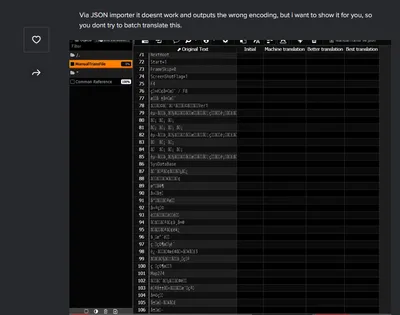
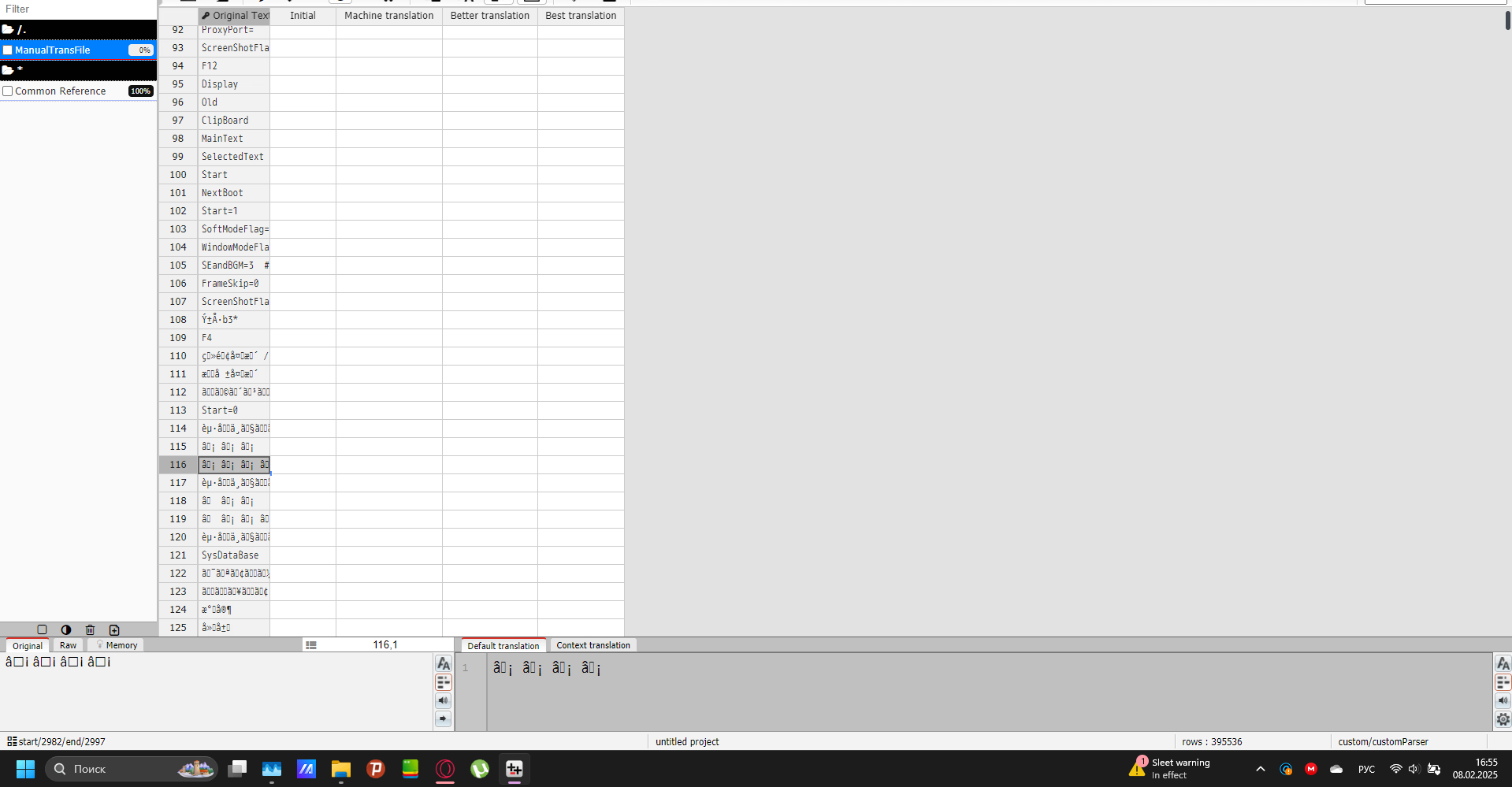
ahh ok understand. Thought it would be fixed by the other file. What we could try is enforcing UTF8 from the parser and see if that fixes the issue for you by adding it in the tpm file.I wish I knew where it all starts...
A similar problem and its solution is here, but...when I enter the specified rule, it simply does not find the translation file.
You must be registered to see the links
View attachment 4529035
I'm obviously creating the .tpm file incorrectly. But I don't understand where I'm doing something wrong(
The problem of incorrect encoding arises precisely because of him, it seems.
View attachment 4529045
{"files":[{"pattern":"*.json","rules":[{"type":"regex","pattern":"/\":\\s*\"([^\"]*)\"/g","captureGroups":"1"}],"toGrid":"","options":{"readEncoding":"utf8","writeEncoding":"utf8"}}]}ahh ok understand. Thought it would be fixed by the other file. What we could try is enforcing UTF8 from the parser and see if that fixes the issue for you by adding it in the tpm file.
which is attached in the zip.Code:{"files":[{"pattern":"*.json","rules":[{"type":"regex","pattern":"/\":\\s*\"([^\"]*)\"/g","captureGroups":"1"}],"toGrid":"","options":{"readEncoding":"utf8","writeEncoding":"utf8"}}]}
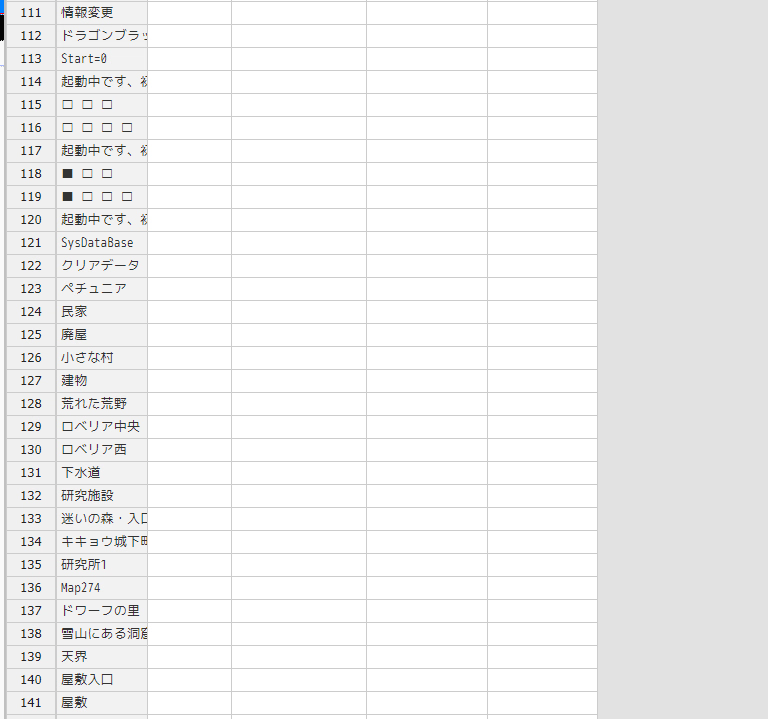 After applying the reset parset from the archive, everything worked as expected (although not without squares).
Yep, looks all fine now. Happy translating. :>View attachment 4529269 After applying the reset parset from the archive, everything worked as expected (although not without squares).
I hope... there won't be any more games like this that require me to go beyond the standard programs on a free basis... Although, I can now get images directly from games on the Wolf. To put them on avatars)Yep, looks all fine now. Happy translating. :>
The other squares are normal and the Japanese shown correctly.

Would it not be enough if a mod closed all posts except for one while leaving a notice with a link to the remainder one? Of course, you would need a mod first.ugh complicated there are like 4 posts about this game anyway it doesn't matter it's not worth playing until they add the voices and apply the later patches to fix the errors with the voices and the rest of cg. The intention is good but you are trying to divide the sea with your fists.

you can try it, yes but when threads disappear, new ones could appear because people don't usually read or be active, they usually come here download and leaveWould it not be enough if a mod closed all posts except for one while leaving a notice with a link to the remainder one? Of course, you would need a mod first.
Fair enough lolyou can try it, yes but when threads disappear, new ones could appear because people don't usually read or be active, they usually come here download and leave
Some games require a Japanese locale to display characters properly or require you to mess with unicode settings.how to fix the font ? i can't read anything because it"s only squares
I have a question...how long does it generally take to put a translation on a file? I've had this story hanging for half a day and no changes.Yep, looks all fine now. Happy translating. :>
The other squares are normal and the Japanese shown correctly.