3.00 star(s) 2 Votes

quanprorob

Newbie
Aug 18, 2024
32
7
52
Save file and gallery file are in

C:\Users\<username>\AppData\Local\WaifuIsland2\User Data\Default\IndexedDB

They are in two folders with long and weird names like
chrome-extension_bempimaccjnpkcabbgaciblkgaimgmke_0.indexeddb.blob
chrome-extension_bempimaccjnpkcabbgaciblkgaimgmke_0.indexeddb.leveldb

My full save (i think?) is attached. Unzip the files and either replace whole contents of ...\IndexedDB with my folders or if your .blob and .leveldb folders have different names then just replace their contents.

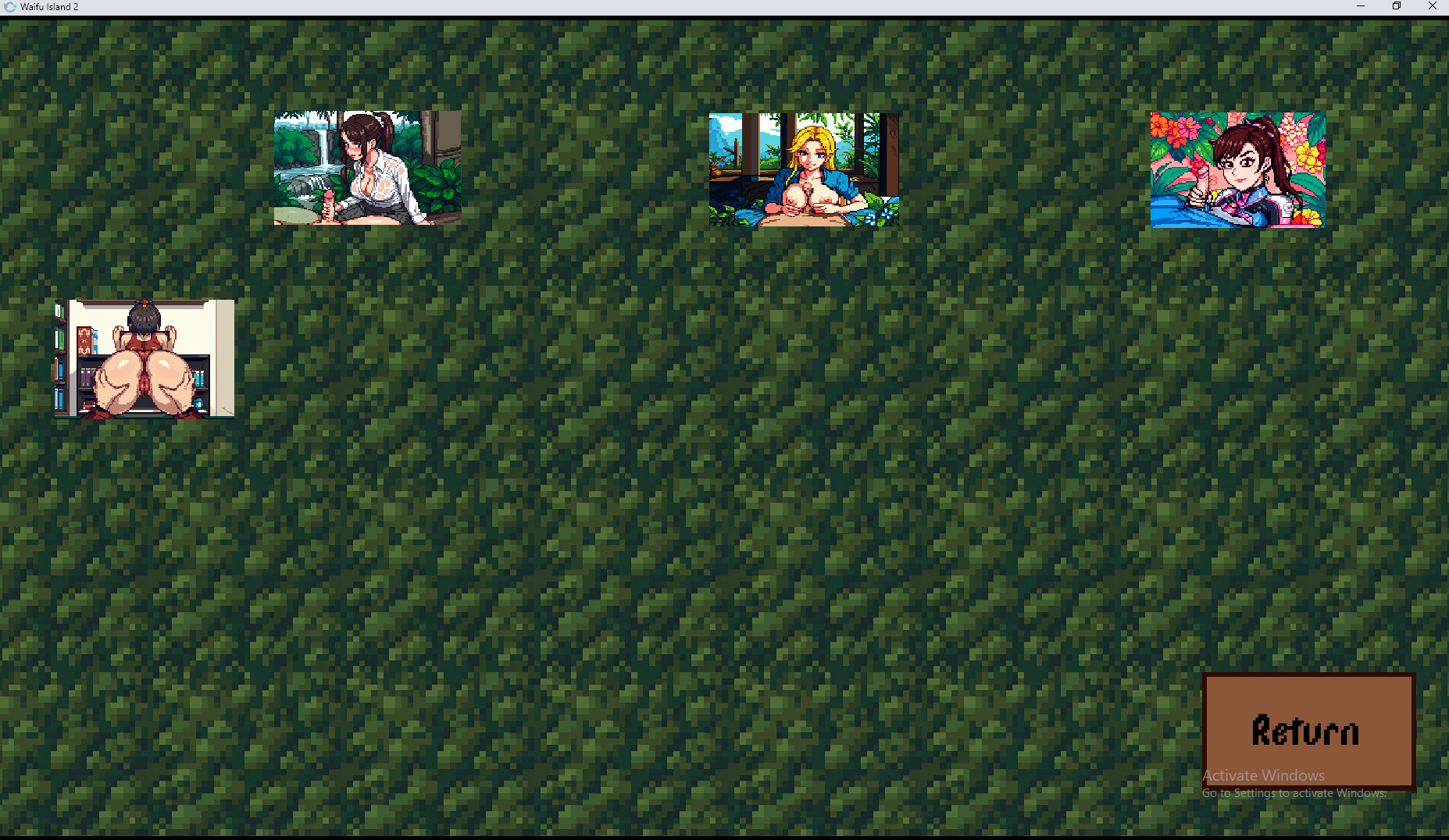
Anybody else can confirm whether it's complete? Screenshot of gallery below I'm wondering if something supposed to be in that last blank spot.

During my gameplay I couldn't find any use for box of wine from vending machine. All other items were usable at least once but not that one. Maybe that's whats missing.

View attachment 5503879

When load game your save file work but still nothing in gallery 1765065489779.png
 

qweasd123qe

Newbie
Apr 6, 2025
19
14
12
When load game your save file work but still nothing in gallery
Make sure that you place both folders in ...\IndexedDB\ directory, .blob and .leveldb

Also try first deleting anything that was in IndexedDB folder

Of course keep the game closed during that. When it's open it marks some files as read-only and will prevent overwriting.
 

quanprorob

Newbie
Aug 18, 2024
32
7
52
Make sure that you place both folders in ...\IndexedDB\ directory, .blob and .leveldb

Also try first deleting anything that was in IndexedDB folder

Of course keep the game closed during that. When it's open it marks some files as read-only and will prevent overwriting.
Thats not about that your save file still working when i load it in game and then i go back to the gallery but it just opens only 4 animations 1765113928170.png
 
Last edited:
3.00 star(s) 2 Votes