Create and Fuck your AI Cum Slut –70% OFF
x

Tutorial [ILLUSION] HS2 Studio Neo|Chara Maker - (Help & guides Thread)

5.00 star(s) 2 Votes

Herbmetaru

Active Member
Oct 12, 2020
608
1,957
307
Thanks, but I was actually asking if the values themselves could be entered in Timeline. I already know the times can be changed. Can the values also be changed?
Sorry, I misunderstood.
I don't know a proper way to change the values manually :-/
 

calbe

Newbie
Dec 13, 2021
15
17
126
If someone could help I'd greatly appreciate it. No matter what I do, I cant get hoohs scripted dick to pop up on my items. I've checked the path, redownloaded it, put it in different paths, redid the bepinex plugins, and it just wont work. doesnt even give me the hooh a option either. If someone has any idea on what to do id appreciate it
 

Lakki_chloe

New Member
Jan 2, 2024
5
0
86
got the same problem with [HS2][Hooh-FutaBoy]Item_Dynamic_Coom.zipmod and [hooh] Cooms v1.8.0.zipmod

Just can't figure out whats wrong, they are loaded in the manager, but can't find them in the studio afterwards
 

pepplez

Well-Known Member
Jun 7, 2020
1,072
1,468
307
If someone could help I'd greatly appreciate it. No matter what I do, I cant get hoohs scripted dick to pop up on my items. I've checked the path, redownloaded it, put it in different paths, redid the bepinex plugins, and it just wont work. doesnt even give me the hooh a option either. If someone has any idea on what to do id appreciate it
I had that as well or the dicks and dick navigator etc. were replaced with spheres.
Try to "import" this scene, maybe it works?
 

cptboofy

Member
Dec 7, 2022
438
291
129
I have two questions.


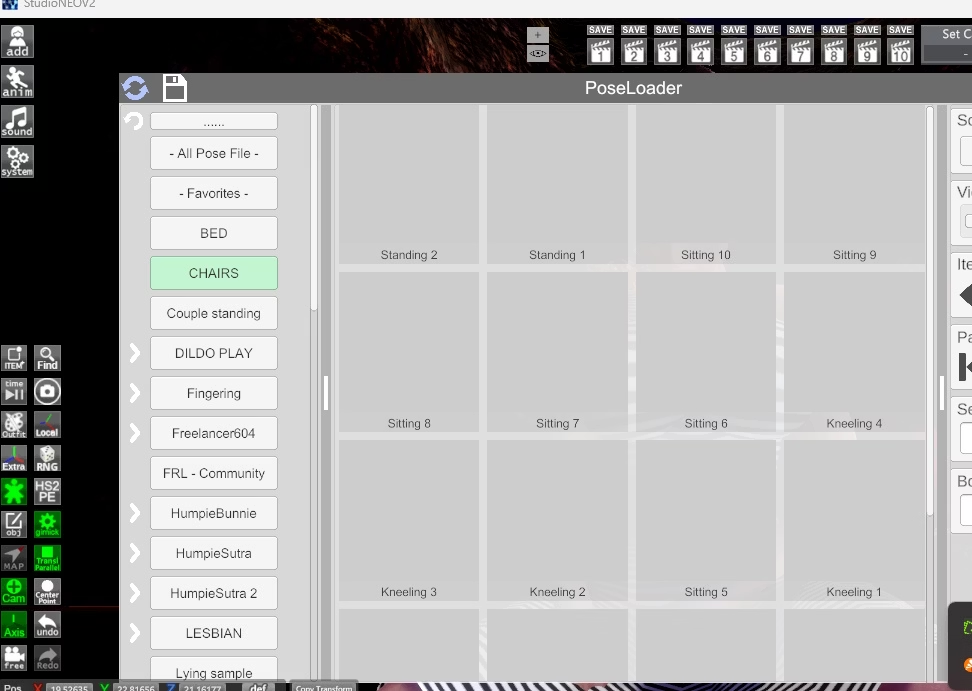
1. The section below is really useful. I can preview the poses without testing them one by one, but it only shows Freelancer’s poses. Is there a way to also view the other poses from Kinematics > Pose inside this VNGE plugin?

View attachment 5254007

2. On some cards, the hair clips into the body in most positions. How can I fix this? Moving the head usually doesn’t help much. This becomes a big issue especially during sex scenes.

View attachment 5254008
In case you hadn't seen it, on some of the hair you can manipulate the nodes on it. Not much good in animations but can be helpful on static poses.
 

Neunpli

Newbie
Nov 5, 2020
45
72
61
Is there any way to replace a skin overlay from within studio neo, rather than character maker? Alternatively, is there a way to make node constraints not delete node settings the moment a parent/child in one of them doesn't exist?

I don't see it in mat editor, and I've been trying to replace a character with lots of nodes bound to accessories, and swapping kills this for some reason. The only difference between the characters is that I've changed a skin overlay.
 

Lakki_chloe

New Member
Jan 2, 2024
5
0
86
If someone could help I'd greatly appreciate it. No matter what I do, I cant get hoohs scripted dick to pop up on my items. I've checked the path, redownloaded it, put it in different paths, redid the bepinex plugins, and it just wont work. doesnt even give me the hooh a option either. If someone has any idea on what to do id appreciate it
In case you still have the problem, what me helped was that I was missing a required mod (dunno if the dicks also need them).

its called "[Hooh][REQUIRED FOR ALL ITEM MODS] category_reserve" you can find it here;


hope that helps.
 

cptboofy

Member
Dec 7, 2022
438
291
129
Is there any way to replace a skin overlay from within studio neo, rather than character maker? Alternatively, is there a way to make node constraints not delete node settings the moment a parent/child in one of them doesn't exist?

I don't see it in mat editor, and I've been trying to replace a character with lots of nodes bound to accessories, and swapping kills this for some reason. The only difference between the characters is that I've changed a skin overlay.
right shift+D brings up the studio character editor which allows you most of the same controls as in maker itself (incl changing the overlays).
With node constraints what I've done with characters that had nodes messed up when you change the character, which will happen a lot especially if the character has different proportions/size as original one, is you open up node constraints and de-select the relevant nodes, close node constraints, modify the character as needed, then reopen node constraints and click "use current"--->"update selected" and reactivate the nodes. This keeps them tied as the original scene intended without having to redo everything.
 

Neunpli

Newbie
Nov 5, 2020
45
72
61
right shift+D brings up the studio character editor which allows you most of the same controls as in maker itself (incl changing the overlays).
With node constraints what I've done with characters that had nodes messed up when you change the character, which will happen a lot especially if the character has different proportions/size as original one, is you open up node constraints and de-select the relevant nodes, close node constraints, modify the character as needed, then reopen node constraints and click "use current"--->"update selected" and reactivate the nodes. This keeps them tied as the original scene intended without having to redo everything.
I totally forgot about the right shift D command, thanks!

Unfortunately that other part doesn't work when the nodes are on the bones of accessories, even if the swapped character has the same ones. They are treated as gone during the swap and node constraints self delete. :(
 

calbe

Newbie
Dec 13, 2021
15
17
126
In case you still have the problem, what me helped was that I was missing a required mod (dunno if the dicks also need them).

its called "[Hooh][REQUIRED FOR ALL ITEM MODS] category_reserve" you can find it here;


hope that helps.
This was it, thanks!
 

calbe

Newbie
Dec 13, 2021
15
17
126
Anyone know where to find that college lecture map for HS2? I can find every university or classroom except that lecture class...
 

markdx4

Member
Apr 3, 2020
117
67
192
I'm uncertain if anyone is interisted, but I'm happy to announce that a weeks worth of work is complete. I converted all the .dat pose files into .png files using the PoseLoader addon. We can now know what a pose will look like before loading it and even browse the individual png files. Also included are Viable and Freelancer604 pose files.
View attachment 2299750
One can also load a pose by dragging the pose.png file directly onto the character using file explorer.
I converted over 2,000 pose files. There were a few errors I encountered, including arms that go through torsos and even knotted up characters.
View attachment 2299724
Not sure if the original data is corrupted or if it's my character.
Some of the pose files were very confusing because the orientation was occasionally ignored by authors and/or the names were generic (A22 for example) and I didn't have any idea what was going on or how to position them.
View attachment 2299735
The pose before this one was perfectly set, yet the next pose (from the same author) used a completely different orientation.

I occasionally grew frustrated and would load dicks or other random objects to help make the pose make sense. (Is this character jumping over four dicks??? (note: the dicks and other items won't appear when you load the pose)).
View attachment 2299745
Towards the end, I gave up orientating every single pose and just took the snapshots. At least the full pose is visible.
Just download and extract the 200Mb \pose\ folder to \HS2\UserData\Studio\ Nothing should be overwritten because all the 4kb .dat files were converted to 80-110kb .png files instead (the backup dat files are also included in "\pose\!_AutoBackup). It wouldn't hurt to backup the folder just in case.
These png files are tiny and will not win any awards. My model is in different states of undress (which helped me slog through this ;)).
link is dead
any chance of new link? tks in advance
 
Oct 24, 2024
121
354
117
Any idea what I am doing wrong with my node constraints (hands to other model's thighs) to make the forearms go ape shit like this?
 

LMgoat10

New Member
Jul 31, 2024
3
1
57
HI!
here is a way to try to match the color of the default Hooh's dick to the skin of the used actor

You don't have permission to view the spoiler content. Log in or register now.

Hope this helps
Could someone please tell me why I don't have the color picker on the bottom right of the screen? I have tried many ways to call the color picker in the studio but I can't
 

LfkCn

Member
Apr 20, 2023
209
149
176
I’m wondering how I can create scenes like sucking/squeezing a breast. In one of the first posts of this thread, he shows how to attach a character’s hand to an apple, or how to attach a penis to a character’s body. Should I use the same method for this, or is there another way?
 

Lakki_chloe

New Member
Jan 2, 2024
5
0
86
Could someone please tell me why I don't have the color picker on the bottom right of the screen? I have tried many ways to call the color picker in the studio but I can't
1) have the item in your workspace selected (should be green)

2) click on anim top left (the running dude)

3) click on one of the color bars which you want to change

important; have the color button top right activ, otherwise it won't appear

you can also get to it through the renderer editor (lctrl+lalt+r)

But honestly I'm not even sure if this is a mod or basegame feature, do you have the basic version or atleast the 70 gig?
 
Last edited:

cptboofy

Member
Dec 7, 2022
438
291
129
I totally forgot about the right shift D command, thanks!

Unfortunately that other part doesn't work when the nodes are on the bones of accessories, even if the swapped character has the same ones. They are treated as gone during the swap and node constraints self delete. :(
not sure what you mean here. I just tried it (linked an access to a char, then switched char) and the node link remained. Maybe it's specific to what you're trying to do? It will delete if the access is changed.
Also is the accessoryadded in Studio or in Maker? Cause if it's in maker then it won't remain. But as far asI know all accessories are avail in studio too.
 

LMgoat10

New Member
Jul 31, 2024
3
1
57
1) have the item in your workspace selected (should be green)

2) click on anim top left (the running dude)

3) click on one of the color bars which you want to change

important; have the color button top right activ, otherwise it won't appear

you can also get to it through the renderer editor (lctrl+lalt+r)

But honestly I'm not even sure if this is a mod or basegame feature, do you have the basic version or atleast the 70 gig?
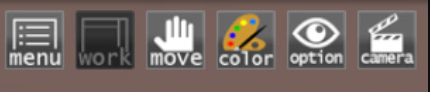
Thanks for your reply, I finally found out what the problem was, I hadn't activated the color tab in the upper right corner 1758592663748.png
 
5.00 star(s) 2 Votes