


Shadøwlurker
Member
- Oct 26, 2019
- 175
- 184
- 141
Two mostly unknown antivirus engines reporting malware and all known/trusted engines reporting no issues surely are a clue that those 2 hits are false positives.


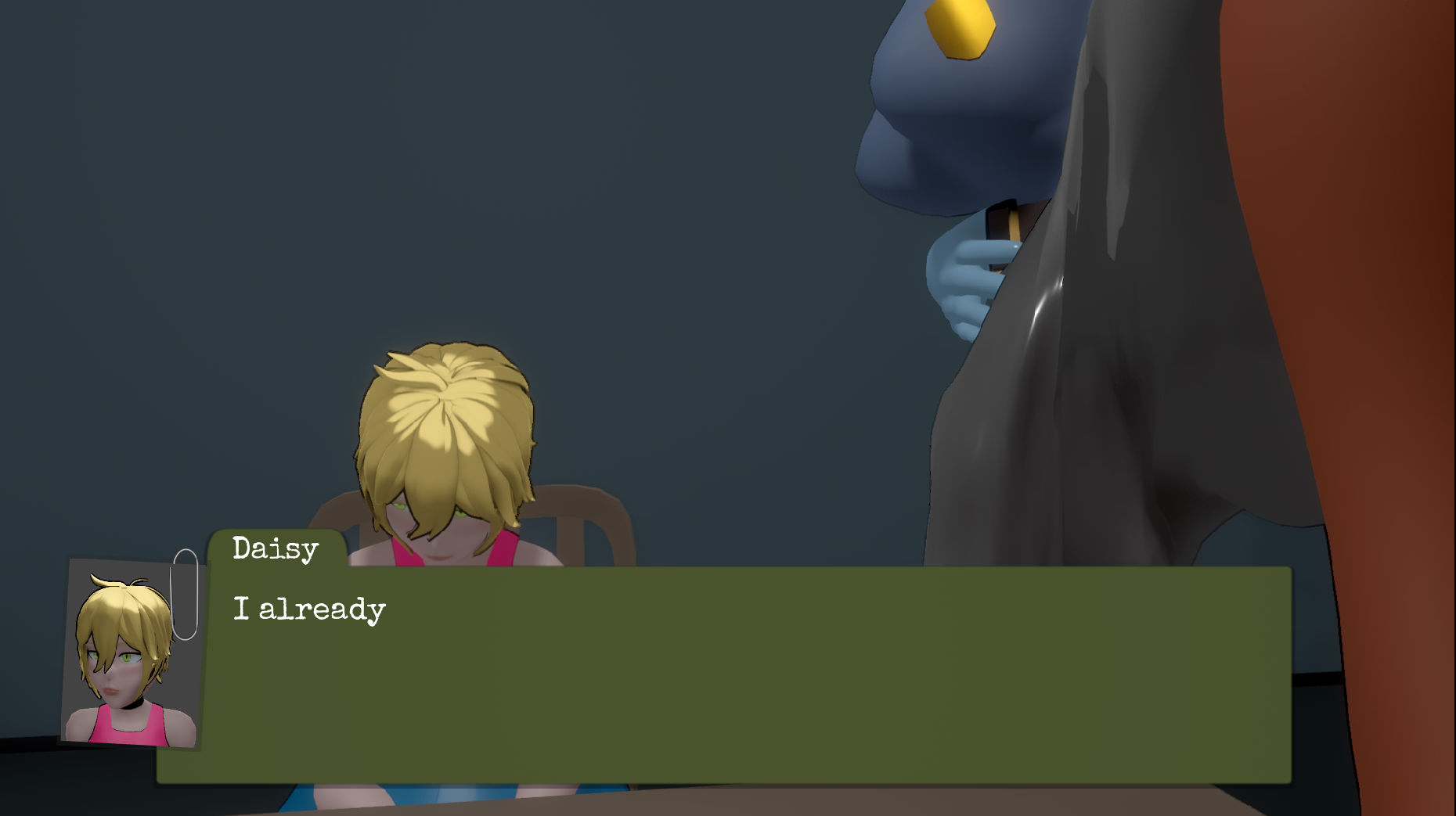
So I can't even start the game. Hangs on the picture of the table and crashes. No error of any kind. Anyone else? Literally never had this happen before with anything.
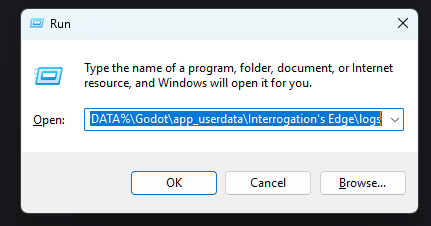
Yeah.Hey, the logs of the game can be found by opening the Run command on Windows(Windows Key + R) and running "%APPDATA%\Godot\app_userdata\Interrogation's Edge\logs". See pic below.
View attachment 5531900
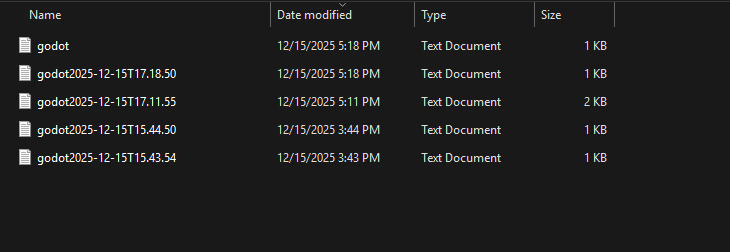
Running this command should get you to a folder with the last 5 attempts to run the game (Pic Below)
View attachment 5531915
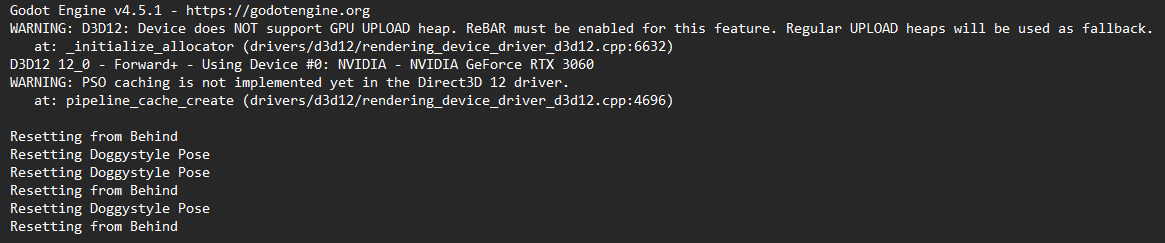
Here's what it should look like normally:
View attachment 5531920
If you got anything different, could you please share so it helps me to narrow down this problem and report to the Godot Forum. Thank you for trying the game.
Yeah.
Godot Engine v4.6.dev4.official.bd2ca13c6 -You must be registered to see the links
WARNING: D3D12: Device does NOT support GPU UPLOAD heap. ReBAR must be enabled for this feature. Regular UPLOAD heaps will be used as fallback.
at: _initialize_allocator (drivers/d3d12/rendering_device_driver_d3d12.cpp:6632)
D3D12 12_0 - Forward+ - Using Device #0: NVIDIA - NVIDIA GeForce RTX 3060
WARNING: PSO caching is not implemented yet in the Direct3D 12 driver.
at: pipeline_cache_create (drivers/d3d12/rendering_device_driver_d3d12.cpp:4696)
ERROR: No loader found for resource: C:/My_Torture/EoT/UIs/WASD.png (expected type: Texture2D)
at: _load (core/io/resource_loader.cpp:358)
ERROR: No loader found for resource: C:/My_Torture/EoT/UIs/WASD.png (expected type: Texture2D)
at: _load (core/io/resource_loader.cpp:358)
Resetting from Behind
Resetting Doggystyle Pose
Resetting Doggystyle Pose
Resetting from Behind
Resetting Doggystyle Pose
Resetting from Behind
ERROR: Can't create buffer of size: 1441792, error 0x80070057.
at: buffer_create (drivers/d3d12/rendering_device_driver_d3d12.cpp:1091)
ERROR: Condition "!buffer.driver_id" is true. Returning: RID()
at: storage_buffer_create (servers/rendering/rendering_device.cpp:844)
ERROR: Buffer argument is not a valid buffer of any type.
at: buffer_persistent_map_advance (servers/rendering/rendering_device.cpp:804)
Just updated the files. Surely there won't be any Godot GPU driver issue...Yeah.
Godot Engine v4.6.dev4.official.bd2ca13c6 -You must be registered to see the links
WARNING: D3D12: Device does NOT support GPU UPLOAD heap. ReBAR must be enabled for this feature. Regular UPLOAD heaps will be used as fallback.
at: _initialize_allocator (drivers/d3d12/rendering_device_driver_d3d12.cpp:6632)
D3D12 12_0 - Forward+ - Using Device #0: NVIDIA - NVIDIA GeForce RTX 3060
WARNING: PSO caching is not implemented yet in the Direct3D 12 driver.
at: pipeline_cache_create (drivers/d3d12/rendering_device_driver_d3d12.cpp:4696)
ERROR: No loader found for resource: C:/My_Torture/EoT/UIs/WASD.png (expected type: Texture2D)
at: _load (core/io/resource_loader.cpp:358)
ERROR: No loader found for resource: C:/My_Torture/EoT/UIs/WASD.png (expected type: Texture2D)
at: _load (core/io/resource_loader.cpp:358)
Resetting from Behind
Resetting Doggystyle Pose
Resetting Doggystyle Pose
Resetting from Behind
Resetting Doggystyle Pose
Resetting from Behind
ERROR: Can't create buffer of size: 1441792, error 0x80070057.
at: buffer_create (drivers/d3d12/rendering_device_driver_d3d12.cpp:1091)
ERROR: Condition "!buffer.driver_id" is true. Returning: RID()
at: storage_buffer_create (servers/rendering/rendering_device.cpp:844)
ERROR: Buffer argument is not a valid buffer of any type.
at: buffer_persistent_map_advance (servers/rendering/rendering_device.cpp:804)

Can confirm it works now.

Just updated the game. Now it should use DirectX as the main Driver. If it still doesn't work, let me know and I'll figure something out.
I installed the latest drivers and the game works. Thanks for the help.Humm...weird. Do you have multiple screens on your setup? I need to narrow down the problem
I found posts on Godot’s official forums mentioning that the issue was resolved for some users either by updating their NVIDIA drivers or by manually setting the GPU preference in the Windows Settings (see image below).
View attachment 5531680
