Crab Jeans

Newbie
Oct 11, 2020
90
87
192
Maybe you don't have a Texture Replacer?

Texture Replacer v1.0.8.2
No I did have that. I just don't know what to put in which folder, do I need to put the old texture from the dump file somewhere else, and which texture specifically should be replaced. What I did was moved two old textures from the dump file to the ModImages file and put the new texture in the dump file. Maybe I did something wrong because Manaka's dick is still shaped the same but it looks redder.

I dumped the files while in the apartment. Felt that was the best place to do it.
 

Erotizador

Newbie
Oct 26, 2023
21
24
13
The "ModImagesDump" folder is not necessary. Images will be reflected even if they are not placed in this folder.
The original images in the folder are also not necessary.
Place new textures in the "ModImages" folder.
Yesterday, I explained that you need to create a "Select" folder within the "ModImages" folder.
I also added that new textures need to be placed there.
However, if you're not making multiple changes to a single image, then in some cases the "ModImages" folder alone may be sufficient.
In the "ModImages" folder.
In the "ModImages\Select" folder. Try both.
Also, place Texture_Replacer_BE5 and Texture_Replacer_BE_il2cpp in the "BepInEx\plugins" folder.
Sorry for my poor explanation.
After that, do I press f12 to load the new textures?
 

Crab Jeans

Newbie
Oct 11, 2020
90
87
192
The "ModImagesDump" folder is not necessary. Images will be reflected even if they are not placed in this folder.
The original images in the folder are also not necessary.
Place new textures in the "ModImages" folder.
Yesterday, I explained that you need to create a "Select" folder within the "ModImages" folder.
I also added that new textures need to be placed there.
However, if you're not making multiple changes to a single image, then in some cases the "ModImages" folder alone may be sufficient.
In the "ModImages" folder.
In the "ModImages\Select" folder. Try both.
Also, place Texture_Replacer_BE5 and Texture_Replacer_BE_il2cpp in the "BepInEx\plugins" folder.
Sorry for my poor explanation.
No worries, I'm not good with computers unless it's basic things for work like Google and Microsoft. I've seen people talk about mods for various games in this site but I have no idea what they're talking about so I have to ask for thorough explanations so I can get it right. I'm more of a writer than a tech expert.
 
  • Hey there
Reactions: nezumitori

Crab Jeans

Newbie
Oct 11, 2020
90
87
192
You're right. I couldn't explain it.
Okay so I followed your instructions, made a Select folder where I put the new textures, put the old textures I put in Modimages back into the dump file, moved the dump file somewhere else, installed everything you mentioned, even pressed alt+f12 in game. Texture still remains the same from the base game.
 

mishoi

Newbie
Aug 26, 2025
17
2
3
cuando activo la seduction no me deja interactuar los npc hay alguna solucion o como puedo aser para interactuar con los npc
 

CornyCollins

New Member
Apr 1, 2025
8
43
22
I've been troubleshooting for hours wondering why the mesh booba wouldn't animate with the jiggle physics only to find that the in game rig has like 4 different sets of breast bones. Still super janky, gotta work out more kinks with the bone mapping and blend shapes but custom clothes almost done. :cool: Anyone have any Selestia clothes they'd like to see modded in? I'll need several to test against.

View attachment 5293711
This site someone linked that has some clothes for Selestia.


You have to register so I copied some of the links, though some of them have expired on my end:

Temptation
Holo Harness
Midnight Fox
Nurse Angel
Sporty Set-up
Star_Explorer
Selestia Rindo Maid Cosplay
UrbisVortex
Mutiny
 
Last edited:

Crab Jeans

Newbie
Oct 11, 2020
90
87
192
Putting new images into the "Modimages" folder made no difference?
I wanted to share the joy of changing the textures.
I'm so sad.
Just press F12. No need for the "Alt" key.
Try it one last time.
But I don't think that's the problem.
Like you, I'm not a creator, so I can't give you any more advice.
F12 is airplane mode for me. Doesn't do anything. I just have a laptop.
 

Crab Jeans

Newbie
Oct 11, 2020
90
87
192
I'm sure my explanation is exhausting.
Please bear with me a little longer.
I suddenly encountered the same problem.
Pressing F12 doesn't display the change folder.
The background images of my custom vending machines, posters, etc. don't change either.
"Modimages," "Modimages\Select," "Modimages\Select\001"
They were all changing until yesterday.
Suddenly, they stopped changing.
So I went back to the folder structure that worked the first time.
I placed them in "Modimages\Select\StationFront."
I pressed F12 in-game and they changed.

If that doesn't work, go to the downtown area in-game.
There, press "Alt+F11."
The image data will be extracted and a 1.35GB file named "ModImagesDump\StationFront" will be created.
Leave this folder alone.
Please place the downloaded penis and sperm images in "Modimages\Select\StationFront".
Or, you can just paste my folder structure as is. (This is a vending machine modification.)

I know you're probably fed up. I'm sorry. Please try it when you feel like it.
No worries, it's a porn game so there's nothing to get heated about. I'm simply trying to learn. I moved my plugin folder somewhere else and put in yours with the vending machine mod. Tested it, and the mod only works Downtown. There has to be a way to make it for the entire game instead of just Downtown.

Edit: I put new textures in Modimages/Select/StationFront but only the vending machine mod works. No idea why it's doing that. Hopefully someone can help figure it out?
 
Last edited:

kumarin

Engaged Member
Feb 19, 2022
2,708
4,793
438
I'm writing this because I think people are confused about how to use texture_replacer.
The explanation is a bit rough, the usage is a bit complicated, and there are bugs.
Sorry.

About the "Select" function
If you're simply replacing texture A with texture B, "Select" isn't necessary. This applies to cases where you need to change multiple textures, such as multiple eye colors.
For example, if you want to use a Drago928's mod texture, simply download it and place it appropriately under "ModImages". don't needed "Select".

About MD5
downloaded file has
  • otinpov3_normal_682d0122e092b9d729f0968dda052b0d.png
  • otinpov3_texture1_729a68a8c866640d85c7aa08f7d559b8.png
value of green is "MD5"

I dumped these files. it's like below.
  • otinpov3_normal_682d0122e092b9d729f0968dda052b0d.png
  • otinpov3_texture1_53e2102d70ae2db5b7046f844c12dd83.png
compare, "otinpov3_normal"'s value of MD5 is same. but "otinpov3_texture1" is different.
my GPU is AMD. MD5 values may vary depending on your GPU.

why use an MD5? This is to distinguish cases where textrure names are duplicated.
but it seems "otinpov3_texture1"'s name is not duplicated. then remove an MD5's value.
  • otinpov3_normal_,png
  • otinpov3_texture1_.png
now those textures are working on ANY GPU.

More about the "Select" function
if "another man" made a another mod for orinpov3, file names are same as Drago928's.
if you want to switching 2 texture's set on run-time, use a "Select" function. folder id like below.
  • BepInEx
    • plugins
      • ModImages
        • Select
          • mod of another man
            • otinpov3_normal_.png
            • otinpov3_texture1_.png
          • mod of Drago928
            • otinpov3_normal_.png
            • otinpov3_texture1_.png
        • another mod textures files
        • another mod for UI
          • some mod files
          • hand_icon_.png
texture_replacer will changes all texture below "ModImages" foider except "Select".
change "Select\mod of another man" first. (It is processed in sorted name order. If you want a special order, you can also put a number in front)
if you press F12, all texture of otinpov3_normal & otinpov3_texture1 are changed with "mod of Drago928" folder. press agasin ? changed all with "mod of another man" folder. you can switch.

realtime apply
you can edit a texture with image editor(windows paint & so on).
if you run a game & edit "BepInEx\plugins\ModImages\another mod for UI\hand_icon_.png". when you save the file, it will be applied to the game in real time.

Color bug on dump
many game's dumpped image are bit darker. so I recommend that use another dump apps. (AssetStudio, AssetRipper)

 

Xyphr

Newbie
Jun 5, 2023
53
54
155
Does anyone have gameplay footage of the sex function? I just remembered this game existed like 3 months later, too lazy to rank up rn
 

Crab Jeans

Newbie
Oct 11, 2020
90
87
192
I'm writing this because I think people are confused about how to use texture_replacer.
The explanation is a bit rough, the usage is a bit complicated, and there are bugs.
Sorry.

About the "Select" function
If you're simply replacing texture A with texture B, "Select" isn't necessary. This applies to cases where you need to change multiple textures, such as multiple eye colors.
For example, if you want to use a Drago928's mod texture, simply download it and place it appropriately under "ModImages". don't needed "Select".

About MD5
downloaded file has
  • otinpov3_normal_682d0122e092b9d729f0968dda052b0d.png
  • otinpov3_texture1_729a68a8c866640d85c7aa08f7d559b8.png
value of green is "MD5"

I dumped these files. it's like below.
  • otinpov3_normal_682d0122e092b9d729f0968dda052b0d.png
  • otinpov3_texture1_53e2102d70ae2db5b7046f844c12dd83.png
compare, "otinpov3_normal"'s value of MD5 is same. but "otinpov3_texture1" is different.
my GPU is AMD. MD5 values may vary depending on your GPU.

why use an MD5? This is to distinguish cases where textrure names are duplicated.
but it seems "otinpov3_texture1"'s name is not duplicated. then remove an MD5's value.
  • otinpov3_normal_,png
  • otinpov3_texture1_.png
now those textures are working on ANY GPU.

More about the "Select" function
if "another man" made a another mod for orinpov3, file names are same as Drago928's.
if you want to switching 2 texture's set on run-time, use a "Select" function. folder id like below.
  • BepInEx
    • plugins
      • ModImages
        • Select
          • mod of another man
            • otinpov3_normal_.png
            • otinpov3_texture1_.png
          • mod of Drago928
            • otinpov3_normal_.png
            • otinpov3_texture1_.png
        • another mod textures files
        • another mod for UI
          • some mod files
          • hand_icon_.png
texture_replacer will changes all texture below "ModImages" foider except "Select".
change "Select\mod of another man" first. (It is processed in sorted name order. If you want a special order, you can also put a number in front)
if you press F12, all texture of otinpov3_normal & otinpov3_texture1 are changed with "mod of Drago928" folder. press agasin ? changed all with "mod of another man" folder. you can switch.

realtime apply
you can edit a texture with image editor(windows paint & so on).
if you run a game & edit "BepInEx\plugins\ModImages\another mod for UI\hand_icon_.png". when you save the file, it will be applied to the game in real time.

Color bug on dump
many game's dumpped image are bit darker. so I recommend that use another dump apps. (AssetStudio, AssetRipper)
They seem to work now, thank you very much. For some reason, this texture doesn't work. No idea why.
My Manakas
You don't have permission to view the spoiler content. Log in or register now.

Yes I made a bodypoint that looks like she had a bukkakke so imsharing it too
 

StephenLana13

Member
Nov 16, 2018
101
106
241
I mean like totally remove tho. Cuz i saw some gameplay manaka not wearing the black coat at all
By default you can open the front with E.

Second you unlock pulling up the butt flap with Q.

Third you unlock the ability to expose your shoulders with a second E press (Space will close one layer, so one press will close the shoulders and a second will close completely, butt always closes as it's its own thing).

Finally you unlock removing your coat completely with three E presses (put it back on with F when standing on it, equips with shoulders oen and butt down).
 

kitty0725

New Member
May 22, 2024
3
2
39
"Has anyone experienced the issue where footsteps and squirting audio disappear after walking a long distance while naked, and only return if you unequip and re-equip the vibrator, or reset its mode from off to any active mode (when the vibrator is on)?
 

Drago928

New Member
Feb 14, 2025
11
26
13
Can someone remove this piston machine, as I don't want to see it, but keep the fleshlight? I tried to enter an empty image, but it won't work.
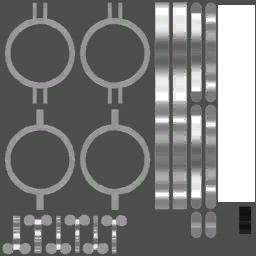
piston_machine_e36816ba94d2b75822f4ca268e84e2c5.png
I think it's a model work, but I don't know.
 
  • Like
Reactions: twoer
4.80 star(s) 77 Votes