

So what are the chances the game gets a sex expansion via mods? Animations are pretty much already there, I just wish you could initiate more kinds of sex using the existing dildo animations like oral or strapon/futa versions.
- Thread starter Bob69
- Start date
4.80 star(s)
68 Votes


Foxfiend
Newbie
- Oct 19, 2018
- 56
- 50
- 152
I really wish so many of the costumes did not clip through the coat. Probably my biggest nitpick with the game. So hard to have an outfit that doesn't look like a mess with the coat on.
Well, this is what i mean.What type of cheat exactly? I haven't play the update yet I was just updating the table and was playing another game. So I'm not sure if 1.1.2 and 1.1.3 adds something new or just mainly bug fixes.
biwajimadono
Member
- Jul 27, 2021
- 151
- 184
- 53
These are textures for six stages.Mind if you share the template or the image for the magazine? I kinda want to make one myself...
Also which texture replacer version did you use? I noticed that my 1.0.8.2. ver doesn't work on my image or so i thought i recreated one like yours
- It's convenient to create a folder for renaming in each stage folder.
Always keep this folder empty. Then, create the images.
Click on the original texture file you arranged.
(Example: Click "M_posters_wall_03_BaseMap" after completion)
Then save it in an empty rename folder so you don't have to rename it.
- If you want to enjoy the signboard image, it's better to create it with double the aspect ratio.
If you use the original size, the image will be blurry.
- There is free software called “Collagerator”.
This is convenient as it allows you to save the created image size, Just drag to arrange them in tiles.
It is also possible to overlay a transparent PNG, making it look more like a signboard.
Creating each sign individually and placing them as layered images below will result in a neater look.
One example is I've included the image size for residential signs.
- The shopping mall's "T_Poster1" image is for two hanging advertisements.
Halves form one advertisement.
Since the two signs are connected, I also packed half the size.
Last edited:

NK116
Member
- Jul 11, 2023
- 273
- 1,053
- 267
I might be wrong but last time I checked they share the same variable, but I'll check it again later.Well, this is what i mean.
what's kind of bepinex version ?I gave Manaka the anatomy she's been missing all this time: https://f95zone.to/threads/secret-flasher-manaka-cosplay-loader-mod-2-2-1.273479/post-18794072
Requires the Cosplay Loader Mod (for now - a standalone that actually modifies her body directly will be coming).
View attachment 5491941 View attachment 5491943 View attachment 5491945

edward0628
Member
- Aug 25, 2020
- 144
- 227
- 133
you made all these texture by yourself? that's really great work dude, thanksThese are textures for six stages.
- It's convenient to create a folder for renaming in each stage folder.
Always keep this folder empty. Then, create the images.
Click on the original texture file you arranged.
(Example: Click "M_posters_wall_03_BaseMap" after completion)
Then save it in an empty rename folder so you don't have to rename it.
- If you want to enjoy the signboard image, it's better to create it with double the aspect ratio.
If you use the original size, the image will be blurry.
- There is free software called “Collagerator”.
This is convenient as it allows you to save the created image size, Just drag to arrange them in tiles.
It is also possible to overlay a transparent PNG, making it look more like a signboard.
Creating each sign individually and placing them as layered images below will result in a neater look.
One example is I've included the image size for residential signs.
- The shopping mall's "T_Poster1" image is for two hanging advertisements.
Halves form one advertisement.
Since the two signs are connected, I also packed half the size.
biwajimadono
Member
- Jul 27, 2021
- 151
- 184
- 53
The room and convenience store were given to me.you made all these texture by yourself? that's really great work dude, thanks
It's not my creation.
Thank you for your kind words.
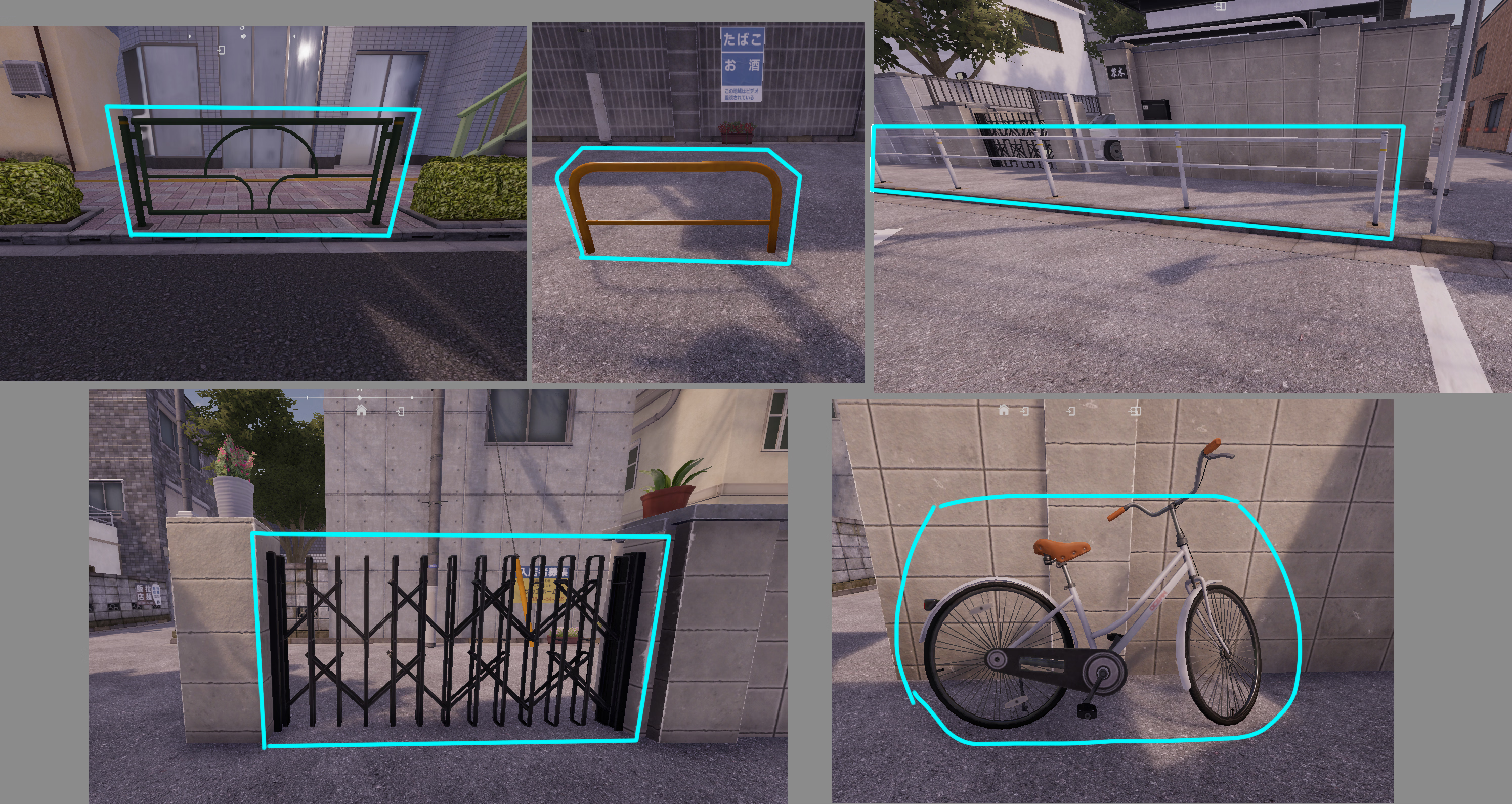
Those objects are hidden walls in the game (version 1.1.3).
NPC can't see through those objects,
NPC can't see through those objects,
Last edited:
6.0.0-be.738, the one included in the Pre-patched version of the game.what's kind of bepinex version ?
biwajimadono
Member
- Jul 27, 2021
- 151
- 184
- 53
I wondered when and who I received it from, so I looked into it and found out it was your wonderful work.you made all these texture by yourself? that's really great work dude, thanks
And there were even more in the original folder you gave it to me.
Room & convenience store 2 stages. I'm very sorry for including it as if I had made it myself.
Your textures are fundamental to me.
Last edited:

nezumitori
Member
- Nov 19, 2021
- 413
- 315
- 141
Haha, more "gates that look transparent but are not", thanks for the finds!Those objects are hidden walls in the game (version 1.1.3).
NPC can't see through those objects,
View attachment 5494379
But I'm surprised that the bridge crossing in the Downtown map has transparent handrails while the street has "solid" ones.

mistersodacan
Newbie
- Jul 29, 2017
- 19
- 34
- 23
I agree. I've come up with a setup that at least LOOKS like it's part of the coat when it's closed.I really wish so many of the costumes did not clip through the coat. Probably my biggest nitpick with the game. So hard to have an outfit that doesn't look like a mess with the coat on.
There's a non-zero chance I'll get in trouble for these, but fuck it.
You don't have permission to view the spoiler content.
Log in or register now.
Went and tested them, and yep. Tested a few others and found these too:Those objects are hidden walls in the game (version 1.1.3).
NPC can't see through those objects,
View attachment 5494379
You don't have permission to view the spoiler content.
Log in or register now.
Kinda breaks the illusion. Almost wish I didn't know this. Do the developers know? This seems like it could be fixed in a day.
I also feel like I should tell folks about this:
You don't have permission to view the spoiler content.
Log in or register now.
mistersodacan
Newbie
- Jul 29, 2017
- 19
- 34
- 23
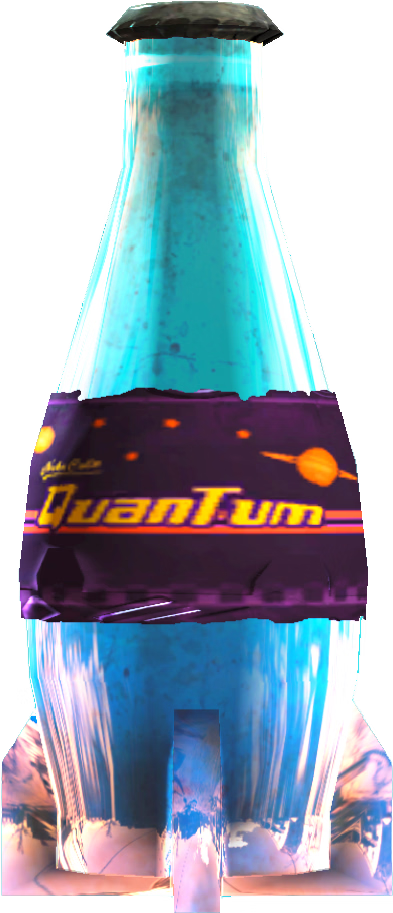
Well, I was bored so I thought,
View attachment 5317911
Why not make the pee glow?
View attachment 5317913
So here you go-----
not exactly hidden walls, they are literally half-walls, npc can still see you on it because it just covers what it can cover until you crouch, they will not see you. And also, literally everything solid and interact-able can be walls, may it be benches, slim tree, street signs, with the exceptions to the small plants you see on the residential area because they have a little effect for their height,even another NPC as long as manaka doesn't phase thru it and it blocks the npc sightThose objects are hidden walls in the game (version 1.1.3).
NPC can't see through those objects,
View attachment 5494379
i think it will never be patched, because, in my opinion, that could be one of the possible random spawn points there.I agree. I've come up with a setup that at least LOOKS like it's part of the coat when it's closed.
There's a non-zero chance I'll get in trouble for these, but fuck it.
You don't have permission to view the spoiler content. Log in or register now.
Went and tested them, and yep. Tested a few others and found these too:
You don't have permission to view the spoiler content. Log in or register now.
Kinda breaks the illusion. Almost wish I didn't know this. Do the developers know? This seems like it could be fixed in a day.
I also feel like I should tell folks about this:
You don't have permission to view the spoiler content. Log in or register now.
(edit: i meant the spot in the downtown area, the hidden spot jusst before the laundromat area, the rest of the spots on the quote were all okay)
(edit2: wanna test a speculation if you'll get caught by an npc if your naked body is exposed but your face is covered in by the signage (that signage on the parking lot in downtown where your face is covered but not the rest of the body)
Last edited:

MyNarrator
Newbie
- May 28, 2022
- 18
- 8
- 47
HOLY SHIT... Thanks a lot man... And also, is there any chance you also know about those paint file name too?? Like the flower, the demon, or the slave paint...These are textures for six stages.
- It's convenient to create a folder for renaming in each stage folder.
Always keep this folder empty. Then, create the images.
Click on the original texture file you arranged.
(Example: Click "M_posters_wall_03_BaseMap" after completion)
Then save it in an empty rename folder so you don't have to rename it.
- If you want to enjoy the signboard image, it's better to create it with double the aspect ratio.
If you use the original size, the image will be blurry.
- There is free software called “Collagerator”.
This is convenient as it allows you to save the created image size, Just drag to arrange them in tiles.
It is also possible to overlay a transparent PNG, making it look more like a signboard.
Creating each sign individually and placing them as layered images below will result in a neater look.
One example is I've included the image size for residential signs.
- The shopping mall's "T_Poster1" image is for two hanging advertisements.
Halves form one advertisement.
Since the two signs are connected, I also packed half the size.
Also maybe the full file item of everything that could be overlaye or replace by texture replacer
Last edited:
https://f95zone.to/threads/we-recom...ar-level-of-nudity-exposure-as-manaka.279395/
Someone previously suggested that it would be a good idea to compile and post an organized list of games similar to Manaka, so I created and uploaded the post."
"(+As of December 4, 2025, I found a new developer, so I updated the list to include information about that developer.)
Someone previously suggested that it would be a good idea to compile and post an organized list of games similar to Manaka, so I created and uploaded the post."
"(+As of December 4, 2025, I found a new developer, so I updated the list to include information about that developer.)
biwajimadono
Member
- Jul 27, 2021
- 151
- 184
- 53
An easier-to-understand transparent PNG image of the vending machine I gave you the other day.HOLY SHIT... Thanks a lot man... And also, is there any chance you also know about those paint file name too?? Like the flower, the demon, or the slave paint...
Also maybe the full file item of everything that could be overlaye or replace by texture replacer
Settings for creating part images using "Collagerator."
Nine example works.
Probably all of the tattoos.
As I mentioned yesterday, "Room" and "Convenience Store" are not my work.
His works are amazing, and there are many more.
The tattoos are especially amazing!
Please download them and check them out for yourself.
You'll be amazed.
This is the body painting piece that impressed me the most.
This cute outfit!
I was very happy because it was an outfit I really wanted MANAKA to wear.
Last edited:
KonoTinyThatis
New Member
- May 4, 2025
- 12
- 2
- 22