Mod Unreal Engine Skimesh Wildlife

chris63

Member
Nov 21, 2019
146
220
110
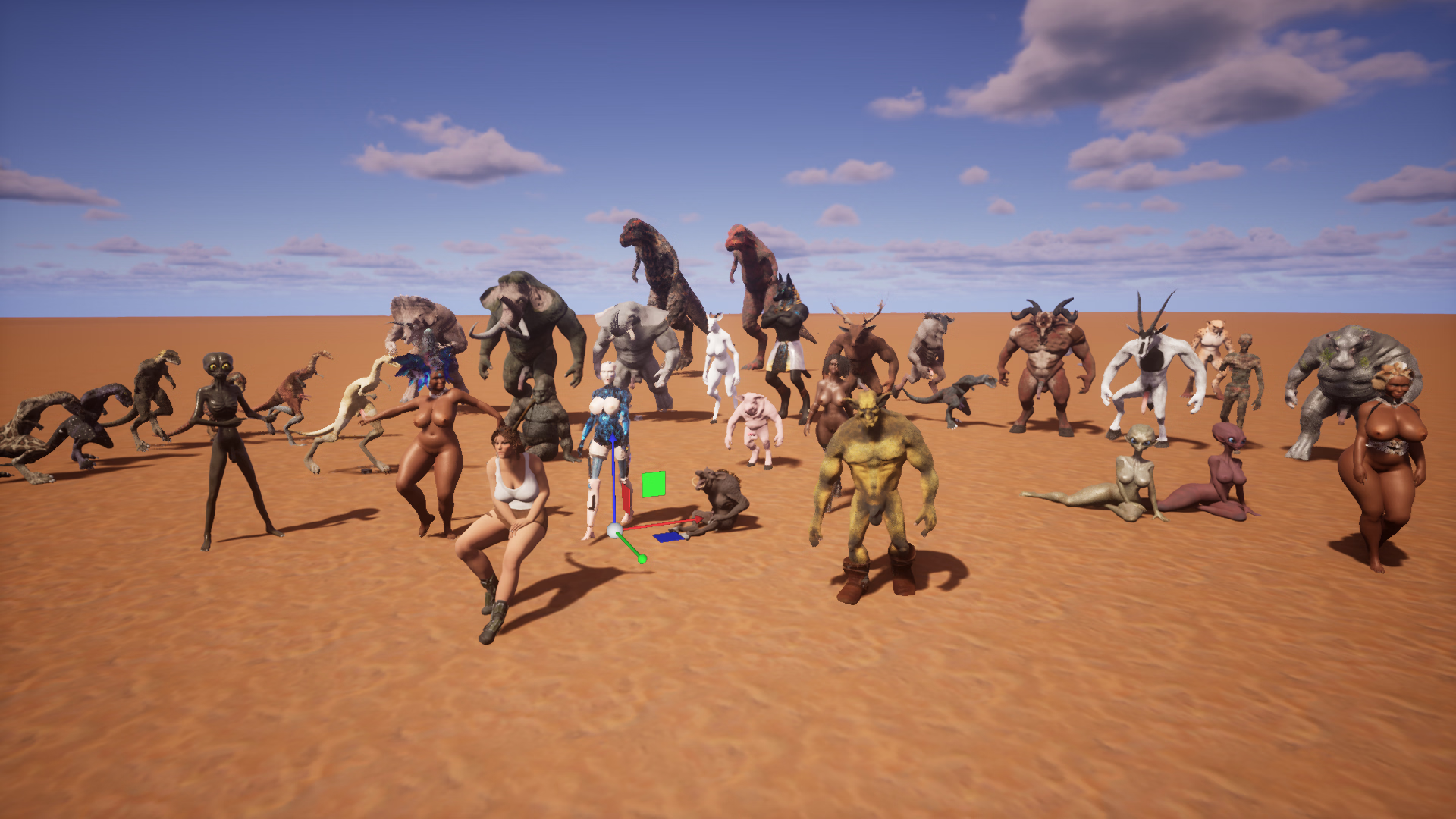
HighresScreenshot_2025.12.07-22.47.17.png
So here are my skinmesh (spline) mods that I created (remodeled) from the game's characters and creatures, so they're all different.
You'll find everything from animals (prehistoric creatures) and androids to aliens, dryads, elves, and even robots. I want to thank all the forum members who asked me to post them.


Updated: 14/12/2025
Game/Creator: Wildlife Adeptus Steve
Modder: Chris63
Mod Version: all versions +updates
Game Version:all versions with skinmesh
Language: english (Francais)

Features: 1st series Wlsave format

Installation:
Wlsave format; to be imported from the Wildlife Sandbox (Sandbox, top left, import)

Change-Log:
First series of creations by Chris63. Check back regularly for updates.

Important note
In each file there are two "events," the one for posing can cause a freeze in-game; this is not a bug.
Why? Because I use it in sandbox editing mode to pose the character (you are free to remove it), due to the "possess system."

Download: MEGA
African1/2/4 "Africa"


Alien 1

Alien2

Android1

Antilop/ Orix/Gallimimus(2styles) colection "Africa"

Anubis "colection Egypt"

Deer male

EGG 5(Robot sex objet lied)

Elephant "Africa"

gnou/gorille /Warthog/Dilophosaurus "Africa"

Hyppo "Africa"

Lady Dimestrecu HH and cloths relatif

Mammoth "Africa"

Mummy (2 skins) "Egypt"

Novaraptors (4 skins)

Nuns 1er update +cloths

Nuns update2 + cloths

Nuns2 milf +SM cloth

Pénis (3 types)

Pigman

Scarlett Johansson

T rex (2skins)

Tomb raider 9

Triceratops "Africa"

Wolfenstein ll TNC (objet lied)

Démon1
 
Last edited:

chris63

Member
Nov 21, 2019
146
220
110
Hello flatbird90
I'll format it and send it to you in this post (it's part of another ongoing series).
 
Last edited:

Khuraz

Newbie
Feb 18, 2023
46
19
42
Demon1 looks great. Perfect sculpt. :cool: But in my case, it appears nearly completely white except for the armor. Maybe textures/meshes were not imported properly this time? So I added them manually and everything is fine.(y)
 

Wamuu

Member
Feb 26, 2019
266
184
208
Demon1 looks great. Perfect sculpt. :cool: But in my case, it appears nearly completely white except for the armor. Maybe textures/meshes were not imported properly this time? So I added them manually and everything is fine.(y)
I also have this issue. how did you fix it?
 

Khuraz

Newbie
Feb 18, 2023
46
19
42
I also have this issue. how did you fix it?
Just adding the textures ingame did not work. So I copied the texture folder which is in the wlsave file.
Using Linux the contend of wlsave is direcly accessable. Using Windowws you might rename wslsave to zip.
Copy the texture folder and save it outside the wlsave.
Start WL sandbox mode.
On the left you see Demon1/EmptyGrok and a shirt symbol.
Click on that shirt symbol and scroll down until you see the different optiond for textures.
Chose one like `skin shandor body` and click on edit (pencil symbol)

Now another page appears. Custom materials - Demon1 skin. The big ball on the left will be white.
Add the missing textures by clicking on the color and normal folder symbol.
Insert the path to the matching texture (files taurok.png and taurok_normal.png (which are in the textures folder you have extracted from wlsave). Now the big ball shows the skin texture.

Funny thing: alle texture file names are preset, but not loaded automatically. So you will see which texture files are needed and only have to insert the path to the same file in your extracted texture folder.

Repeat that for all other textues (eyes, horns and so on.) untill al white areas of the character are gone.
If you want to customize the demon, you can change the textures by selecting a path to a different file of your own. Maybe you want a red-hot lava skin for the demon? Thanks to Chris`texture method, further customization is easy.

Good luck!
 
Last edited:

ForumHopper29

Newbie
Aug 3, 2024
15
3
13
hey these look great but wondering if you could make a transparent character that has "peen only" most games like HS2 has that but not in wild life any chance to look in to that like a remod of some humans and anthros
 

chris63

Member
Nov 21, 2019
146
220
110
Hello everyone.
I actually encountered this problem, quite strangely, as soon as I added the latest version of Wildlife the day before yesterday.

I never had this problem before, no big deal. reopen your folders from within the game

So, open the materials folder, then "open file," and then navigate back to the Adeptus "WL saves" folder... all the way to my texture. The path will be recreated.

Don't forget to save my model to check if everything is working correctly in your directories. It must be a bug in this version.

Thanks Khuraz.
We can do that too; in fact, it only happened to me with demon 1, which is why it took me so long to send it.
But this problem is happening to you, so it's a game issue and should be reported to Adeptus.
 
Last edited:

chris63

Member
Nov 21, 2019
146
220
110
Hello ForumHopper29

Yes, of course, in fact there are penises in my mods, I can do that of course, okay, that works

If you encounter any bugs, let me know. I'm not a computer scientist, but my kid is a computer engineer. Report them in green like this text.


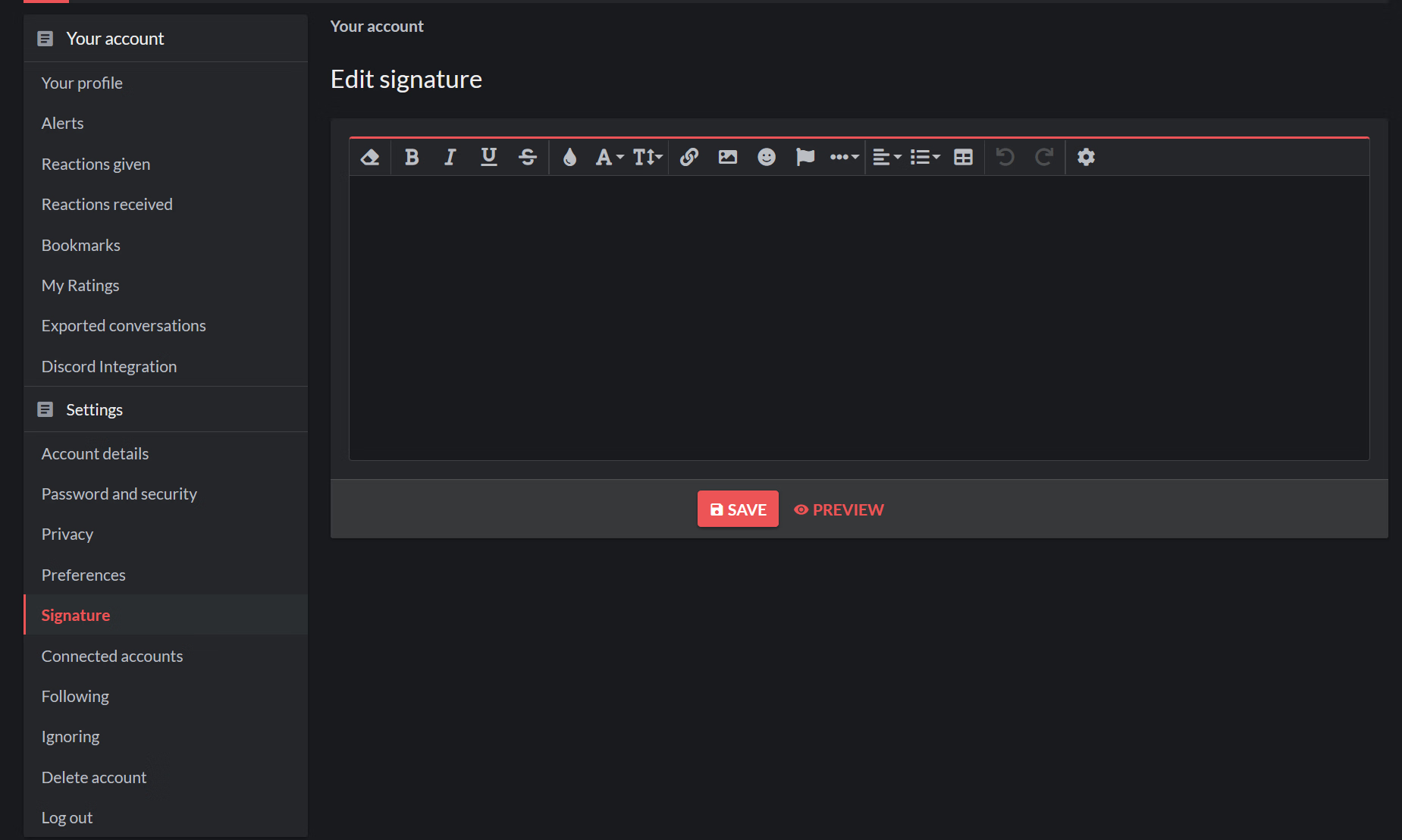
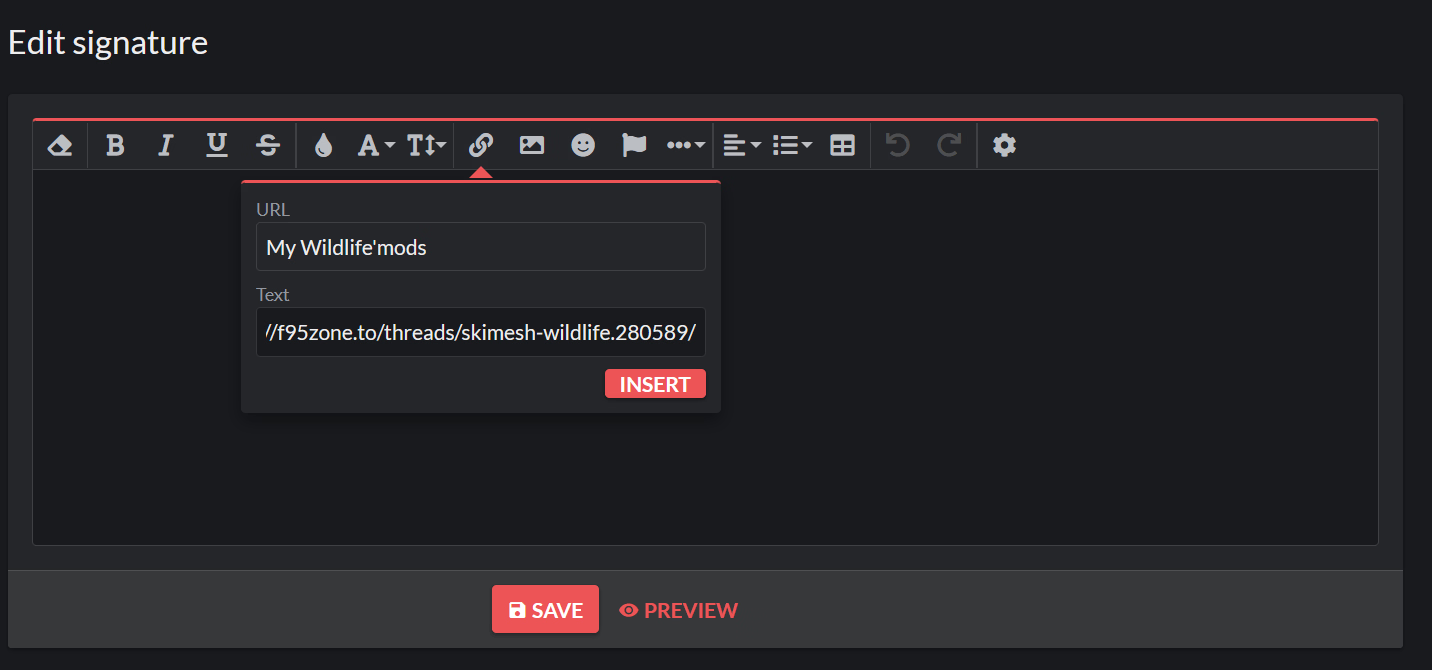
Oh yeah, how do you place the ad on this thread under my logo? I think some people haven't seen it!
 
Last edited:

golgoth

Newbie
Jul 20, 2019
23
11
109
Hello ForumHopper29

Yes, of course, in fact there are penises in my mods, I can do that of course, okay, that works

If you encounter any bugs, let me know. I'm not a computer scientist, but my kid is a computer engineer. Report them in green like this text.


Oh yeah, how do you place the ad on this thread under my logo? I think some people haven't seen it!
1 .
Clipboarder.2025.12.16.png

2.
1765916321203.png
3.
1765916497410.png
Merci encore pour ton travail ♥