Create and Fuck your AI Cum Slut –70% OFF
x

[Stable Diffusion] Prompt Sharing and Learning Thread

Sepheyer

Well-Known Member
Dec 21, 2020
1,709
4,192
448
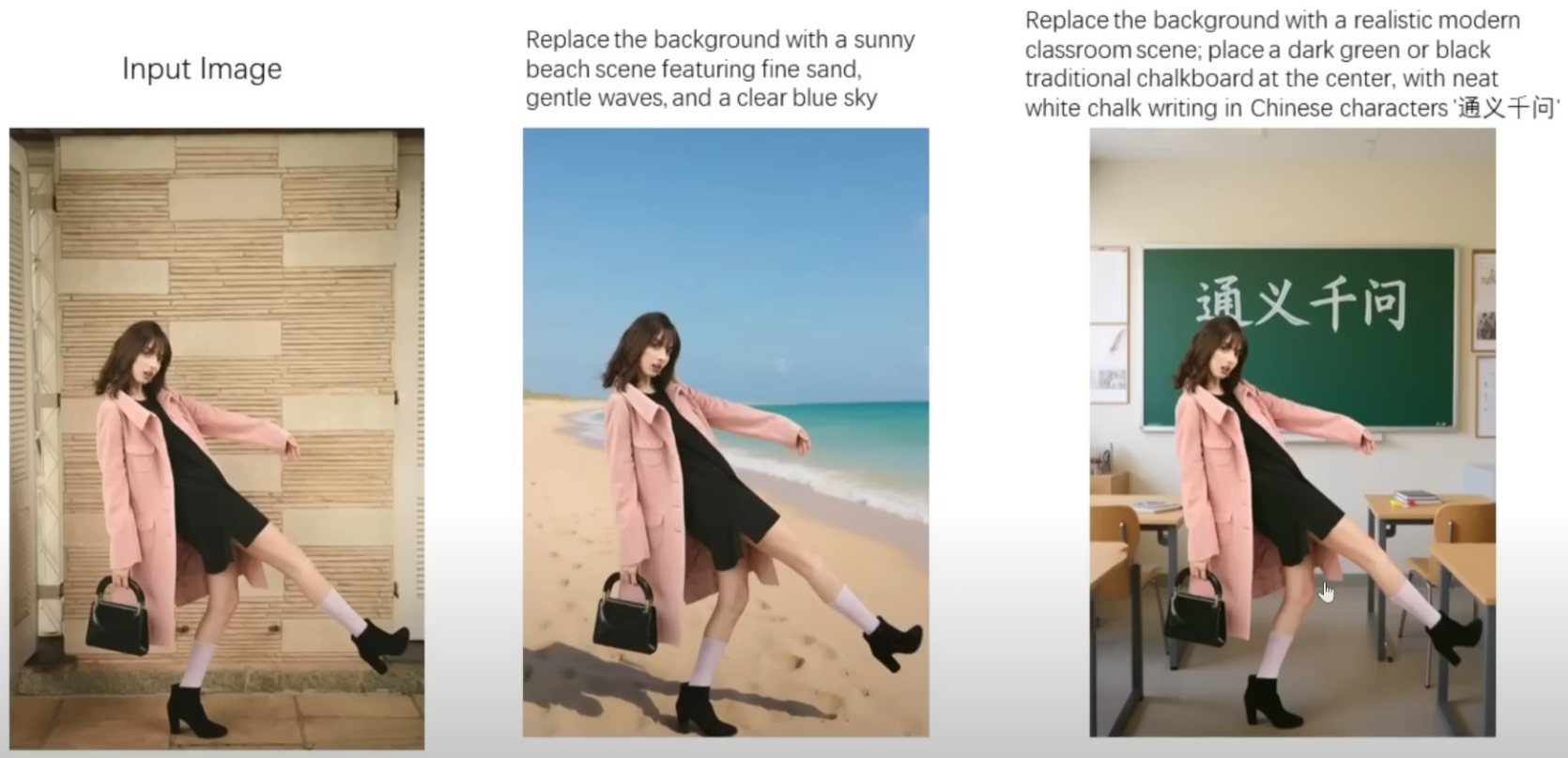
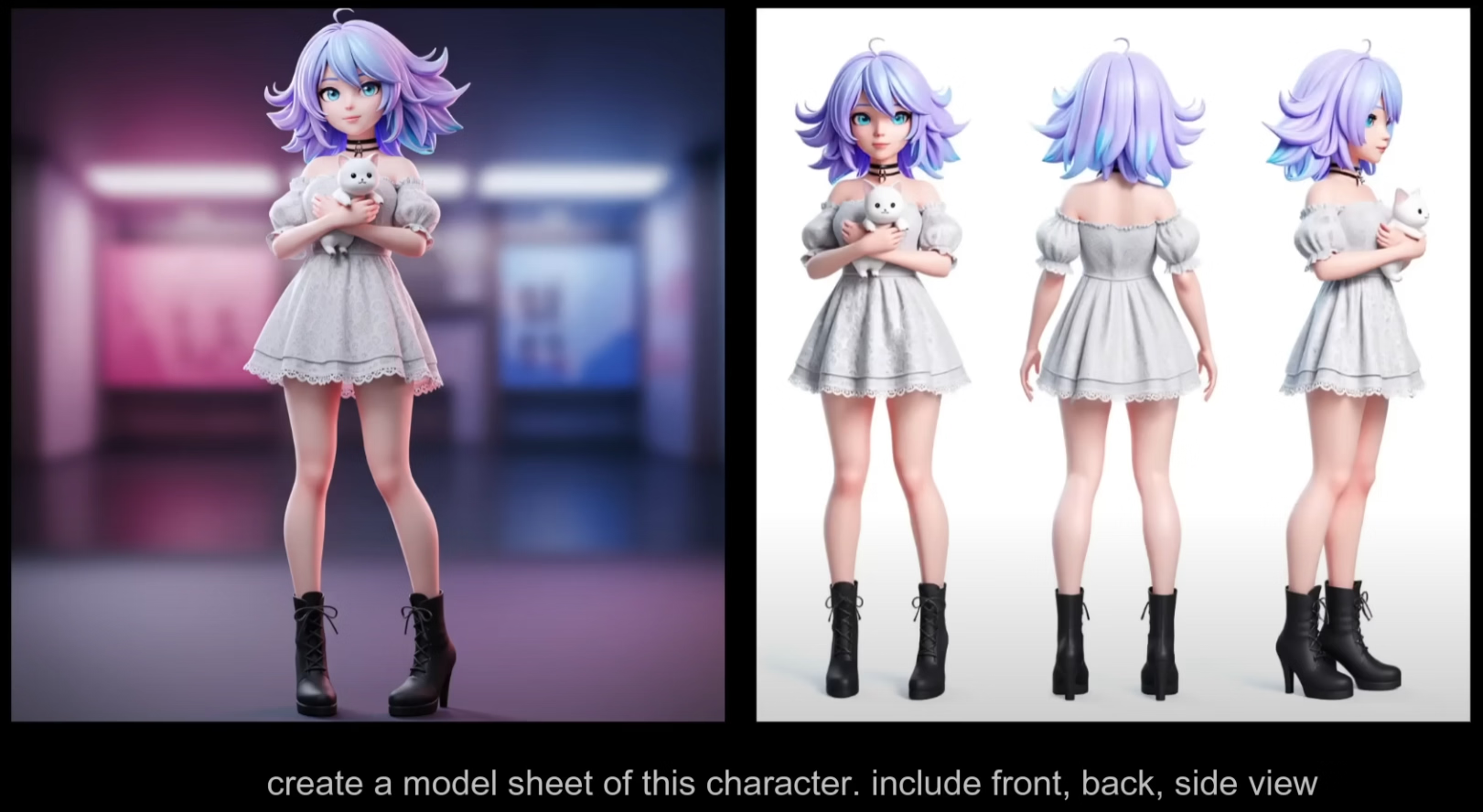
Qwen Image-to-Image

Qwen Edit is out:

Official help/instructions on/with prompts:

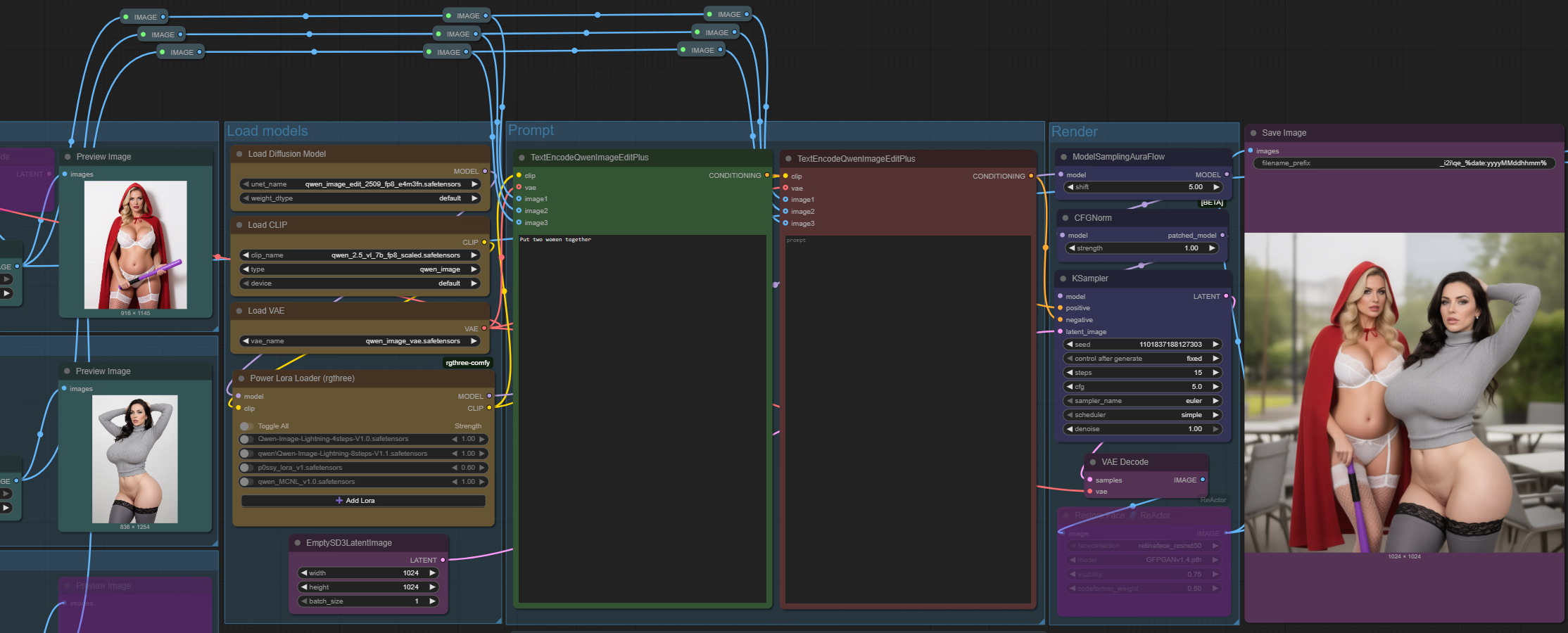
Workflow:

Looks like a killer:

qwen edit 2.png

Also, an interesting non-obvious feature:

qwen edit.png
 
Last edited:

osanaiko

Engaged Member
Modder
Jul 4, 2017
3,411
6,565
707
Qwen Image-to-Image
Qwen Edit is out
Looks like a killer
Trying this with my 3090 but get a crash when it tries to load the "qwen_image_edit_fp8_e4m3fn" 20b model. That's even after trying to offload the CLIP text encoding to CPU (which seems to work). 20B params ~ 20GB safetensors file on disk... seems like it takes up too much VRAM :(

What hardware are you running on? 5090 with 32GB vram?
 

Sepheyer

Well-Known Member
Dec 21, 2020
1,709
4,192
448
Trying this with my 3090 but get a crash when it tries to load the "qwen_image_edit_fp8_e4m3fn" 20b model. That's even after trying to offload the CLIP text encoding to CPU (which seems to work). 20B params ~ 20GB safetensors file on disk... seems like it takes up too much VRAM :(

What hardware are you running on? 5090 with 32GB vram?
I have a 4070 with 12GB.

But my CUI is the "portable version" where the install is insulated from the rest of the software. All other versions of CUI (git and desktop) were giving me all kinds of issues, including memory glitches, that I eventually gave up on.

So, if you don't have CUI PV, do give it a shot:


Qwen Image and Qwen Edit are quite the breakthru for a solo-dev game art, giving arguably pretty consistent results out of the box

consistency.png
 
  • Like
Reactions: VanMortis

osanaiko

Engaged Member
Modder
Jul 4, 2017
3,411
6,565
707
I have a 4070 with 12GB.

But my CUI is the "portable version" where the install is insulated from the rest of the software. All other versions of CUI (git and desktop) were giving me all kinds of issues, including memory glitches, that I eventually gave up on.
Yeah I'm already using "ComfyUI_windows_portable", based on your previous advice and my own experience with python/pytorch etc library conflicts.

Don't really understand how you get the FP8 version running on a 12GB card... is that really correct? or do you have a different model instead of the "qwen_image_edit_fp8_e4m3fn.safetensors" mentioned in the link you posted (

I ended up grabbing a GGUF quantized version (Q5-K-M) that is 15GB, and was able to squeeze that into the 24gb VRAM with the CLIP model and windows overhead. (note to anyone trying at home: In the workflow I replaced the "Load Diffusion Model" node with a "Unet Loader (GGUF)" node. that UNET custom node had to be upgraded to latest version too, otherwise it died with an "unknown arch type: qwen_image" error)

I did notice it was really, really slow - nearly 2mins to generate a 1024x1024 output. I haven't tried the Lightning Lora yet... might try that now...
update: yep, that was waaay faster, 25s, and output quality looks almost the same.

Gentlemen, we have achieved tool unlock!

Thanks Seph!
 
Last edited:
  • Like
Reactions: Loys and Sepheyer

Sharinel

Active Member
Dec 23, 2018
614
2,444
448
I have a 4070 with 12GB.

But my CUI is the "portable version" where the install is insulated from the rest of the software. All other versions of CUI (git and desktop) were giving me all kinds of issues, including memory glitches, that I eventually gave up on.

So, if you don't have CUI PV, do give it a shot:


Qwen Image and Qwen Edit are quite the breakthru for a solo-dev game art, giving arguably pretty consistent results out of the box

View attachment 5186924
Oh built in bewbz? Sold! I thought it was going to be like Flux where the human body is as unknown as it is to a religous person pre-marriage, so I never checked it out
 

Sepheyer

Well-Known Member
Dec 21, 2020
1,709
4,192
448
Don't really understand how you get the FP8 version running on a 12GB card... is that really correct? or do you have a different model instead of the "qwen_image_edit_fp8_e4m3fn.safetensors" mentioned in the link you posted (
Indeed, I am running FP8 - the few workflows I posted here show there is no mistake. So, in theory you should be able to run it too - I trust it is merely a matter of finding the right CUI switches?

After your post I tried GGUFs (Q4_0 -- just under 12GB) and it was taking about 50% longer. So if FP8 takes about 3 minutes, GGUF took 5 min. Naturally, the Lightning 4 step LORA cut it down to about 20 sec for every run after the first one.

In my tests the LL takes prompts too literal. IE when I ask for a doggy pose then FP8 gives me a doggy pose, but LL gives me a doggy (but sometimes both - the pose and the doggy). Other than that LL4 is fantastic. LL8 cuts the right balance - pretty much gives me what I'd have with "raw" FP8.

Also I tested the Qwen's 16 version (40GB) and I couldnt tell the difference against FP8, other than the time to render.

LL 8 stepLL 4 step
2025_0827_00154_.png 2025_0827_00153_.png
 
Last edited:
  • Like
Reactions: osanaiko

thereald00d

Newbie
Jun 3, 2021
17
7
45
My dudes, WAN 2.2 is the tits. Zip file contains the workflow. This is image-to-video, eight minutes to generate, needs a few large models downloaded (about 20GB total).
I tried your workflow and got an error about

"

Missing Node Types
When loading the graph, the following node types were not found
  • SaveVideo
  • CreateVideo
"

Can you please let me know what node(s) or extensions you installed for the two node types? It's mentioning Comfy-Core but I can't find it anywhere...
 

Sepheyer

Well-Known Member
Dec 21, 2020
1,709
4,192
448
I tried your workflow and got an error about

"

Missing Node Types
When loading the graph, the following node types were not found
  • SaveVideo
  • CreateVideo
"

Can you please let me know what node(s) or extensions you installed for the two node types? It's mentioning Comfy-Core but I can't find it anywhere...
Looks like your CUY needs to be updated. If you run a "portable" version, then run the update from the respective folder - the latest will be downloaded and you'll have WAN nodes and workflows added to the templates list.

Let me know if you need more details, but first you'll have to provide additional info about what kind of CUI setup you are running.
 
  • Like
Reactions: thereald00d

Artist271

Active Member
Sep 11, 2022
829
1,403
266
Hey, i'm currently learning stable diffusion. And i would like to know how to generate multiple characters consistently with their details intact. I'm having a hard time learning that.
 

CBTWizard

Newbie
Nov 11, 2019
25
41
133
Hey, i'm currently learning stable diffusion. And i would like to know how to generate multiple characters consistently with their details intact. I'm having a hard time learning that.
You can try either the or plugins.
Prompting multiple characters normally by itself is pretty much hard to do without mixing their details without plugins like the ones I mentioned unless you're using bigger models like Flux and Qwen. Using "BREAK" or placing the next character prompt in a new line might help but they're rather unreliable unless they're very distinct from one another.
 
Last edited:

randomguy6516265165

Conversation Conqueror
Jun 21, 2018
6,672
4,988
517
hi, Im new to SD and I want to start making AI images and vids that are more on the beast/monster side. I have a laptop with a 1060 6GB. Would it be best for me to wait until I have a better PC or I can start doing stuff already?. I havent installed anything yet just incase
 

Sepheyer

Well-Known Member
Dec 21, 2020
1,709
4,192
448
hi, Im new to SD and I want to start making AI images and vids that are more on the beast/monster side. I have a laptop with a 1060 6GB. Would it be best for me to wait until I have a better PC or I can start doing stuff already?. I havent installed anything yet just incase
You can start with what you have. Note, AI will put lotsa wear and tear on your card to the point the laptop might stop working.

Anyways, you do want at least 12GB VRAM and a card that starts at 30X0 for proper AI work.

Your current setup will allow you to run basic concepts from 2023; but vids are pretty much a no go zone because of how long they take to render.
 

JhonLui

Well-Known Member
Jan 13, 2020
1,189
1,178
284
I'm quietly testing FrameStudio F1 on Stability Matrix with very decent results, specially in terms of time (pic to vid).
Did anybody manage to make it work completely offline?
 

randomguy6516265165

Conversation Conqueror
Jun 21, 2018
6,672
4,988
517
You can start with what you have. Note, AI will put lotsa wear and tear on your card to the point the laptop might stop working.

Anyways, you do want at least 12GB VRAM and a card that starts at 30X0 for proper AI work.

Your current setup will allow you to run basic concepts from 2023; but vids are pretty much a no go zone because of how long they take to render.
might wait then, I only have this laptop for gaming and such. Thanks for the tips
 
  • Like
Reactions: Sepheyer

Vilkas91

New Member
Oct 2, 2017
2
6
137
Thank everybody for the several examples, about the possibilities of AI-generation.
During those last weeks, I've been playing around A1111, ComfyUI, InvokeAI. I think I will settle for ComfyUI.Some tests already done, with SD, and a bit of SDXL. My graphic card seems enough for reasonable time generation.
But now that I've a VN being drafted for a while, I'm looking for some template for generating the characters. For now, I'm settling with classic VN style (between manga and anime), or old school VN. I will see later for the... "juicy" parts.
 
  • Like
Reactions: osanaiko

Sepheyer

Well-Known Member
Dec 21, 2020
1,709
4,192
448
Thank everybody for the several examples, about the possibilities of AI-generation.
During those last weeks, I've been playing around A1111, ComfyUI, InvokeAI. I think I will settle for ComfyUI.Some tests already done, with SD, and a bit of SDXL. My graphic card seems enough for reasonable time generation.
But now that I've a VN being drafted for a while, I'm looking for some template for generating the characters. For now, I'm settling with classic VN style (between manga and anime), or old school VN. I will see later for the... "juicy" parts.
If your card allows you then you want the Illustrious-type checkpoints. They are the leader now in terms of sweet-spot of casual AI. And when you set charas against white background then the images are just perfect for a VN. Additionally it understands things like (wind:1.4) or (wind lift:1.4) which makes for nice effects. Plus there is a bunch of other goodies too numerous to describe that you will discover once you start working with Illustrious.


Sir.Fred

Active Member
Donor
Sep 20, 2021
908
4,391
639
  • Like
Reactions: Sepheyer