Create and Fuck your AI Cum Slut –70% OFF
x

[Stable Diffusion] Prompt Sharing and Learning Thread

Sepheyer

Well-Known Member
Dec 21, 2020
1,709
4,192
448
I'm new to Comfy. Qwen dragged me away from Forge. Could you share one of those workflows that has a reference image for QIE? The demo workflow works great for prompted edits but I don't know how to add a reference/conrol image like you've done here.
The workflow is attached as RAR - it is inside the image.
You don't have permission to view the spoiler content. Log in or register now.
i_202509250106_00001_.png
 
Last edited:
  • Crown
Reactions: Sir.Fred

Sepheyer

Well-Known Member
Dec 21, 2020
1,709
4,192
448
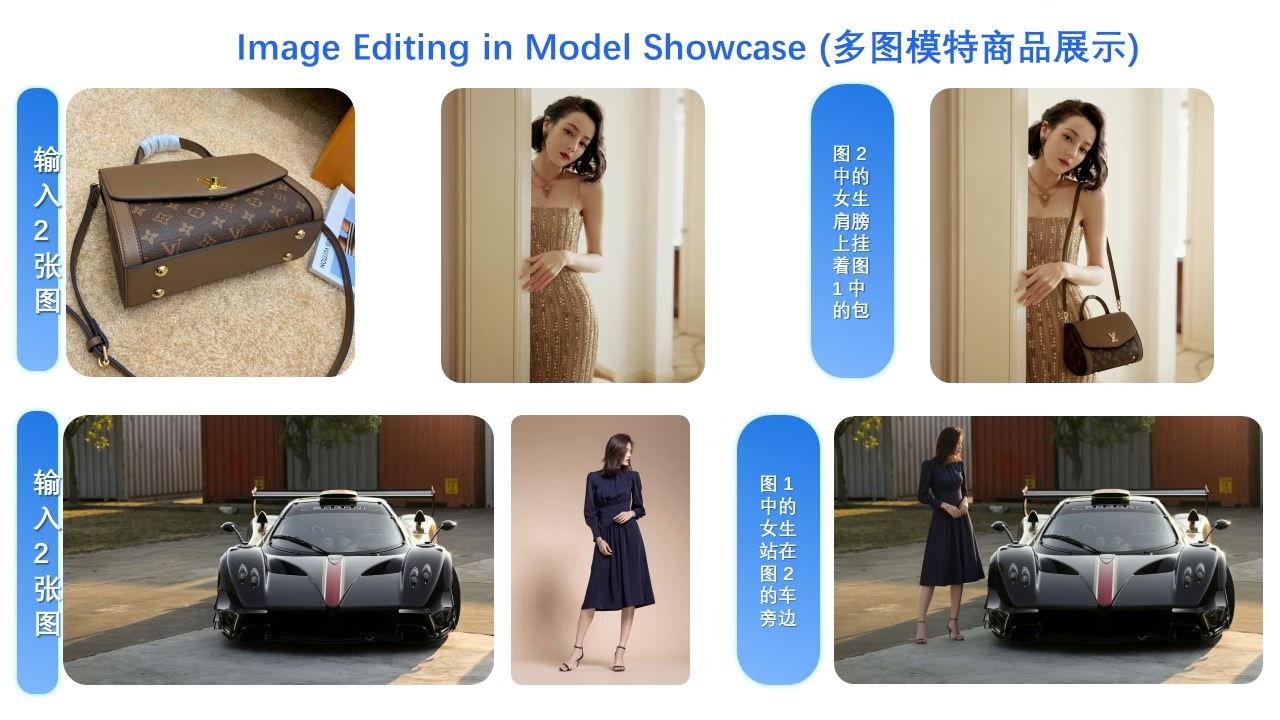
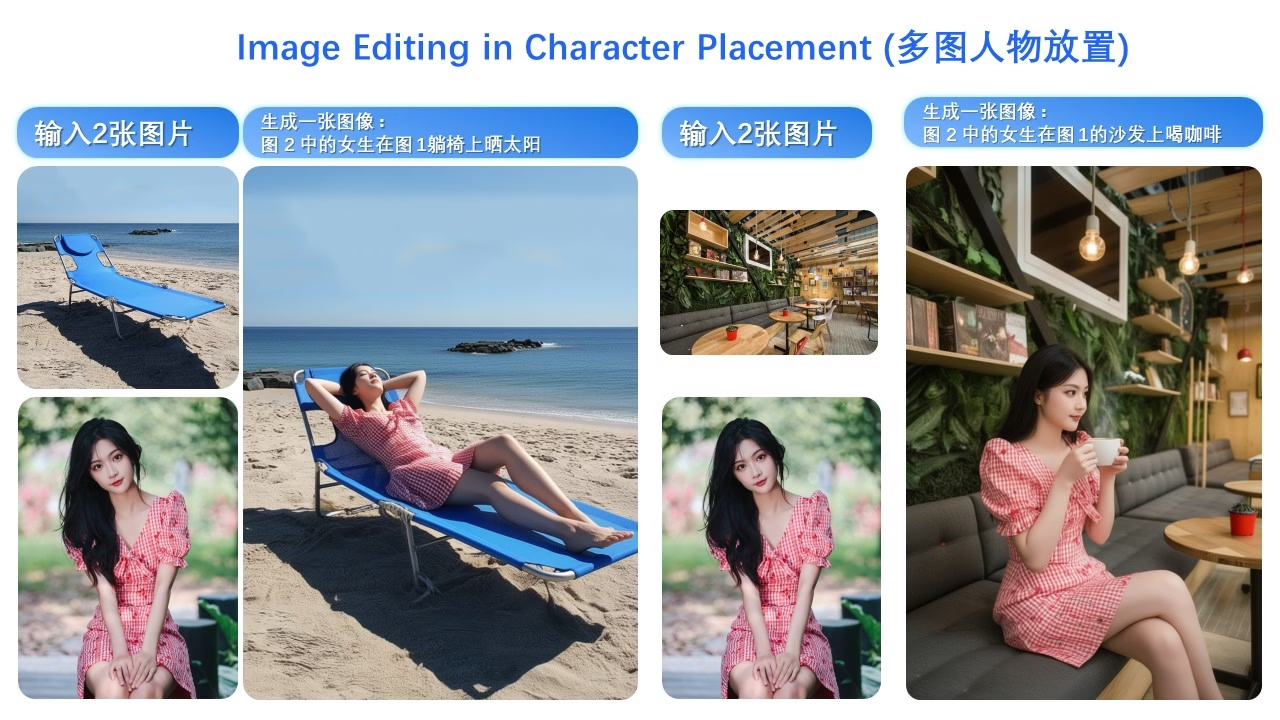
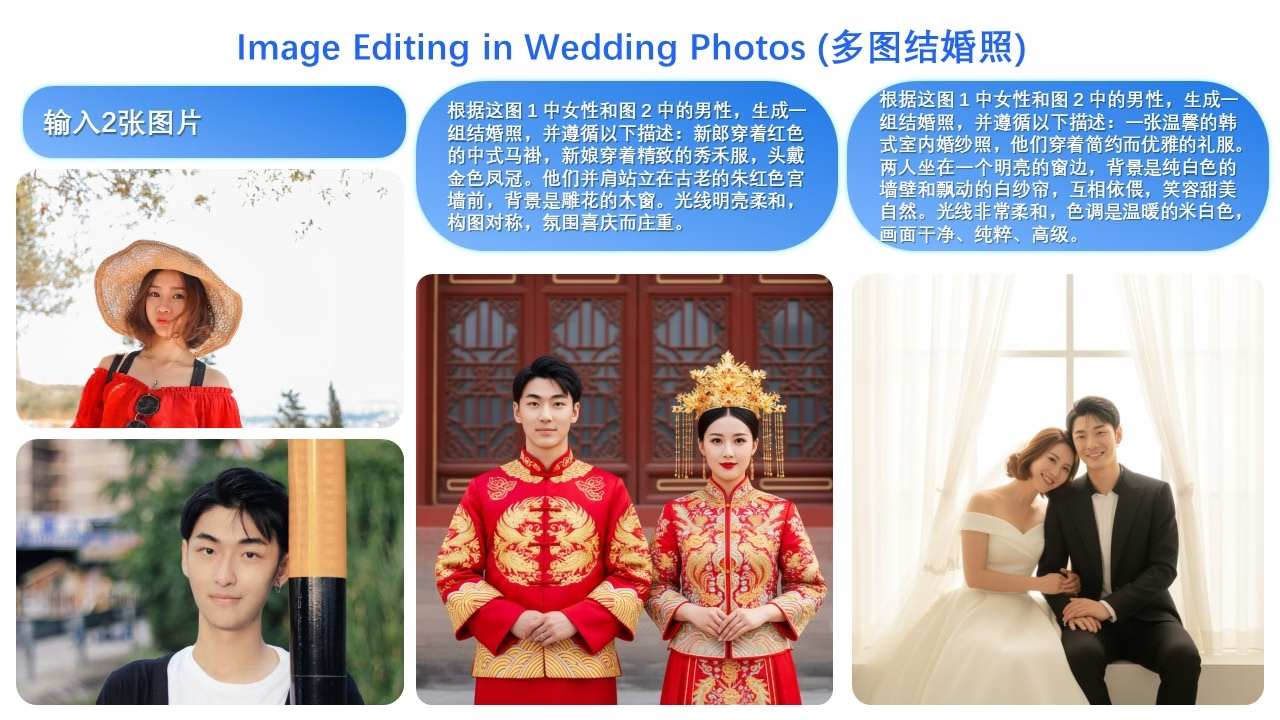
Would anyone know what the official prompts say? I tried using Qwen Edit to translate these into English but it didn't work Q_Q

幻灯片21.jpg

幻灯片20.jpg

幻灯片19.jpg
 

Sepheyer

Well-Known Member
Dec 21, 2020
1,709
4,192
448
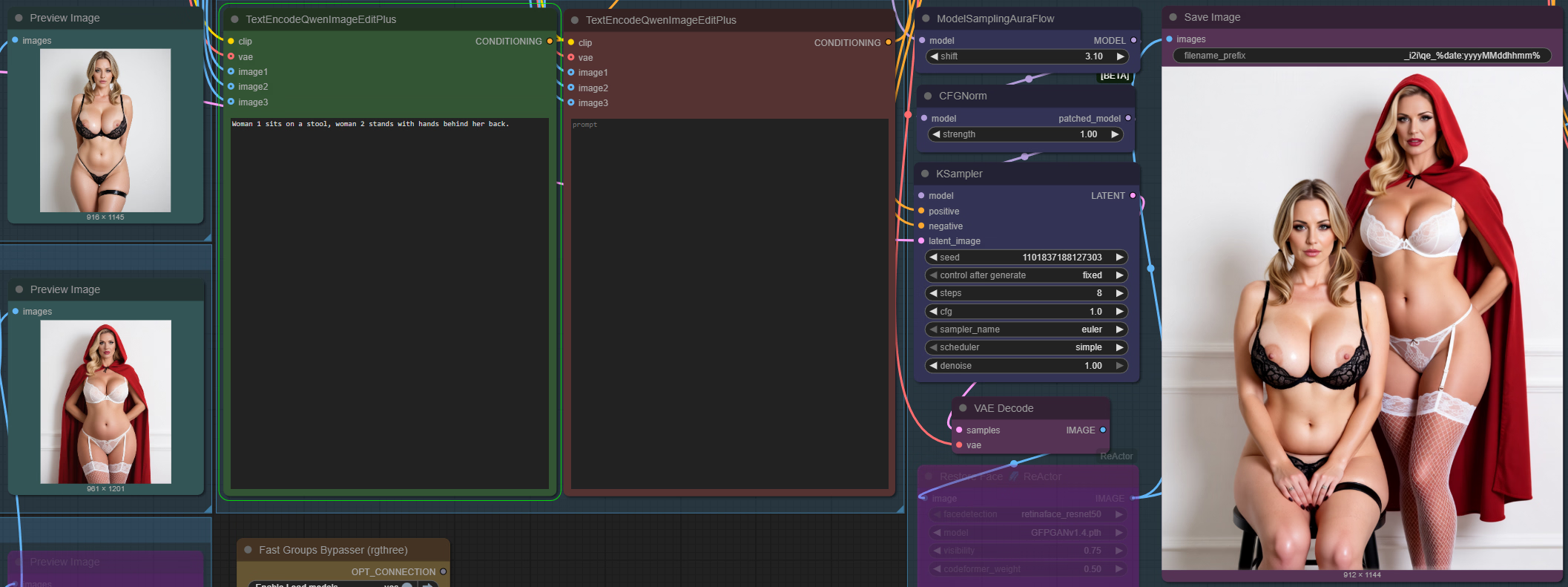
So far it seems Qwen understands woman 1 and woman 2 and responds to them appropriately:


Here prompt reads: Woman 1 sits on a stool, woman 2 stands with hands behind her back.

1758738220606.png

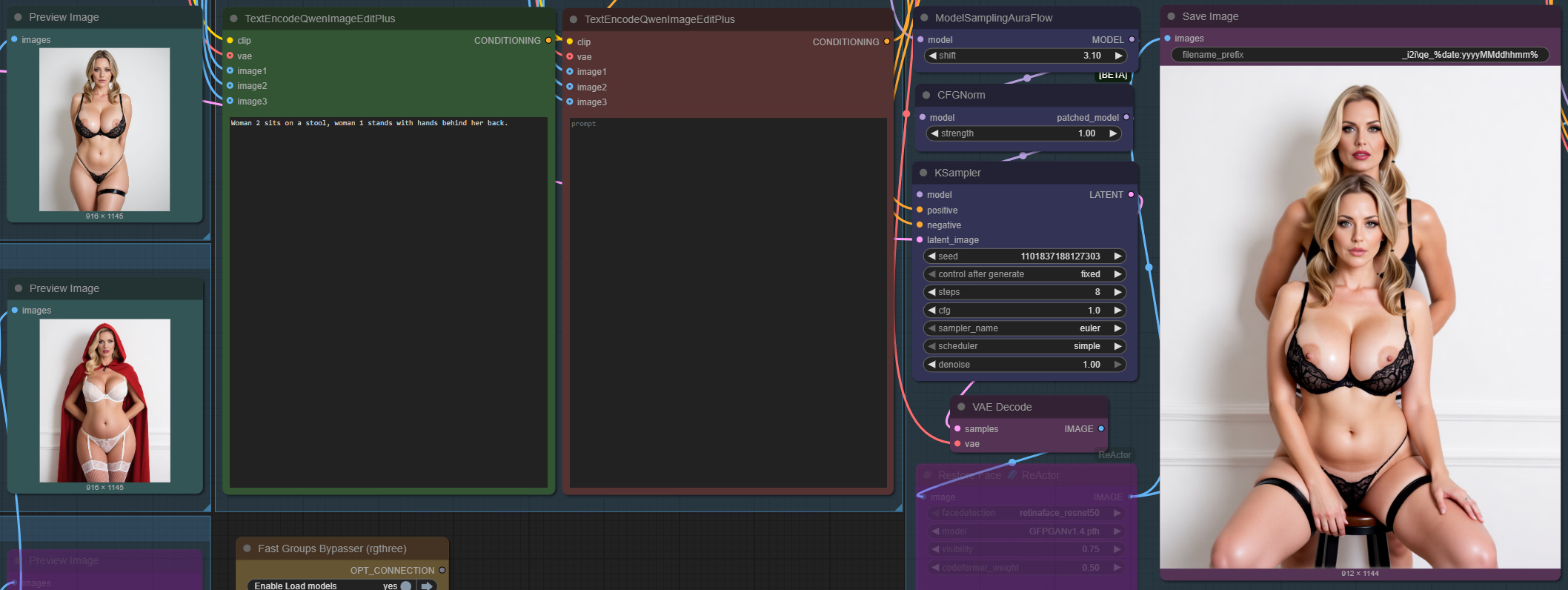
But! It didnt work at all when I swapped the numbers: Woman 2 sits on a stool, woman 1 stands with hands behind her back.

Girl 1 still sits on the stool, girl 2 is behind. Hmm, not as straight forward as I imagined.

1758738461312.png
 
Last edited:
  • Like
Reactions: Sir.Fred

JhonLui

Well-Known Member
Jan 13, 2020
1,189
1,178
284
But! It didnt work at all when I swapped the numbers: Woman 2 sits on a stool, woman 1 stands with hands behind her back.

Girl 1 still sits on the stool, girl 2 is behind. Hmm, not as straight forward as I imagined.

View attachment 5281358
Try to work it the other way around..
Instead of swapping position in the prompt, swap the description (and lora if any) or just the connection if I read the diagram right..
 
  • Like
Reactions: Sepheyer

Sharinel

Active Member
Dec 23, 2018
614
2,444
448
So far it seems Qwen understands woman 1 and woman 2 and responds to them appropriately:


Here prompt reads: Woman 1 sits on a stool, woman 2 stands with hands behind her back.

View attachment 5281350

But! It didnt work at all when I swapped the numbers: Woman 2 sits on a stool, woman 1 stands with hands behind her back.

Girl 1 still sits on the stool, girl 2 is behind. Hmm, not as straight forward as I imagined.

View attachment 5281358
Hmm, maybe try woman in red cloak sits on stool, women in black bikini stands behind? Something like that?
 
  • Like
Reactions: Sepheyer

osanaiko

Engaged Member
Modder
Jul 4, 2017
3,411
6,565
707
Would anyone know what the official prompts say? I tried using Qwen Edit to translate these into English but it didn't work Q_Q
I don't read Chinese but from my understanding of Kanji from Japanese it's just very basic:

"the woman in image 2 is carrying on shoulder the bag in image 1"

"the vehicle in image 1 is stood next to by the woman in image 2" (grammar is obviously borked when doing original sentence order)

The third one about the wedding shots is way too complex for me.
 
  • Like
Reactions: Sepheyer

Sepheyer

Well-Known Member
Dec 21, 2020
1,709
4,192
448
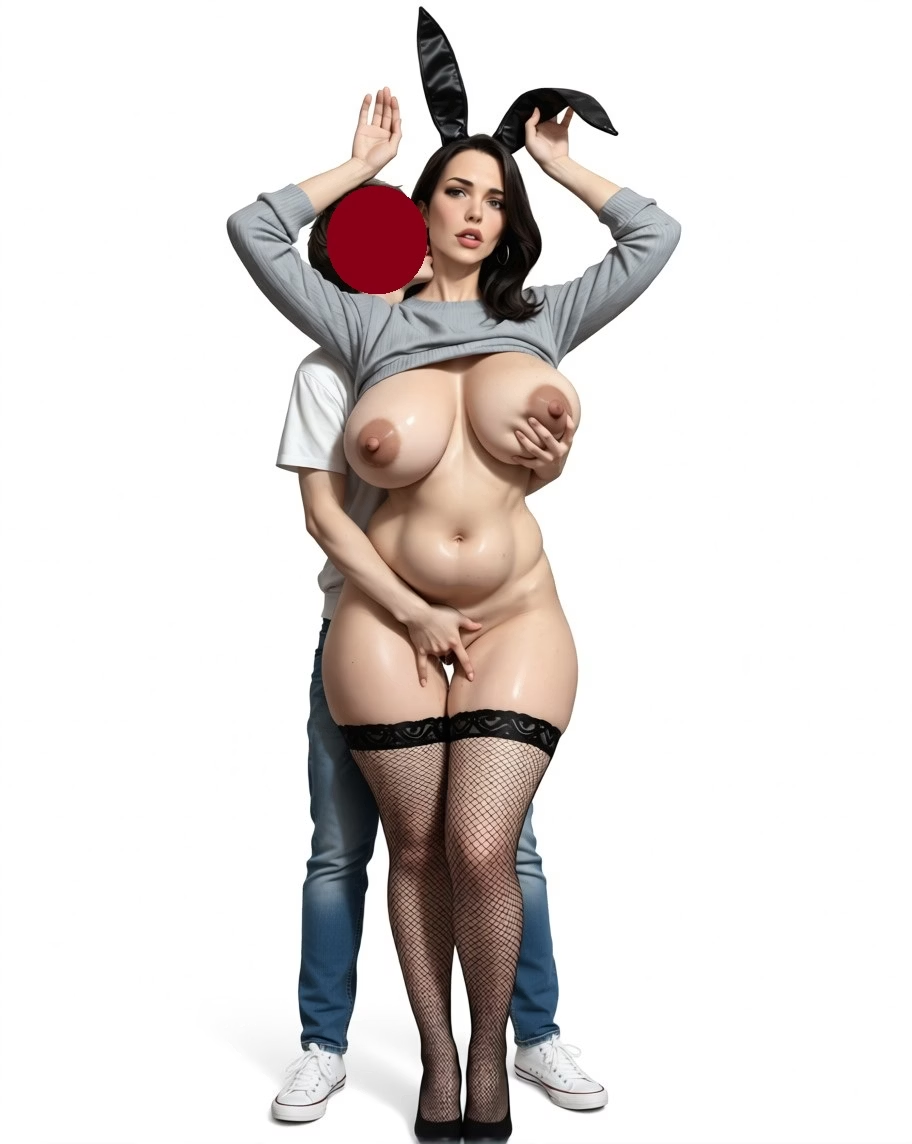
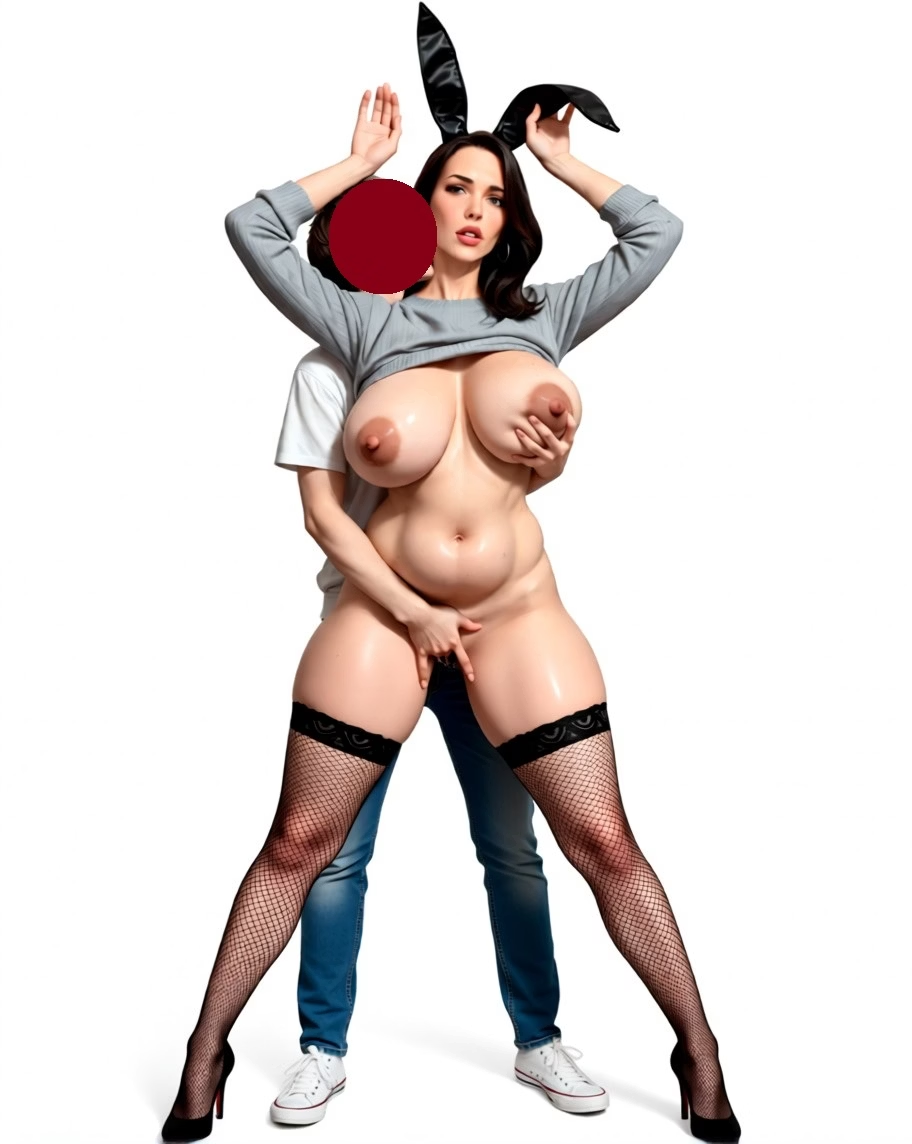
What had my jaw on the floor, an "aha", or "we have arrived" moment is converting from cowboy shot to full-body shot.

Original
Get fullshot view
Legs spread
Put clothes on
i_202509022121_00001_.jpg qe_202509250251_00002_.jpg qe_202509250301_00001_.jpg qe_202509250319_00001_.jpg

This new Qwen is a major upgrade over the original one. Naturally, there are these issues with size and color consistency, these are not lost on me, be alas, the trajectory of the development will take us to new levels of depravity.
 

Sepheyer

Well-Known Member
Dec 21, 2020
1,709
4,192
448
Very few things in life are as fun as Qwen 2509.

And we literally have a new era in AI - a whole new toolkit that today allows something that wasn't available yesterday.

So far only one major issue -- Qwen is much slower than say Illustrious, and upscaling it on my machine using model-upscaler takes around an hour.

qe_202509251310_00001_.jpg
 

osanaiko

Engaged Member
Modder
Jul 4, 2017
3,411
6,565
707
Qwen is much slower than say Illustrious, and upscaling it on my machine using model-upscaler takes around an hour.
What is "model-upscaler" and what does it do? I don't understand how a model can be upscaled.

Or are you saying that your comfy pipeline has a step after qwen image generation that performs a (e.g.) 1k->4k upscale, and the whole operation takes around an hour?
 
  • Like
Reactions: Sepheyer

Sepheyer

Well-Known Member
Dec 21, 2020
1,709
4,192
448
What is "model-upscaler" and what does it do? I don't understand how a model can be upscaled.

Or are you saying that your comfy pipeline has a step after qwen image generation that performs a (e.g.) 1k->4k upscale, and the whole operation takes around an hour?
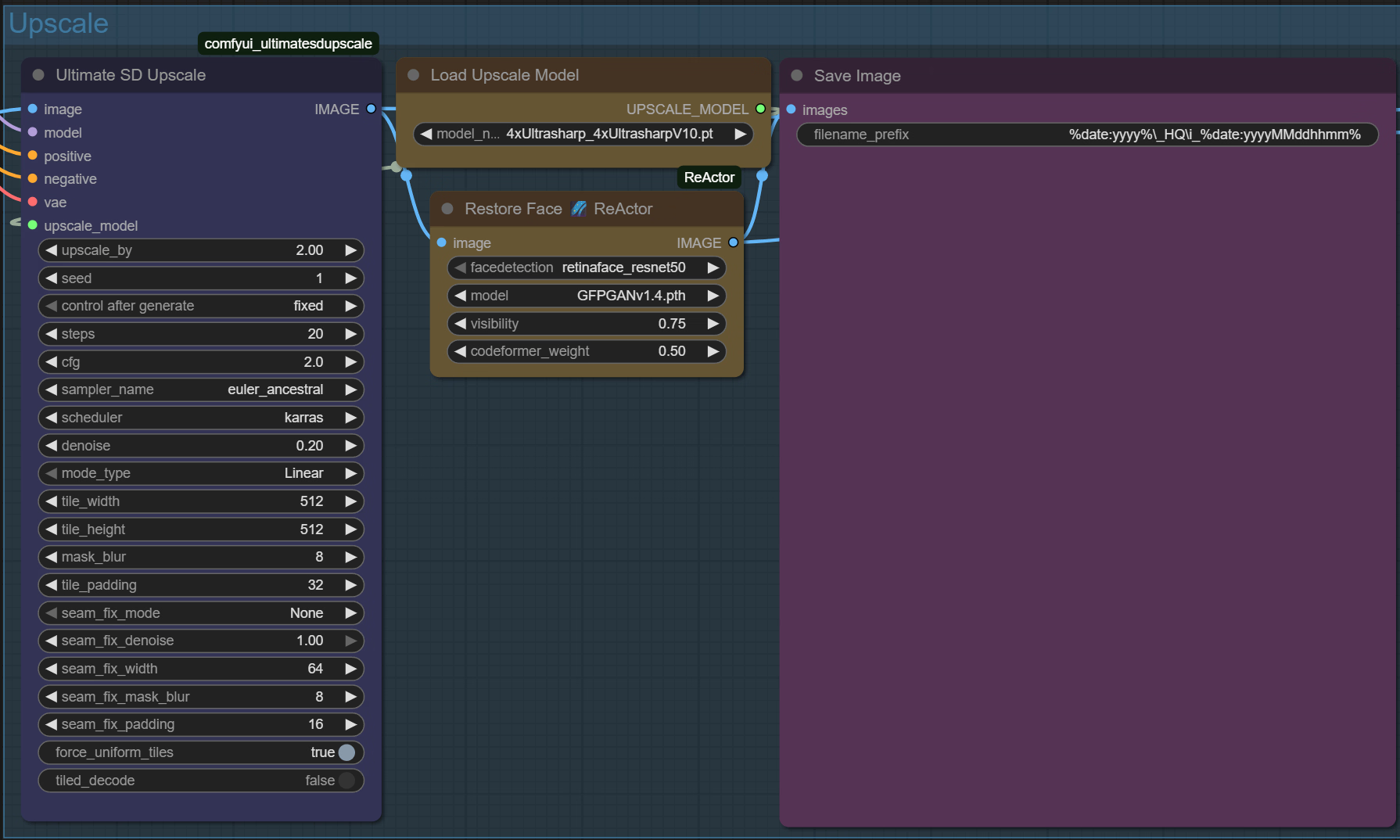
Yea, it is this guy - "Ultimate SD Upscale" node - pardon my pedestrian calling it "model-upscaler". IDK why I do that, probably to contrast a simplier upscaler that doesnt use a model to upscale. It is probably a tile controlnet under the hood.

1758800889438.png

It gets me to say 2000x3000 in Illustrious in about two minutes and looks great:

i_202509102000_00001_.png
 
Last edited:

JhonLui

Well-Known Member
Jan 13, 2020
1,189
1,178
284
Qwen is much slower than say Illustrious, and upscaling it on my machine using model-upscaler takes around an hour.
can I ask you what machine you have? just to have an idea on what it would take on mine..
 

Sepheyer

Well-Known Member
Dec 21, 2020
1,709
4,192
448
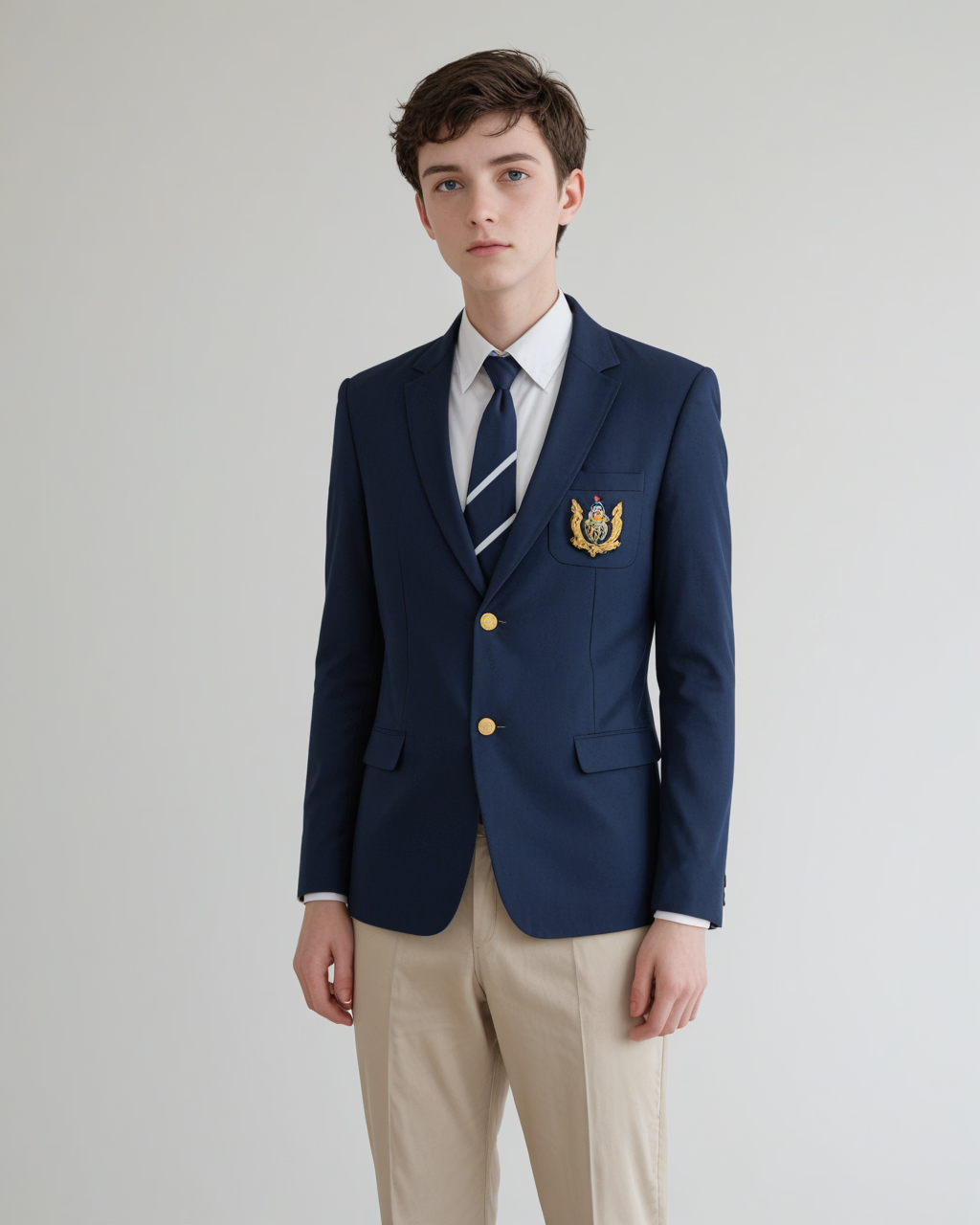
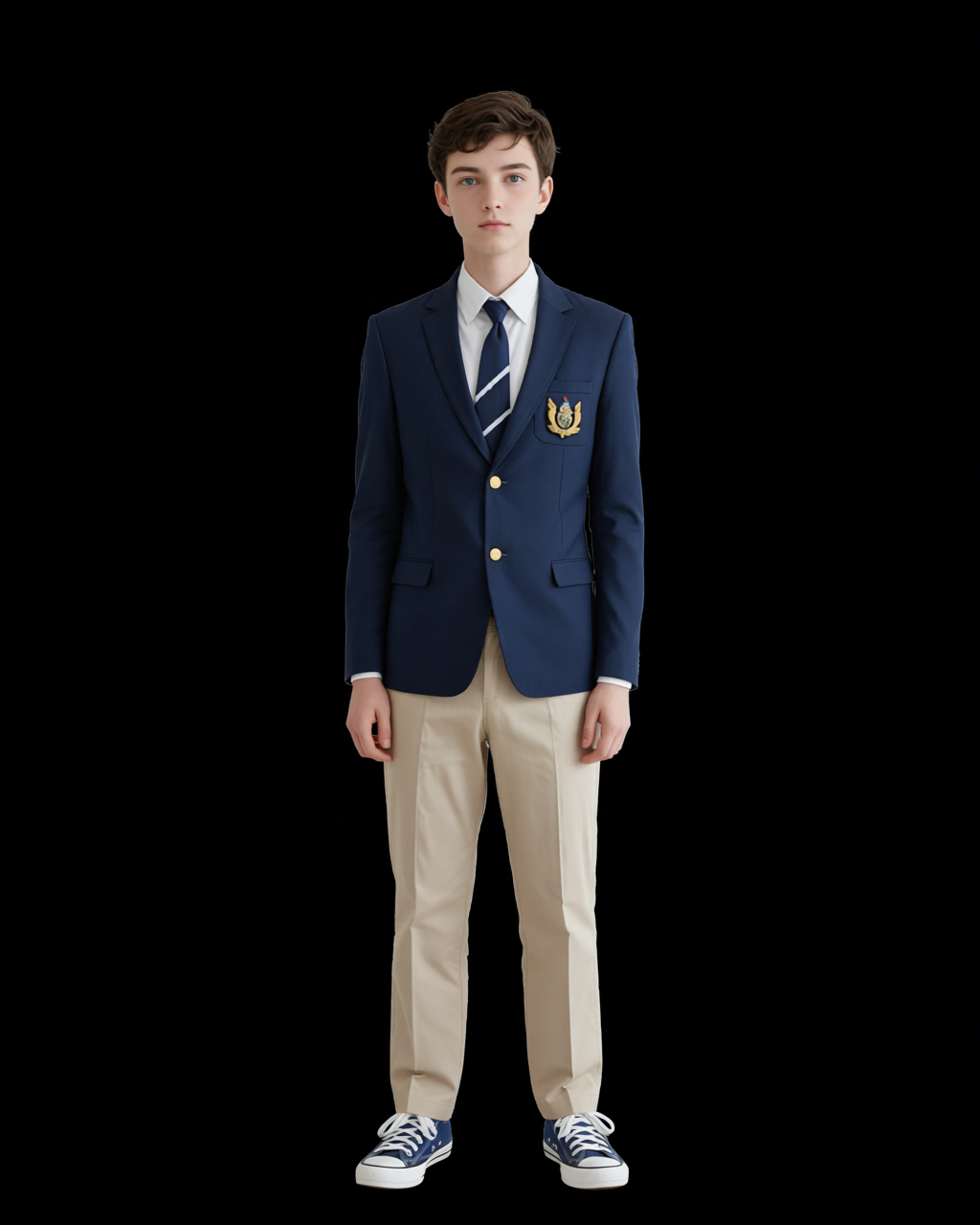
Here's 2025 in review*.

*2025 in review so far.

If you are still on a fence about Qwen 2509, let me show you lil something.

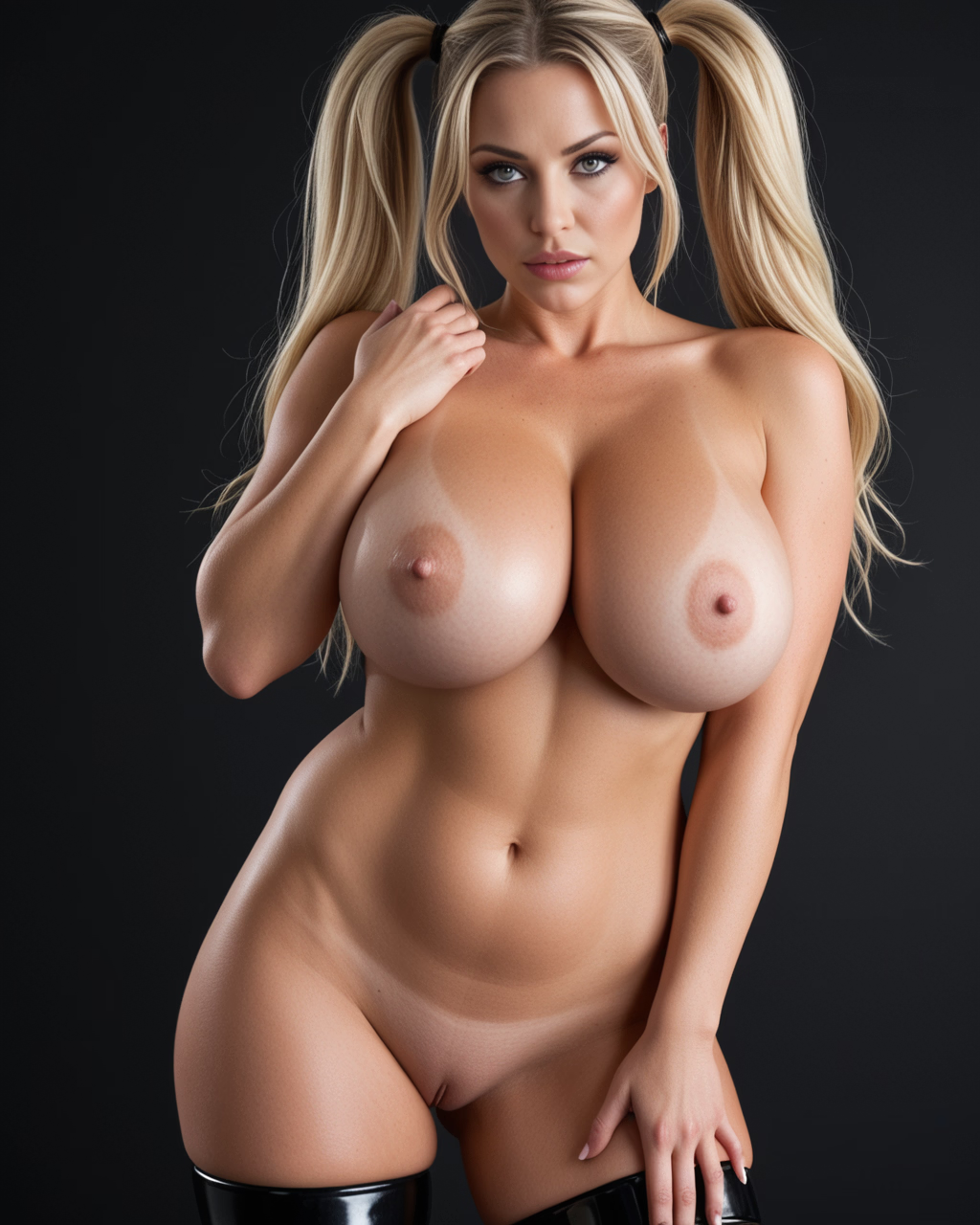
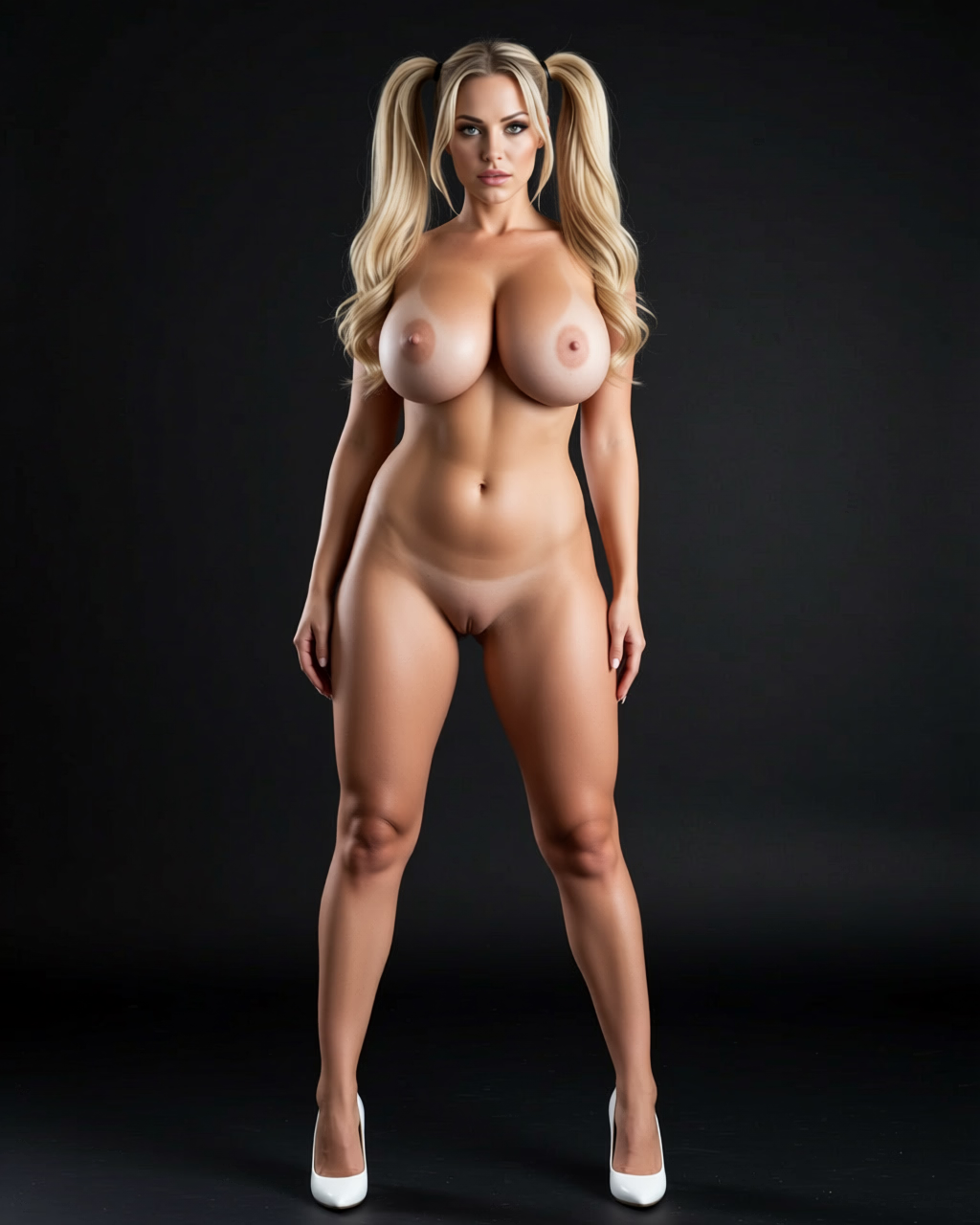
Generate a Reference
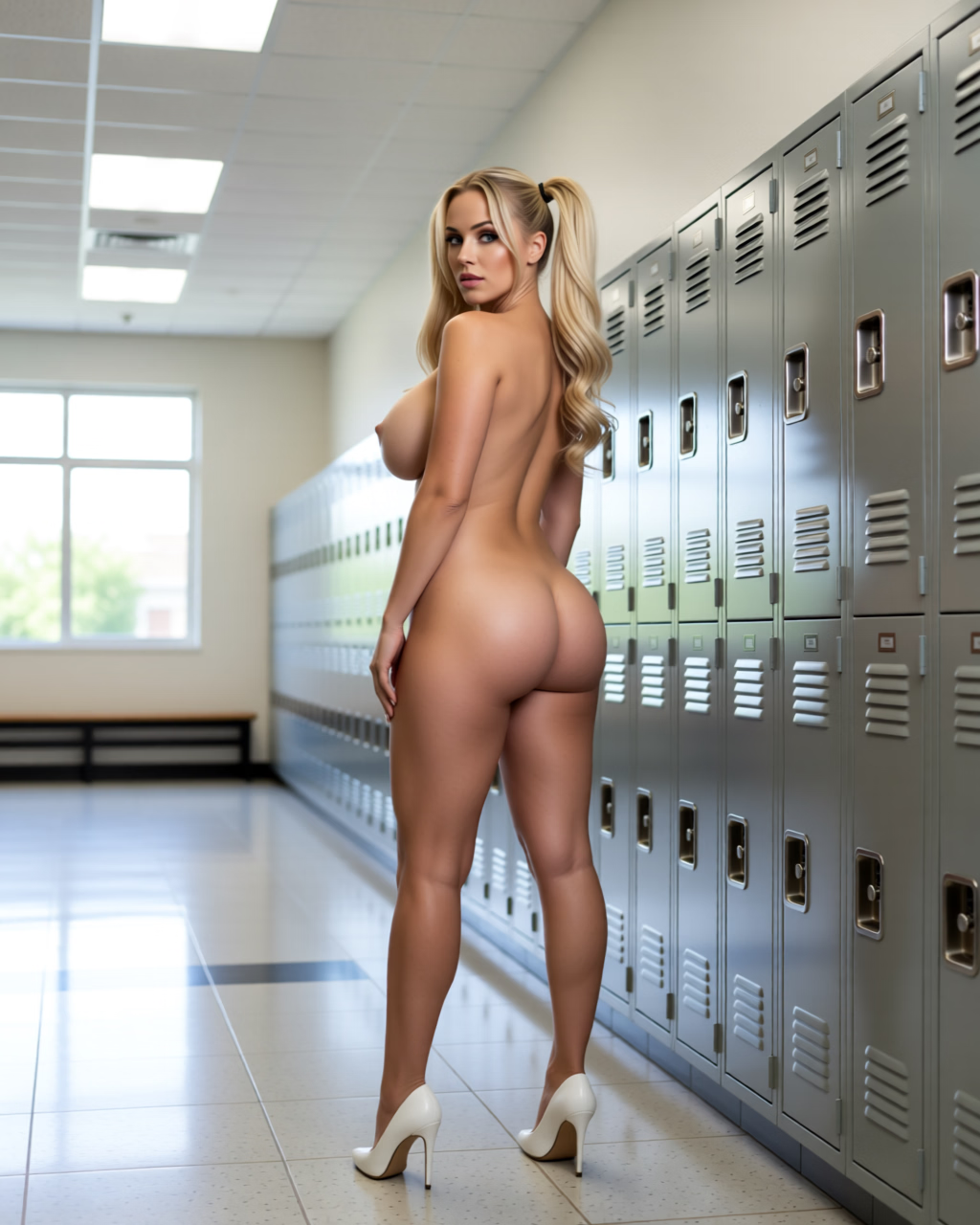
Clean Up & Dress Up
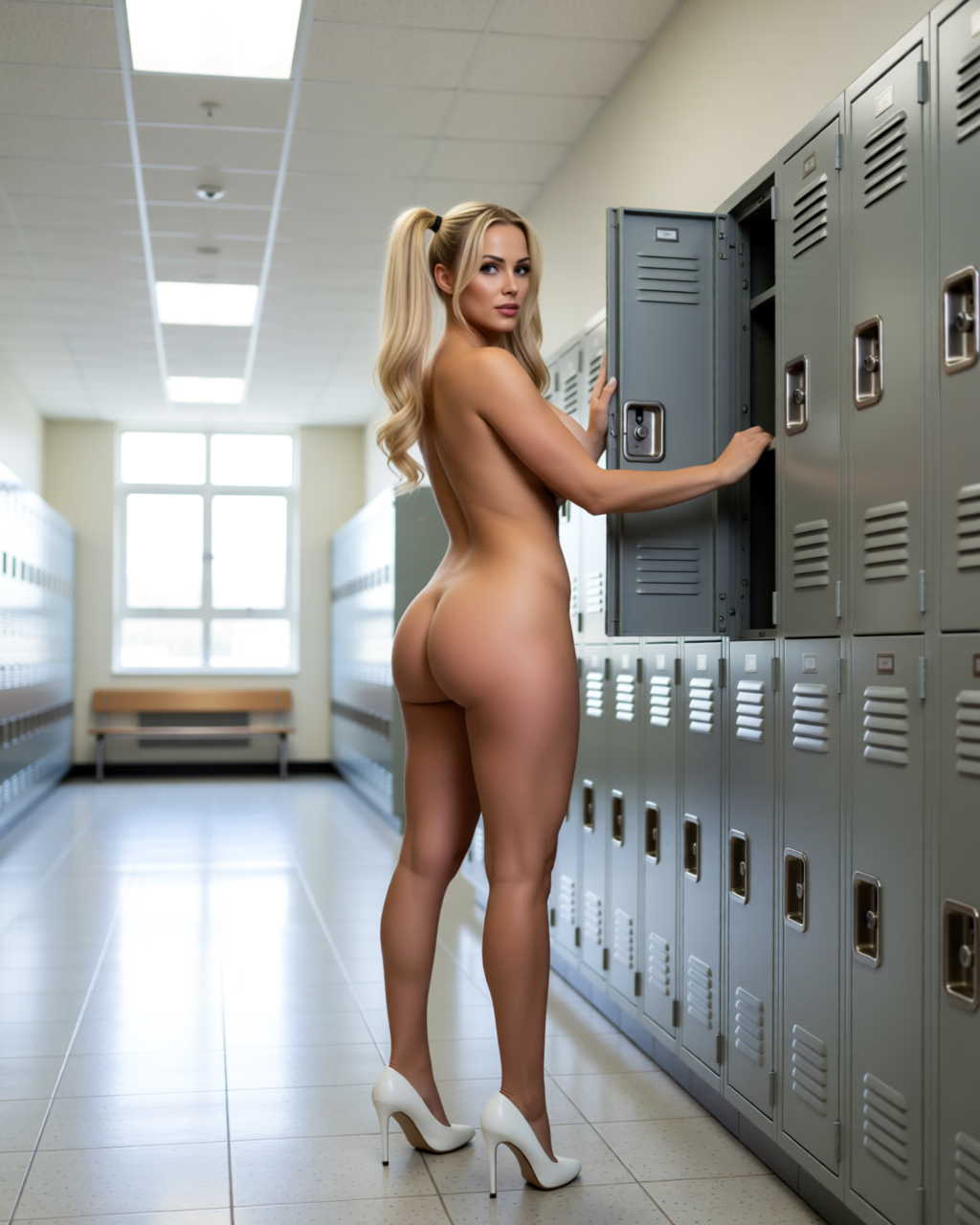
Deploy 1
Deploy 2
i_202509260359_00002_.png qe_202509260431_00001_.png qe_202509261639_00001_.png qe_202509261742_00001_.png
Full body shot. Front view. She is naked, wears white heels. Hands lowered. Black background.Put woman in school hall. Rear view of woman who stands against lockers. Looks at viewer. Blend the lighting so it looks natural.Put woman in school hall. Rear view of woman reaching into an open locker. Looks at viewer. Blend the lighting so it looks natural.
---​
---​
---​
---​
i_202509251355_00001_.png qe_202509260141_00008_.png [TBA][TBA]
Full body shot. Front view. Wears blue converse. Black background.[TBA][TBA]

1. Use Illustrious to generate a reference image. There's a gazillion of references with workflows on Civitail - anything you can possibly want.

2. Use Qwen to transform the reference into a "standard look" - ask for "full body shot" and the attire you want your talent to sport. 90% of work I do in Qwen uses 1.1 Lightning LORA, including all images in this post.

I still debate (will be doing more tests on this), whether you want multiple views from all sides already generated so you can pick and choose the one that fits the scene the most:
You don't have permission to view the spoiler content. Log in or register now.
I tried using character sheets, etc, but specialist images tend to give the very best result. Character sheets give the best results - you want "front view, back view" only, don't include side view with the sheet. Also, you want your talent already dressed for the scene, i.e.:
You don't have permission to view the spoiler content. Log in or register now.
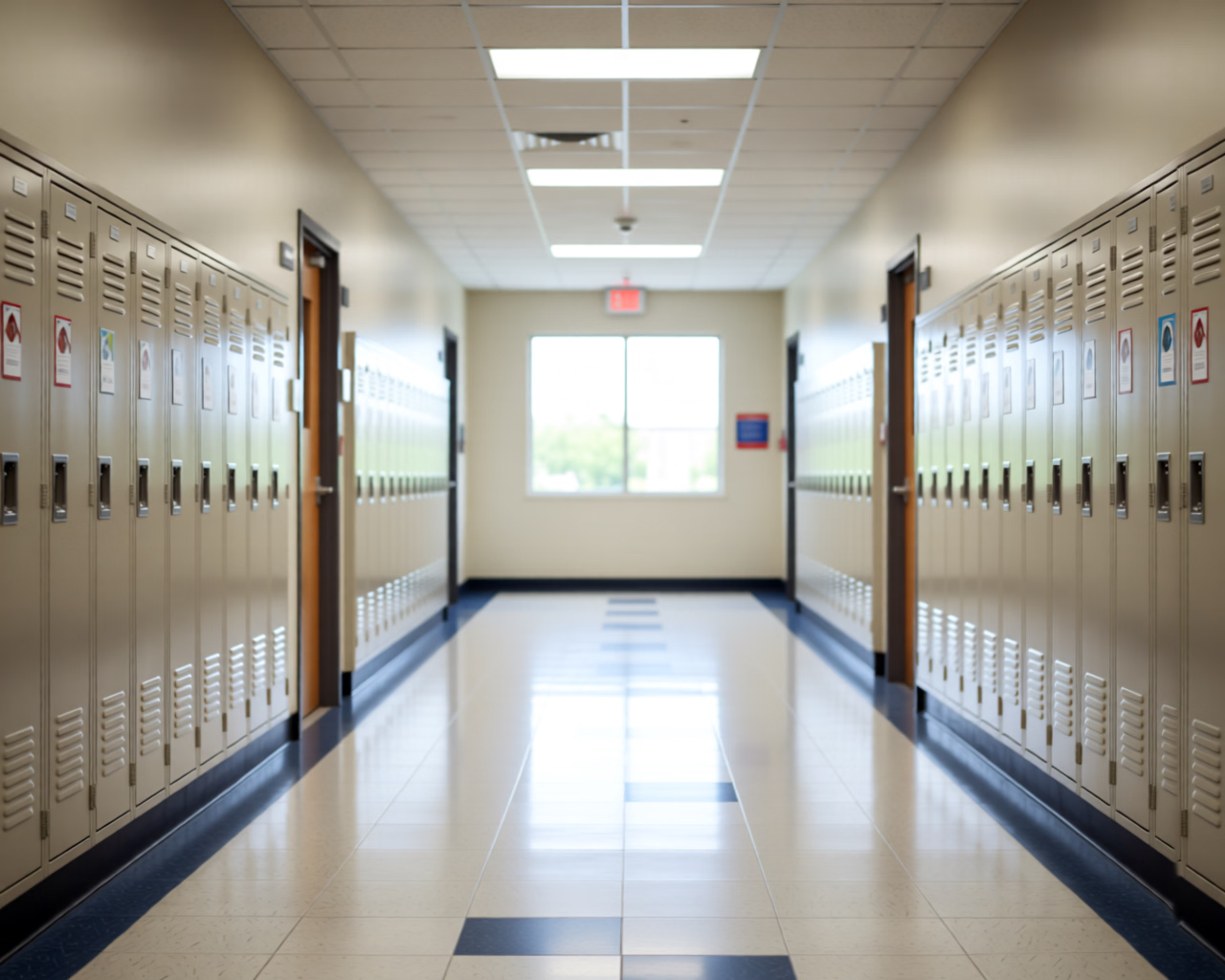
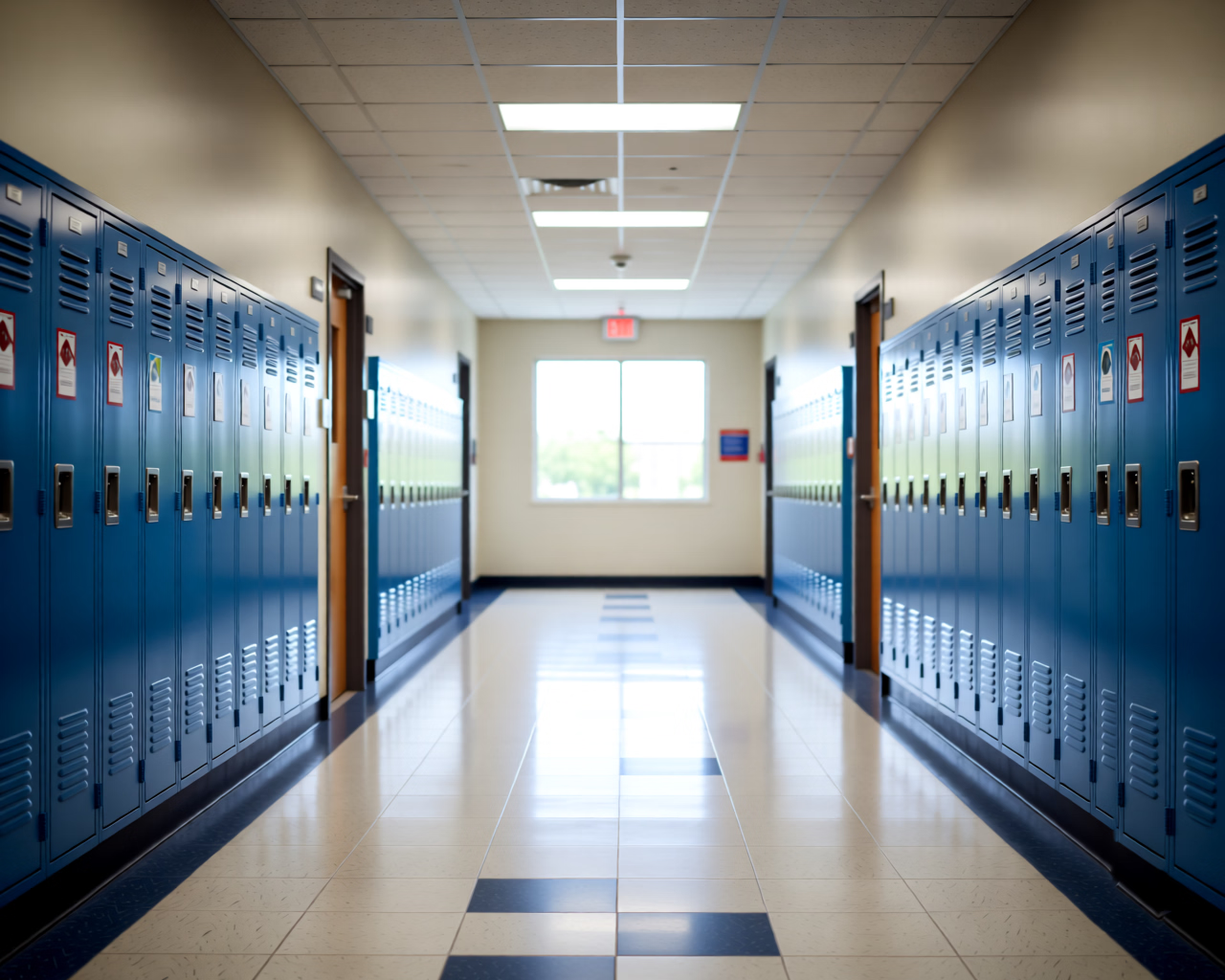
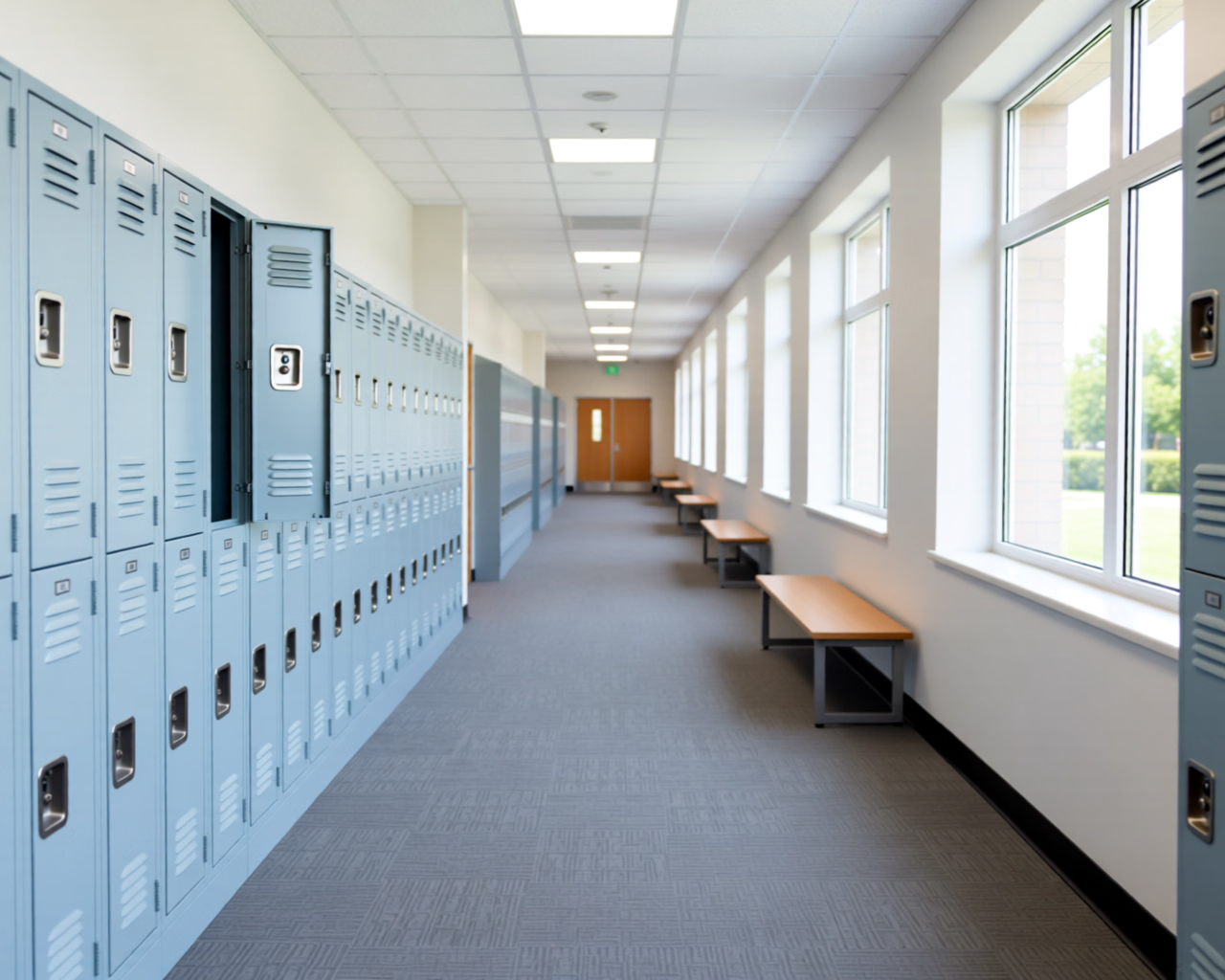
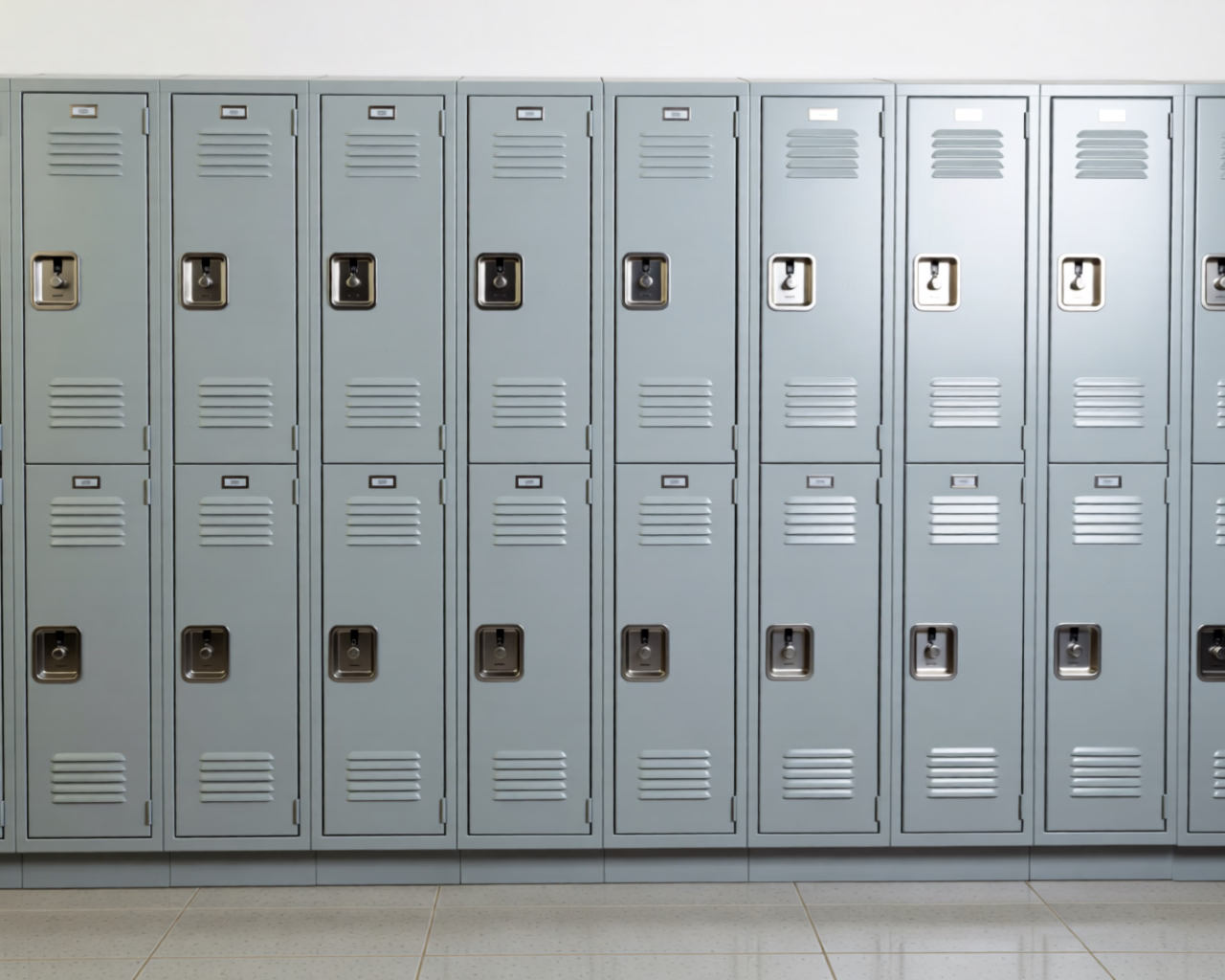
3 & 4. Deploy your talent into your environment. Guess which environment image was used for the "girl & lockers" set? The answer: D.

I will be doing more tests to check if Qwen prefers D-like images for composition over A, B and C.


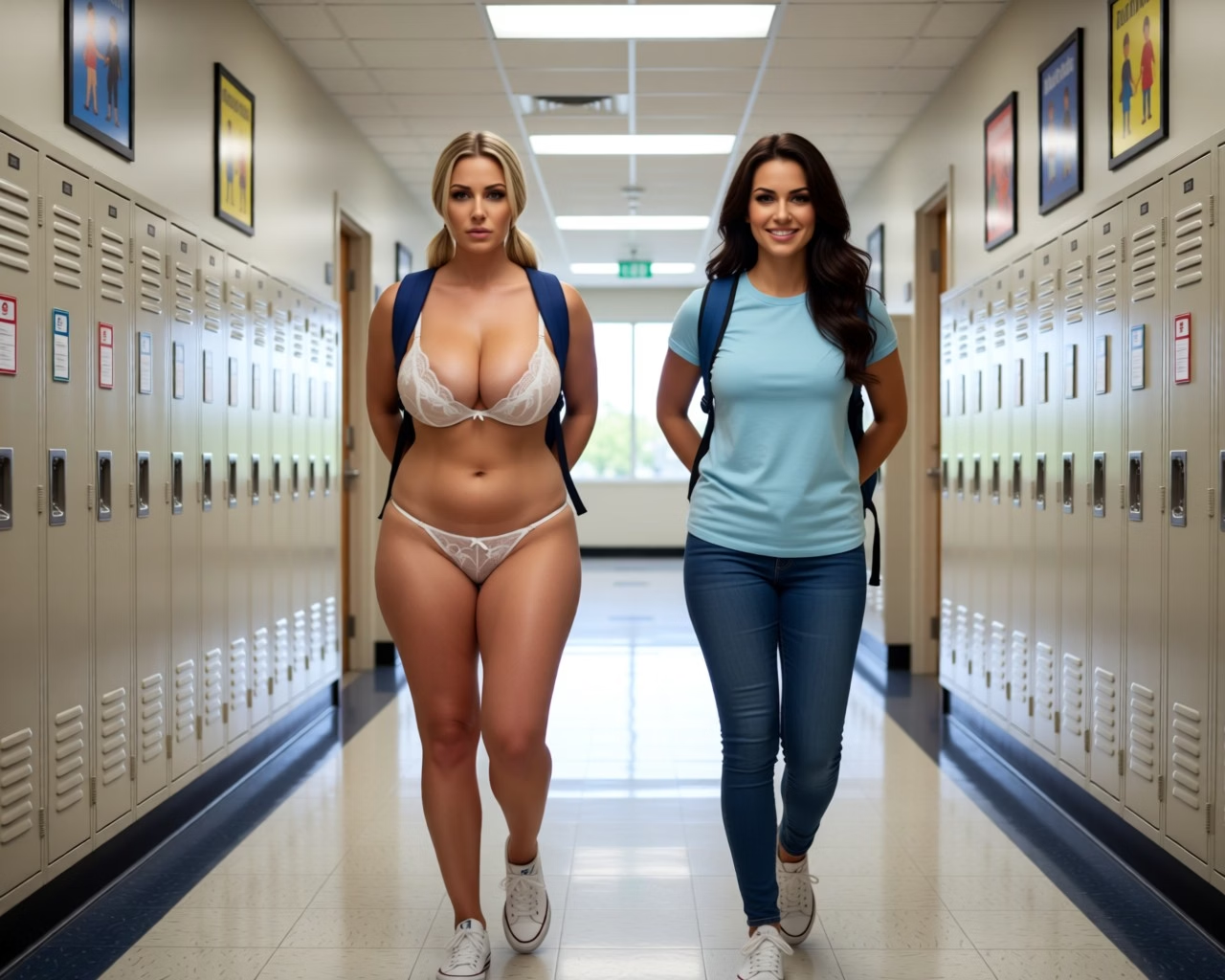
BTW, all these school halls / lockers are Qwen-Edit generated. I.e. environment A came free when I asked to put two girls (from another set) into a school hall, so Qwen gave me this which I cleaned up using Qwen:
You don't have permission to view the spoiler content. Log in or register now.
B, C and D were acquired in the same way.

Now, an important point about the final image: aesthetics of portrait vs landscape orientation are very different. It seems 1024x1280 (WxH) are the sweet-spot, then 1280x1024 (WхH) even tho the official release page suggests 1024x1024.

Issues, etc.

1. There is still a massive issue that I don't know how to overcome - relative sizes. If you want two charas in your image, then getting their sizes right relative to each other is not gonna work. If anyone finds a consistent solution, I hope that hero would share it in due time.

2. Nowhere near Illustrious in terms of things like "cameltoe", "see through", etc, etc - definitely missing those. But! Oh boy did we improve over the original Qwen Edit -- 2509 is like 10000% better about all things smut.

3. Plastic look. I imagine this is the issue of my workflow where the same talent gets Qwen'ed multiple times inevitably loosing their natural look. Something for later.

2026 might turnout to be lit, off the hook and off the wall.

 
Last edited:

Sharinel

Active Member
Dec 23, 2018
614
2,444
448
Here's 2025 in review*.

*2025 in review so far.

If you are still on a fence about Qwen 2509, let me show you lil something.

Generate a Reference
Clean Up & Dress Up
Deploy 1
Deploy 2
View attachment 5285389 View attachment 5285390 View attachment 5285391 View attachment 5285392
Full body shot. Front view. She is naked, wears white heels. Hands lowered. Black background.Put woman in school hall. Rear view of woman who stands against lockers. Looks at viewer. Blend the lighting so it looks natural.Put woman in school hall. Rear view of woman reaching into an open locker. Looks at viewer. Blend the lighting so it looks natural.
---​
---​
---​
---​
View attachment 5285452 View attachment 5285406 [TBA][TBA]
Full body shot. Front view. Wears blue converse. Black background.[TBA][TBA]

1. Use Illustrious to generate a reference image. There's a gazillion of references with workflows on Civitail - anything you can possibly want.

2. Use Qwen to transform the reference into a "standard look" - ask for "full body shot" and the attire you want your talent to sport. 90% of work I do in Qwen uses 1.1 Lightning LORA, including all images in this post.

I still debate (will be doing more tests on this), whether you want multiple views from all sides already generated so you can pick and choose the one that fits the scene the most:
You don't have permission to view the spoiler content. Log in or register now.
I tried using character sheets, etc, but specialist images tend to give the very best result. Also, you want your talent already dressed for the scene, i.e.:
You don't have permission to view the spoiler content. Log in or register now.
3 & 4. Deploy your talent into your environment. Guess which environment image was used for the "girl & lockers" set? The answer: D.

I will be doing more tests to check if Qwen prefers D-like images for composition over A, B and C.


BTW, all these school halls / lockers are Qwen-Edit generated. I.e. environment A came free when I asked to put two girls (from another set) into a school hall, so Qwen gave me this which I cleaned up using Qwen:
You don't have permission to view the spoiler content. Log in or register now.
B, C and D were acquired in the same way.

Now, an important point about the final image: aesthetics of portrait vs landscape orientation are very different. It seems 1024x1280 (WxH) are the sweet-spot, then 1280x1024 (WхH) even tho the official release page suggests 1024x1024.

Issues, etc.

1. There is still a massive issue that I don't know how to overcome - relative sizes. If you want two charas in your image, then getting their sizes right relative to each other is not gonna work. If anyone finds a consistent solution, I hope that hero would share it in due time.

2. Nowhere near Illustrious in terms of things like "cameltoe", "see through", etc, etc - definitely missing those. But! Oh boy did we improve over the original Qwen Edit -- 2509 is like 10000% better about all things smut.

3. Plastic look. I imagine this is the issue of my workflow where the same talent gets Qwen'ed multiple times inevitably loosing their natural look. Something for later.

2026 might turnout to be lit, off the hook and off the wall.
2. Does it do anything like penetrative sex?. Also do you have a workflow that you can attach? I'll have a look in between my wan 2.2 splurge :)
 

Sepheyer

Well-Known Member
Dec 21, 2020
1,709
4,192
448
2. Does it do anything like penetrative sex?. Also do you have a workflow that you can attach? I'll have a look in between my wan 2.2 splurge :)
Maybe you already saw this, but here in about 30 sec a dude explains how Qwen supplements Wan 2.2.

Basically Qwen gets you the start and end frames, and Was does the heavy lifting.

If you haven't seen, here, starts at 9:29 and goes for abour 30 sec:


nhami

Newbie
Mar 19, 2019
31
38
141
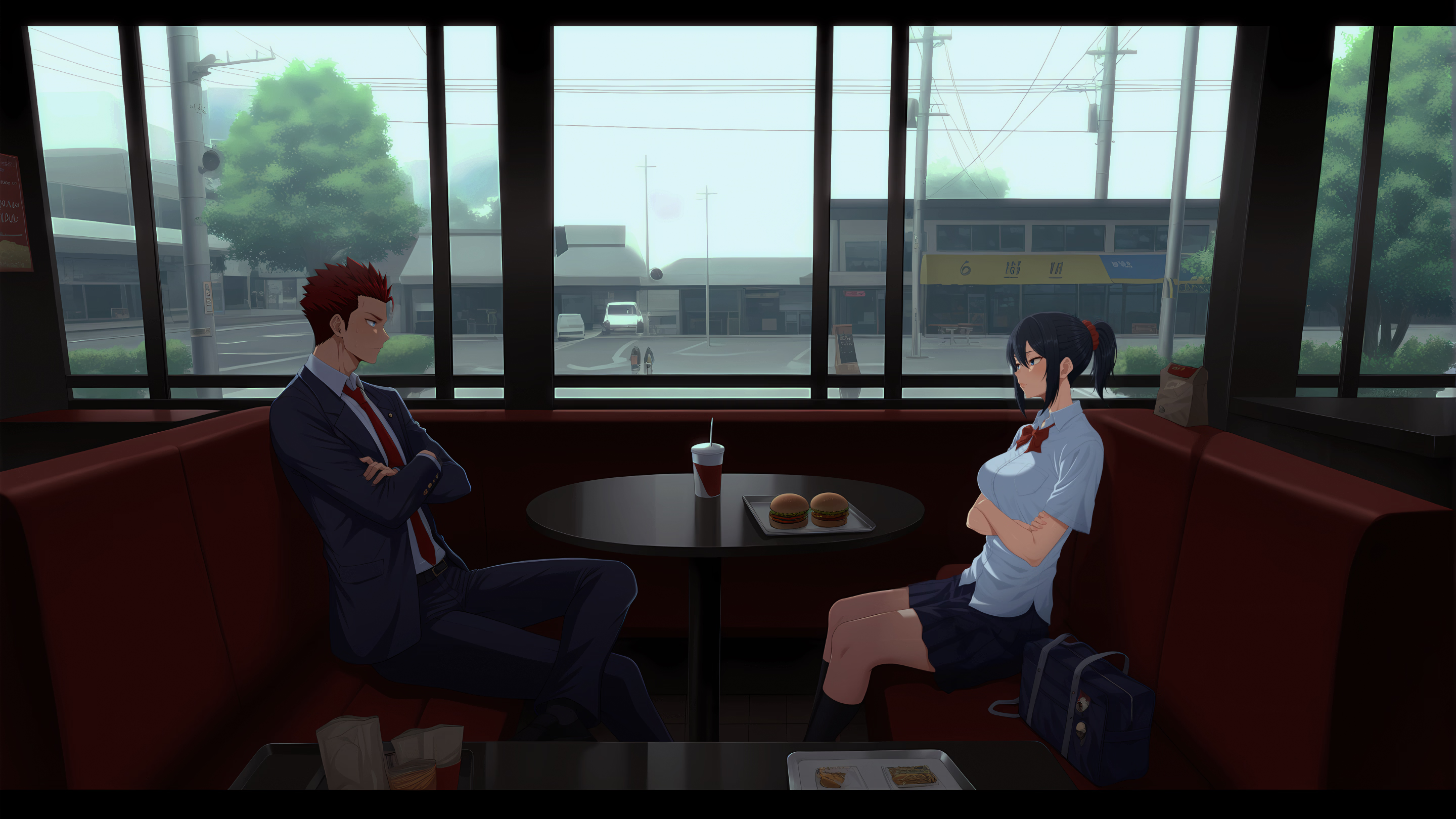
I was playing aperture. an h-game that uses AI image.
I was impressed with this image.
Image models are trained with single character portrait images and are very bad at background and wide shots images.
How do you think this was generated?
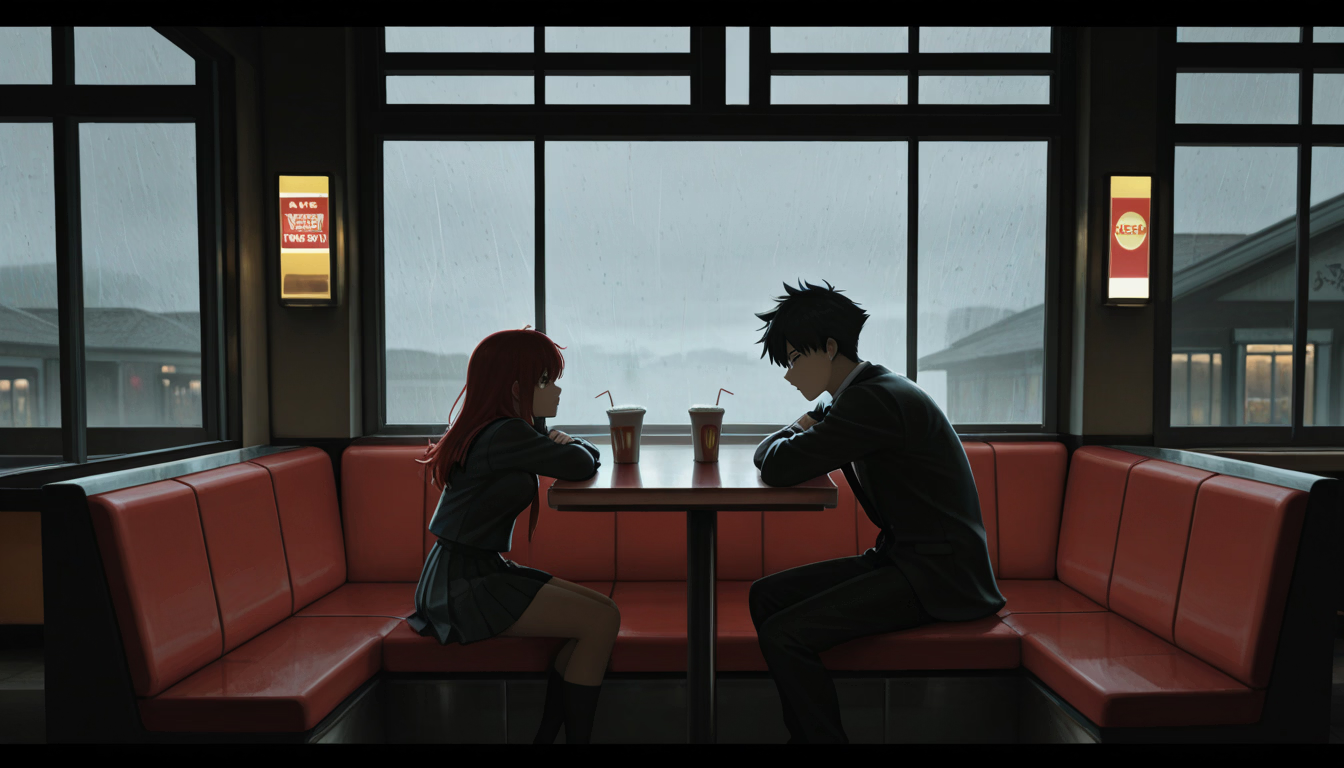
I tried to generate a similar image. I was able to get the poses of the characters right but the background composition was very bad with the view was always close to the characters instead of a wide shot and the background street with low-height buildings very bad and the haze in the sky also very bad.
This is the image from the game: screenshot0003.png
This is the image I generated: 1758973835263.png
 
  • Like
Reactions: DD3DD

Sepheyer

Well-Known Member
Dec 21, 2020
1,709
4,192
448
I was playing aperture. an h-game that uses AI image.
I was impressed with this image.
Image models are trained with single character portrait images and are very bad at background and wide shots images.
How do you think this was generated?
I tried to generate a similar image. I was able to get the poses of the characters right but the background composition was very bad with the view was always close to the characters instead of a wide shot and the background street with low-height buildings very bad and the haze in the sky also very bad.
This is the image from the game: View attachment 5288671
This is the image I generated: View attachment 5288949
Idk how it was done exactly, but going forward wide-angle composition will be done using Qwen 2509:

qe_202509251931_00001_.png
 

Sepheyer

Well-Known Member
Dec 21, 2020
1,709
4,192
448
Wan 2.2's start-frame - end-frame is a "whoa". Literally sitting here realizing I can make an entire hour long smut video in my (ahtually not my) basement.

Fellow "artists", if you haven't tried W22 yet, then pull the finger out already and go for the frame-to-frame workflow, tinker with it. Just avoid the Lora 4-step lora - while lora lets you have videos fast they are garbage compared to what raw W22 can give you. There are probably use cases for the lora, but avoid it until we figure out what they are. Trust me the 30 min wait with the raw W22 is absolutely worth the ~5sec clips it gives you.

Start with 640x640 resolution, crop your reference frames to 640x640 and go with default 81 length and 16 fps. After even a few hours of tinkering you'll realize what a powerful tool this is: it is up there with bunker busters and compound interest.

Naturally, Wan 2.2 and Qwen 2509 are just made for each other - if you have solid experience in both you are literally getting promoted to a porn movie director in a quick minute.

1759117867173.png
 
Last edited: