

GreatVegetables
New Member
- Sep 14, 2021
- 4
- 12
- 142
Store:
You must be registered to see the links
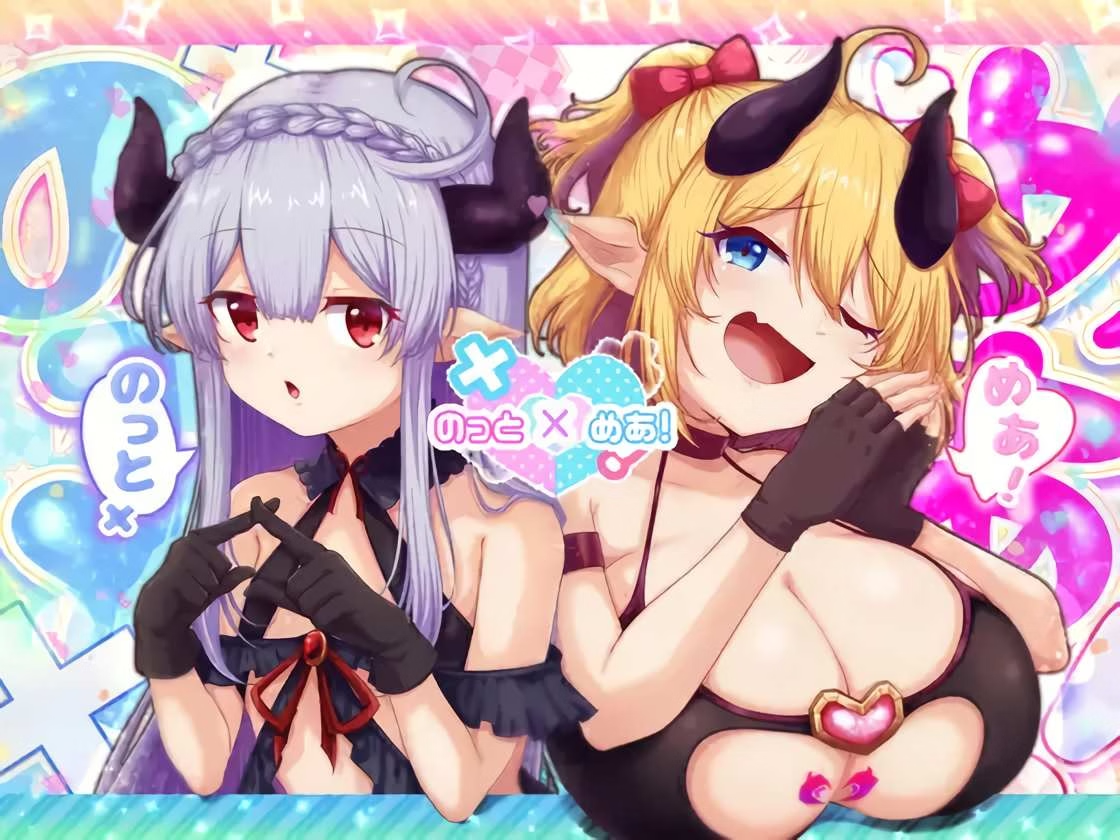
のっとめあ!(Nightmare) RJ01528685
Developer : normalmashroom


just a small correctionHere is the translation, either choose the downloadable version and drag and drop the patch files to your game folder or use the patcher to apply it directly. Have fun!
You must be registered to see the links
(I know I said we would beta-test it more first but we already translated the previous game by this circle and there were no issues with it so we trust the same will apply to this one since we haven't found any issues with what we played. We are also using a higher quality AI model for the translation now so it should be way better, enjoy!)
If you find any issues let me know and we'll fix them right away!
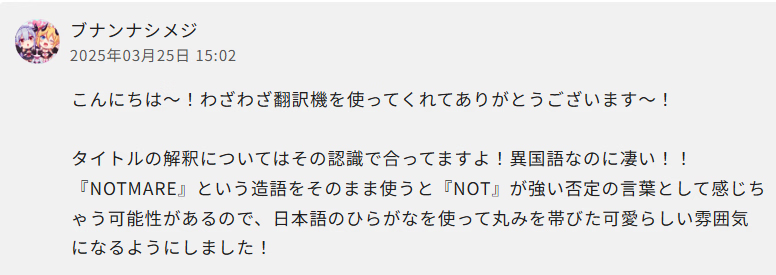
Thanks, we'll update it. That's on us for grabbing the title from ryuugames hahajust a small correction
The creator confirmed the english title to be "Notmare!" instead of just "Nightmare!" (it's supposed to mean "not a nightmare")
View attachment 5615403
Hi, i was wondering how this is working, you see i try to patch this game :Here is the translation, either choose the downloadable version and drag and drop the patch files to your game folder or use the patcher to apply it directly. Have fun!
You must be registered to see the links
(I know I said we would beta-test it more first but we already translated the previous game by this circle and there were no issues with it so we trust the same will apply to this one since we haven't found any issues with what we played. We are also using a higher quality AI model for the translation now so it should be way better, enjoy!)
If you find any issues let me know and we'll fix them right away!
The game you linked is a different one from the one being translated here, here is the translation files for the game you specifically linkedHi, i was wondering how this is working, you see i try to patch this game :
[RJ01118550]ザコに勝たなきゃ進めない! Made by Lifies
(Here is the dlsite link :You must be registered to see the links)
And so, i can't find any patch files, and i don't know how to creat it so i was wondering if you can help me please

A good translation but i find it kinda annoying with the text wrapping, like if a text is too long it will create it in a new window instead of going off the box but if you press enter it will skip the texts behind it leaving you with only a few words from the sentence that was cut off.Here is the translation, either choose the downloadable version and drag and drop the patch files to your game folder or use the patcher to apply it directly. Have fun!
You must be registered to see the links
(I know I said we would beta-test it more first but we already translated the previous game by this circle and there were no issues with it so we trust the same will apply to this one since we haven't found any issues with what we played. We are also using a higher quality AI model for the translation now so it should be way better, enjoy!)
If you find any issues let me know and we'll fix them right away!
Hi, I'll keep it short since this is the wrong thread but the patcher only works for games we already translated, it doesn't magically translate all games. The patcher app purpose is so that our translations are not tied to a specific version of a game, but instead, if the developer pushes new releases with bug fixes, they can be translated again without the need for us to reupload them.Hi, i was wondering how this is working, you see i try to patch this game :
[RJ01118550]ザコに勝たなきゃ進めない! Made by Lifies
(Here is the dlsite link :You must be registered to see the links)
And so, i can't find any patch files, and i don't know how to creat it so i was wondering if you can help me please
Yeah, although there isn't much we can do about that. We do plan on implementing a custom message backlog in the near future though, that will help with that issue.A good translation but i find it kinda annoying with the text wrapping, like if a text is too long it will create it in a new window instead of going off the box but if you press enter it will skip the texts behind it leaving you with only a few words from the sentence that was cut off.
It looks like it came from the abundance of "\n" in long texts, which causes the window to "Enter" itself, causing it to be cut off.Yeah, although there isn't much we can do about that. We do plan on implementing a custom message backlog in the near future though, that will help with that issue.
Right, I now see what you mean. We'll look into it, it's the first time we encounter this auto-advancing bug, that's not standard RPG Maker behaviour.It looks like it came from the abundance of "\n" in long texts, which causes the window to "Enter" itself, causing it to be cut off.
If it's possible, I recommend disabling any methods to "make a new line for text out of bounds" and instead replace the font with 'StintUltraCondensed-Regular", that way the fonts are so small that a long translated text would still fit in the window.
The issue was some plugin that was overwriting the default RPG Maker dialogue display logic (I think it can even be considered a bug in that plugin).It looks like it came from the abundance of "\n" in long texts, which causes the window to "Enter" itself, causing it to be cut off.
If it's possible, I recommend disabling any methods to "make a new line for text out of bounds" and instead replace the font with 'StintUltraCondensed-Regular", that way the fonts are so small that a long translated text would still fit in the window.
It's fixed now. cheers man! thanks.The issue was some plugin that was overwriting the default RPG Maker dialogue display logic (I think it can even be considered a bug in that plugin).
We've updated the translation to include a fix for it, and it's already updated on our website:
You must be registered to see the links
(Off-topic, but for those that like the game title's audio, the file is at "audio\bgm\BGM\energy! loop.ogg")

