Ahh i see I did some testing h scene Riyo scene seem to cause that problem others for now fine I'm doing back and forth playing from 1.02 and lookx.fun when h scene froze
I have already checked the HASH values of versions 1.02 and 1.03.
The only differences are in the following files:
- CommonEvents.json
- Map008.json
- Map048.json
- Map109.json
- Map202.json
- MapInfos.json
- System.json
- plugins.js
Knowing these differences, you don’t need to worry about any changes to image or sound assets between version 1.02 and 1.03. You can safely upgrade from version 1.02 to version 1.03 without re-downloading the entire game.
Changes in version 1.03:
- Added a switch to delete certain scenes in the recollection room.
- Added a function to restore the main heroine’s sexual experience to its pre-viewing state when the above is viewed.
I am not a native English speaker, so please understand if there are any grammar or vocabulary mistakes.
The Japanese text was translated by DeepSeek 3.1 Terminus and partially by ChatGPT 5.
I have also attached Sex Lesson Island v1.03.tpp in case any of you would like to edit this translation in
You must be registered to see the links
.
I used the
You must be registered to see the links
application with the glossary feature, so specialized terms remained almost always consistent.
In total, approximately 9.05 million tokens were consumed, and the process took about 3.9 hours.
The island area map image has also been translated.
I’m just a player and a
You must be registered to see the links
user, so I don’t know what code changes were made between version 1.02 and 1.03. If there are bugs unrelated to translation errors, I won’t be able to handle that.
I hope the quality of this English translation meets your expectations.
Please don’t ask me for a walkthrough, as I haven’t tested the game to completion yet.
I only played up to the classroom dismissal scene on the first day of academy after the character introductions.
Bug Fix Notice (14 December 2025) – Map044.json
The crash was caused by invalid JSON formatting inside Map044.json. Specifically, the AI forgot to add proper quotation marks for empty values. Corrected Format
Wrong: "item":", and "weapon":",
Fixed: "item":"", and "weapon":"",
After correcting the quotation marks, Map044.json is now valid and the game no longer throws the "Unexpected token error."
Changing the Font Size in RPG Maker MZ
Regarding font size, I realize that your monitor screen sizes may differ.
I am still using a resolution of 1366x768.
To change the font size, follow my instructions below.
Make sure to open the mentioned `.js` files with Notepad++ or a similar text editor.
If you want to make the font size 1.5 times larger, then change the value to 1.5.
- For the common menu, main character, side characters, and quest NPCs dialogue:
Open rmmz_windows.js and edit line 117 as shown in the code.
JavaScript:
Window_Base.prototype.resetFontSettings = function() {
    this.contents.fontFace = $gameSystem.mainFontFace();
    this.contents.fontSize = $gameSystem.mainFontSize() * 0.55; // CHANGE THIS MULTIPLIER TO ADJUST THE DEFAULT FONT SIZE
    this.resetTextColor();
};
- For dialogue balloons of common NPCs:
Open MessageWindowPopup_widthfix_12px_even.js and edit line 1299 as shown in the code.
JavaScript:
    const _Window_Base_resetFontSettings    = Window_Base.prototype.resetFontSettings;
    Window_Base.prototype.resetFontSettings = function() {
        _Window_Base_resetFontSettings.apply(this, arguments);
        if (this.isPopup()) {
            this.contents.fontSize = param.FontSize * 0.70; //CHANGE THIS MULTIPLIER TO ADJUST THE FONT SIZE FOR ALL BALOONS TEXT
        }
    };
- For font size in the Encyclopedia of People:
Open SceneGlossary.js and edit line 2324 as shown in the code.
JavaScript:
    var _Window_Glossary_resetFontSettings = Window_Glossary.prototype.resetFontSettings;
    Window_Glossary.prototype.resetFontSettings = function() {
        _Window_Glossary_resetFontSettings.apply(this, arguments);
        if (param.FontSize) {
            this.contents.fontSize = param.FontSize * 0.6; //CHANGE THIS MULTIPLIER TO ADJUST THE FONT SIZE IN Encyclopedia of People
        }
    };
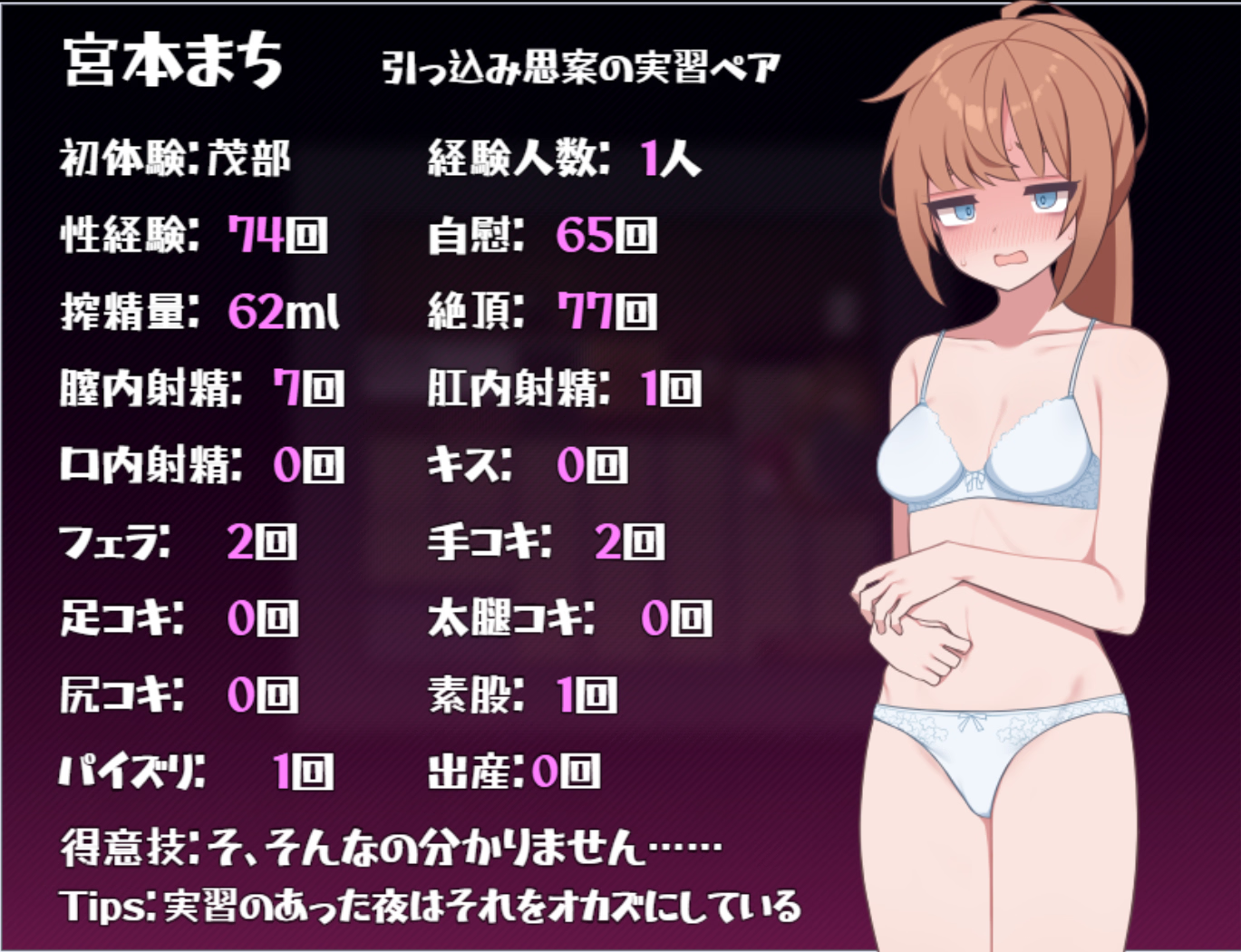
Amazing work! Much better than my mtool translation. I might actually replay the game since the difference is so stark.
One question though, is there a reason why the "encyclopaedia of hidden people" is untranslated?
Amazing work! Much better than my mtool translation. I might actually replay the game since the difference is so stark.
One question though, is there a reason why the "encyclopaedia of hidden people" is untranslated?
View attachment 5531023
Thank you for your feedback. The issue occurs because Event Code 655 used by CBR plugin is not a standard JavaScript code, but rather a special text format (Key-Value). The ESScript parser, by default, only searches for strings inside valid JavaScript code (within quotation marks ' or "), so text such as テキスト-\{宮本まち (Text-Miyamoto Machi) is skipped because it is considered a syntax error or not a string literal. To fix this, I need to modify the fetchEventPages function inside rmmv.js from the Translator++ add-on.
Also, I haven’t played far enough yet, so the hidden encyclopedia pages have not been unlocked. Please wait for my translation update.
Could you send me your save folder? I want to check if there are any other Japanese texts that haven’t been translated, because I don’t have much time to play this game.
Could you send me your save folder? I want to check if there are any other Japanese texts that haven’t been translated, because I don’t have much time to play this game.
Sure here you go. I was trying to figure out a way to make the secret encyclopaedia font smaller but couldn't manage to do so. Any ideas on where that parameter may be? The other encyclopaedia's font size seems to be unconnected.
Sure here you go. I was trying to figure out a way to make the secret encyclopaedia font smaller but couldn't manage to do so. Any ideas on where that parameter may be? The other encyclopaedia's font size seems to be unconnected.
Hello, I’ve fixed the font size in the Secret Character Encyclopedia and corrected the translation errors in plugins.js.
You can re‑download it from the original post.
Hello, I’ve fixed the font size in the Secret Character Encyclopedia and corrected the translation errors in plugins.js.
You can re‑download it from the original post.