Rohan Shah
Newbie
- Nov 18, 2017
- 64
- 28
- 221
Even when fully zoomed in, the pictures uploaded by Rohan Shah are so low quality that I can't really read the error.
The problem is obviously a missing picture for Lyvia but I need better screenshots of the error in order to help.
This is probably due to your global save file either missing or being incorrect.
To rectify this, follow the steps below:
Let me know if you run into any issues.
- Copy all the save files (file1.rpgsave, file2.rpgsave, and so on) from the "www/save" folder to a different folder.
- Launch the game and do a manually save in all the slots associated with the numbers for the save files you copied.
- NOTE: Because the autosave is always stored is slot 1, each save file is mapped to the save slot that is one number after it
- Example: file1.rpgsave --> save slot 2, file2.rpgsave --> save slot 3, and so on
- Close the game
- Copy the original save files back into the "www/save" folder
- Relaunch the game and you should be able to play from your desired saves
hello thank you for helping. i think my screen shot very clear and read easy, i tell u problem in text and also share error in text. lyvia in camp 1st time
Arenfield's Militia
Lyvia
Step : Sit with lyvia at the campfire in evening.
Error :
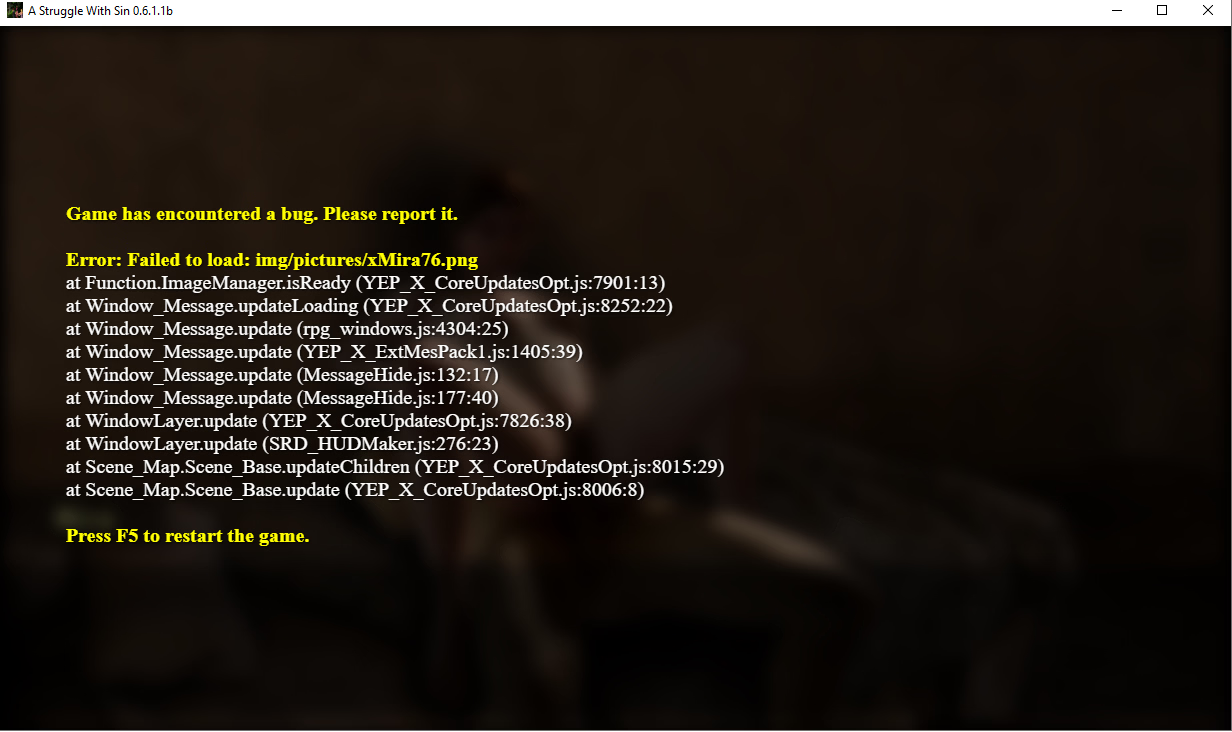
Game has encountered a bug. Please report it.
Error: Failed to load: img/pictures/xLyvia003B.png
at Function.ImageManager.isReady (YEP_X_CoreUpdatesOpt.js:7901:13)
at Window_Message.updateLoading (YEP_X_CoreUpdatesOpt.js:8252:22)
at Window_Message.update (rpg_windows.js:4304:25)
at Window_Message.update (YEP_X_ExtMesPack1.js:1405:39)
at Window_Message.update (Message Hide.js: 132:17)
at Window_Message.update (Message Hide.js:177:40)
at WindowLayer.update (YEP_X_CoreUpdatesOpt.js:7826:38)
at WindowLayer.update (SRD_HUDMaker.js:276:23)
at Scene_Map.Scene_Base.updateChildren (YEP_X_CoreUpdatesOpt.js:8015:29)
at Scene_Map.Scene_Base.update (YEP_X_CoreUpdatesOpt.js:8006:8)
Press F5 to restart the game.
i hope all clear now