Animating with AI? No problem! Full guide for how I make the animated scenes for my game using GenAI.

FurryBangTown

FBTdev
Game Developer
Oct 18, 2024
15
180
87
Hello everyone! In order to start this I assume you already know how to create AI images this guide is about taking those images and turning it into something animated.

I've been messing around with generative AI for the past few months and I've been improving pretty quick. I've attached some samples so you can see the results. I wanted to share with what I've learned with others.

2OldOld.gif First Attempt
2Old.gif Second Attempt (What's currently in my game)

2New.gif Third Attempt (Not in the game yet, soon)

To make these its important to realize how powerful a tool Image2Image is. To make consistent images and animations you need to utilize it, Its a little more work that just using Text2Image prompts but anyone can do it.

To create something like the 3rd try follow the below steps:

Generate an image to use as your starting frame

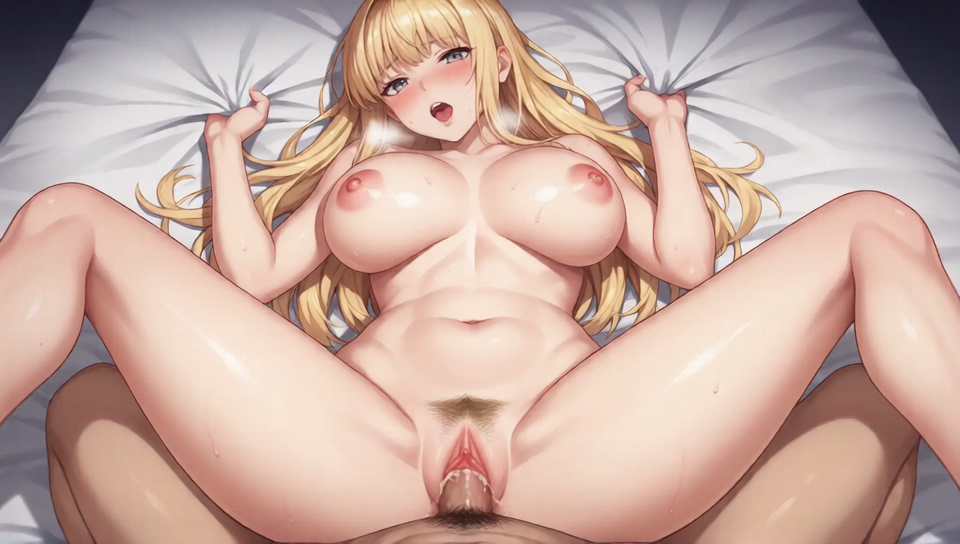
Text2Image model -> 1.png .

The plan for this is to animate a handjob.

Using a tool like photoshop you can make edits to this image like moving her hand around.
I put the hand on a separate layer so I can move it around as I wish. 3.png , 4.png

I created 6 frames total of the hand moving up the shaft.

Now you use Image2Image to feed your edit back to the AI model while also using the same prompt. Make sure your denoise is set to something low like 0.2-0.5 to keep the image consistent. but not so low that the AI model isn't able to change anything.

This has the effect of removing any jankyness caused your/my edits as you can see here: 5.png

Now you've created 6 cleaned up frames but your not done yet.

OPTIONAL:
Now's the time to upscale those frames before you move on if you want something high res


Feed those 6 frames trough an and boom you can double them to 12 and also create a smoothing effect.

Once your done that just make it into a gif and enjoy.

Result: 6.gif

 

AlternateDreams

I'm tired, boss.
Game Developer
Apr 6, 2021
221
506
208
Found this animation (artist: hannahasami)
Do you guys know which tools could have been used to generate it? Considering the result I'm assuming this is not a local install unfortunately
View attachment moar.mp4
 

osanaiko

Engaged Member
Modder
Jul 4, 2017
3,423
6,588
707
A lot of the softcore and basic jailbreak topless etc stuff i've seen has been from Tencent's Hunyuan Ai video.

With no watermark and no original to see the meta data, there's no way to tell for sure where the resized/format converted clip you posted is from.

Edit: just remembered there is one called Hailuo too.
 
Last edited:
  • Like
Reactions: AlternateDreams

NoTraceOfLuck

Active Member
Game Developer
Apr 20, 2018
536
901
163
Found this animation (artist: hannahasami)
Do you guys know which tools could have been used to generate it? Considering the result I'm assuming this is not a local install unfortunately
This is Kling

Unfortunately it's very expensive. $0.50 per video and most attempts to make a video will produce garbage, it can take 5-10 videos to get something of good quality
 
  • Like
Reactions: AlternateDreams

jamescam

Newbie
Sep 24, 2018
30
28
121
Hey guys I am new to AI ART , I found out that wan2.1 image to video works really well on my 2080ti , 20 steps with tea cache on 512x512 resolution image equal about 4 : 45 mins , any other way to lower it to 1min or 2min? thanks , will be posting soon ;)
 
Last edited:

Waterthose

Active Memer
Game Developer
Sep 14, 2024
586
1,471
202
Hey guys I am new to AI ART , I found out that wan2.1 image to video works really well on my 2080ti , 20 steps with tea cache on 512x512 resolution image equal about 4 : 45 mins , any other way to lower it to 1min or 2min? thanks , will be posting soon ;)
Only a better GPU can cut down the time for wan 2.1.
 
  • Like
Reactions: Chaosguy

thereald00d

Newbie
Jun 3, 2021
17
7
45
Hey guys I am new to AI ART , I found out that wan2.1 image to video works really well on my 2080ti , 20 steps with tea cache on 512x512 resolution image equal about 4 : 45 mins , any other way to lower it to 1min or 2min? thanks , will be posting soon ;)
I'm not sure, but if you share the workflow maybe we can look to see if there is anything that can be tweeked?
 
Feb 19, 2020
91
81
67
Hello everyone! In order to start this I assume you already know how to create AI images this guide is about taking those images and turning it into something animated.

I've been messing around with generative AI for the past few months and I've been improving pretty quick. I've attached some samples so you can see the results. I wanted to share with what I've learned with others.

View attachment 4441719 First Attempt
View attachment 4441718 Second Attempt (What's currently in my game)
View attachment 4441717 Third Attempt (Not in the game yet, soon)

To make these its important to realize how powerful a tool Image2Image is. To make consistent images and animations you need to utilize it, Its a little more work that just using Text2Image prompts but anyone can do it.

To create something like the 3rd try follow the below steps:

Generate an image to use as your starting frame

Text2Image model -> View attachment 4441743 .

The plan for this is to animate a handjob.

Using a tool like photoshop you can make edits to this image like moving her hand around.
I put the hand on a separate layer so I can move it around as I wish. View attachment 4441877 , View attachment 4441885

I created 6 frames total of the hand moving up the shaft.

Now you use Image2Image to feed your edit back to the AI model while also using the same prompt. Make sure your denoise is set to something low like 0.2-0.5 to keep the image consistent. but not so low that the AI model isn't able to change anything.

This has the effect of removing any jankyness caused your/my edits as you can see here: View attachment 4441891

Now you've created 6 cleaned up frames but your not done yet.

OPTIONAL:
Now's the time to upscale those frames before you move on if you want something high res


Feed those 6 frames trough an and boom you can double them to 12 and also create a smoothing effect.

Once your done that just make it into a gif and enjoy.

Result: View attachment 4441924

Great idea, thank you!


this does have the ai illustrated warping look though.
this gives me and idea for making poses based on segmented parts then using ai to fix the anatomy, but would then need to be segmented again for animation.

something simple like this would be easier to tween or lerp in unity or adobe animate to avoid the ai illustrated warping look.
 

jamescam

Newbie
Sep 24, 2018
30
28
121
just a quick test show , i tried 400x400 with 30 step , now 3 mins ;) also teacache , results are way better then i thought
 

jai_investigator

Dev of Opening to Love
Game Developer
Apr 30, 2023
208
221
72
So I've been experimenting with AI animation for a while now... Recently I found a good workflow for WAN 2.1 and by tinkering a bit I think I have managed to achieve some pretty good results even though I only have a rtx3060 12gb vram card. Each WAN generation takes about 10-15mins. All of these are I2V done locally with base image generated with pony or illustrious models in Forge and then I run them through the WAN workflow in comfy (topped up with a bit of upscaling for the final video).

The WAN workflow is in the metadata in the PNG at the bottom:
View attachment Olivia.mp4
View attachment Goth.mp4
View attachment Tifa and Cloud.mp4
View attachment chun li.mp4


WV_s2_00009.png
 

481174

Newbie
Jun 9, 2018
24
32
143
So I've been experimenting with AI animation for a while now... Recently I found a good workflow for WAN 2.1 and by tinkering a bit I think I have managed to achieve some pretty good results even though I only have a rtx3060 12gb vram card. Each WAN generation takes about 10-15mins. All of these are I2V done locally with base image generated with pony or illustrious models in Forge and then I run them through the WAN workflow in comfy (topped up with a bit of upscaling for the final video).

The WAN workflow is in the metadata in the PNG at the bottom:
View attachment 4818882
View attachment 4818881
View attachment 4818883
View attachment 4818880


View attachment 4818864
Hey, that looks good. Do you mind to share what's the prompt?

I've been trying to make some anim with WAN 2.2, but using "pasionate sex" as prompt doesn't really useful. Instead they're all just moving left-right, doesn't do anything.
 

osanaiko

Engaged Member
Modder
Jul 4, 2017
3,423
6,588
707
The WAN workflow is in the metadata in the PNG at the bottom:
I'd like to try your workflow but unfortunately F95 now autoconverts the PNG to an AVIF. The re-encoding destroys the meta-data. Can you please either provide a non-destructive link to the PNG (via catbox etc) or upload the workflow as a JSON file?
Actually I think you might be able to add zip files which will not be treated like a little sister (aka corrupted) by F95.
 

jai_investigator

Dev of Opening to Love
Game Developer
Apr 30, 2023
208
221
72
I'd like to try your workflow but unfortunately F95 now autoconverts the PNG to an AVIF. The re-encoding destroys the meta-data. Can you please either provide a non-destructive link to the PNG (via catbox etc) or upload the workflow as a JSON file?
Actually I think you might be able to add zip files which will not be treated like a little sister (aka corrupted) by F95.
Thanks, yeah I posted here before I knew about the AVIF thing.... I've attached a ZIP with the workflow as a JSON which I've shared on F95 before (might be a little older but it's basically what I do). I tend to just use this kind of workflow i.e. I2V short loops, because my machine is not that powerful and it suits the purposes of my game.

Hey, that looks good. Do you mind to share what's the prompt?

I've been trying to make some anim with WAN 2.2, but using "pasionate sex" as prompt doesn't really useful. Instead they're all just moving left-right, doesn't do anything.
The animations from this post are a bit older so I don't know if I have those exact prompts but I've shared a newer example below and it's prompt. To be honest I find that the prompt doesn't matter as much with Wan you just have to write it in somewhat natural language and it turns out okay. For me the biggest impacting factor seems to be Loras I apply. I'm always on the lookout for good lora from Civitai and then I usually just modify the example prompts they provide. I will also usually use a mix of 2-3 Loras to get what I want. Then again I use Wan 2.1 so maybe Wan 2.2 is a different beast...

Anyway here's the example:

Positive prompt: Full Nelson position. A woman is having sex with a man. The sex is from behind. The man is holding her on his penis from behind. Both his hands are on her ass. He is thrusting upward, his penis entering her ass. her face shows a mix of pleasure and intensity and her tongue is out. Her face is ahegao. Her body bounces up and down in unison with each thrust. She squeezes her own breast,

Negative prompt: talking, moving mouth, moving face,inconsistent movements, camera shaking, defocus, overexposure, flashes, film defects, static, blurred details, subtitles, paintings, pictures, still, overall gray, worst quality, low quality, JPEG compression residue, ugly, mutilated, redundant fingers, poorly painted hands, poorly painted faces, deformed, disfigured, deformed limbs, fused fingers, cluttered background, three legs, upside down, pixelation, static background, blurry,arm seperating from body, split body,pov

View attachment Wan_00086.mp4
 
  • Heart
Reactions: Lounatick

481174

Newbie
Jun 9, 2018
24
32
143
Positive prompt: Full Nelson position. A woman is having sex with a man. The sex is from behind. The man is holding her on his penis from behind. Both his hands are on her ass. He is thrusting upward, his penis entering her ass. her face shows a mix of pleasure and intensity and her tongue is out. Her face is ahegao. Her body bounces up and down in unison with each thrust. She squeezes her own breast,

Negative prompt: talking, moving mouth, moving face,inconsistent movements, camera shaking, defocus, overexposure, flashes, film defects, static, blurred details, subtitles, paintings, pictures, still, overall gray, worst quality, low quality, JPEG compression residue, ugly, mutilated, redundant fingers, poorly painted hands, poorly painted faces, deformed, disfigured, deformed limbs, fused fingers, cluttered background, three legs, upside down, pixelation, static background, blurry,arm seperating from body, split body,pov
Thank you so much, for the prompt example.
I've been struggling to find a proper example of NSFW prompt for WAN on the net.
 

StrawberryCheese83

Well-Known Member
Jan 13, 2021
1,033
3,015
387
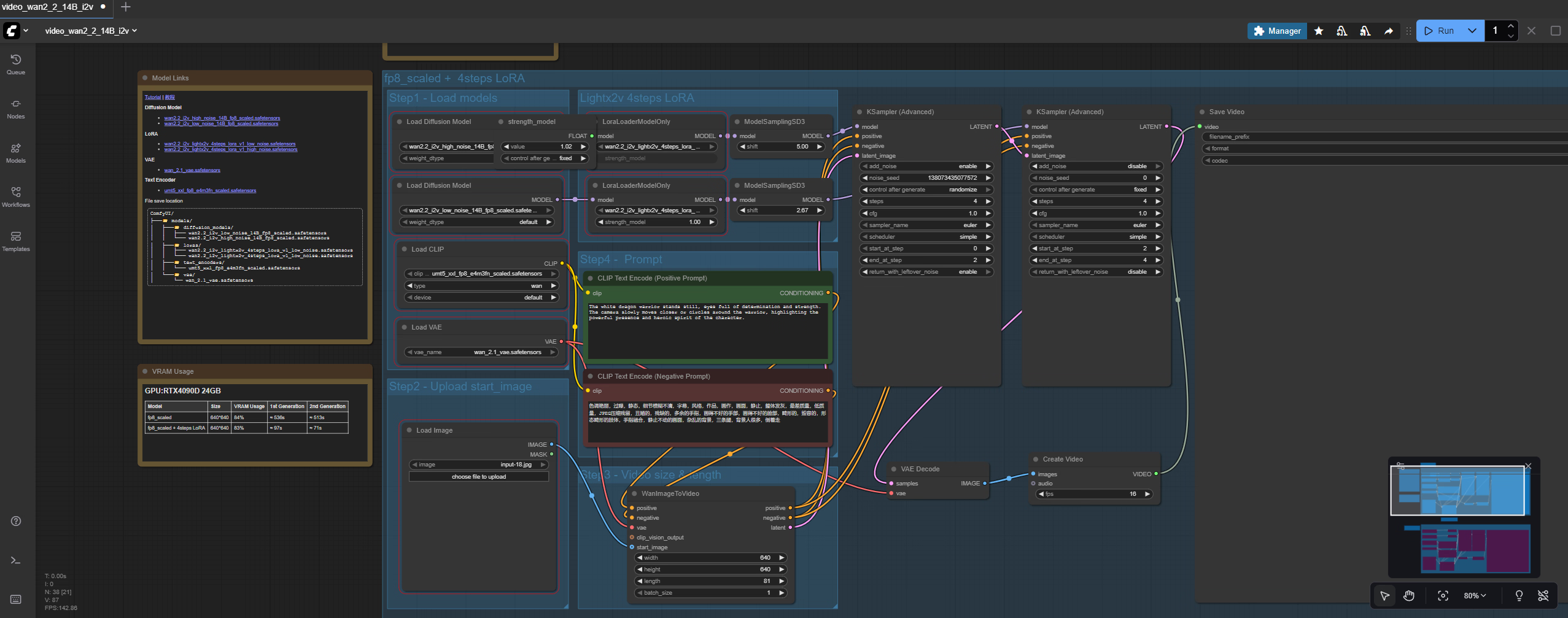
Just use ComfyUI and create your AI Videos and Pictures on your own PC!

Downlad here

you also need this

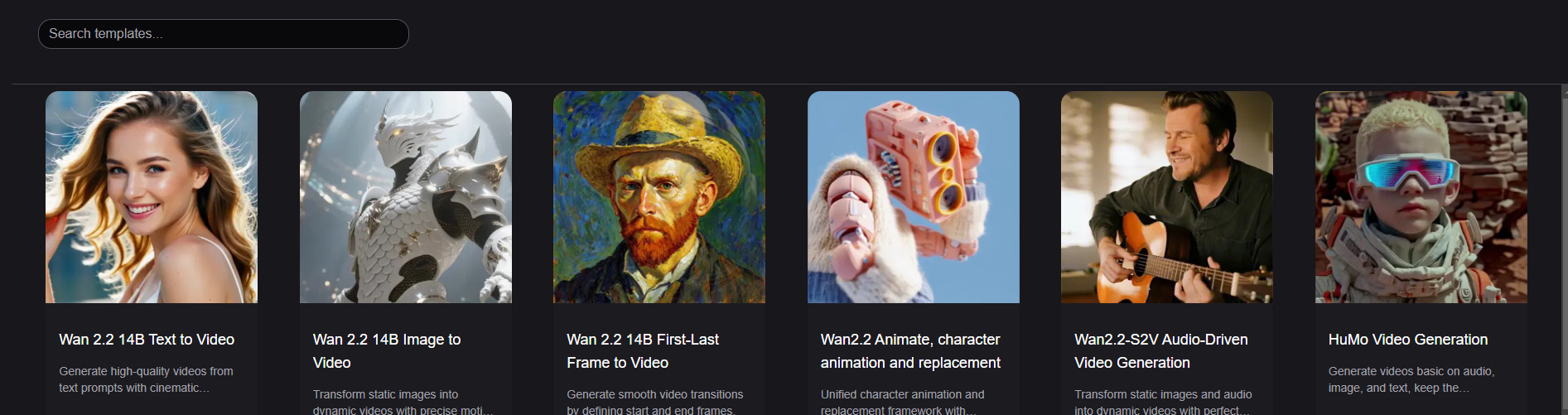
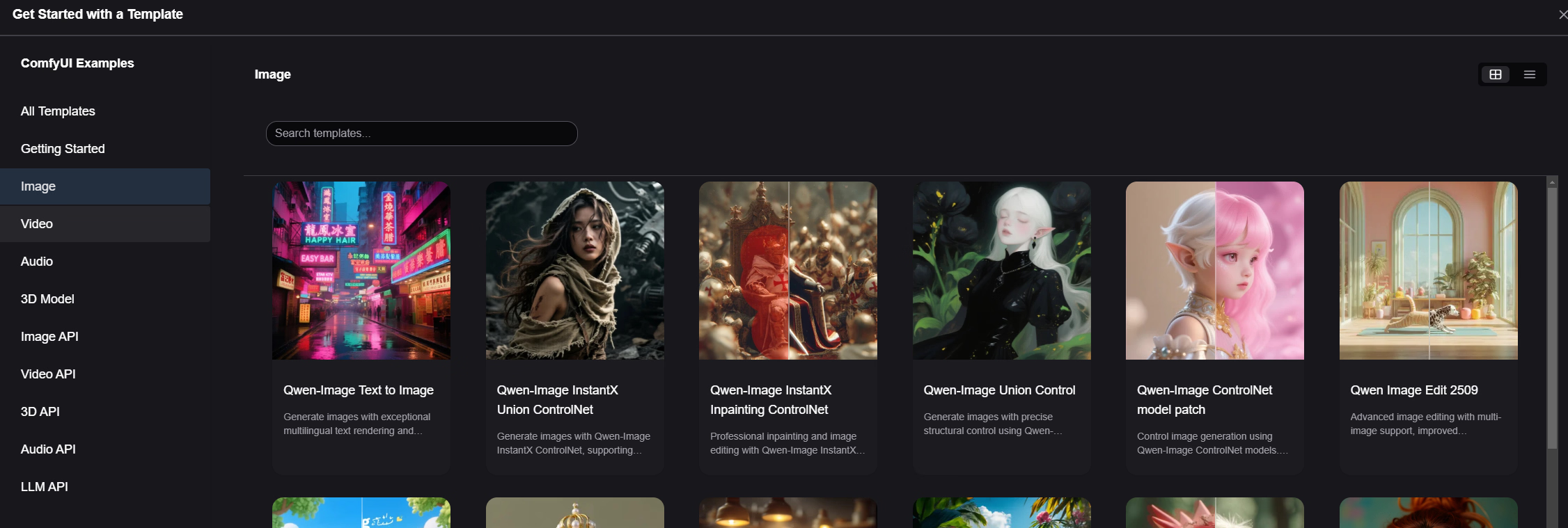
After staring Comfy just choose your Model :

1760209986191.png

1760210315724.png

Download your pref. Files and you are good to go (can be more than 100 GB) : BAM...your own AI!

1760210074081.png

1760210098959.png


STOP PAYING FOR BS! :giggle::coffee:
 
  • Like
Reactions: Chaosguy