
VN Ren'Py Abandoned Dual Family [Stream Extras] [Gumdrop Games]

2.10 star(s) 190 Votes

xvertion121

Member
Sep 3, 2017
383
408
312
If you want to see if there are compressed versions in a thread .. search for COMPRESSED {THREAD NAME}

For example: https://f95zone.to/search/572734390/?q=Compressed+Dual+Family+[Stream+Extras]+[Gumdrop+Games]&t=post&c[thread]=1870&o=date

I also recommend you set your search results order to most recent first in your preferences.
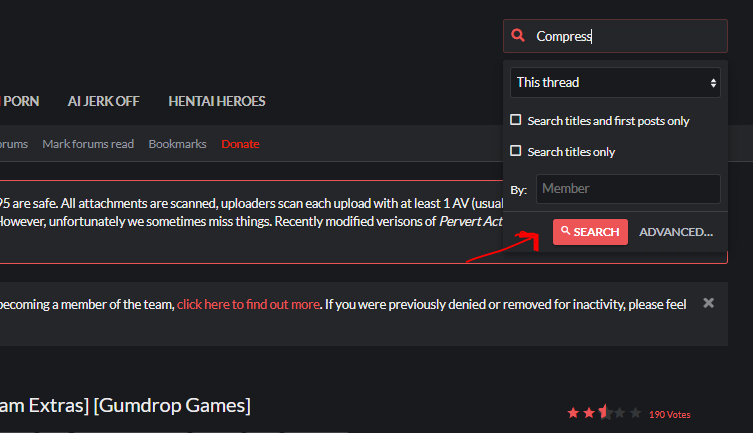
Thanks a lot, But I never really could figure out how that works. I always do this 1767820290774.png

And get this result https://f95zone.to/search/572905318/?q=Compress&t=post&c[thread]=1870&o=relevance

Which is useless most of the time.
 

Count Morado

Fragrant Asshole
Donor
Respected User
Jan 21, 2022
12,193
23,995
964
Thanks a lot, But I never really could figure out how that works. I always do this View attachment 5606007

And get this result https://f95zone.to/search/572905318/?q=Compress&t=post&c[thread]=1870&o=relevance

Which is useless most of the time.
My signature tells you how... And links you directly to the preference setting. Then you can use that search box and get better results.

Also, don't just search COMPRESS. Because that gets you all the people who come into threads and ask "Compress?" "Compressed?" "Compression?"

Search COMPRESSED {THREAD TITLE} just like I showed in the example. Just copy/paste the title with the word COMPRESSED in the search box: compressed Dual Family [Stream Extras] [Gumdrop Games]

That is the instructions all badged compressors are told to follow to post compressions in threads: they must use the title of thread of the compression and the word COMPRESSED. That is exactly so people who want the compressed version can find it, consistently in any thread.
 
Last edited:
2.10 star(s) 190 Votes