

Deleted member 8262003
New Member
- Nov 18, 2024
- 2
- 1
- 38
Perfect it works, you are the boss thanks !it's a bug, just fixed like an hour ago.
There should also be an item that fades in the screen your inventory, for situations like this.
Perfect it works, you are the boss thanks !it's a bug, just fixed like an hour ago.
There should also be an item that fades in the screen your inventory, for situations like this.

I think I know which ass you are referring to, butt I have no idea why that happened.Was it a fresh save?After doing the cleopatra goblins questline I was headed north and went into the area with the demon in the fiery ring. Battle started and it switched to the gobliness crouched and sneaking while clapping cheeks. Now all my saves load with that as the only thing I can see. I can bring up my item menu, and names of areas on the map show up but aside from that all I see is a phat ass. Is this fixable or do I have to restart the game?

Can't raise lockpicking skill yet so I assume that's future content.I'm currently at the part where the priestess is sitting in church meditating, and I haven't gotten to do the lockpick part of 'Allegory of Chastity' yet. I assume there is a later opportunity to talk, but idk...
Thanks, I've update the bugfix files to include a fix for this nowCan't raise lockpicking skill yet so I assume that's future content.
After clearing the desert snake den and getting the quest item, going through the nearby exit door put me in Black Screen mode. After some stumbling around in the dark I remembered and used the fade-in item to fix it and got a message to report it.

I don't know if you found this one, but if you go on the right ladder where you would be fleeing from the hoard of angry goblins during the Norf finale before the scripted scene where you're supposed to flee, you also get stuck on that small area, unable to go back down the ladder and unable to go to the right where you jump off later. If there's a way to make the ladder two way until the right path is opened, that would fix it, or forbid the ladder with a "now's not the time to go up a tall ladder" message until the horde breaks through the walls.Here are some bugfixes for the latest version (including the one above with the baths):
You must be registered to see the links
Also attached to this post.
Extract to data, if you did it right, it will ask to overwrite (say yes)
I'll block it off until it's time to use it, thanks for mentioning itI don't know if you found this one, but if you go on the right ladder where you would be fleeing from the hoard of angry goblins during the Norf finale before the scripted scene where you're supposed to flee, you also get stuck on that small area, unable to go back down the ladder and unable to go to the right where you jump off later. If there's a way to make the ladder two way until the right path is opened, that would fix it, or forbid the ladder with a "now's not the time to go up a tall ladder" message until the horde breaks through the walls.
It might be a folder permission issue. Try putting it on a folder on the desktop.I can't save current version even though i downloaded the latest version. Is that bug?


Sorry it took so long to reply, that didn't work and here's some screens of what I see. First is if I load inside that area (yes the one you screen shot) and the second is if I load on the world mapI think I know which ass you are referring to, butt I have no idea why that happened.Was it a fresh save?
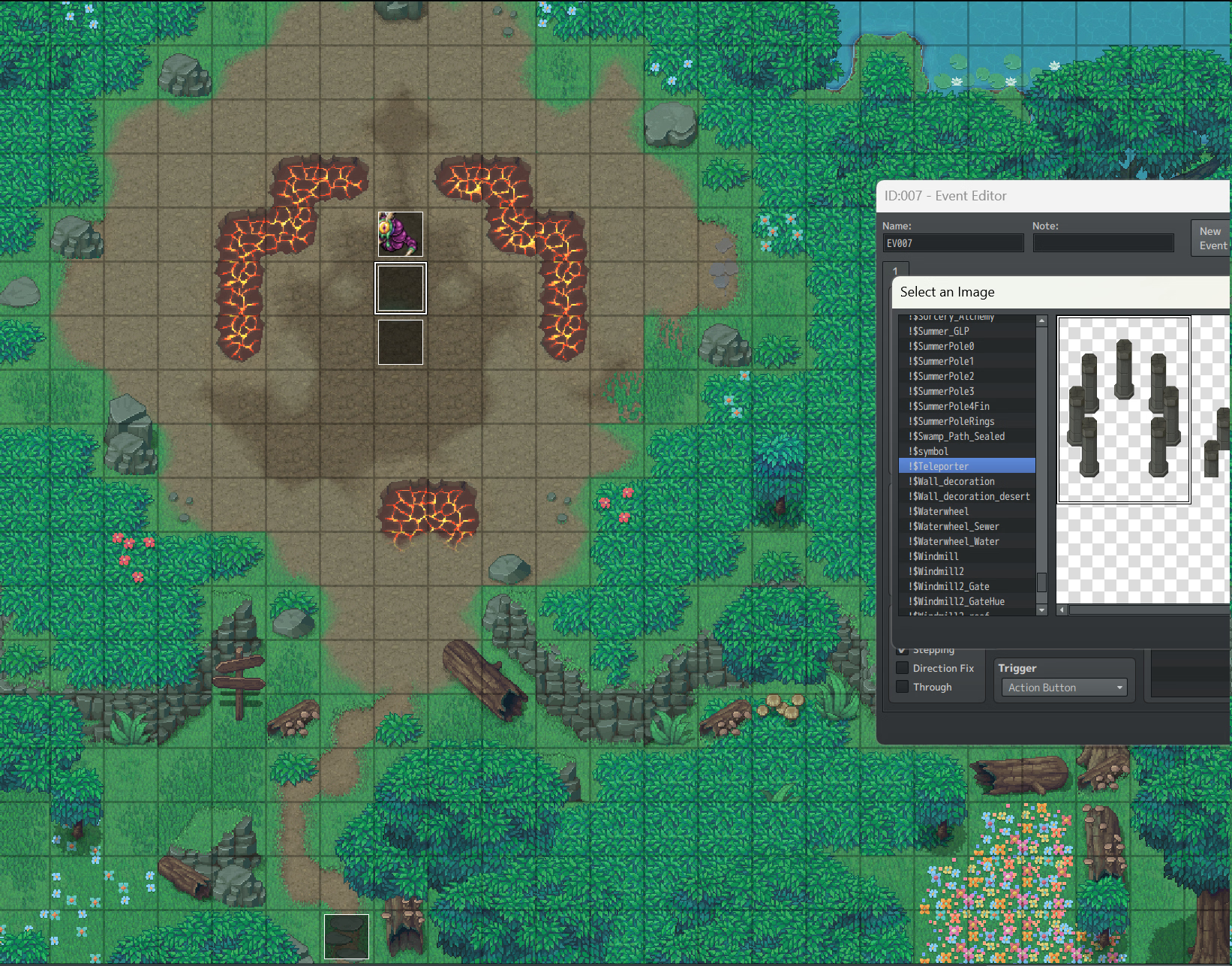
This area?
View attachment 5133907
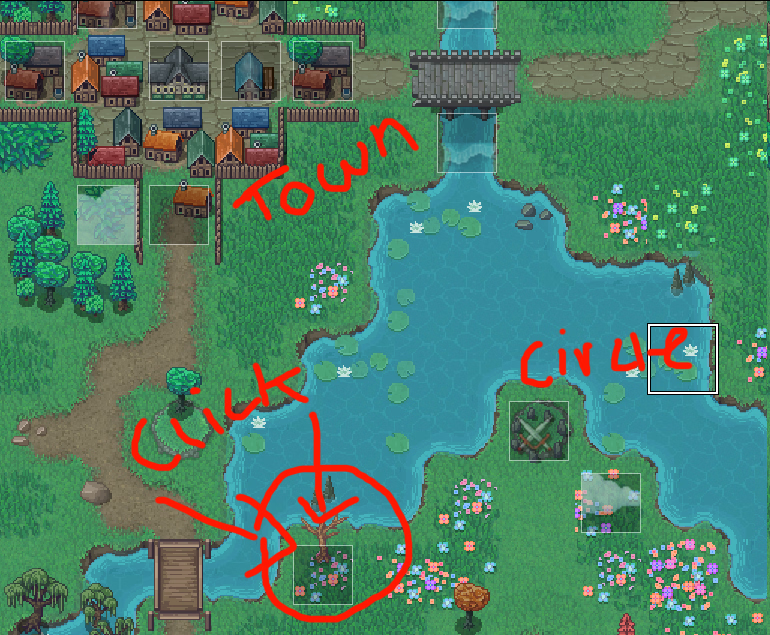
Anyway, for now,grab the attached file in this post, put it in your data folder (overwrite) then go the the place I marked in this pic, and click the dead tree' (if you can see it despite the ass).
View attachment 5133918
I play on phone broIt might be a folder permission issue. Try putting it on a folder on the desktop.
Ok... try this then. data folder + overwrite.Sorry it took so long to reply, that didn't work and here's some screens of what I see. First is if I load inside that area (yes the one you screen shot) and the second is if I load on the world map
Also yes a fresh save
You must be registered to see the links
You must be registered to see the links

hmm generally i would recommend to rather not play from a desktop folder because the common windoze might/will put restrictions behind the scenes. bets to do is, have a rather simple structure like i.e. C:\Games\Goblin Layer (or D:\Games\XXX\GoblinLayer or anything which is not a desktop folder).It might be a folder permission issue. Try putting it on a folder on the desktop.
I'm surprised one of them hasn't sent us on a quest for Green Paint ingredients yet.Need a new magical item "Color vision Helmet Goggles +1" Layer puts them on and those hot human ladies look green...just saying it would be worth some side quests.
The good news is it fixed the video from showing up, the bad news is I now just have a black screen. World map names still show up, but if I go into an area it's just nothingness.Ok... try this then. data folder + overwrite.
It should auto run a command to clear any vids off the screen on the world map.
And do you think you could upload your whole save folder, I don't know how this happened in the first place
Thanks! I'll check it out when I got some free time.The good news is it fixed the video from showing up, the bad news is I now just have a black screen. World map names still show up, but if I go into an area it's just nothingness.
This should be a link to my save folder, I zipped it.
Mega
Also I mis-spoke about this being a new save, it was made after the 57.5.1 release, when the problem happened I got back on here and downloaded 57.6.1 to see if it would fix the issue and when that didn't work posted on here.
Thank you, and I haven't had any success finding the fade in item but that's probably operator error. I'll look againThanks! I'll check it out when I got some free time.
There's should be a fade in item in your inventory can fade away a black screen
Did you find the item? Otherwise maybe try this, I added a fade in to the fix:Thank you, and I haven't had any success finding the fade in item but that's probably operator error. I'll look again
