Unity Heart of the Tower [Dev Thread]

Feb 19, 2020
136
122
143
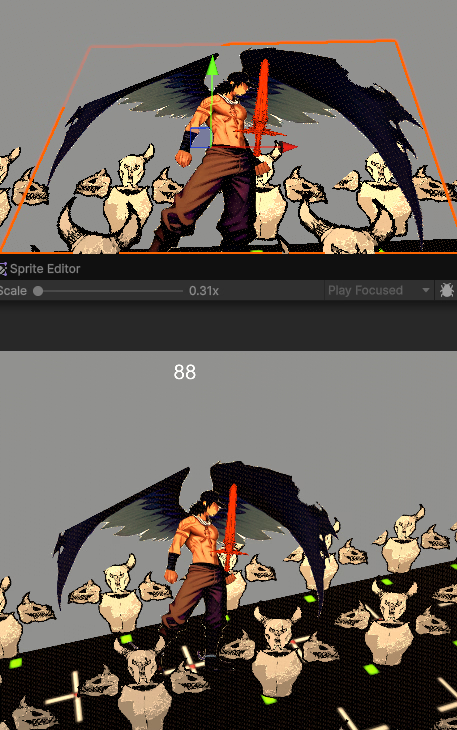
btw using camera planes to check culling is actually quite expensive. I assume you are checking the six frustum planes? If that's the case, you need six checks for each instance. A better way is to do the checking in clip space. That requires one check per instance only
i tested it both AABB vs the clip matrices and surprisingly they are about the same. Clip method is faster, ill use it :)

AABB method ( GeometryUtility.TestPlanesAABB(cachedFrustumPlanes, tempBounds); )

29 - AABB culling test.png

Clip method ( Matrix4x4 VP = cam.projectionMatrix * cam.worldToCameraMatrix; )

29 - clip culling test.png
The best way to know which is better is by comparing the 4ms marker, its slighter higher meaning more zoomed in thus higher performance in the unity profiler. (note this was tested with the exact same camera angles and counting 10 seconds from start time)

However if i ever figure out how to PROPERLY use DOTS/Burst for Unity then the clip method might be more performant (clip uses all math = burst compatible)


well, base mesh is simple just any model that you base on it or even mix 2 model together, you can even use guility gear model if you can find it ( i can't find good one).
as long as is close to nude, and is in a easy pose like t pose or a pose.


i not really high level for anime 3d, so i can't be too detail on it.
here some link i normal use.


https://f95zone.to/sam/latest_alpha/#/cat=assets/page=1/prefixes=42

if you asking for model for anime normal face.


Starting with the eyes and edge loops is so good.

Fab.com is my new favourite site :D
Thats such a good idea, mix and match model parts. find free models for decent head, body, hands and feet, mix and match, then fix em up. :)

holy shit! sort by assets??
1766039342466.png
i didnt even know that existed, say less o.o

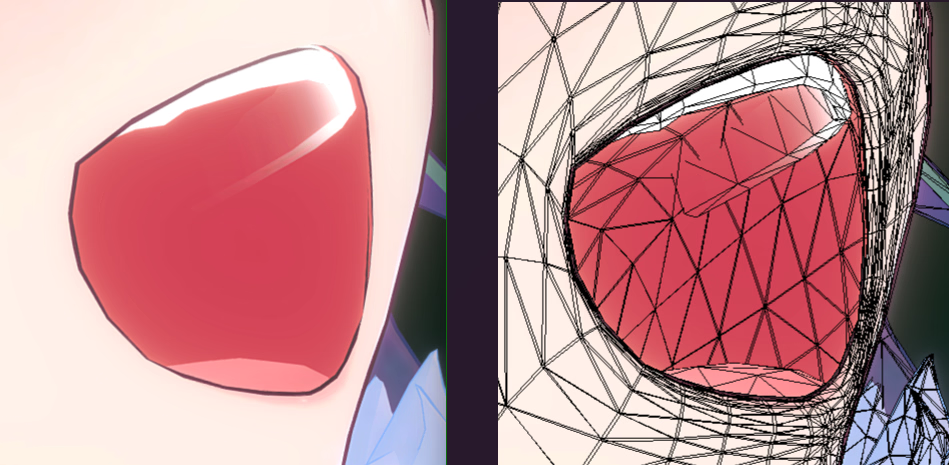
the model you showed, i learned you can change the teeth color to blend into the mouth for that anime style
1766049065078.png

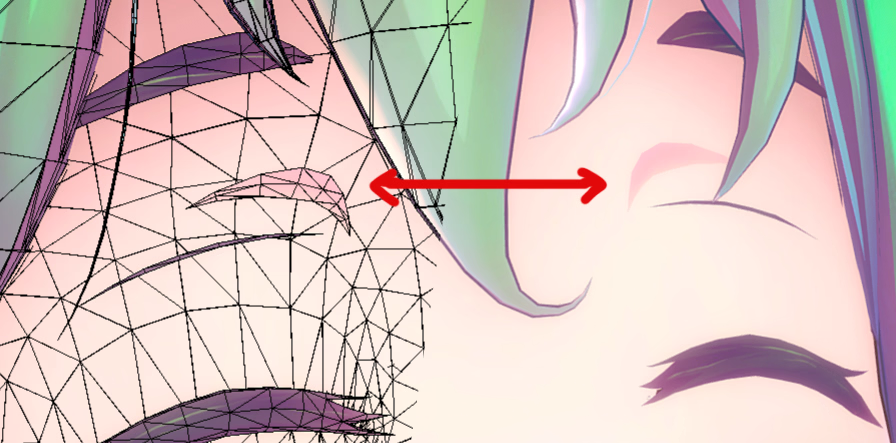
floating geometry for permanent line shadows o.o
1766049663211.png

genius (y)


guys thank you both for your help, i really appreciate it ;-;

props.gif
 
Last edited:
  • Like
Reactions: mibc9394
Feb 19, 2020
136
122
143
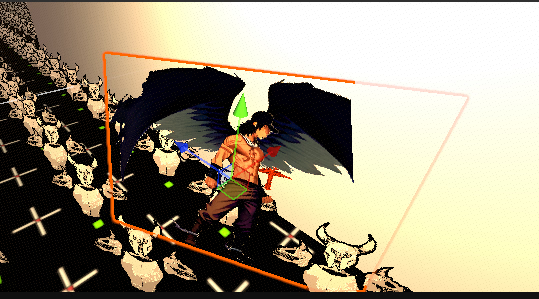
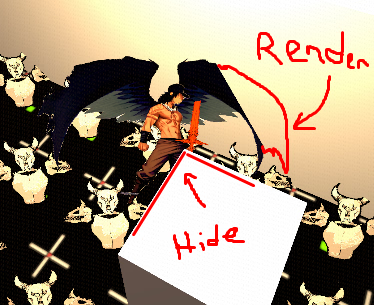
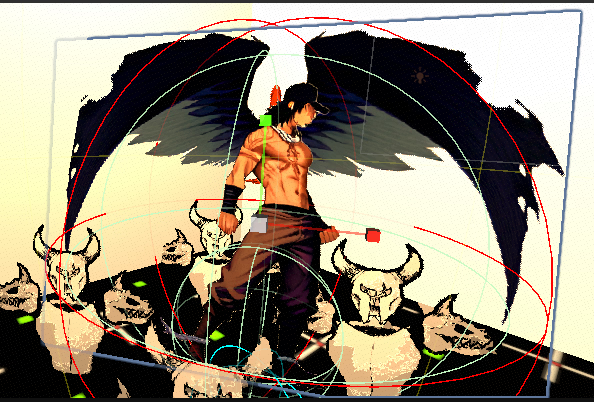
I need help figuring out how i can prevent the clipping render the clipped part of my 2D billboard. :unsure:
1766488270693.png
The sprite rotates to face camera. Ideally the bottom of the quad would stay in place and the top would gradually tilt back to be 100% facing the camera, all while not clipping into geometry behind it. and if it clips the geometry behind it, then have it render above / not get clipped.

i did try to clamp the x euler(pitch) to a shallow angle but it felt too thin and still clipped from Y (yaw) angles.
1766486827600.png
I tried hlsl shader but the rotations in those were difficult to get right, and was still clipping
wob.gif /face grating continues/

idk why but i really want to make the art 2D anime style lol...i looked at many 3D styles but they didnt feel right.
1766488864097.png
 
Last edited:
  • Like
Reactions: godlovesyou

godlovesyou

Newbie
Oct 6, 2023
61
82
98
I need help figuring out how i can prevent the clipping to my 2D billboard. :unsure:
View attachment 5555340
The sprite rotates to face camera. Ideally the bottom of the quad would stay in place and the top would gradually tilt back to be 100% facing the camera, all while not clipping into geometry behind it.

i did try to clamp the x euler to a shallow angle but it felt too thin and clipped from angles.
View attachment 5555220
I tried hlsl shader but the rotations wasnt working out and was still clipping
View attachment 5555417 /face grating continues/

idk why but i really want to make the art 2D anime style lol...i looked at many 3D styles but they didnt feel right.
View attachment 5555377
You can use a cylinder collider to prevent your billboard characters from clipping. I assume they only rotate on the Y-Axis. So a Cylinder that's big enough for collision should work for you.

For billboards that rotate on both axis you can use a sphere collider.
 
Feb 19, 2020
136
122
143
You can use a cylinder collider to prevent your billboard characters from clipping. I assume they only rotate on the Y-Axis. So a Cylinder that's big enough for collision should work for you.

For billboards that rotate on both axis you can use a sphere collider.
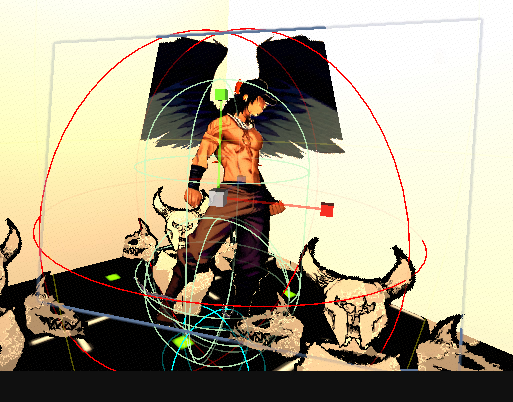
thanks bud, they rotate on the Y euler (yaw) as well as the X euler (pitch) so when the camera is from above they dont look paper thin. which causes the clip since the sprite is larger then the character collider. I want to keep my character collider the same size and the billboard angle to fully render it while its clipping into walls from behind and still allowing walls in front to mask / hide the sprite as normal. Sorry i wasnt clear on that before ^ ^;;;

the kind of solution im looking for is kinda like FPS games using a second camera so the arms/gun renders above the walls, but this doesnt work for mine since it requires objects in front to still render over the sprite character.

My best guess is its some kind of shader thing where i keep the sprites render position but push the pixels back so it renders the full quad while being clipped. or maybe have a special render on the 3D walls to allow sprites in front to not be clipped. ill probably have to look at how decal shaders work. i think its essentially a world space UI? :unsure:
halp.png
 
Last edited:
  • Like
Reactions: godlovesyou

mibc9394

Member
Feb 10, 2025
209
396
133
thanks bud, the use of a collider isnt desired as i want to retain the angle of the sprite tilted back so it doesnt look thin/keeps the billboard angle. the kind of solution im looking for is similar to FPS games using a second camera so the arms/gun renders above the walls, but this doesnt work for mine since it requires objects in front to still render over the sprite character.

My best guess is its some kind of shader thing where i keep the sprites render position but push the pixels back so they render the full quad while being clipped. or maybe have a special render on the 3D walls to allow sprites in front to not be clipped. ill probably have to look at how decal shaders work
View attachment 5557094
you can use sphere formula or any other primitive formula to check if the position of the sprite is too close to an obstacle, then move it away to avoid the clipping. This can be done in a compute shader if your are instancing the sprites.

Messing with render orders may work but it gets complicated quickly down the line especially in object occlusion , so you probably need to be careful with it.

It is also possible to move the vertices of your instanced sprites based on collision. Just need to write the collision logic yourself in a compute shader and set up buffers for all the data you need
 
Feb 19, 2020
136
122
143
godlovesyou mibc9394 sorry guys i reworded it.

basically i want to keep the clipping and render the clipped part if the sprite is in front of an object. hmm i guess its even more simplified its not even if its in front its just if its clipped render it fully. :unsure:

1766531263567.png
 
Last edited:
godlovesyou

Newbie
Oct 6, 2023
61
82
98
godlovesyou mibc9394 sorry guys i reworded it.

basically i want to keep the clipping and render the clipped part if the sprite is in front of an object. hmm i guess its even more simplified its not even if its in front its just if its clipped render it fully. :unsure:

View attachment 5557237
The best solution is to make your collision volumes fully encapsulate your billboard.

If you want to make it so they can get closer to the walls, you can make a version where their wings aren't extended, where that swaps to a narrower collision volume.

Your brain is classifying what's "suppose" to be Infront and what's suppose to be behind quickly, but that doesn't mean you can represent that in a clean simple algorithm.

A possible algorithm would involve detecting what objects your sprites collided with, then setting those to render before characters. Then when you render your characters you ignore the Z-buffer in deciding weather to write the pixel, in a shader, but still write to the z-buffer. Then you render everything else after that.

You'd have to make sure collision volumes that are used for Z-sorting your render queue, and your entire world, and the camera position are all limited to keep this solution working. And break your world into many separate objects.

I don't recommend that solution because it's hacky and overly complex. You would also have the character pop Infront of objects while moving in a glitchy looking way.

Having the collision volume be bigger than the billboard is the only correct solution.

As a solo dev you don't want to be debugging unnecessarily complex glitchy code, your time is really limited.
 
  • Like
Reactions: Sentinel Sparrow
Feb 19, 2020
136
122
143
so i managed to have something working with a depth pass in the sprites shader using:
outDepth = IN.lockedDepth + depthBias;
in the fragof the shader:
float4 frag(Varyings IN, out float outDepth : SV_Depth) : SV_Target

1766558075593.png
but it causes more problems then it solves
1766558174014.png

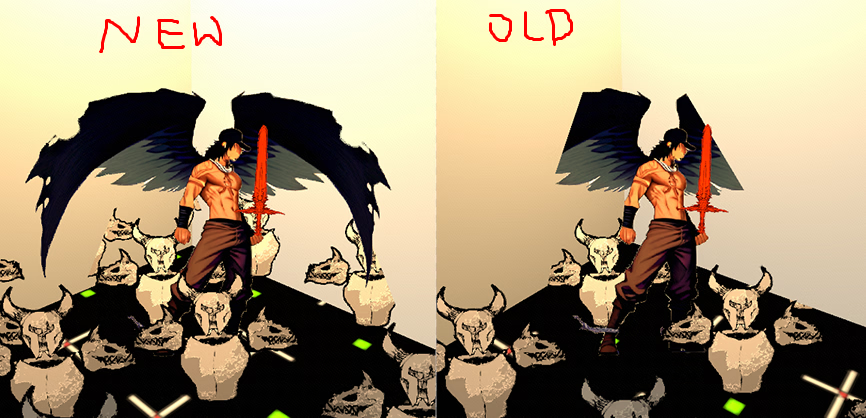
looks like a larger collider is the only way, maybe use the old one for hit detection :s otherwise players will feel cheated
1766558943798.png old

1766559001901.png new
 
Feb 19, 2020
136
122
143
If you want to make it so they can get closer to the walls, you can make a version where their wings aren't extended, where that swaps to a narrower collision volume.
yeah a closed wing version would help. its more pose variations. i'll just have to accept there will be a lot of clipping due to the dynamic camera angles. if it was fixed camera angles this would be trivial.

i've come to accept the fact i take for ever to do things. it will get done as it does :HideThePain:
 
  • Heart
Reactions: godlovesyou

godlovesyou

Newbie
Oct 6, 2023
61
82
98
yeah a closed wing version would help. its more pose variations. i'll just have to accept there will be a lot of clipping due to the dynamic camera angles. if it was fixed camera angles this would be trivial.

i've come to accept the fact i take for ever to do things. it will get done as it does :HideThePain:
I'm sorry if I came off harsh. It's all learning. You'll learn to time budget things with more and more experience. As well as what's easy vs what will take a lot of time.

Also I love billboarded games, but they're not common in non-pixel art games. Pixel art tends to hide the flatness of billboards.

You can also check out older billboarded games like Duke Nukem 3D, Wolfenstein 3D, and Doom to see how they handled things.

Duke Nukem 3D is probably the most advanced of all of them.

Characters only rotate around the Y-axis. So Cylinder collision works perfectly. No matter what if you're above a character it will look off. But if they are always flying like the winged flying characters in your game it can work.

Each character has 8 separate animations, per animations, for 8 separate viewing angles.

Characters have dark shadows (that are also animated) underneath them to hide where they touch the floor.

Flying enemies are not wide in Duke Nukem 3D, so they easily fit in the level with the collision volumes.

So one thing you'll realize is that, story, game-play, level design, art, and collision volumes/programming/engine capabilities, all have to work well with each other. So you can't actually make any type of game you want, and have any type of shaped characters as an example, without making large changes else where to for example level design, which indirectly changes story.

It's the cohesion that makes everything a challenge. Giant wings work in giant levels, but not in narrow corridors. But in those areas you can switch to cylinder collision, and Y-axis rotation and have the characters walk around.

Looking forward to how this game will turn out. Feel free to totally ignore me if it's not cohesive to your vision. Your plan works better, for a semi-2D looking game with a 3rd person camera far above, and other stuff.
 
Last edited:

Feb 19, 2020
136
122
143
good points
no worries bud, im just being honest with myself, being factual is good, i appreciate all your input (y)
only flying enemies would make 2D thinness less frequent, tis an option.
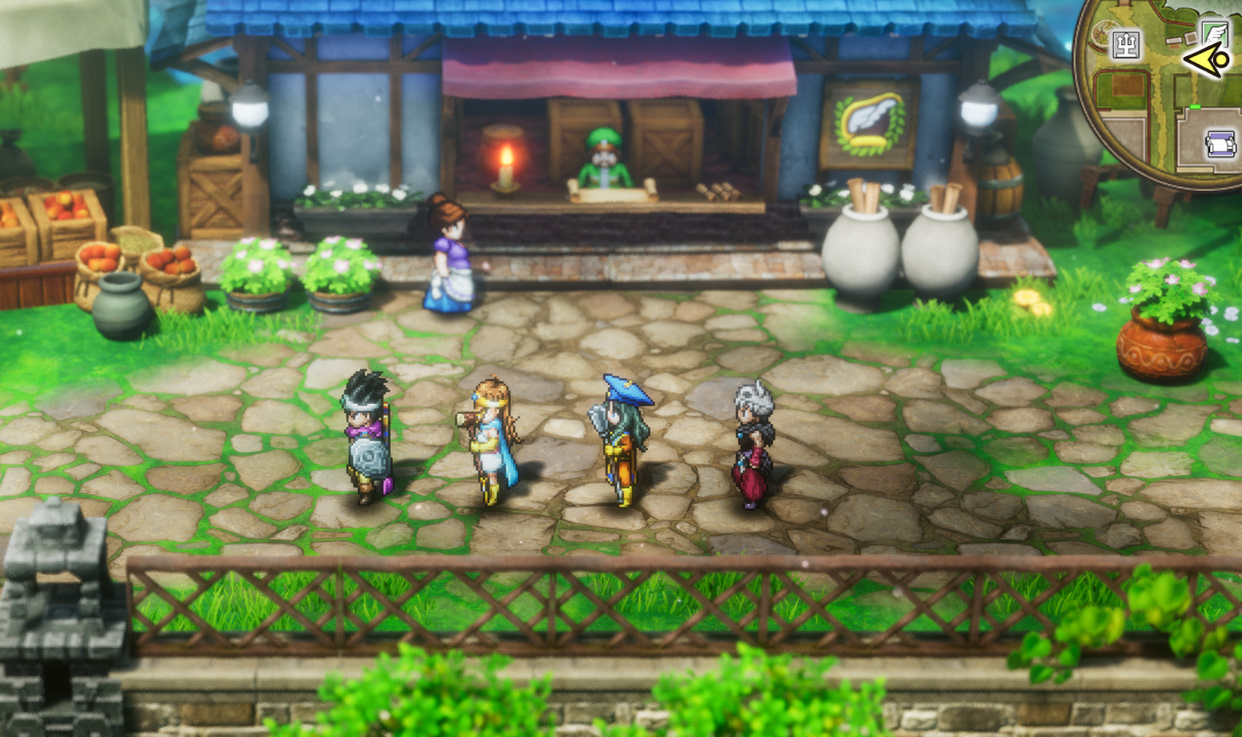
i agree the pixel art matches 2.5D much better like octopath traveller or dragon quest 3 hd remake. I still debate either down res my characters to look like rpg maker or just go 3D low poly keeping the anime art style i want for 2D vn ui like cutscenes instead of in game. also for 3D i seen some nice ik/fk animations out of few key frames to simplify character controller fluidity...
yeah having a compact character design that doesnt expand is the simpler option. dam wings.
its all about the cohesion man x-x no worries
 
  • Like
Reactions: godlovesyou
Feb 19, 2020
136
122
143
found a p sweet normal generator called
and added normal support to my sprite shader.
View attachment 29 - anime style and norm map test.webm

ill try to replicate this style for my characters
  1. paper loose sketch
  2. photoshop edit
  3. illustrator vector fine lines + base color
  4. ai shadow + highlight
  5. unity sprite shader retro stylize

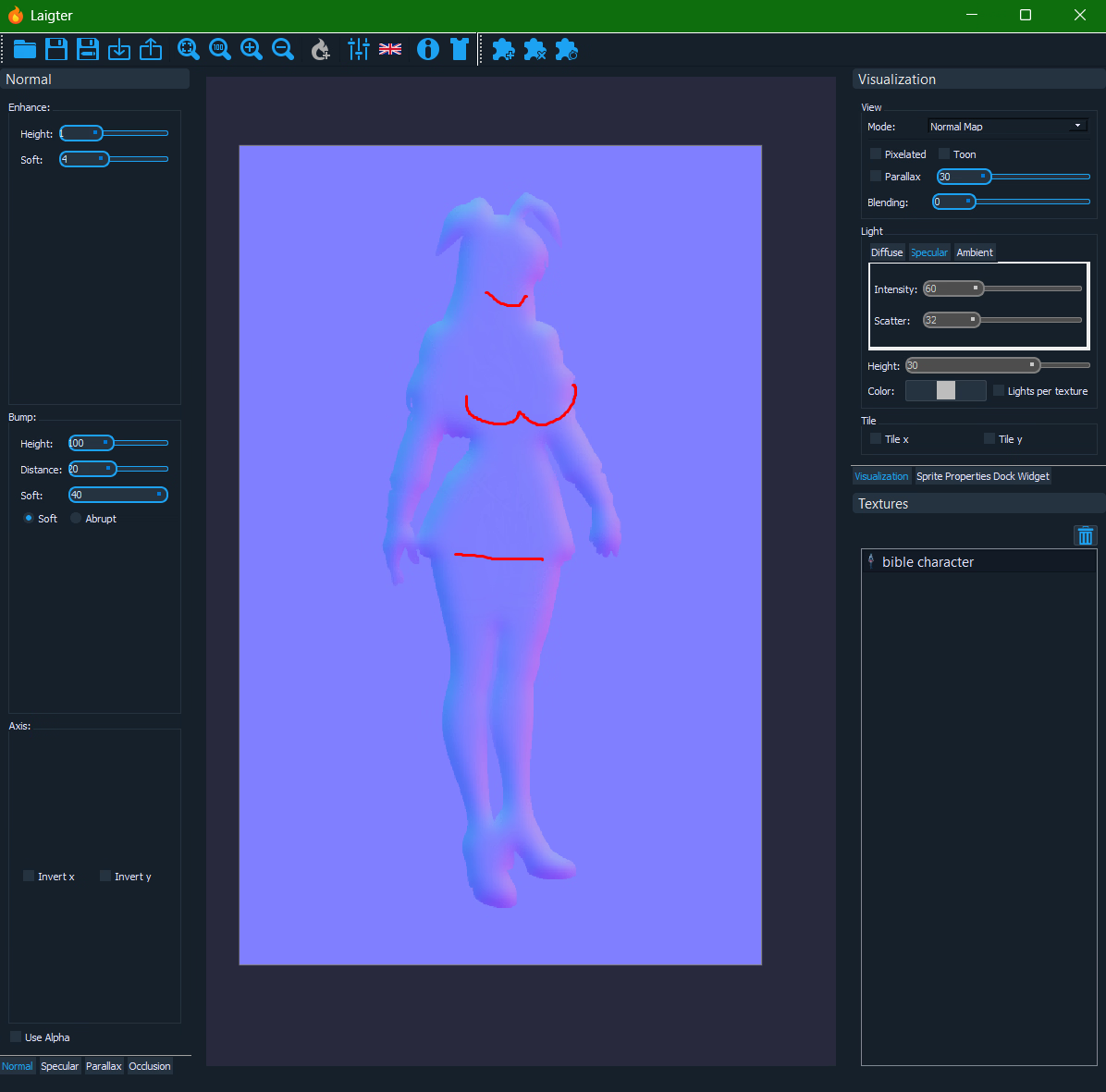
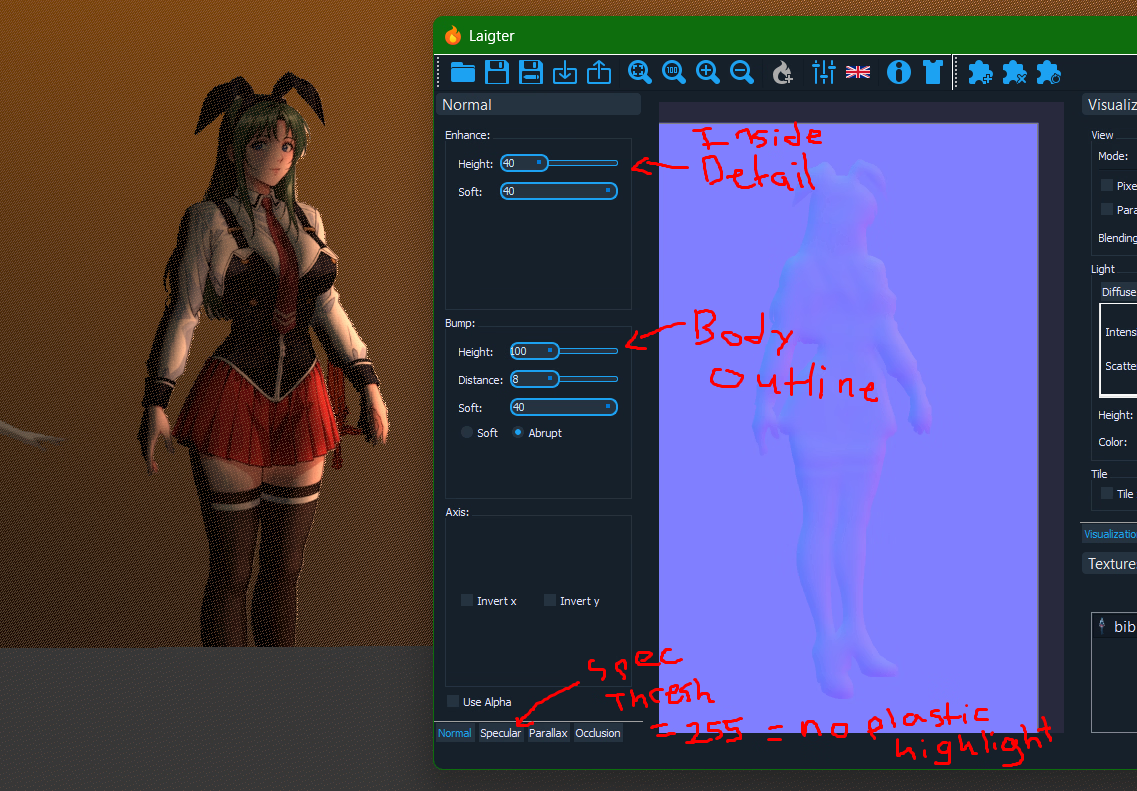
i need to figure out how to generate a more general female normal map to emphasis main body parts like her boobs while avoiding fine detail like her face (looks bad in shadow). I didnt find any loras for this. Maybe use a 3D base model + pose and merge the normal maps. hopefully there's a better way.
1766668531425.png

edit: i think i got an okay version where the facial details dont look terrible in shadow while retaining detail (y)
1766675016586.png
 
Last edited:
  • Wow
Reactions: godlovesyou

godlovesyou

Newbie
Oct 6, 2023
61
82
98
found a p sweet normal generator called
and added normal support to my sprite shader.
View attachment 5561979

ill try to replicate this style for my characters
  1. paper loose sketch
  2. photoshop edit
  3. illustrator vector fine lines + base color
  4. ai shadow + highlight
  5. unity sprite shader retro stylize

i need to figure out how to generate a more general female normal map to emphasis main body parts like her boobs while avoiding fine detail like her face (looks bad in shadow). I didnt find any loras for this. Maybe use a 3D base model + pose and merge the normal maps. hopefully there's a better way.
View attachment 5562014

edit: i think i got an okay version where the facial details dont look terrible in shadow while retaining detail (y)
View attachment 5562302
billboarded characters plus normal map looks sick.

I've seen devs on here try to make 3D games, but have players not like them because the characters aren't high poly or realistic enough for nsfw content. It looks like you solved that problem, with billboards plus a shader that combines normal and spec maps.

Plus with billboards you can have hoards of hundreds of enemies that you mow down. Zombies, Skeletons, Monsters, Demons... with different power levels all on screen at once. You could make vampire survivor scope battles in 3D first/3rd person.
 
  • Like
Reactions: Sentinel Sparrow

mibc9394

Member
Feb 10, 2025
209
396
133
found a p sweet normal generator called
and added normal support to my sprite shader.
View attachment 5561979

ill try to replicate this style for my characters
  1. paper loose sketch
  2. photoshop edit
  3. illustrator vector fine lines + base color
  4. ai shadow + highlight
  5. unity sprite shader retro stylize

i need to figure out how to generate a more general female normal map to emphasis main body parts like her boobs while avoiding fine detail like her face (looks bad in shadow). I didnt find any loras for this. Maybe use a 3D base model + pose and merge the normal maps. hopefully there's a better way.
View attachment 5562014

edit: i think i got an okay version where the facial details dont look terrible in shadow while retaining detail (y)
View attachment 5562302
you can just paint a black and white bump map and convert it into a normal map. Should be much easier if you do it by hand
 
  • Like
Reactions: Sentinel Sparrow
Feb 19, 2020
136
122
143
1766726848404.png
1766726975264.png yours truly :HideThePain:
1766727086076.png draw the plans, draft the diagrams, an architect in effect and it slams, and if its weak b4 im done RENOVATE AND DO IT AGAIN :ROFLMAO:

HOTT accomplishments for 2025
✅ Art style decided for characters
✅ MC concept art
✅ 2D character workflow with performant custom sprite shader
✅ one well written character so far that makes me hyped to write
✅ 3rd person character controls feeling nice and weighted
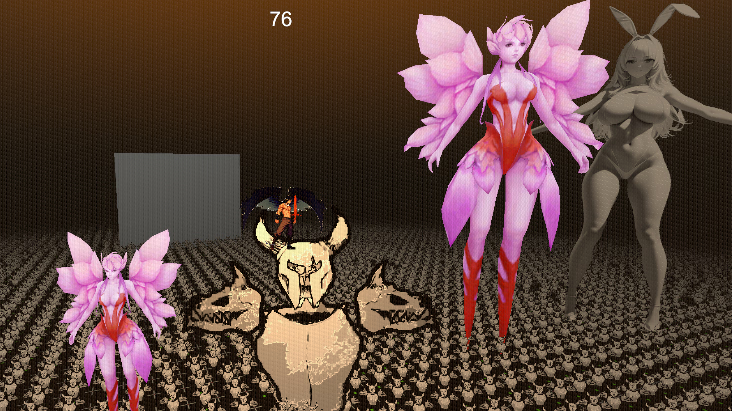
✅ learned DOD and got 1k physics objects at once, also 10k sprites on screen.
both moving towards player and rotating to camera, but the memory access is still random / naive and basic approach.
there's better ways I have yet to understand ^ ^;
✅ learned the hard way that if the physic controller references camera forward to rotate then then you need to match the update type or else it will cause so many syncing jitters =.="

HOTT 0.0.1 Prototype Goals for 2026
player movement skills perfected (currently its hard coded, it would be nice to make it modular...)
combat hit detection with physics (knockback and gravity)
spell system to make new spell abilities
enemy waves/swarms movement collision and behaviour systems
basic hit count damage calculator
white box level of first tower floor
Dialogue UI, basic history system
- this is like a 0.0.1 so i might hold off on a sex scene until i have a proper 0.1.0, keeping my game low key until more systems are done so i can later focus on just the content creation.

stuff that will wait
- stats calculator
- damage calculator
- equipped stats / difficulty system that scales damage
- gear creation system
- inventory / shop / stash
- boss / unique enemy behavior
...so much more
 
Last edited:
  • Like
Reactions: godlovesyou
Feb 19, 2020
136
122
143
so mach coding fixes wob.gif

my rigidbody player controller caused so many problems with syncing visuals to the camera without jitters. x-x;

what i had to do was set the rb to interpolate,
- move/rotate the camera in late update (change the raycast to spherecast which still has clipping problems)
> and the biggest pain in my ass was i was referencing the camera forward to rotate my rb player which caused jitters the solution was to change the rotation from fixed update to the normal update
wee.png
- make sure to exponential lerp the variables and not the transform position or rotation
- late update the sprite billboards, etc


im glad i smoothed out those bugs, feels slick now, im still refining my gameplay/story/everything = - =
gonna look at steam pages and their tags and try to get to the essence of what im making, or just keep winging it..
 
Last edited:
  • Like
Reactions: godlovesyou
Feb 19, 2020
136
122
143
i realized why the slow burn relationship story doesnt work in a survivors like game. its the players expectation. and i had this feeling for awhile like how am i going to make it work. but i always came back to thinking this story would fit better in a JRPG action bar turn based combat. this is bc the focus is slower paced which gives the players time to reflect and the story space to be focused on. where as d2/survivors likes compress time, encourages repetition over reflection thus ambient stories like diablo work best.

so i either save the story for later or change the gameplay... or change the current story to fit
 
Last edited:
  • Like
Reactions: godlovesyou
Feb 19, 2020
136
122
143
UPDATED FOR 2025 DECEMBER
Data of the 8,860 adult game creators on Patreon used to create this analysis comes from:

Of the 8,860 creators, 6,658 disclose paid subscribers.
Of the 2,202 creators who do not disclose paid subscribers (either because they have none or hidden the number - vast majority are the former), 124 started in the past 365 days.
The 2,078 creators who have had a Patreon creator account for longer than 365 days while not disclosing paid subscribers are not included in this analysis.

This analysis is of the 6,782 creators who disclose paid subscribers or started in the previous 365 days.
Of those, 4,090 (76 fewer than last year) disclose their earnings (60.3%). Using their data, creators receive an average of $4.65 per paid subscriber each month (that's up 15-cents from 2024).

Where disclosed, earnings are used. Where earnings are not disclosed, the figure is determined by multiplying the number of disclosed paid memberships times the average monthly subscription as listed above (Monthly Earnings = # paid memberships X $4.65)

However, I am also including a figure that is half that. Again, where disclosed, earnings are used. However, based upon looking at various developers numbers prior to their decision to not disclose their earnings - it appears that the actual average is closer to $2-$3 per paid membership. This is comparable to paid memberships across the entire Patreon site.
$4.65 paid sub avg$2.33 paid sub avg.
So, use this data with a grain of salt - this is for large data purposes - not to determine exact figures for any individual developer.
You don't have permission to view the spoiler content. Log in or register now.

So, yes, my original memory was slightly off on the upper end, but it still stands that "if you're doing this because you think this is going to be more lucrative than a traditional job in a brick-and-mortar business or a great way to earn extra money to supplement your current income or a rainmaker to get you to your first million" then a person is sadly mistaken.

If anyone is interested, attached is a CSV of the information I used (for 2022, 2023, 2024, and 2025).

thanks for the 2025 update!
hey look im a statistic :ROFLMAO:
1767321238739.png
yeah.. still havent figured out my game....
 
  • Haha
Reactions: Count Morado
Feb 19, 2020
136
122
143
1767775626136.png
1767734315905.png 1767734375447.png

the platforms normal maps seem to work best when theyre downscaled/subtle like this.
ill try to round the edges of the stone platforms via shader.
maybe i should do triplanar so it scales independent of objects uv

i like the heavy outline skull armor enemies, makes them more visible. i should try with more painterly style though if i go with the with the anime style. or just treat them like the anime characters would make the most sense...

still cant decide pixel or anime style for in game characters.

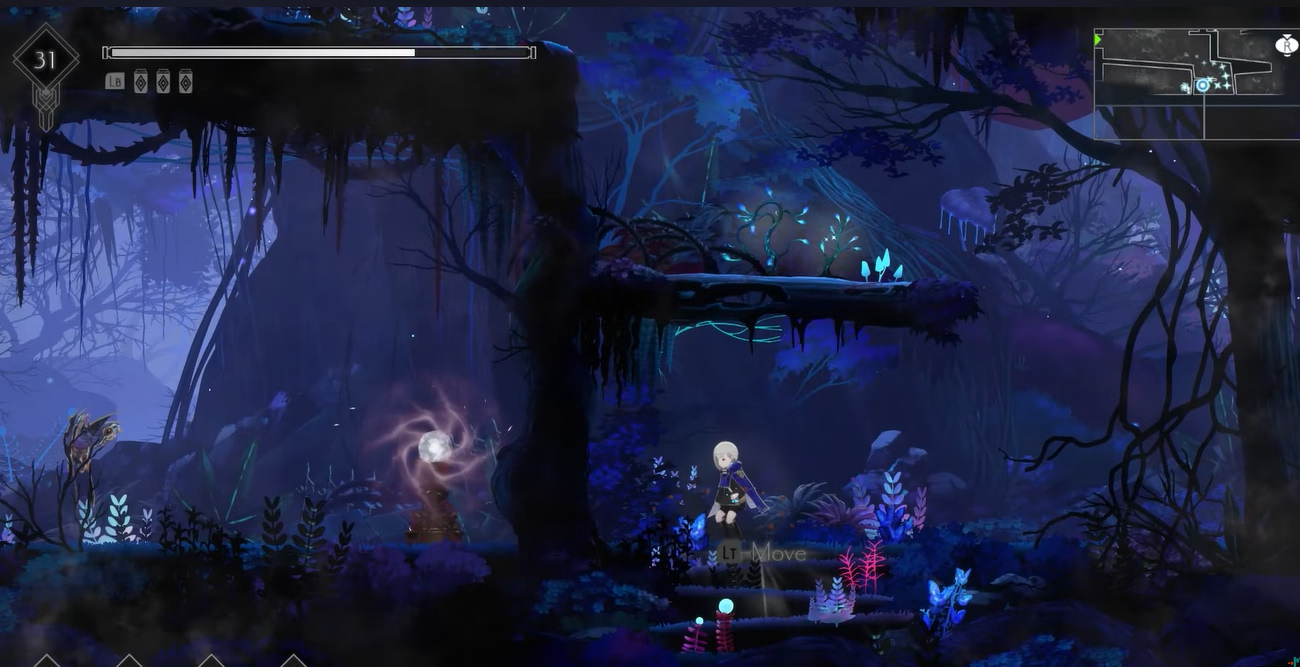
some styles ideas:
1767738837351.png
^ this 2d grid tile levels and pixel style would be fastest for level design at the trade off of rigid/repetitive level design, but its not ideal for my platformer though.

thinking of going with no image texture just albedo color and normal maps as texture for things like my stone platforms in the example above. uhg idk its not feeling cohesive.
1767734738443.png
^ better for turn based combat, but does work for well for 2.5D billboard workflow
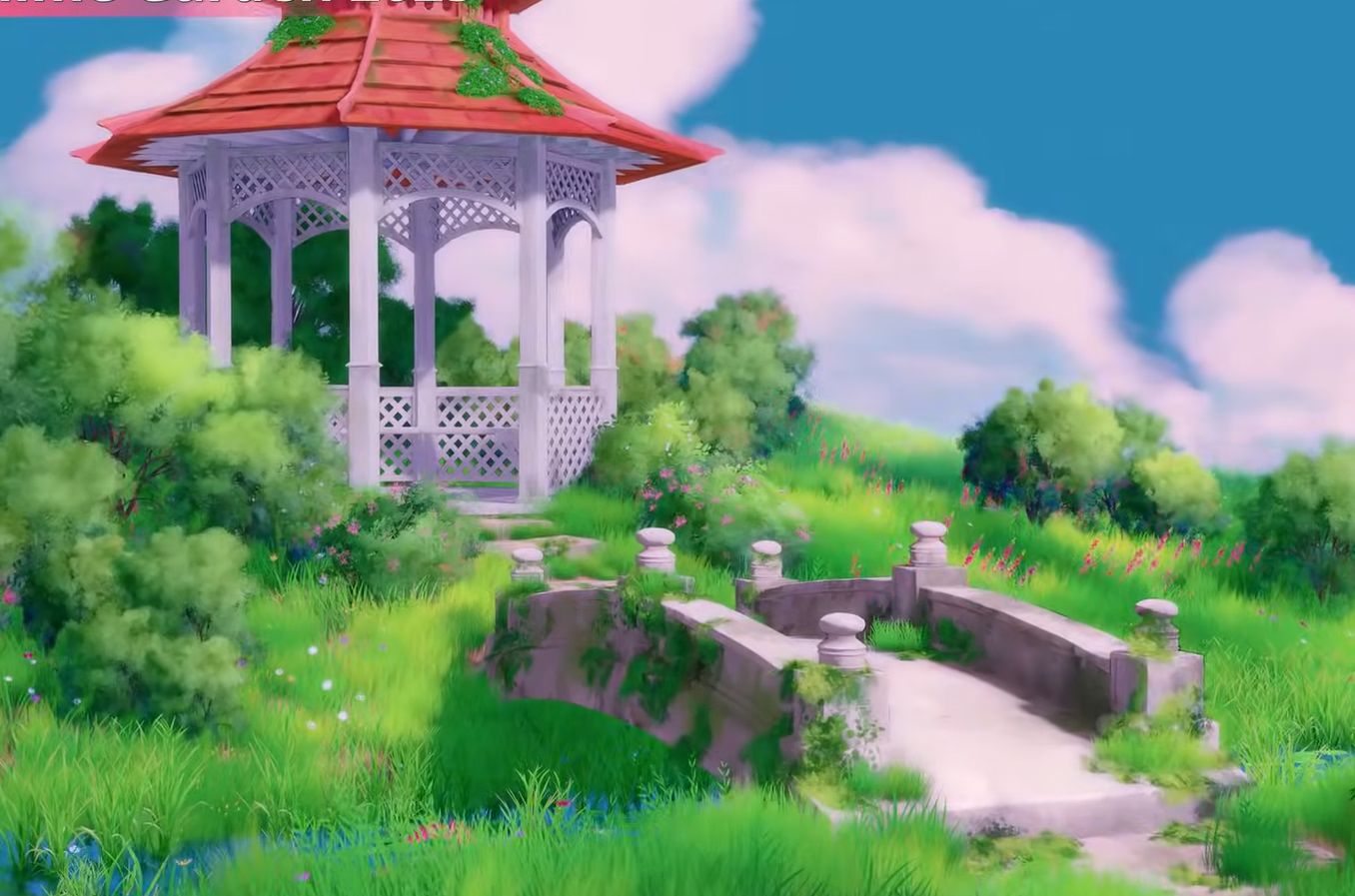
1767728060709.png
^ 2d anime puppet rig, more painterly environment style
1767739450232.png
^ more painterly environment to match the modern anime style i was aiming for. more effort maybe, so far this is how my level design is leaning.


still havent decided if ill change the story. i had some alternative ideas but they change the game entirely. like a 3rd person mech pilot and fps ninja. i just cant let go of HOTT original story ^ ^;

for music im thinking electronic / synths, heavy guitar for combat and soft flute and piano synth for ambient exploration. like cyberpunk meets c418 vibes.


You don't have permission to view the spoiler content. Log in or register now.

You don't have permission to view the spoiler content. Log in or register now.

---- after a day of debating this post, clarity (def not the smartest/fastest method but yolo)
okay so lockn in.

i will keep my HOTT story, I will use modern anime style for characters AND enemies. ill have a campaign mode story mode and a d2 / arcade mode with challenge quests.

Character + enemy workflow:
ai concept / ref pose > loose sketch / trace > vector outline > flat color > ai depth shadow high light / greyscale depth > normal map > per key frame > photoshop parts for 2D puppet rig > unity 2D puppet rig > my hlsl shader

environment = painterly, paint brush textures blends, soft edges, no lines, normal maps

figure out a way to make sprites fake 3D by shell layer techniques or something

time budget:
reconsider.gif

my kokoro:
plot.gif

most likely:
sacrifice.png
 
Last edited: