

RPGM Holdcraft Chronicles: Aki [Ch.9] [Seez]
- Thread starter Creator Seez
- Start date
-
- Tags
- 2d game 3dcg anal sex animated big ass big tits cheating corruption creampie exhibitionism fantasy female protagonist furry futa/trans group sex handjob humor interracial masturbation milf monster girl multiple penetration netorare oral sex pregnancy rpg sandbox sex toys sissification stripping swinging titfuck transformation urination vaginal sex voyeurism
4.40 star(s)
36 Votes

Vampire_Lord
Well-Known Member
- Aug 9, 2020
- 1,244
- 1,225
- 337
i feel this game lost the course for me, now is a fuckfest witout sense i know this is what a porn game is for but i dont feel the netorare or the hidden netorare 

Jennnnnyyyyy
Member
- Feb 21, 2018
- 143
- 124
- 331
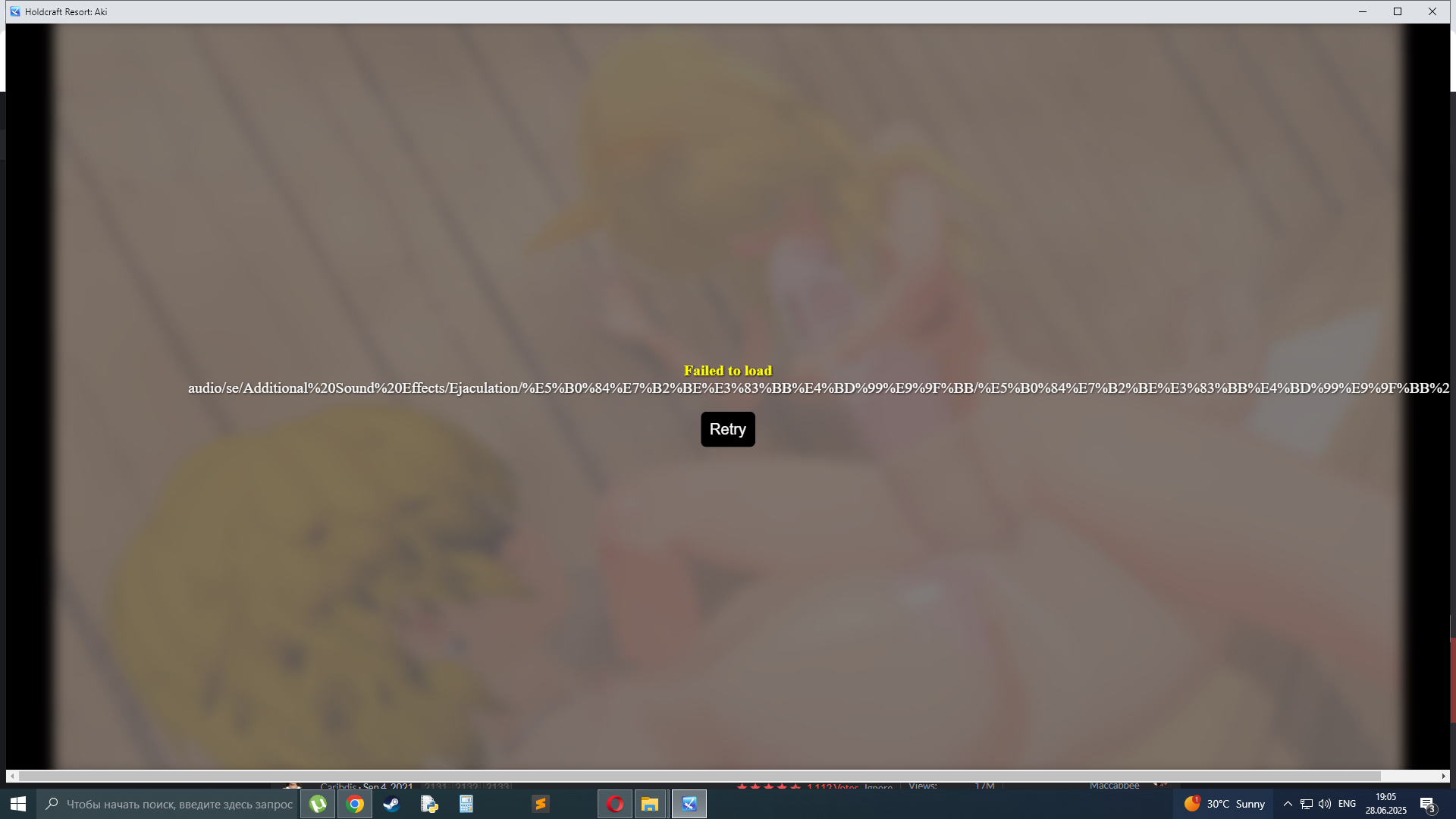
this happens when the game requests a file while the system has it in diff language, what most likely happened is you have ur files translated to whatever language you got there and the game just cannot find em, could also be where they are place (as in the folder u got is in some non english language)picture.pic
have such issue does some body knows how to fix ?
To fix this you would need to redownload the game and get the original names of the files and have them not be translated (gl with that on windogs) or manually rename every single file that has non english name (or non whatever language u got)

Asura066
Member
- May 3, 2018
- 471
- 277
- 296
I agree with you.i feel this game lost the course for me, now is a fuckfest witout sense i know this is what a porn game is for but i dont feel the netorare or the hidden netorare

AgressivePotato
Newbie
- Jun 5, 2018
- 45
- 62
- 36
In the case of problem 1, or specifically this part "it means you have an old (really old) gpu which is flagged as "blacklisted" by chromium (the trash rpg maker mz runs on)", if that was the case i should be having this problem with all RPGM games, right? Or it would be possible to be having just with this one? I ask because i have downloaded and played dozens of other RPGM games from this very site, this one is the only one where i ever encountered this problem. A shame because this one is one of the games that i wanted to play the most."Failed to initialize graphics" is an error that you get for multitude of reasons, but it stems out of 2 main problems.
1. You're drivers are outdated and need to be updated to a newer versions (find what GPU u got and update)
If (1) doesn't help you, it means you have an old (really old) gpu which is flagged as "blacklisted" by chromium (the trash rpg maker mz runs on)
2. Google hates you! yes you read this right, google and its chromium based trash decided to block you specifically! sue them. (read above)
There are ways to remove that restriction (if you know what you are doing)
Either you can input ( "chromium-args": "--enable-webgl --ignore-gpu-blacklist", ) into package.json (only the green part) in the main root of the game or you can download the modified version i posted (i just added the text above into the right place) and just replace the original file
(I would strongly recommend to remove the original file and then paste the new one as replacing files does create problems at random)
As for problem 2, again, if i had it, i should be having this problem with all RPGM games, right? Or again it would be possible to having it only with this one?
The updater driver thing i already tried and it didn't helped.
Jennnnnyyyyy
Member
- Feb 21, 2018
- 143
- 124
- 331
This game is made in the newest version of RPG maker MZ, this issue does not exist on older engines as they did not use chromium much if at all, MV did have chromium support but it never gave the error as it still run on whatever rpg maker has under the hood.wall of text.yap
Since you have a problem with this specific game, i would suggest downloading another rpg maker MZ game (easy way to spot them is folder structure) and see if that runs, if it doesnt, u know ur gpu is donezo for this engine.
Folder structure of MV is "Locales" "Swiftshader" "www" (www includes all the art scripts and whatnot)
Folder structure of MZ is less organized as it removes the "www" folder and just spits all ur folders into the Root of the game.
You could try the file i sent or just write the line of code urself. that will bypass the restriction because this is either a driver issue (which you clarified that its not) or a gpu blockage due to outdated hardware (idk WHAT hardware is outdated as i do not work for either google or rpg maker)
With more issues, you would have to specifically go to seez as its not my game and i dont know what they have put in it and they may be able to help more as they work with the engine more (my knowledge is rather limited in terms of MZ, i know more about VX ace and MV)
Watcherzzz
Member
- Nov 5, 2023
- 132
- 81
- 212
No the save system is broken on it but it works with Maldivescan you run the latest update on joiplay?
I see. Thanks for the explanation. Now i understand the problem, this will probably help others who are having the same issue as me.This game is made in the newest version of RPG maker MZ, this issue does not exist on older engines as they did not use chromium much if at all, MV did have chromium support but it never gave the error as it still run on whatever rpg maker has under the hood.
Since you have a problem with this specific game, i would suggest downloading another rpg maker MZ game (easy way to spot them is folder structure) and see if that runs, if it doesnt, u know ur gpu is donezo for this engine.
Folder structure of MV is "Locales" "Swiftshader" "www" (www includes all the art scripts and whatnot)
Folder structure of MZ is less organized as it removes the "www" folder and just spits all ur folders into the Root of the game.
You could try the file i sent or just write the line of code urself. that will bypass the restriction because this is either a driver issue (which you clarified that its not) or a gpu blockage due to outdated hardware (idk WHAT hardware is outdated as i do not work for either google or rpg maker)
With more issues, you would have to specifically go to seez as its not my game and i dont know what they have put in it and they may be able to help more as they work with the engine more (my knowledge is rather limited in terms of MZ, i know more about VX ace and MV)

Thechamel
Active Member
- Jan 10, 2023
- 512
- 438
- 237
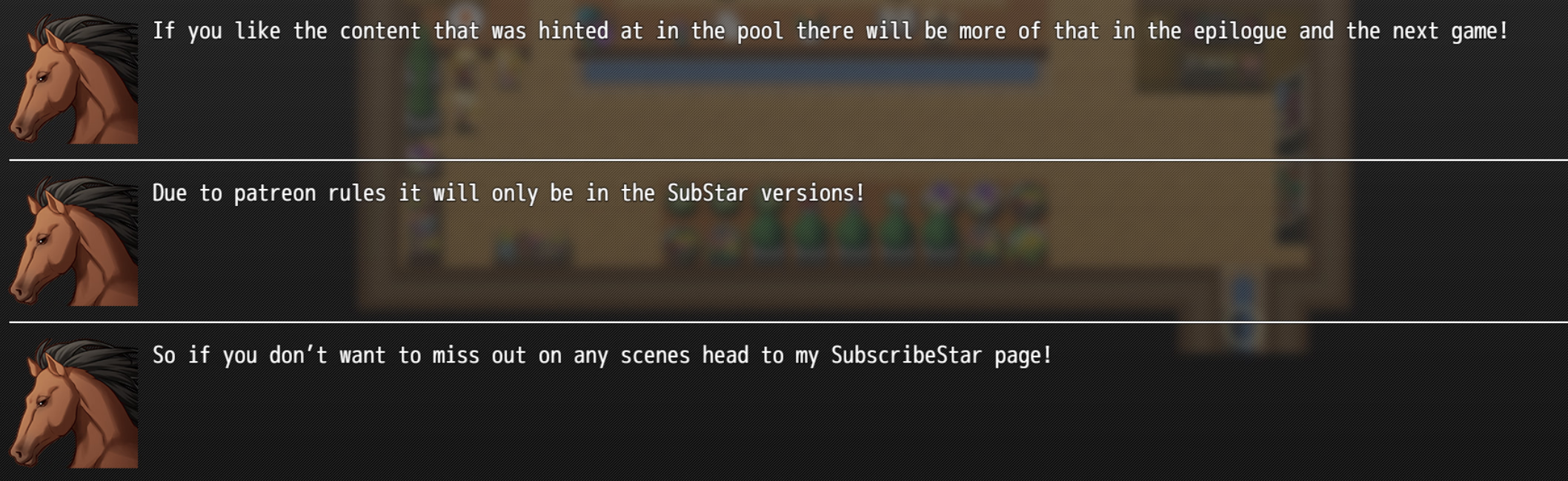
the horses at the pool, patreon is pretty strict on bestiality among other thingsAnyone know what this is referring to? Nothing really stood out to me a substar only when I replayed.
View attachment 4996567
OmniCatastrophe
Member
- Mar 29, 2020
- 133
- 292
- 238
Nah I've been saying this since chapter 3. Things moved way too fast and there was basically zero resistance on behalf of the protagonists. There's the fact that Nicole outright early on talks about getting Aki ready for the "events", then her and the creator backtrack saying no Nicole is actually nice and cares about Aki... Would have been way better if there was more development and slow corruption...i feel this game lost the course for me, now is a fuckfest witout sense i know this is what a porn game is for but i dont feel the netorare or the hidden netorare
whatisthissiteiwonder
New Member
- Feb 22, 2022
- 2
- 1
- 13
it doesnt work with wine but with chromium it doesany one able to run the game with wine on linux?
navigate to game folder
and do
chromium --allow-file-access-from-files --disable-web-security index.html
whatisthissiteiwonder
New Member
- Feb 22, 2022
- 2
- 1
- 13
also for linux users if u use a chromium instance saves are stored in localforage so i wrote this small tool to import saved games, will have to make one for exporting but i cbb
just save it as a html in your game folder and open it from the same chromium instance when your game is running and refresh
also if you're not careful you'd probably rewrite your saves so be aware of the risks
HTML:
<!DOCTYPE html>
<html>
<head>
    <title>RPG Maker MZ Save Importer</title>
    <script src="https://cdnjs.cloudflare.com/ajax/libs/localforage/1.10.0/localforage.min.js"></script>
</head>
<body>
    <h1>RPG Maker MZ Save Importer</h1>

    <p>Game ID: <input type="text" id="gameId" placeholder="Enter game ID"></p>
    <p>Select files: <input type="file" id="files" multiple accept=".rmmzsave"></p>
    <button onclick="importFiles()">Import</button>

    <div id="output"></div>

    <script>
        function log(message) {
            document.getElementById('output').innerHTML += message + '<br>';
        }

        async function importFiles() {
            const gameId = document.getElementById('gameId').value;
            const files = document.getElementById('files').files;

            if (!gameId) {
                log('Please enter game ID');
                return;
            }

            if (!files.length) {
                log('Please select files');
                return;
            }

            for (const file of files) {
                try {
                    const content = await readFile(file);

                    const filename = file.name.replace('.rmmzsave', '');
                    const key = `rmmzsave.${gameId}.${filename}`;
                    await localforage.setItem(key, content);

                    log(`Imported: ${key}`);
                } catch (error) {
                    log(`Error importing ${file.name}: ${error.message}`);
                }
            }
        }

        function readFile(file) {
            return new Promise((resolve, reject) => {
                const reader = new FileReader();
                reader.onload = e => resolve(e.target.result);
                reader.onerror = reject;
                reader.readAsText(file);
            });
        }
    </script>
</body>
</html>also if you're not careful you'd probably rewrite your saves so be aware of the risks
chromium --allow-file-access-from-files --disable-web-security index.html
AgressivePotato
Newbie
- Jun 5, 2018
- 45
- 62
- 36

FamilyNights
Member
- Jul 6, 2021
- 155
- 212
- 209
I wish the game didn't sissify and futafy Jake. Futa NTR is best when it's a man being cucked, not a femboy/futa.