

Does anyone have any up to date guides on how to make clothing mods? I’ve watched a lot of hooh’s tutorials about creating them, but I think I’m too dumb to understand any of it. Maybe I need a bunch of step by step, beginner level guides before I can even manage to make a single mod.
Tutorial [ILLUSION] HS2 Studio Neo|Chara Maker - (Help & guides Thread)
- Thread starter hun hunter
- Start date
5.00 star(s)
2 Votes

allallure
New Member
- Aug 31, 2025
- 10
- 14
- 29
Hi there! My! What an instructive thread this one is, with guides for things I didn't even know were possible! Thank you so much to hun hunter and the rest of you taking the time to share your knowledge! I am trying to take good note of everything, but there is A TON to learn, so it will surely take some time. 
Meanwhile, I would like to show you what I think could be my little bit to share here. The point is, since I recently decided to bet on my potential as dev, I am doing my best to get more pro on multiple "task", including Ren'py, VSCode, Git, and other stuff. And since some days ago I had this idea of creating some "wallpaper cheat-sheet" for all the programs I am using in my workflow, including Studio Neo, I thought I could be sharing it here once It's properly finished.
In order to stay on topic, I am only sharing here the part for Studio Neo, but I will gladly share the full landscape wallpaper even on 4K in case someone uses the same workflow and is interested (I guess that should go on a different/new thread, though).
So, for the shake of such a cheat-sheet, I am trying to first understand all or most of Studio Neo's shortcuts. But I am struggling with some of them. But first I should clarify I am using a Spanish (ESP) qwerty layout, so I got weird keys like Ñ and Ç, and I am not that familiar with their international equivalents.
So, for the VANILLA SHORTCUTS, I got doubts about 2 of them:
= ] ; -> Camera FOV. I think I located my equivalents for this Cam FOV on "+" and "¡". But that "= ] ;" thing scapes my understanding. So not 100% sure.
Ctrl+X -> Paste Position. This one should be easy. Except for the fact that I fail to guess what position is supposed to be pasted, or if it should be previously copied somehow in order to be pasted... I made some testings, but I couldn't make it work at all.
And then, for the PLUGIN SHORTCUTS:
1. I fail to understand what the slidier bar the N key "summons" at the bottom center of the screen is supposed to do.
2. More importantly, I fail to understand where to config or check all the VNGE or MMD shortcuts. In my case, it seems the VN SCene Script "module" at the bottom of the screen is triggered by both F8 and F10. Which are perfect candidates to be remapped in case it is possible.
And also, (i guess this is from a plugin), the `(^[) key seems to be related to that Camera FOV mentioned on point 1. But I am not sure what it does. It seems to lead to different results depending on... something.
Please note that I got my plugins updated to the latest versions available on github (surprisingly to me, the repack seems to update them much less frequently than I thought), and I also have some extra plugins. So I guess some things might be different. Also, I took the freedom to name the cameras you may create in the workspace as "custom" to differentiate them for the 10 cameras on the UI itself, but I got no idea if that is the most appropriate way to call them. And finally, I took note of multiple keys I think are available to be customized and some of my ideas for those. But I would like to know your thoughts on those too.
Can you bring light to any of those shortcuts?
Can you think of any other relevant shortcut I may be missing?
Do you have any suggestion on the functions that could be associated to those apparently free to be customized?
The sheet is still a WIP and I intend to look for a nicer font, maybe some other styling, and an ENG international version, but here is what I got for now.
Meanwhile, I would like to show you what I think could be my little bit to share here. The point is, since I recently decided to bet on my potential as dev, I am doing my best to get more pro on multiple "task", including Ren'py, VSCode, Git, and other stuff. And since some days ago I had this idea of creating some "wallpaper cheat-sheet" for all the programs I am using in my workflow, including Studio Neo, I thought I could be sharing it here once It's properly finished.
In order to stay on topic, I am only sharing here the part for Studio Neo, but I will gladly share the full landscape wallpaper even on 4K in case someone uses the same workflow and is interested (I guess that should go on a different/new thread, though).
So, for the shake of such a cheat-sheet, I am trying to first understand all or most of Studio Neo's shortcuts. But I am struggling with some of them. But first I should clarify I am using a Spanish (ESP) qwerty layout, so I got weird keys like Ñ and Ç, and I am not that familiar with their international equivalents.
You don't have permission to view the spoiler content.
Log in or register now.
So, for the VANILLA SHORTCUTS, I got doubts about 2 of them:
You don't have permission to view the spoiler content.
Log in or register now.
= ] ; -> Camera FOV. I think I located my equivalents for this Cam FOV on "+" and "¡". But that "= ] ;" thing scapes my understanding. So not 100% sure.
Ctrl+X -> Paste Position. This one should be easy. Except for the fact that I fail to guess what position is supposed to be pasted, or if it should be previously copied somehow in order to be pasted... I made some testings, but I couldn't make it work at all.
And then, for the PLUGIN SHORTCUTS:
1. I fail to understand what the slidier bar the N key "summons" at the bottom center of the screen is supposed to do.
2. More importantly, I fail to understand where to config or check all the VNGE or MMD shortcuts. In my case, it seems the VN SCene Script "module" at the bottom of the screen is triggered by both F8 and F10. Which are perfect candidates to be remapped in case it is possible.
And also, (i guess this is from a plugin), the `(^[) key seems to be related to that Camera FOV mentioned on point 1. But I am not sure what it does. It seems to lead to different results depending on... something.
Please note that I got my plugins updated to the latest versions available on github (surprisingly to me, the repack seems to update them much less frequently than I thought), and I also have some extra plugins. So I guess some things might be different. Also, I took the freedom to name the cameras you may create in the workspace as "custom" to differentiate them for the 10 cameras on the UI itself, but I got no idea if that is the most appropriate way to call them. And finally, I took note of multiple keys I think are available to be customized and some of my ideas for those. But I would like to know your thoughts on those too.
Can you bring light to any of those shortcuts?
Can you think of any other relevant shortcut I may be missing?
Do you have any suggestion on the functions that could be associated to those apparently free to be customized?
The sheet is still a WIP and I intend to look for a nicer font, maybe some other styling, and an ENG international version, but here is what I got for now.
You don't have permission to view the spoiler content.
Log in or register now.
Last edited:
I'm in the process of designing my LIs for my AVN I'm working on.
I'm scared of designing an LI that I'm going to have a problem animating/posing later on (cloth clipping/disproportionate body/etc..), since some of them won't appear as much early on or have lewd scenes early in the game at all.
I would also like to have different body and skin types, a few short and a really tall LI too, but I've read a comment on the Illusion discord that basically said: (paraphrasing) 'Keep the character scale at 100, otherwise you might have issues when animating with that character'.
Now I'm not sure if this information is accurate or not, or if it only matters for 3rd party animation scenes, I'm planning on making my own animations down the line, however I might use 3rd party animations in the beginning.
Anyone has experience about this topic and willing to share their experience or just some tips on how to avoid having these issues from the start?
Also while on the topic of character designing, I'm planning on having some LIs that are based on a character card I downloaded with slight modifications, is that a good idea or I should rather create every LI from a base model?
I'm scared of designing an LI that I'm going to have a problem animating/posing later on (cloth clipping/disproportionate body/etc..), since some of them won't appear as much early on or have lewd scenes early in the game at all.
I would also like to have different body and skin types, a few short and a really tall LI too, but I've read a comment on the Illusion discord that basically said: (paraphrasing) 'Keep the character scale at 100, otherwise you might have issues when animating with that character'.
Now I'm not sure if this information is accurate or not, or if it only matters for 3rd party animation scenes, I'm planning on making my own animations down the line, however I might use 3rd party animations in the beginning.
Anyone has experience about this topic and willing to share their experience or just some tips on how to avoid having these issues from the start?
Also while on the topic of character designing, I'm planning on having some LIs that are based on a character card I downloaded with slight modifications, is that a good idea or I should rather create every LI from a base model?

AmaNo04
Active Member
- Jul 6, 2020
- 883
- 750
- 278
I never find any issue in this matter. In fact most of my characters are not even at 100. Mostly at around 95 to 99.Keep the character scale at 100, otherwise you might have issues when animating with that character
The only issue I know when you're scaling non-uniformly in ABMX.
For example you want to make the leg thicker, you have to crank up the X and Z scale and have the Y scale smaller than the other two. This scaling usually make the legs moves even though they are not.
Sorry I'm not familiar with LI term, but I assume it means a character model.I'm planning on having some LIs that are based on a character card I downloaded with slight modifications, is that a good idea or I should rather create every LI from a base model?
At first it's fine to modify other people's card. Creating a good character from scratch is not easy after all. Everyone has their way to create a character.
Personally I don't really like to modify other people's card so all of my character cards are OC of mine.
Some of my cards are initially made more than 5 years ago. Back then I didn't bother to tweak the details.
Now they already given countless of changes and I still plan to tweak them around.

Herbmetaru
Active Member
- Oct 12, 2020
- 615
- 1,966
- 332
I am all for variation, creating and using all kinds of cards (though I never did a giantess ...). I do also test them a lot in animations before uploading.I'm in the process of designing my LIs for my AVN I'm working on.
I'm scared of designing an LI that I'm going to have a problem animating/posing later on (cloth clipping/disproportionate body/etc..), since some of them won't appear as much early on or have lewd scenes early in the game at all.
I would also like to have different body and skin types, a few short and a really tall LI too, but I've read a comment on the Illusion discord that basically said: (paraphrasing) 'Keep the character scale at 100, otherwise you might have issues when animating with that character'.
Now I'm not sure if this information is accurate or not, or if it only matters for 3rd party animation scenes, I'm planning on making my own animations down the line, however I might use 3rd party animations in the beginning.
Anyone has experience about this topic and willing to share their experience or just some tips on how to avoid having these issues from the start?
Also while on the topic of character designing, I'm planning on having some LIs that are based on a character card I downloaded with slight modifications, is that a good idea or I should rather create every LI from a base model?
'Keep the character scale at 100 ...':
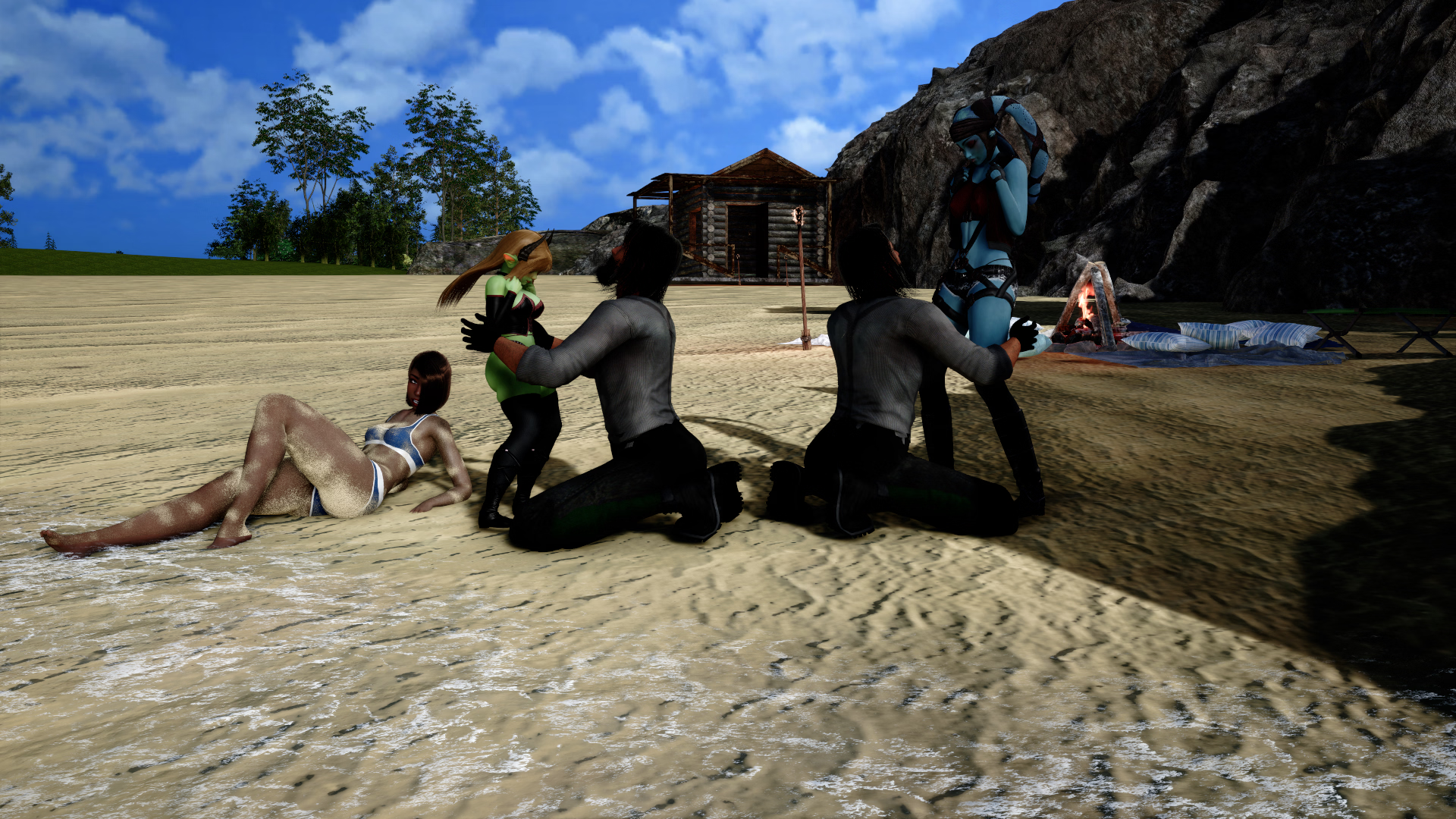
When you are using taller or shorter characters, animations might look weird, but that is mostly affecting ingame animations and finished animations in Studio (3rd party). You should be fine, when you are doing your own animations or even if you know, how to fix 3rd party animations.
Since all premade animations (ingame and Studio) are tailored around 'Hatano Miwa' or 'Tsubomi', the more you move away from those sizes, the more you have to adjust. Wouldn't it be the same irl?
But when you do your own animations, it should be fine.
There are many different ways, of changing the size/height. They ahave different effects on the look and the animations. I guess you have to experiment a bit. It depends on what you want (volouptuous, thick, skinny, defined, ...) I wrote about it before and figured out even more ways since that ...
About downloaded characters:
I don't see a problem, using those. Somepeople claim, they don't wnat their chars to be used by others, but I don't see the point in that. Why sharing then? Only to some profit over patreon or whatever?
I am happy, if I see somebody interested in and using whatever I shared. Whatever I share (chars, mods, textures ,...) is free to use and getting mentioned counts as bonus. I cannot speak for others, but even those are in my opinion abusing others work, to make profit out of it and don't have any copyright over what they share (or sell)
Last edited:
Herbmetaru
Active Member
- Oct 12, 2020
- 615
- 1,966
- 332
--> Love Interest (A possible character to have a relationship with the MC - maincharcter)Sorry I'm not familiar with LI term, but I assume it means a character model.
Thank you both for answering.
I'll test my characters with different clothes and will use Gravure(?) to test them with some animations in CharaMaker too.
I forgot to ask this in my previous message, I have a question about loading/saving scenes.
I'm planning on saving every composition I'm making a render out of, just in case if I ever need to re-render it or change something - essentially to have a backup about a render.
Also I'll reuse these scenes, so for example a scene about a kitchen can be a part of hundreds of renders, with different characters and poses. I should be able to load it back up and it should look the same in all those renders.
I've played around in Daz a little bit, so I'm going to use it as an example, I can save the scene there and load it back up with all the tweaked settings.
Does it work the same way in Studio? Saving a scene also saves mod settings? For example Graphics settings, material settings, map settings, item settings, etc..
I'm only asking because I've loaded some scenes I've downloaded and sometimes they don't look the same even though I had all the mods required for the scene.
Is there a mod I should use to make these saves or just the default save in Studio?
Thanks!
I'm not planning on creating any weirdly proportioned body, just skinny/muscular/thick or short/tall characters with slightly different skin colors. Maybe change the torso/legs ratio (sorry, not sure how this is called), so I think I'll be fine and I will not worry about this anymore.The only issue I know when you're scaling non-uniformly in ABMX
I'll test my characters with different clothes and will use Gravure(?) to test them with some animations in CharaMaker too.
I'd love to create my own characters, but I know I wouldn't be able to make anything close to as good as some characters I've seen while browsing. I'd like to have beautiful LIs in my game, and for that reason I'll go with modifying some character cards to see how that goes.Personally I don't really like to modify other people's card so all of my character cards are OC of mine
Yes, I've watched some videos already on how to create characters and I know about the 'different type of scales', also I was thinking about using existing character cards for this too and only change heads while loading a new character, so I think I'll be fine.There are many different ways, of changing the size/height. They have different effects on the look and the animations. I guess you have to experiment a bit. It depends on what you want (voluptuous, thick, skinny, defined, ...) I wrote about it before and figured out even more ways since that ...
That would be my response too if I made anything and shared publicly. I don't use paid stuff (yet), so I was under the impression that anything I see online is free to use. However I'm planning on crediting people in my game if I end up using their stuff (which is 100% will happen, since everything is modded).I am happy, if I see somebody interested in and using whatever I shared. Whatever I share (chars, mods, textures ,...) is free to use and getting mentioned counts as bonus
I forgot to ask this in my previous message, I have a question about loading/saving scenes.
I'm planning on saving every composition I'm making a render out of, just in case if I ever need to re-render it or change something - essentially to have a backup about a render.
Also I'll reuse these scenes, so for example a scene about a kitchen can be a part of hundreds of renders, with different characters and poses. I should be able to load it back up and it should look the same in all those renders.
I've played around in Daz a little bit, so I'm going to use it as an example, I can save the scene there and load it back up with all the tweaked settings.
Does it work the same way in Studio? Saving a scene also saves mod settings? For example Graphics settings, material settings, map settings, item settings, etc..
I'm only asking because I've loaded some scenes I've downloaded and sometimes they don't look the same even though I had all the mods required for the scene.
Is there a mod I should use to make these saves or just the default save in Studio?
Thanks!

Kaseijin
Active Member
- Jul 9, 2022
- 720
- 1,190
- 318
Hi!I would also like to have different body and skin types, a few short and a really tall LI too, but I've read a comment on the Illusion discord that basically said: (paraphrasing) 'Keep the character scale at 100, otherwise you might have issues when animating with that character'.
Now I'm not sure if this information is accurate or not, or if it only matters for 3rd party animation scenes, I'm planning on making my own animations down the line, however I might use 3rd party animations in the beginning.
Anyone has experience about this topic and willing to share their experience or just some tips on how to avoid having these issues from the start?
Time ago I complain about something like the "Standards" of making characters. some creators make cards with big big huge proportions, who am I to tell what is wrong or not, but the problem comes when making scenes, as a creator, I need all my characters are equal dimensions to interact properly.
from that, I decide to make my standard, taking as a standard the default "hatano miwa" measures. Next some adjust in proportions aiming to be more real becuase the works I do are real-life based tales, not fantasy or similar where the models have boobs/butts too disproportioned.
I was working in a age/measure table, take a look in this post y made in Yuki-portal:
You must be registered to see the links
Kaseijin
Active Member
- Jul 9, 2022
- 720
- 1,190
- 318
If you make an scene and save it, it could happens that the next time you open that scenefile it returns to the "default" settings, why? by no reason as far as i know, studioneo2 is a versatile tool yet with a lot of bugs and unpredictible due to different computer rigs configurations from users to users.Does it work the same way in Studio? Saving a scene also saves mod settings? For example Graphics settings, material settings, map settings, item settings, etc..
I'm only asking because I've loaded some scenes I've downloaded and sometimes they don't look the same even though I had all the mods required for the scene.
Is there a mod I should use to make these saves or just the default save in Studio?
Thanks!
However, if you use VNGE engine, you can save your scenes with all configurations you use and graphics, material, maps, lights an other settings will be saved. my old scenes till loads with all the variants I've put on them: graphic/dhh presets, sounds, music, overlays effects and etcetera. I think it is neccesary first to set up the features you want to be saved with.
Herbmetaru
Active Member
- Oct 12, 2020
- 615
- 1,966
- 332
It is like Kaseijin said. When saving scenes, it safes with the settings you made. ( Graphics settings, material settings, map settings, item settings, etc.. ) There are only few exceptions and hurdles....
Does it work the same way in Studio? Saving a scene also saves mod settings? For example Graphics settings, material settings, map settings, item settings, etc..
I'm only asking because I've loaded some scenes I've downloaded and sometimes they don't look the same even though I had all the mods required for the scene.
Is there a mod I should use to make these saves or just the default save in Studio?
Thanks!
Updates: When there are updates to mods or plugins e.g. shaders or graphismod, you might notice differences.As much as i like Hanmen updating his shaders, I hate, that it makes old cards barely usable. Same with the graphics mod. The different versions make it hard to compare settings/presets.
Graphics: The settings are safed, but not the reflection probes. If you don't use default settings, you need to redo those.
Cubemaps/Skybox: The first reason, why scenes look diffrerent. Many use detailed cubemaps as an easy way to get the lighting done. I would avoid that. I use the cubemap only for ambience light and for that only the Unity Default Skybox.
Thanks for the example, looked at it and it'll help making different body sized characters for sure.I was working in a age/measure table, take a look in this post y made in Yuki-portal:
I have it installed already as I read I'll need it for animations later on and it has other features too which could be useful to me, so I'll take a look at the mod in detail, thanks.However, if you use VNGE engine, you can save your scenes with all configurations you use and graphics, material, maps, lights an other settings will be saved
I wasn't expecting them to work with newer versions, I'm a full-stack webdev, so I have some experience with programs/plugins getting updates and stuff just outright not working because of it.There are only few exceptions and hurdles
Haven't really looked into reflection probes yet, but I'll keep that in mind.
I'm not planning on updating mods frequently, unless there's a 'game-breaking' bug or a bug preventing me from doing something I want and it's only working with a newer version. I'm planning to update mods every few months between chapters/seasons.
I'll save the whole scene as I said earlier and a 'plain' render for each render I make, since I'll do some post-work on them, I want to keep the original so after updating mods I'll revisit the old plain renders and I'll try to match them as close as possible to retain the graphics after updates. Hopefully it'll work to some extent, however I also want to improve the graphics down the line and I'm sure I'll be making better looking renders with more experience, so after some time it's not important as much to be able to retain the graphics since the newer lighting/settings just going to be better than the old ones I did at the beginning.

GIGABRAZ
Newbie
- Jun 1, 2025
- 34
- 24
- 34
Start creating is kind of scary for some reason, I'm actually in the middle of this process.I'm in the process of designing my LIs for my AVN I'm working on.
I'm scared of designing an LI that I'm going to have a problem animating/posing later on (cloth clipping/disproportionate body/etc..), since some of them won't appear as much early on or have lewd scenes early in the game at all.
I would also like to have different body and skin types, a few short and a really tall LI too, but I've read a comment on the Illusion discord that basically said: (paraphrasing) 'Keep the character scale at 100, otherwise you might have issues when animating with that character'.
Now I'm not sure if this information is accurate or not, or if it only matters for 3rd party animation scenes, I'm planning on making my own animations down the line, however I might use 3rd party animations in the beginning.
Anyone has experience about this topic and willing to share their experience or just some tips on how to avoid having these issues from the start?
Also while on the topic of character designing, I'm planning on having some LIs that are based on a character card I downloaded with slight modifications, is that a good idea or I should rather create every LI from a base model?
Since 8 months I've started to design my characters and imagined the story of my AVN and it has only been around 3 weeks that I've started to really create the first renders of the game. The reason why I've wait for so long is because I was overthinking it.
I was like : what if I learn new things about lighting that make me restart everything, what if my characters aren't charismatic enough, what if I miss some essential plugins or knowledge about the software.
DONT OVERTHINK IT!
Nothing is set in stone. Lights are bad on one event? I'll rerender it when my skills would improve enventually it's ok, let's go forward. You’ll learn, adjust, and get better as you go, for every aspects of the AVN creation and it's the only way to improve anyway.
You can change some little details of your characters in the middle of the game, it's fine. Who would complain if you enhance the texture of the hairs or the skin of your characters, the game would just step up in graphics quality. There are a lot of AVNs where you can notice which event is old or not by the quality of renders.
I would love to see your first steps in this world, if you're seeking for people to test your early releases, count me in!
Thank you for this list of shortcuts. Although a lot of them don't seem to do anything, there are still a lot of good ones in there.Hi there! My! What an instructive thread this one is, with guides for things I didn't even know were possible! Thank you so much to hun hunter and the rest of you taking the time to share your knowledge! I am trying to take good note of everything, but there is A TON to learn, so it will surely take some time.
Meanwhile, I would like to show you what I think could be my little bit to share here. The point is, since I recently decided to bet on my potential as dev, I am doing my best to get more pro on multiple "task", including Ren'py, VSCode, Git, and other stuff. And since some days ago I had this idea of creating some "wallpaper cheat-sheet" for all the programs I am using in my workflow, including Studio Neo, I thought I could be sharing it here once It's properly finished.
In order to stay on topic, I am only sharing here the part for Studio Neo, but I will gladly share the full landscape wallpaper even on 4K in case someone uses the same workflow and is interested (I guess that should go on a different/new thread, though).
So, for the shake of such a cheat-sheet, I am trying to first understand all or most of Studio Neo's shortcuts. But I am struggling with some of them. But first I should clarify I am using a Spanish (ESP) qwerty layout, so I got weird keys like Ñ and Ç, and I am not that familiar with their international equivalents.
You don't have permission to view the spoiler content. Log in or register now.
So, for the VANILLA SHORTCUTS, I got doubts about 2 of them:
You don't have permission to view the spoiler content. Log in or register now.
= ] ; -> Camera FOV. I think I located my equivalents for this Cam FOV on "+" and "¡". But that "= ] ;" thing scapes my understanding. So not 100% sure.
Ctrl+X -> Paste Position. This one should be easy. Except for the fact that I fail to guess what position is supposed to be pasted, or if it should be previously copied somehow in order to be pasted... I made some testings, but I couldn't make it work at all.
And then, for the PLUGIN SHORTCUTS:
1. I fail to understand what the slidier bar the N key "summons" at the bottom center of the screen is supposed to do.
2. More importantly, I fail to understand where to config or check all the VNGE or MMD shortcuts. In my case, it seems the VN SCene Script "module" at the bottom of the screen is triggered by both F8 and F10. Which are perfect candidates to be remapped in case it is possible.
And also, (i guess this is from a plugin), the `(^[) key seems to be related to that Camera FOV mentioned on point 1. But I am not sure what it does. It seems to lead to different results depending on... something.
Please note that I got my plugins updated to the latest versions available on github (surprisingly to me, the repack seems to update them much less frequently than I thought), and I also have some extra plugins. So I guess some things might be different. Also, I took the freedom to name the cameras you may create in the workspace as "custom" to differentiate them for the 10 cameras on the UI itself, but I got no idea if that is the most appropriate way to call them. And finally, I took note of multiple keys I think are available to be customized and some of my ideas for those. But I would like to know your thoughts on those too.
Can you bring light to any of those shortcuts?
Can you think of any other relevant shortcut I may be missing?
Do you have any suggestion on the functions that could be associated to those apparently free to be customized?
The sheet is still a WIP and I intend to look for a nicer font, maybe some other styling, and an ENG international version, but here is what I got for now.
You don't have permission to view the spoiler content. Log in or register now.
To answer your question on Ctrl+X, this is used in TimeLine to move keyframes from one time to another. Select the keyframes you want to move, then Ctrl+X, then move to the time you want to move those keyframes to, then Ctrl+V. Very handy. You can also use Ctrl+C to copy keyframes instead of cutting, if you want.
I am having a couple of issues with VideoExport:
The path the videos get saved to is incorrect, and every time I correct it in the F1/VideoExport settings and restart the program or record a video (even if I record one right after changing the setting), the path gets changed back to the incorrect location. Is there a second place that I need to change the path? This is driving me nuts, in that I have to keep manually moving the video recordings to the right place every time I record them.
This only seems to happen with videos that have a large number of frames, but oftentimes, it freezes when generating the video from the frames it created. It always occurs at the exact same frame, although this varies from animation to animation. It normally gets stuck at frames 950-1100. Is there a way to fix this? Some of my animations have thousands of frames, and I'm stuck on this issue.
There is one other issue that has started occurring with playing animations in TimeLine. When the character moves, the breasts shake like crazy when they're not supposed to. This didn't used to occur, and it is taking place in multiple scenes, so it's not one specific scene or character issue. Does anyone know how to fix this?
The path the videos get saved to is incorrect, and every time I correct it in the F1/VideoExport settings and restart the program or record a video (even if I record one right after changing the setting), the path gets changed back to the incorrect location. Is there a second place that I need to change the path? This is driving me nuts, in that I have to keep manually moving the video recordings to the right place every time I record them.
This only seems to happen with videos that have a large number of frames, but oftentimes, it freezes when generating the video from the frames it created. It always occurs at the exact same frame, although this varies from animation to animation. It normally gets stuck at frames 950-1100. Is there a way to fix this? Some of my animations have thousands of frames, and I'm stuck on this issue.
There is one other issue that has started occurring with playing animations in TimeLine. When the character moves, the breasts shake like crazy when they're not supposed to. This didn't used to occur, and it is taking place in multiple scenes, so it's not one specific scene or character issue. Does anyone know how to fix this?
AmaNo04
Active Member
- Jul 6, 2020
- 883
- 750
- 278
Dont use VideoExport's video generation feature.it freezes when generating the video from the frames it created
It's slow and prone to stuck.
Only use the frame capture feature and use 3rd party program to generate the video.
The easiest one is Blender.
If you understand command line, you can try use FFmpeg.
Actually VideoExport uses FFmpeg too. But for unknown reason, getting stuck when generating the video is a known issue since back then.
Also, this way you can capture frame and generate video on parallel.
sk8tingf00l
New Member
- Nov 14, 2017
- 4
- 0
- 182
I'm having an issue with studio VNGE SSS using advanced mode facial expressions with HS2PE. I noticed that if I save a scene in SSS it doesn't track the face expression I set in advanced mode. Does anyone know if there is a way to get it to track those changes, or is that a bug?
Herbmetaru
Active Member
- Oct 12, 2020
- 615
- 1,966
- 332
Check here:Is there a way to get a dog or horse cock for the futamod?
You must be registered to see the links
restorator228
New Member
- Jun 27, 2017
- 5
- 1
- 216
allallure
New Member
- Aug 31, 2025
- 10
- 14
- 29
Thank you for this list of shortcuts. Although a lot of them don't seem to do anything, there are still a lot of good ones in there.
To answer your question on Ctrl+X, this is used in TimeLine to move keyframes from one time to another. Select the keyframes you want to move, then Ctrl+X, then move to the time you want to move those keyframes to, then Ctrl+V. Very handy. You can also use Ctrl+C to copy keyframes instead of cutting, if you want.
Uuh right! I see! Thanks for your answer!
And you are welcome! I will try to share it this weekend as it is for now!
Last edited: