AI Porn is here, Create and Fap TRY FREE
x

Tutorial [ILLUSION] HS2 Studio Neo|Chara Maker - (Help & guides Thread)

5.00 star(s) 2 Votes

RSD534

New Member
May 10, 2020
14
11
22
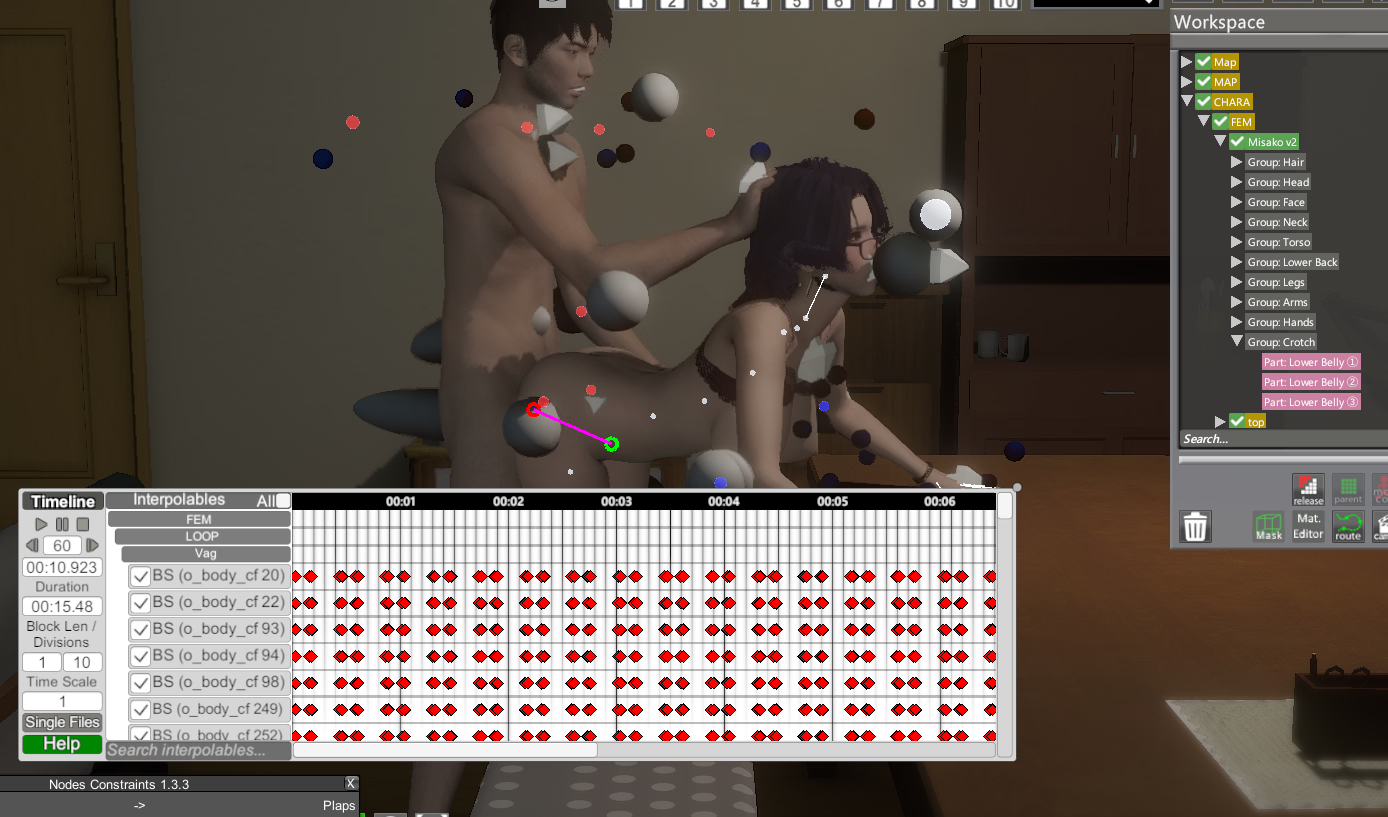
Is there any good guide on creating manual looping scenes? I know this topic is adult, so I checked sites like PornHub, but unfortunately there weren’t any courses or videos. But if there are no tutorials, then how are these people able to create such scenes? Maybe it comes down to experimenting, and it might actually take years of experience to achieve results like that
Screenshot 2025-12-06 190053.png
 
  • Like
Reactions: pepplez

pepplez

Well-Known Member
Jun 7, 2020
1,142
1,601
307
Maybe it comes down to experimenting, and it might actually take years of experience to achieve results like that
It's really timewasting and I've watched Lavalamp22 tutorials on youtube which helped me a lot to understand the basics but lost interest after fiddling with that for a while :sleep:
example:
 

cptboofy

Member
Dec 7, 2022
447
296
129
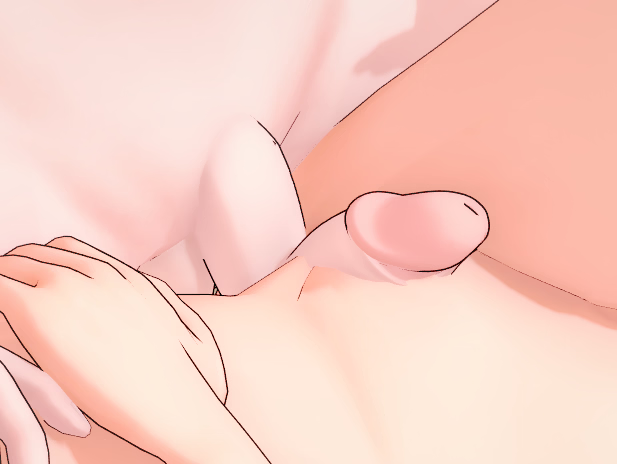
I'm creating a trap character and would like to achieve this effect (with the erect penis deforming the panties and "peeking" up a bit), anyone know how this would be achievable? I use Koikatsu Sunshine, but the studio logic is very similar, and I couldn't find an in-depth thread for it like this one. The attachment is an AI image I generated for this example.
There's actually a fairly easy way to do this exact image. There's underwear available in the panty section that allows you to have this exact effect. i believe you just search for trap. I'm not at the pc with the game so this is from memory. From what I recall it was pink panties with a dick outline and there were several variations (straight up, to the side, just a bulge, etc). The only tricky part that took me forever to figure out is that you have to use the blend modes to control the shape. Then to get the peeking penis effect - which several of the panties in the series are configured for, you just use either one of hooh's dicks or there's a few other options on the items menu. No need to use two characters.
If they don't come up under trap, just scrollto search it, they're pretty obvious when you see them.

edited to add: when I get home I'll lookit up and take some screen shots of what I mean if you've not found it by then.
 

cptboofy

Member
Dec 7, 2022
447
296
129
There's actually a fairly easy way to do this exact image. There's underwear available in the panty section that allows you to have this exact effect. i believe you just search for trap. I'm not at the pc with the game so this is from memory. From what I recall it was pink panties with a dick outline and there were several variations (straight up, to the side, just a bulge, etc). The only tricky part that took me forever to figure out is that you have to use the blend modes to control the shape. Then to get the peeking penis effect - which several of the panties in the series are configured for, you just use either one of hooh's dicks or there's a few other options on the items menu. No need to use two characters.
If they don't come up under trap, just scrollto search it, they're pretty obvious when you see them.

edited to add: when I get home I'll lookit up and take some screen shots of what I mean if you've not found it by then.
So went and checked, it was actually "Femboy panties" and when you use it in studio, just follow the instructions below.
1)Shift D to open chara maker in studio. Select femboy panties (screenshot 1).
2) Select the character in menu then click adv mode (screenshot 2)
3) In the menu that opens, select blend shapes (top) and then click "force refresh list" or the panties don't show. (screenshot 3)
4) Select the panty (usually the last one on the list) and then use the slider to achieve the shape you want. (screenshot 4).
Then find a dick or dildo that has the shape you want to use and fit it, making sure to size it appropriately and attach it to the "group:croth - part" you want.
With this you can animate or move or reposition the char as you want and it will always stay. No need for multiple chars or complications.

 

genericNeet

Member
Jul 6, 2022
118
148
61
Perhaps one of you can wise chaps could enlighten me on finding a solution to this situation.

I am trying to get an accurate leg length without deforming the foot/shoe using the advance bone thingy but cannot get proper results.

Here's an example of reality vs HS2 Studio. Note that the heel lines up with the center of the body but In HS2 it's way off to the back. What settings would you use?

Thank you.

View attachment 5500537
From what I have tried messing around with the leg's length always ends up messing up animation. I wanted to do the contrary, having characters with longer legs, and it made the feet constantly move around because the "Anchor" that would be the feet was now higher on the leg.
 

RSD534

New Member
May 10, 2020
14
11
22
It's really timewasting and I've watched Lavalamp22 tutorials on youtube which helped me a lot to understand the basics but lost interest after fiddling with that for a while :sleep:
example:
I think those videos are useful, it’s just that they’re too basic. His videos are like teaching others how to create very simple animations, like in math, 1+1=2. But the things I’m looking for, such as bone linking, angle adjustments, controlling speed or rhythm, are like giving a Pythagoras problem to a little kid, lol
 

pepplez

Well-Known Member
Jun 7, 2020
1,142
1,601
307
I think those videos are useful, it’s just that they’re too basic. His videos are like teaching others how to create very simple animations, like in math, 1+1=2. But the things I’m looking for, such as bone linking, angle adjustments, controlling speed or rhythm, are like giving a Pythagoras problem to a little kid, lol
Yeah, it's mostly trial and error... save scene, load scene rinse and repeat lol.
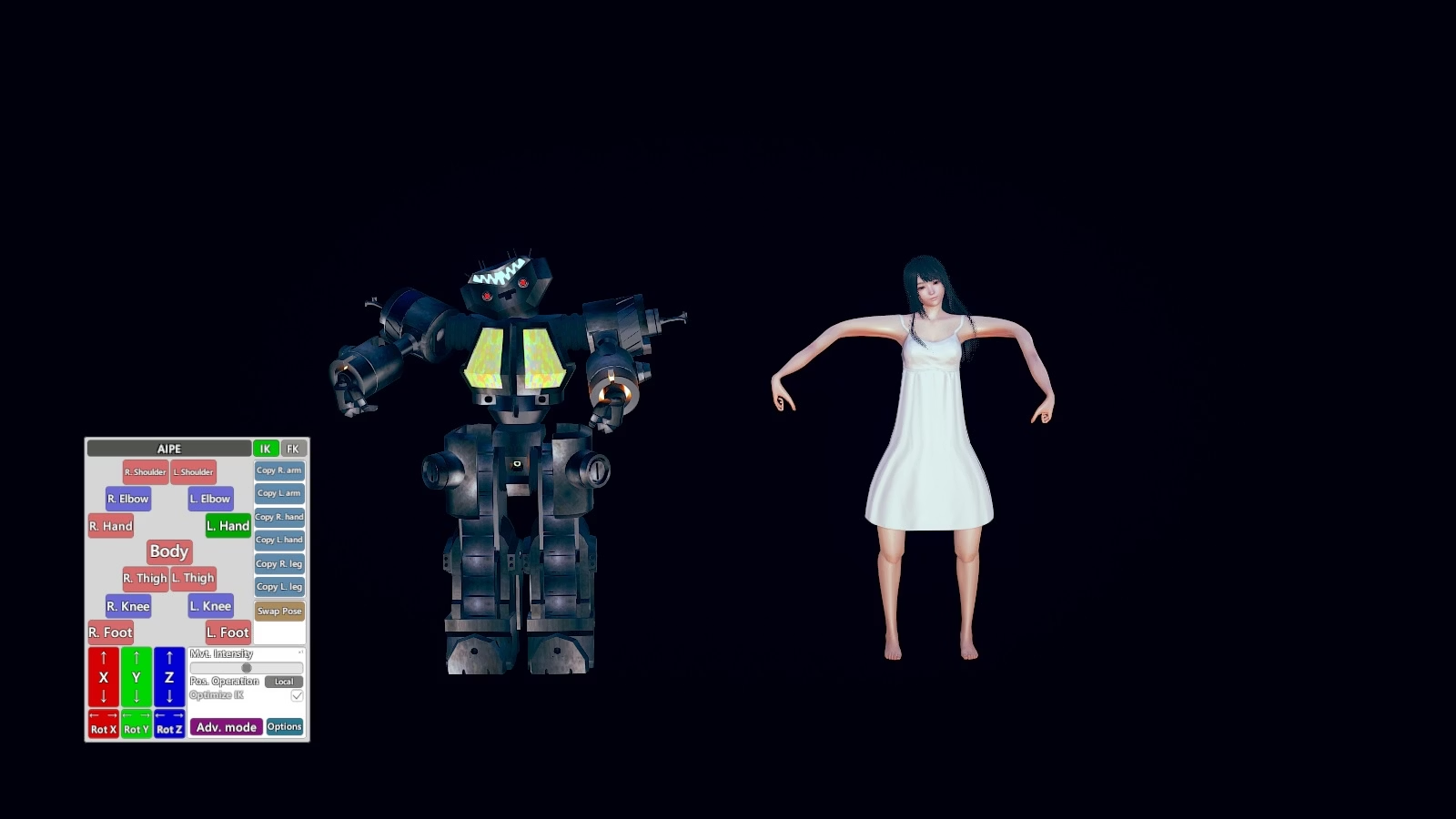
Here's a mod from Bl@ke he linked a character completely with node constraints to another model, and when you move her arms, legs or whatever using AIPE (IK+FK active), the robot (named King Joe) follows her moves. Maybe that'll help you out(?) The attachment here is only the scene and a preview; you can find the mod itself (look for [Blake] King Joe v0.1.1.zipmod).
Put the mod in your mod folder, the scene card in userdata/studio/scenes, start studio v2 and load the scene to have some fun, ALT+N to open nod constrains.
preview.jpg
 
  • Like
Reactions: RSD534

genericNeet

Member
Jul 6, 2022
118
148
61
I think those videos are useful, it’s just that they’re too basic. His videos are like teaching others how to create very simple animations, like in math, 1+1=2. But the things I’m looking for, such as bone linking, angle adjustments, controlling speed or rhythm, are like giving a Pythagoras problem to a little kid, lol
You can check out tutorials for other tools, I remember there was this page about making porn with SFM that I found useful.
If you want to export as video, limit your FPS to the FPS you want to export, physics are tied to FPS. On that same subject, after posing you can hide the map, replace the parts of the map that interact with the characters with basic cubes if needed, in graphics mod you can create a preset with the lowest settings to get the most stable FPS while animating.
You can do cool stuff with dampening in nodes constrain, you can save yourself a lot of animating using it.
A character is always going to be "Pushing" the other character, they don't move at the same time, you can make this automatically with Ekans items, but I don't have it so I don't know how to use it.
 
  • Like
Reactions: RSD534 and pepplez

cptboofy

Member
Dec 7, 2022
447
296
129
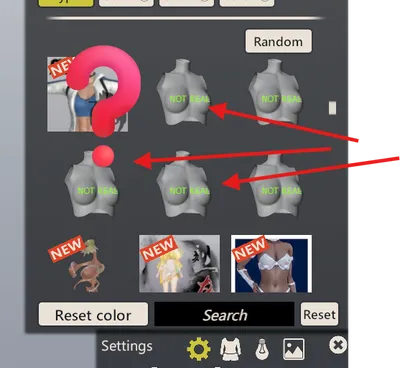
FOR THE LOVE OF ALL GOOD THINGS CAN SOMEBODY PLEEEEEEASE TELL ME WHAT THE HELL THESE THINGS DO????
There's variation in several clothing slots so it's obviously something used by more than one person, but for the life of me I've not been able to figure it out. Does ANYONE know what the hell these things do? How do you use them? Screenshot 2025-12-08 114710.png
 

GIGABRAZ

Newbie
Jun 1, 2025
33
24
8
Hey there,
Having a litle question while making a piercing girl:

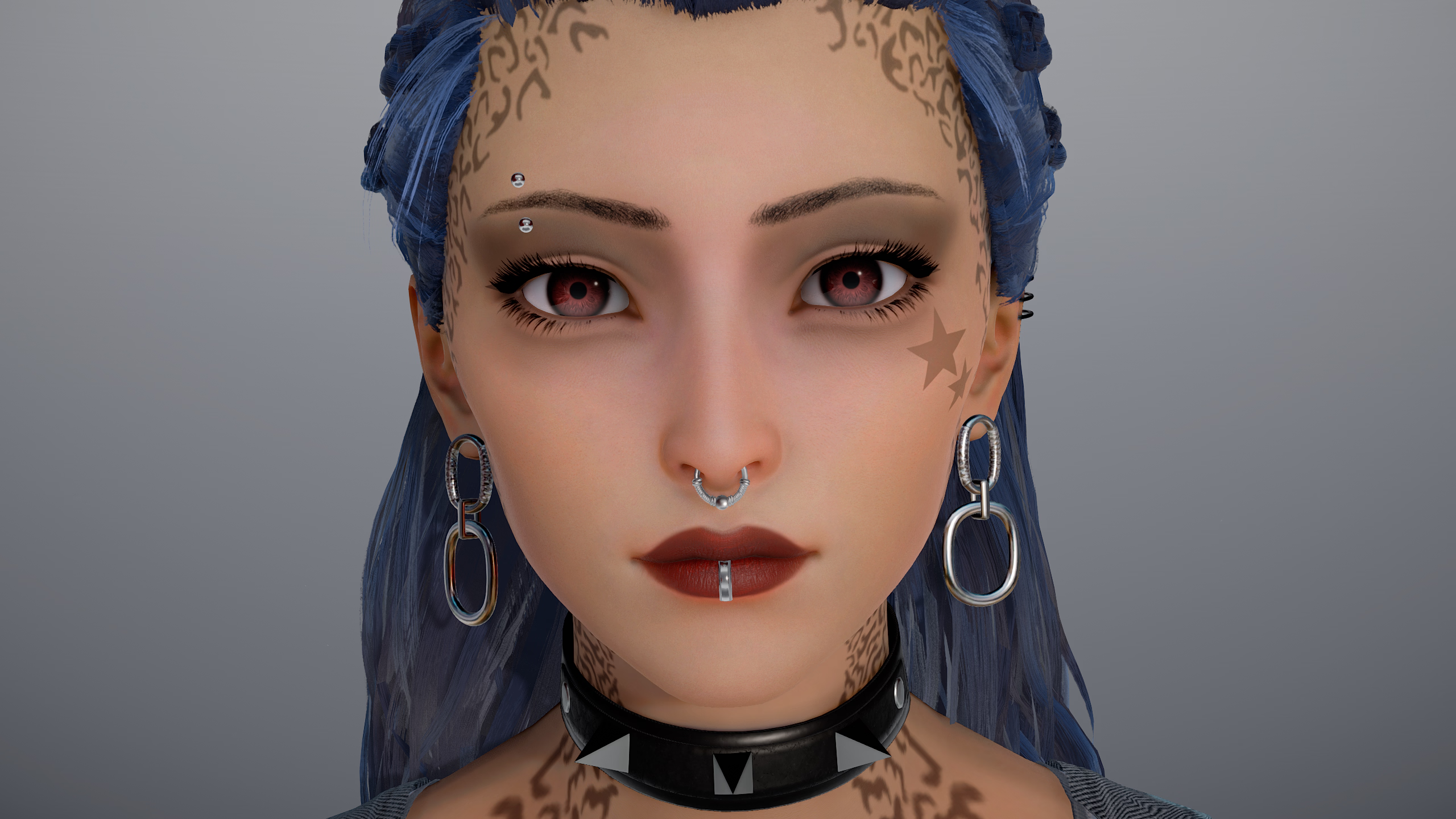
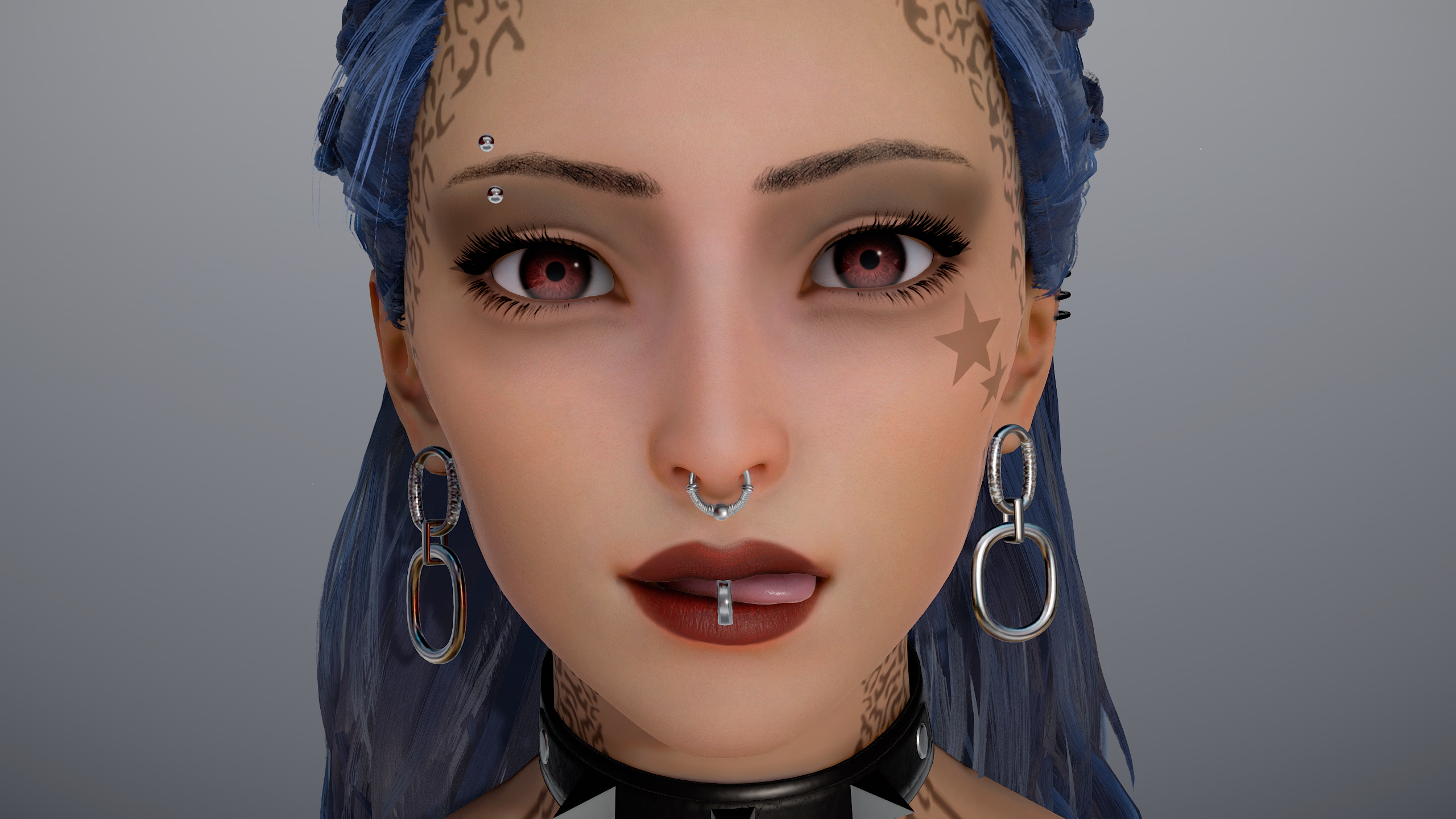
I want this character to have a lips ring but obviously everytime I change the facial expression, the ring doesn't follow and as facial expressions are made with blend shape and not bones, I was wandering if it was possible to somehow make a parent?

1765212561809.png
1765212592736.png
 

genericNeet

Member
Jul 6, 2022
118
148
61
Hey there,
Having a litle question while making a piercing girl:

I want this character to have a lips ring but obviously everytime I change the facial expression, the ring doesn't follow and as facial expressions are made with blend shape and not bones, I was wandering if it was possible to somehow make a parent?

View attachment 5508501
View attachment 5508506
On the item go to mods and there you should find the advanced parenting button, select head (Lips & eyebrows) and on the bottom click select closest vortex and then attach to selected parent. You'll have to adjust the position again after parenting
It isn't perfect, but works
You don't have permission to view the spoiler content. Log in or register now.
 
  • Heart
Reactions: GIGABRAZ

GIGABRAZ

Newbie
Jun 1, 2025
33
24
8
On the item go to mods and there you should find the advanced parenting button, select head (Lips & eyebrows) and on the bottom click select closest vortex and then attach to selected parent. You'll have to adjust the position again after parenting
It isn't perfect, but works
You don't have permission to view the spoiler content. Log in or register now.
Thank you so much! works good enough (y)
 

EdenMartin3000

New Member
Jan 8, 2022
1
0
11
Hi, I have an issue with "HS2_Hooah.dll", with the v2.2.2 the dick shrink when I add "dick navigator".
And when I use an other version, like v1.4.3 it work fine but it is the BP who don't work, the pussy part is not interacting with the dick...

Any idea to fix it?
 

PurpleDeep

Member
Aug 24, 2019
161
274
73
Hi, just wondering if it is possible to give specific FK nodes gravity and collision?

I was playing around with some of the chain objects a bit in the studio, but finding manipulating each and every single one of the chain's IK nodes annoying and difficult, so I'm just wondering if there is a smarter way to do it.

Thanks in advance!
I'm having this exact same question. Manually rotating each chain link to make it look like it has gravity is a lot of work. Activating FK and using the node constraint plugin breaks the physics of the chain.
 

LfkCn

Member
Apr 20, 2023
210
149
176
1765401132543.png
How can I solve this problem? I am using one of the BP penises and have selected the vagina as the target. It was working fine normally, but today I encountered this problem.
 

genericNeet

Member
Jul 6, 2022
118
148
61
View attachment 5516448
How can I solve this problem? I am using one of the BP penises and have selected the vagina as the target. It was working fine normally, but today I encountered this problem.
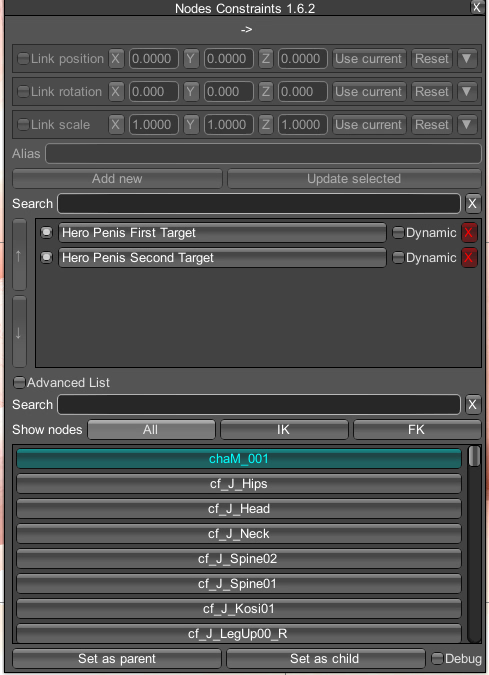
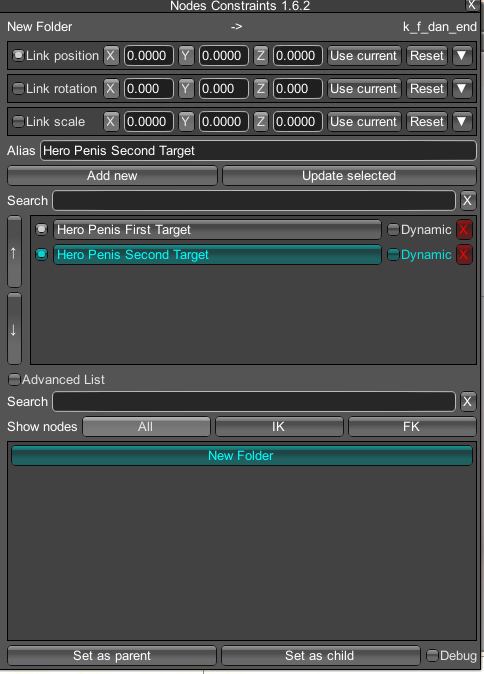
If you check on nodes constrains for the male, you'll see these two.
nc1.png
First target (entry) is pretty self explanatory, the one you want to edit is the second one (end), it tells where to bend after going in and where is the end.

Just spawn a folder and set it as parent of the second target, clicking update selected on NC, now you can move the folder to tell it where to go.
nc2.png
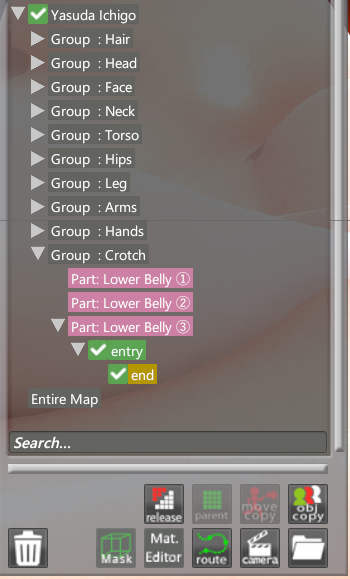
If you want more control you can do this with entry and end, the folder end inside of entry, then parented to the lower belly of your female character, that way you can adjust it just by moving and rotating entry.
I think the image makes a better job explaining than me.
nc3.png
Sometimes if you place the male's hip to close to entry it bugs and twists weirdly, that might be it too.
 
Last edited:
  • Like
Reactions: LfkCn

pgyrund

Newbie
Oct 24, 2022
58
26
18
I have a question on a lighting effect. There are some maps that have built-in lighting with a variable intensity, in that it fluctuates back and forth repeatedly. This is often used in fireplaces. How can I put this variable intensity in my own lights that I add? I cannot figure this out.

I can mention that these built-in map lights with variable intensities cannot be adjusted in F5, which makes me think this setting is elsewhere.

I am really stumped here.
 

FaF18IR

New Member
Aug 25, 2025
2
0
1
Hey there, I remembered one comment mentioning you could adjust the hair better in the maker but didn't find it.

1765489422899.png

I would love to edit these hair to have less volume.
 

GIGABRAZ

Newbie
Jun 1, 2025
33
24
8
I have a question on a lighting effect. There are some maps that have built-in lighting with a variable intensity, in that it fluctuates back and forth repeatedly. This is often used in fireplaces. How can I put this variable intensity in my own lights that I add? I cannot figure this out.

I can mention that these built-in map lights with variable intensities cannot be adjusted in F5, which makes me think this setting is elsewhere.

I am really stumped here.
You can put keyframes in the timeline with variable strength/deepness for each when you select a light. I don't think it's the best way to do it but it can definitly do it.
 
  • Like
Reactions: pgyrund

cptboofy

Member
Dec 7, 2022
447
296
129
Hey there, I remembered one comment mentioning you could adjust the hair better in the maker but didn't find it.

View attachment 5519376

I would love to edit these hair to have less volume.
Some, but only some, of the hair assets allow some adjustment of the hair. It's in the menu next to type when you select it. But it's nto all.
Some of the hair can also be adjusted a bit in studio using nodes but it's limited. For full adjustments the only way I've seen is using the hair accessories. Some of the hair assetsare there but there's also bits and bobs you can put together into full hair or as accents on the hair assets.
 
  • Like
Reactions: FaF18IR
5.00 star(s) 2 Votes