AI Porn is here, Create and Fap TRY FREE
x

PSP_PSP

Newbie
Jan 25, 2022
21
35
99
It also works with the plastic surgery option. Out of curiosity, how long does it take to make these packs? When I was attempting to make outfit packs, I had trouble with stable diffusion and the model I was using. Does your workflow make it go faster?
Oh, it's definitely the workflow. I barely type any prompts or mess with SD settings by hand. Everything's already set up—I just tweak character stuff like hair color and bust size, and it auto-generates a bunch of options for each outfit or scene. All scenes together, that's 3-5k images per girl. Then I go through them manually. 80% is just trash: extra fingers, two heads, a fireplace in the window, you name it. Maybe 10% are good to go right away, another 10% need a little fix-up. Takes me about 3 hours for the outfits and then another 10 for scenes. And honestly, it's a massive grind. What can you do, compared to the latest image generators Stable Diffusion is ancient and inefficient. But practically zero content filters: violence, loli, beastiality—anything goes. Good luck trying to make just a girl in a bikini in Nano Banana...

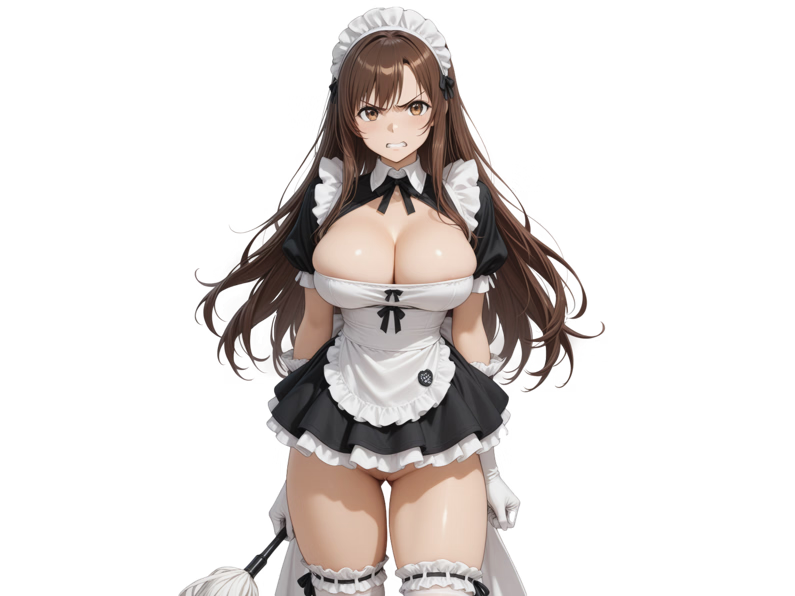
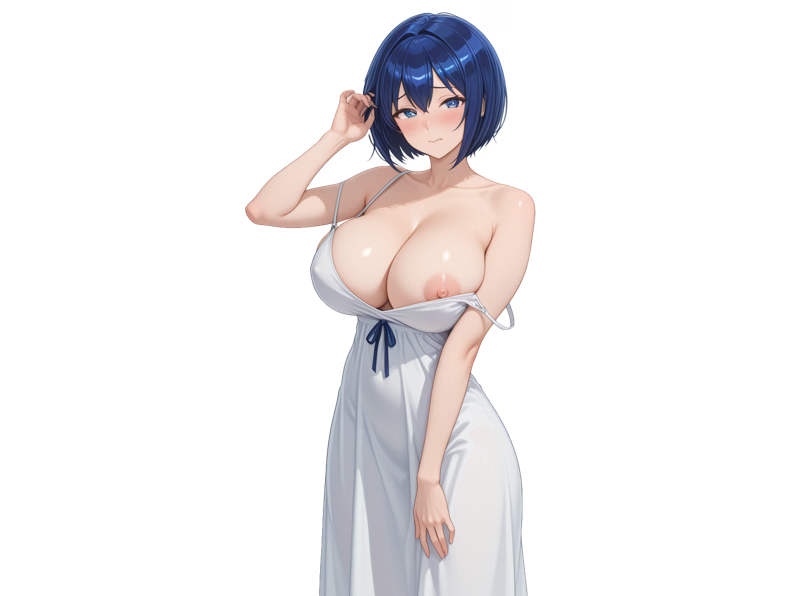
By the way, I just added two new girls (outfits only for now):

full_body_adj_maid_rebel.png

full_body_adj_sundress_horny.png
 

RedGreen3

Member
Apr 13, 2020
384
185
279
Oh, it's definitely the workflow. I barely type any prompts or mess with SD settings by hand. Everything's already set up—I just tweak character stuff like hair color and bust size, and it auto-generates a bunch of options for each outfit or scene. All scenes together, that's 3-5k images per girl. Then I go through them manually. 80% is just trash: extra fingers, two heads, a fireplace in the window, you name it. Maybe 10% are good to go right away, another 10% need a little fix-up. Takes me about 3 hours for the outfits and then another 10 for scenes. And honestly, it's a massive grind. What can you do, compared to the latest image generators Stable Diffusion is ancient and inefficient. But practically zero content filters: violence, loli, beastiality—anything goes. Good luck trying to make just a girl in a bikini in Nano Banana...

By the way, I just added two new girls (outfits only for now):
1085_brown_long_young
View attachment 5577151
2057_blue_short_milf
View attachment 5577162

Do you want help making outfit images or scene packs? There are hundreds of characters and it would probably go faster with two people.
 
  • Like
Reactions: X-SR71

PSP_PSP

Newbie
Jan 25, 2022
21
35
99
when i try to extract the zip it says access denied is their a way to fix this?
What file are you having issues with?

Do you want help making outfit images or scene packs? There are hundreds of characters and it would probably go faster with two people.
Alright, let's give it a try. Go to or , choose a Lora for the Illustrious model featuring the girl you like best (no lolis, pls), and send me the link to the Lora. After that, I'll generate the images and upload them to a file-sharing service. The whole process should take about a day or two.
 
Last edited:

RedGreen3

Member
Apr 13, 2020
384
185
279
What file are you having issues with?


Alright, let's give it a try. Go to or , choose a Lora for the Illustrious model featuring the girl you like best (no lolis, pls), and send me the link to the Lora. After that, I'll generate the images and upload them to a file-sharing service. The whole process should take about a day or two.
What about this girl from School Days?

Or maybe her if the other girl is too loli?
 

PSP_PSP

Newbie
Jan 25, 2022
21
35
99
RedGreen3
I don't like . When I use the prompt from the LoRa's page, it's fine, but as soon as I change the pose or outfit, I get a generic girl with weird image glitches. I don't know what's wrong—maybe I'm missing something in the settings, or maybe it's an issue with this specific LoRa. Let's try a different character.

BTW, the first LoRa you picked works really consistently. So, I guess the issue is probably with the other LoRa.
 
Last edited:

RedGreen3

Member
Apr 13, 2020
384
185
279
What about one of these?


Which model do you use? Maybe I can try generating a character or two. I know it's Illustrious, but there are a ton of Illustrious models out there.
 

PSP_PSP

Newbie
Jan 25, 2022
21
35
99
What about one of these?


Which model do you use? Maybe I can try generating a character or two. I know it's Illustrious, but there are a ton of Illustrious models out there.
Choose any girl.
The SD config and prompts are in the metadata of each image if you need them.
 

PSP_PSP

Newbie
Jan 25, 2022
21
35
99
Images are of good quality. Definitely not my style, but it's fine.
Here's my suggested next steps: First, crop the images to a cowboy-shot and cut out the background (any tool you like is fine). The crop size isn't too critical (just try not to go below 795x596) since the app will adjust them on install.
Then, just create a new pack in the app, match the images to the outfits, click 'Make a zip,' and you're all set—pack finished.
I'll start generating scenes (3k+outfits) for this girl today and will post them as they are completed.
 
Last edited:
  • Like
Reactions: RedGreen3

PSP_PSP

Newbie
Jan 25, 2022
21
35
99
I promised.
A few tips from my own work with them:
1. You can crop images down to 795x596. This is often the easiest way to remove AI artifacts without using inpainting or scrapping the image.
2. The Illustrious model I used was trained on data from , so its tags work perfectly in prompts. Full list .
3. You can create a new pack using my app and just copy the images into its 'scenes' folder. The outfit files (full_body_view_*.png) will need to be sorted manually.

Good luck!

Updated my patch to this.
 
  • Like
Reactions: RedGreen3
4.00 star(s) 74 Votes