

rpgfan4life
Newbie
- Jul 3, 2020
- 51
- 26
- 141
The 1-star butterfly-looking one on the left, said to appear on sunny morning sideroad, does anyone know where it is exactly? I can't move forward right now because of this.

Is this format only translatable by modifying the .uasset file?ue4textextractor seems to only pull bits and pieces instead of full text, so I have to feed it more.
I start with ue4textextractor to get a base, use fmodel to export all the assets as jsons, use a script to pull any "Key" and "SourceStrings" out of the jsons and to calculate the string fcrc's, translate with google, another script to reformat the results and create a new locres with ue4textextractor.
Technically the scripts aren't necessary, but I would be hunting through View attachment 5556506 and this was a "small" game AND I'm too lazy for that. Though if you wanted to be pedantic about it most text is in the data tables, which if the dev kept proper Unreal naming scheme start with "DT_" that and anything that might be a UI element.
Same could be said for the rest. If I were hunting manually I could just add lines to the locres myself with ue4localization tool, but again View attachment 5556514 (I know I have some duplicates) no thanks.

Most likely is the fcrc doesn't match. If the game uses namespaces you have to include that in the locresI encountered an issue where some parts of the game are translated, but some parts are not. I checked the text in the .locres file, and all the text is present. How should I resolve this?
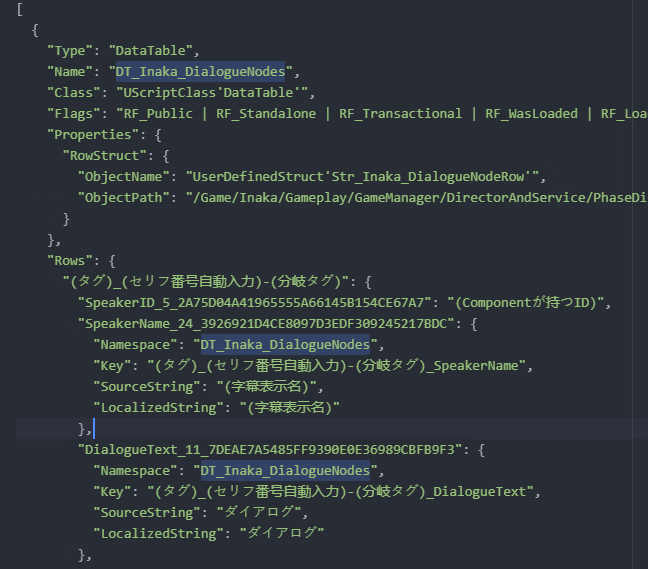
Haven't stumbled across those yet. Looking at the code you have a key but the same key is used by the block above. All I can say with that is maybe...Is this format only translatable by modifying the .uasset file?
Thank you for your guidance.Most likely is the fcrc doesn't match. If the game uses namespaces you have to include that in the locres
View attachment 5562847
Haven't stumbled across those yet. Looking at the code you have a key but the same key is used by the block above. All I can say with that is maybe...

Hi, I've been translating some games (2 or 3 successfully) using a combination of tools & python scripts to get most of the manual boring labor automated, kind of being stagnated on translating bc the implication of no localization file means usually spaghetti code having basic UI assets and dialogue hidden on a lot of files but I can share the tools & scripts if you want.You must be registered to see the links,You must be registered to see the links,You must be registered to see the links,You must be registered to see the linksand a handful of self made scripts.
I had an idea earlier I tried putting into practice. I have updated my other post with a new version of the translation. I need people to tell me if this breaks anything. I still need to do some tweaking as I think I might have duplicate translations but in the few minutes I tried from my save point, it all seemed to work.
View attachment 5554922

Thanks a lot. Where should I put these files?I've attached a translation I made for dialogue. Feel free to ask anything realted.
Sorry just posted the modded files with no folder structure, I've edited and reuploaded a new version with a correct folder structure so you can extract it where your .exe is.Thanks a lot. Where should I put these files?
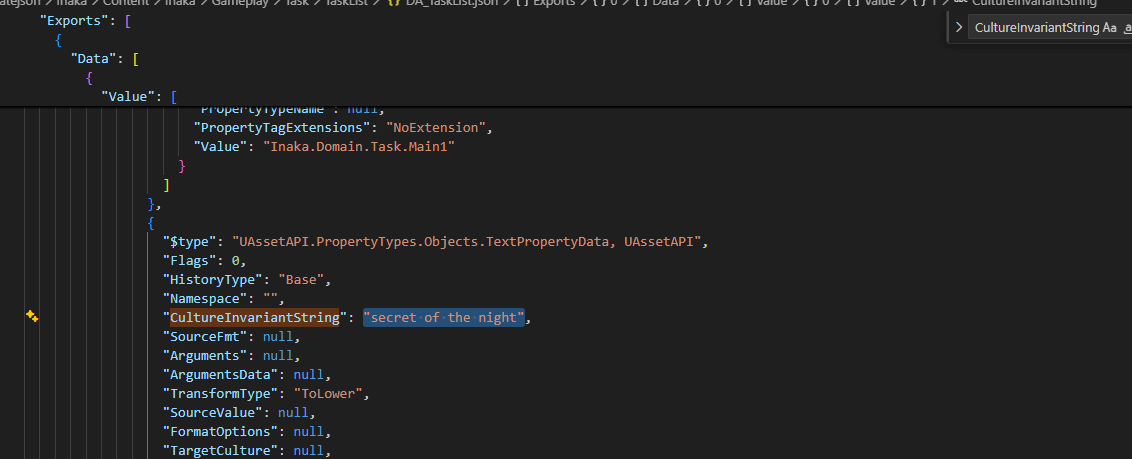
Okay, so I made a more helpful script for searching non variable strings so I found a lot of the dialogue and UI of the game, I didn't test it for more that 3 minutes so it could be flawed, uploading it anyways since game didn't crash. EVERYTHING is MTL and I didn't even manually copy/paste translate, so expect weird translations, I'll also post the folder containing the .json of the both translated and untranslated files if anyone is interested on translating manually or better so UI doesn't give trouble with sizing (I'm to lazy to do any translation then testing), just search for values inside "CultureInvariantString" like in the following imageHi, I've been translating some games (2 or 3 successfully) using a combination of tools & python scripts to get most of the manual boring labor automated, kind of being stagnated on translating bc the implication of no localization file means usually spaghetti code having basic UI assets and dialogue hidden on a lot of files but I can share the tools & scripts if you want.
First I useYou must be registered to see the linksas a mean to get every file exported as json format to run a script which extracts a count of unique characters (not perfect since variable names can have Japanese characters ruining automated translation), most new games require a .usmap for proper visualization so I useYou must be registered to see the linksto extract mapping ,it's simple to use, here is a simpleYou must be registered to see the linkssince it explains it well enough (I was kind of lost with UE5.6 not working properly but found a workaround in a recentYou must be registered to see the linksanswered by the dev), use the experimental version for newer UE >5.4.
Next I unpack all assets usingYou must be registered to see the linksand then useYou must be registered to see the linksto export them as json files to next translating them (Use experimental for 5.6 support), it requires mapping file too so beware of that. Next I run a script for translating Japanese words and then import them as .uasset with UAssetGUI, I tried to use command line to export & Import but failed catastrophically so I use GUI for most of this steps. Also using a script to do the import/export with the GUI since can't be bothered to do 20 manually.
Finally I use retoc for repacking and voila you have a proper half assed translation after hours of trial and error. Most if not all the scripts are made by an LLM (GPT in my case) since I didn't want to waste time actually coding something I'll feel ashamed having done so post-nut clarity. Most of the scripts usually fail since it's not fool proof and definitely not perfect but I hope any of the steps shared can be of use to anyone interested on translating UE games, if interested on the scripts I can share them but ask for them since they require understanding of python and maybe a explanation on how each one of them work. I want to thank this post since it gave me fuel to start translating UE games.
I've attached a translation I made for dialogue. Feel free to ask anything realted.
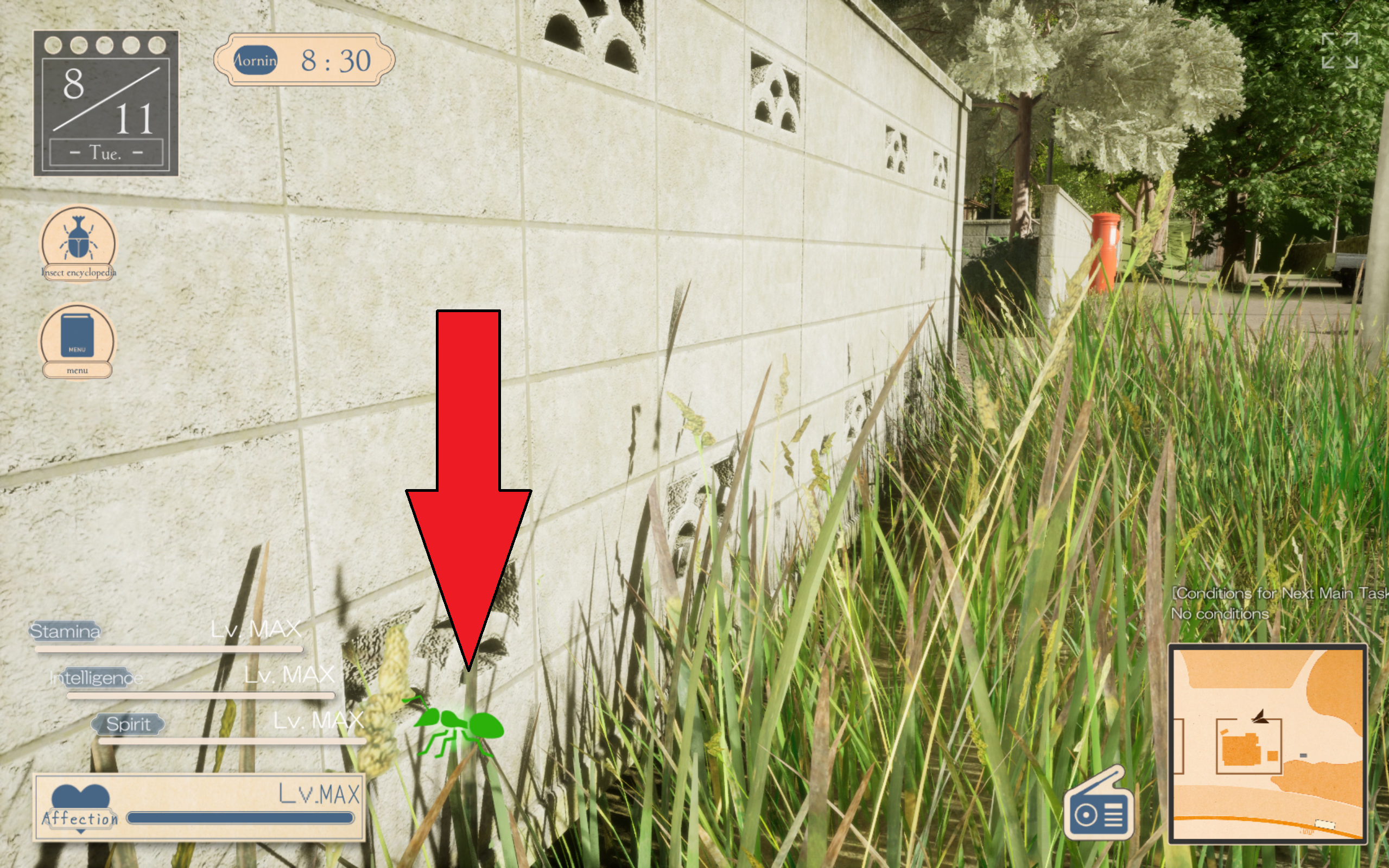
Took me a while, but finally found the bug:The 1-star butterfly-looking one on the left, said to appear on sunny morning sideroad, does anyone know where it is exactly? I can't move forward right now because of this.

In short, translation modding is far from straightforward with unreal.Okay so, i have a problem (or possibly a stroke) with translation. I downloaded decensor and localization and installed them following instructions given, and decensor works fine, but translation only works on UI elements and not dialogs and tutorial. Is there something i got wrong? Also the .exe gives a Fatal Error so i have to start the program using .bat.
I think you just applied the one from funog1 which is only decensor and slight UI translation, download the one on this post and apply it too, I don't know about the issue you're having with running the game but you can re-download it, I always download first fromOkay so, i have a problem (or possibly a stroke) with translation. I downloaded decensor and localization and installed them following instructions given, and decensor works fine, but translation only works on UI elements and not dialogs and tutorial. Is there something i got wrong? Also the .exe gives a Fatal Error so i have to start the program using .bat.
View attachment 5577550
View attachment 5577552
View attachment 5577573
download the one on this post and apply it too