

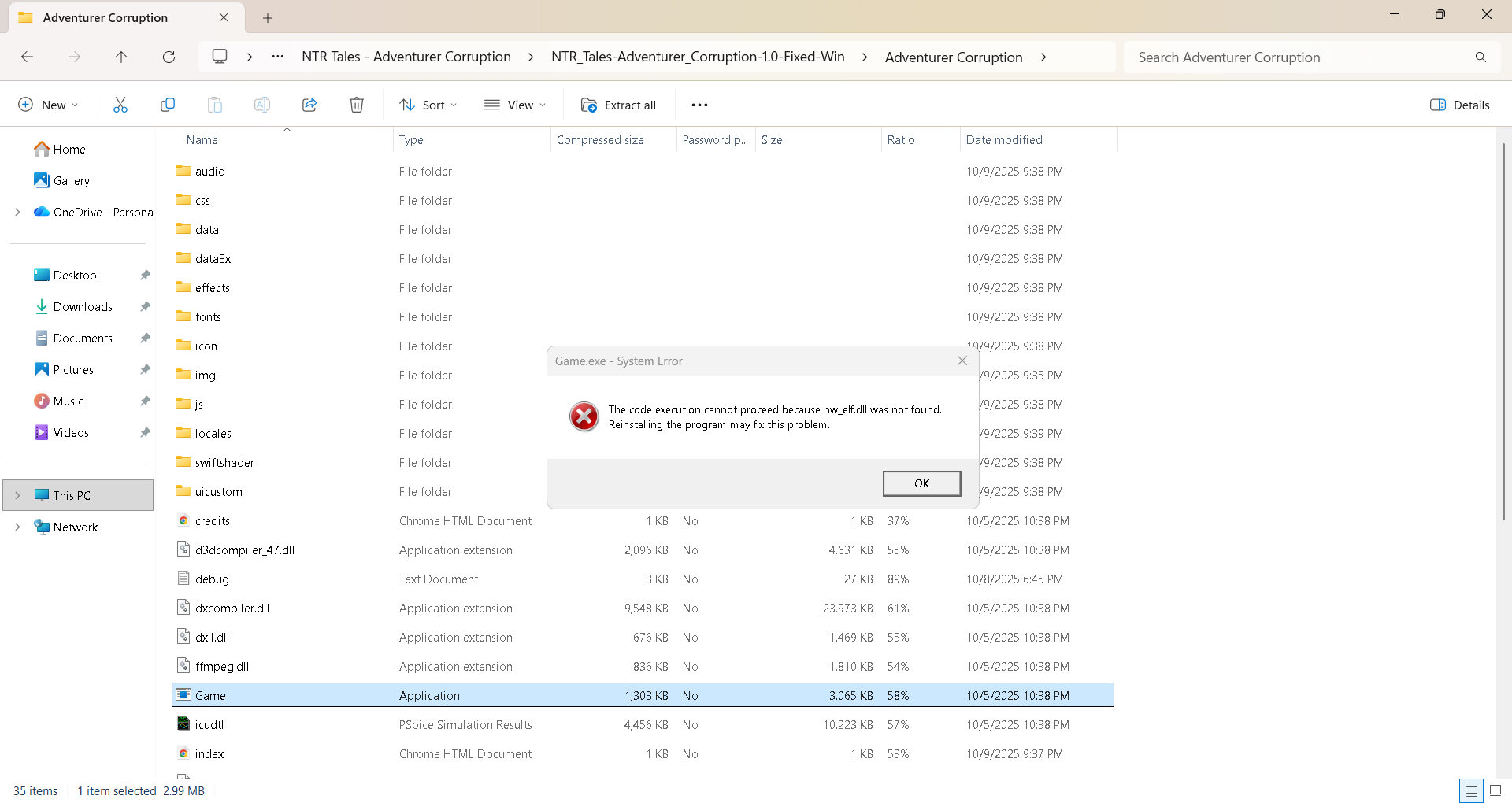
Doesn't work for me eitherGame doesnt start at all. Anyone know how to solve this issue ?
- Thread starter Bob69
- Start date
3.50 star(s)
18 Votes

https://f95zone.to/threads/ntr-tales-the-elf-next-stream-v0-1a-naughty-arcade-studio.280504Links for the new game
You must be registered to see the links
Same here, even tried different downloads. None of the Windows versions seems to work. The downloads work just fine, however, the game does not start at all. The game.exe shows up in the taskmanager for a second and then nothing.Doesn't work for me either
Just an NPC.Who is the guy with brown hair and a white shirt?
CAPTAIN DIDDLES
Newbie
- Oct 24, 2023
- 46
- 44
- 128

AnonKitten
Member
- Mar 21, 2019
- 228
- 384
- 205
Have sex scenes with him.How to increase Dareth's affection
Same here. Worked fine before, now it's not opening at all.Game does not open on windows.
I solved it just by deleting the rmmz-game data folder.Delete %AppData%\Local\rmmz-game\User Data folder.
Thanks!

ukulele
Newbie
- Oct 23, 2018
- 26
- 28
- 187
Huh, seems you're right. I was sure I tested it doing only that first, but I must have been hallucinating. Tested it now and it seems to be enough.I solved it just by deleting the rmmz-game data folder.
Thanks!
Thanks for the help but this didn't work for me because I don't have the rmmz-game folder. I tried run as date but that didn't seem to work as well.Huh, seems you're right. I was sure I tested it doing only that first, but I must have been hallucinating. Tested it now and it seems to be enough.
ukulele
Newbie
- Oct 23, 2018
- 26
- 28
- 187
The folder should be created immediately once you try to launch the game, even if it doesnt launch.Thanks for the help but this didn't work for me because I don't have the rmmz-game folder. I tried run as date but that didn't seem to work as well.
If you're on windows, hold down the windows key + R and paste "%appdata%\..\Local\rmmz-game" and run, you should find the User Data folder there and delete it.
Ohh I see, thank you!The folder should be created immediately once you try to launch the game, even if it doesnt launch.
If you're on windows, hold down the windows key + R and paste "%appdata%\..\Local\rmmz-game" and run, you should find the User Data folder there and delete it.