


Tired Noir
Member
- Dec 29, 2018
- 158
- 94
- 66
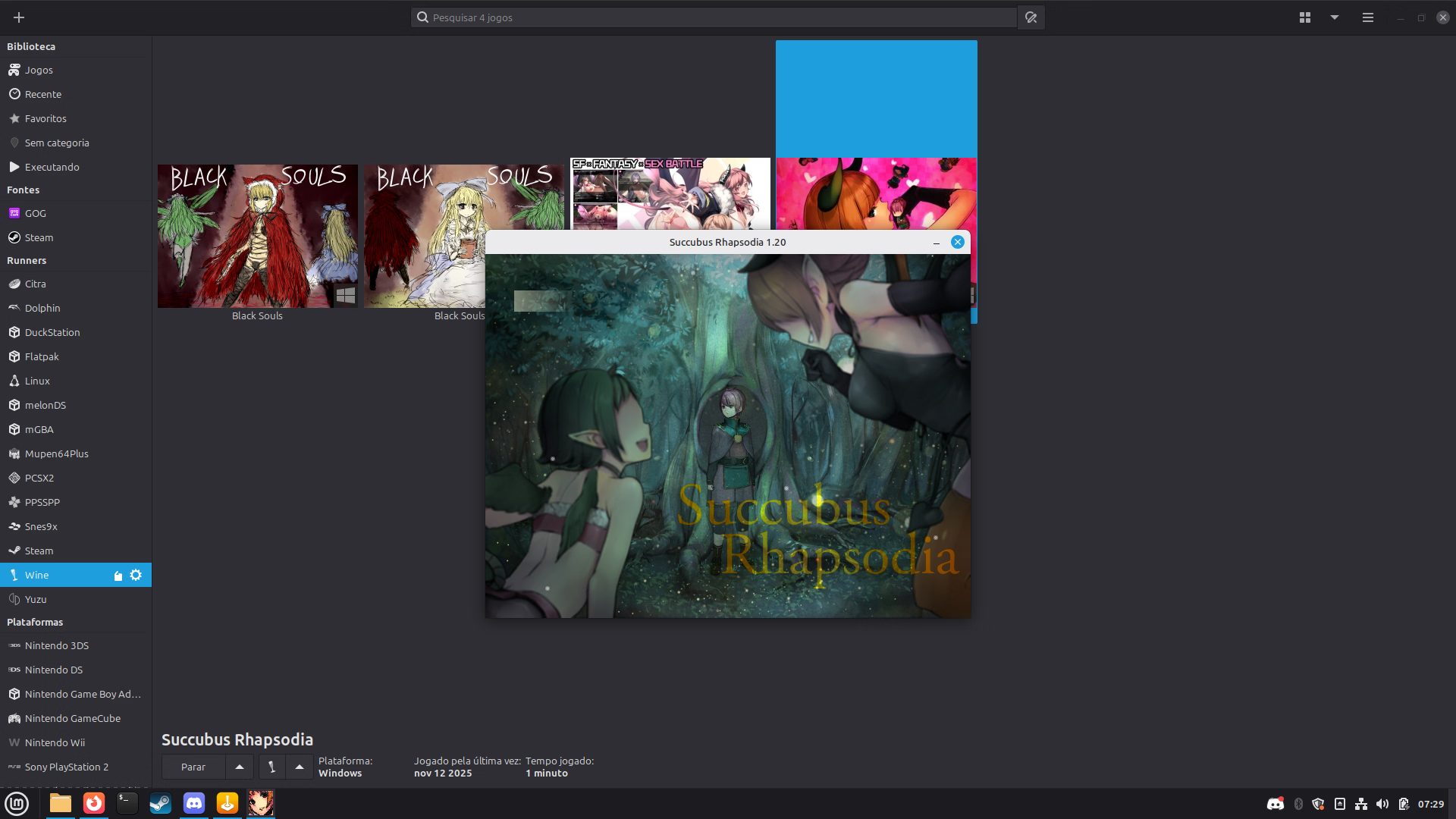
I'm having trouble with older rpgm games, they simply don't have any visible text, i installed the rtps, I installed the fonts I even did the age of empires 2 method downloading it from the archives and copying the fonts directly to the windows/fonts folder in my wineprefix and nothing
can I get some help?
can I get some help?
General tips:
For playing Flash games:
For general gaming (for example; I couldn't run Roxanne normally with wine, but I do with):
For playing Flash games:
You must be registered to see the links
, also in Extension (FF) format.For general gaming (for example; I couldn't run Roxanne normally with wine, but I do with):
You must be registered to see the links
/
You must be registered to see the links
(I used the Flatpak)So this works, except for the fact that the game did not give sound what so everUseYou must be registered to see the links(If your distribution came with some kind of app store, just search for "bottles" in the utilities section). Create a gaming bottle named "JPN", click it, go to settings>compatibility and change the language to japanese. Put the games in~/.var/app/com.usebottles.bottles/data/bottles/bottles/JPN/drive_c/and use the option "Run Executable". Most of nw.js games will also run fine with this method, but you can move the game files to aYou must be registered to see the linksand run just like any other linux app.

eevkyi
Member
- Aug 14, 2025
- 345
- 391
- 83
Well, the game you mentioned earlier worked fine in my tests, both using bottles and native nwjs. Some posts in the game's thread suggest that the translation might cause the audio to stop working. If it's a different game, send me the link so I can try to check it out.So this works, except for the fact that the game did not give sound what so ever
No it was two different ones (rpgmaker and a unity), they both don't have complete threads and understandable if you don't wanna risk the danger with them.Well, the game you mentioned earlier worked fine in my tests, both using bottles and native nwjs. Some posts in the game's thread suggest that the translation might cause the audio to stop working. If it's a different game, send me the link so I can try to check it out.
So i tried the bottle method with "Colorlust Oni" and then it also dosen't have audio but when did the native nwjs. method it had audio, so most likely something on my end maybe some setting with bottles where it doesn't have permission to use my head phones (who are connected to my ps4 controller) maybe ?Well, the game you mentioned earlier worked fine in my tests, both using bottles and native nwjs. Some posts in the game's thread suggest that the translation might cause the audio to stop working. If it's a different game, send me the link so I can try to check it out.
Okay made a new bottle and with that one the sound is there, no idea why but there it works
tchnclly_true
New Member
- Aug 8, 2025
- 2
- 1
- 54
So i downloaded heroic launcher from the (mint) application site and failing running a game that i got from the seven seas and deleting both heroic as well the game, my bottles no longer starts games that previously worked before hand.
And no my pc still works just fine otherwise and i don't see immediate signs of a virus.
My first thought is that perhaps by deleting heroic launcher it also deleted some wine components
And no my pc still works just fine otherwise and i don't see immediate signs of a virus.
My first thought is that perhaps by deleting heroic launcher it also deleted some wine components
Flugelbozz
Member
- Nov 12, 2018
- 437
- 408
- 309
sounds like your wine prefix (or bottle) is borked, just rm -rf your previous prefix and re-create.So i downloaded heroic launcher from the (mint) application site and failing running a game that i got from the seven seas and deleting both heroic as well the game, my bottles no longer starts games that previously worked before hand.
And no my pc still works just fine otherwise and i don't see immediate signs of a virus.
My first thought is that perhaps by deleting heroic launcher it also deleted some wine components
eevkyi
Member
- Aug 14, 2025
- 345
- 391
- 83
More details would be needed to pinpoint the source of this problem, such as logs or error messages when trying to run it from the terminal, but Bottles and Heroic do not share any configuration, runner, or prefix when installed at the same time.So i downloaded heroic launcher from the (mint) application site and failing running a game that i got from the seven seas and deleting both heroic as well the game, my bottles no longer starts games that previously worked before hand.
And no my pc still works just fine otherwise and i don't see immediate signs of a virus.
My first thought is that perhaps by deleting heroic launcher it also deleted some wine components
i haven't tried running it from the terminal itself ( and no idea what the command for that is)More details would be needed to pinpoint the source of this problem, such as logs or error messages when trying to run it from the terminal, but Bottles and Heroic do not share any configuration, runner, or prefix when installed at the same time.
eevkyi
Member
- Aug 14, 2025
- 345
- 391
- 83
i haven't tried running it from the terminal itself ( and no idea what the command for that is)
flatpak run com.usebottles.bottles &> ~/bottles_log.txtThe log file will be saved in your home folder. Try running at least a few games and then close Bottles normally.
Okay you mean "bottles_log.txt(~)" right?flatpak run com.usebottles.bottles &> ~/bottles_log.txt
The log file will be saved in your home folder. Try running at least a few games and then close Bottles normally.
/bin/sh: warning: setlocale: LC_ALL: cannot change locale (ja_JP): No such file or directory
fsync: up and running.
wine: RLIMIT_NICE is <= 20, unable to use setpriority safely
002c:err:wineboot
 rocess_run_key Error running cmd L"C:\\windows\\system32\\winemenubuilder.exe -a -r" (126).
009c:err:hid:udev_bus_init UDEV monitor creation failed
008c:err:ntoskrnl:ZwLoadDriver failed to create driver L"\\Registry\\Machine\\System\\CurrentControlSet\\Services\\winebth": c0000135
warn: CreateDXGIFactory2: Ignoring flags
warn: DXVK: No adapters found. Please check your device filter settings
warn: and Vulkan drivers. A Vulkan 1.3 capable setup is required.
err: Failed to initialize DXVK.
warn: CreateDXGIFactory2: Ignoring flags
wine: Unhandled page fault on read access to 00000010 at address (thread 00e8), starting debugger...
wine client error:e8: write: Bad file descriptor
Last edited:
eevkyi
Member
- Aug 14, 2025
- 345
- 391
- 83
TheOkay you mean "bottles_log.txt(~)" right?
~ symbol represents the current user's home directory, so when using ~/bottles_log.txt you are specifying the filename and location where it should be saved.&> is an operator that redirects stdout (standard output) and stderr (standard error) simultaneously to some destination.As long as your username and the bottle name doesn't contain any information you don't want to expose, just attach the complete file here.there where also some parts that started with "info:" but i decided not to include those because that would be to much text
Last edited:
unity game btw:As long as your username and the bottle name doesn't contain any information you don't want to expose, just attach the complete file here.
(bottles:2): Adwaita-CRITICAL **: 23:36:01.779: Trying to add AdwStatusPage as a child to an AdwPreferencePage, but only AdwPreferencesPage is allowed
[80m23:36:01 [1m(INFO)[0m [36mCatalog components loaded[0m [0m
[80m23:36:12 [1m(INFO)[0m [36mSetting Key sync=fsync for bottle Games…[0m [0m
[80m23:36:12 [1m(INFO)[0m [36mThere is no running wineserver.[0m [0m
[80m23:39:02 [1m(INFO)[0m [36mLaunching an executable…[0m [0m
[80m23:39:02 [1m(INFO)[0m [36mSession started: id=78 bottle=Games program=TYO_ETSU_YUGI.exe[0m [0m
[80m23:39:02 [1m(INFO)[0m [36mUsing EasyAntiCheat runtime[0m [0m
[80m23:39:02 [1m(INFO)[0m [36mUsing BattlEye runtime[0m [0m
[80m23:39:02 [1m(INFO)[0m [36mExecuting command: /home/jpgame/.var/app/com.usebottles.bottles/data/bottles/runners/wine-ge-proton8-27-lol/bin/wine64 '/home/jpgame/.var/app/com.usebottles.bottles/data/bottles/bottles/Games/drive_c/OneSho Martial arts/TYO_ETSU_YUGI.exe'[0m [0m
info: Game: TYO_ETSU_YUGI.exe
info: DXVK: v2.7.1-288-gfc848a41
info: Build: x86 gcc 15.2.0
info: Vulkan: Found vkGetInstanceProcAddr in winevulkan.dll @ 0x6fa838a0
info: Extension providers:
info: Platform WSI
info: OpenVR
info: OpenVR: could not open registry key, status 2
info: OpenVR: Failed to locate module
info: OpenXR
info: Enabled instance extensions:
info: VK_EXT_surface_maintenance1
info: VK_KHR_get_surface_capabilities2
info: VK_KHR_surface
info: VK_KHR_win32_surface
info: Found device: NVIDIA GeForce GTX 1650 SUPER (NVIDIA 580.95.5)
info: Skipping: Device does not support required feature 'maintenance6' (extension: VK_KHR_maintenance6)
eevkyi
Member
- Aug 14, 2025
- 345
- 391
- 83
You need to attach the complete file.unity game btw:
(bottles:2): Adwaita-CRITICAL **: 23:36:01.779: Trying to add AdwStatusPage as a child to an AdwPreferencePage, but only AdwPreferencesPage is allowed
[80m23:36:01 [1m(INFO)[0m [36mCatalog components loaded[0m [0m
[80m23:36:12 [1m(INFO)[0m [36mSetting Key sync=fsync for bottle Games…[0m [0m
[80m23:36:12 [1m(INFO)[0m [36mThere is no running wineserver.[0m [0m
[80m23:39:02 [1m(INFO)[0m [36mLaunching an executable…[0m [0m
[80m23:39:02 [1m(INFO)[0m [36mSession started: id=78 bottle=Games program=TYO_ETSU_YUGI.exe[0m [0m
[80m23:39:02 [1m(INFO)[0m [36mUsing EasyAntiCheat runtime[0m [0m
[80m23:39:02 [1m(INFO)[0m [36mUsing BattlEye runtime[0m [0m
[80m23:39:02 [1m(INFO)[0m [36mExecuting command: /home/jpgame/.var/app/com.usebottles.bottles/data/bottles/runners/wine-ge-proton8-27-lol/bin/wine64 '/home/jpgame/.var/app/com.usebottles.bottles/data/bottles/bottles/Games/drive_c/OneSho Martial arts/TYO_ETSU_YUGI.exe'[0m [0m
info: Game: TYO_ETSU_YUGI.exe
info: DXVK: v2.7.1-288-gfc848a41
info: Build: x86 gcc 15.2.0
info: Vulkan: Found vkGetInstanceProcAddr in winevulkan.dll @ 0x6fa838a0
info: Extension providers:
info: Platform WSI
info: OpenVR
info: OpenVR: could not open registry key, status 2
info: OpenVR: Failed to locate module
info: OpenXR
info: Enabled instance extensions:
info: VK_EXT_surface_maintenance1
info: VK_KHR_get_surface_capabilities2
info: VK_KHR_surface
info: VK_KHR_win32_surface
info: Found device: NVIDIA GeForce GTX 1650 SUPER (NVIDIA 580.95.5)
info: Skipping: Device does not support required feature 'maintenance6' (extension: VK_KHR_maintenance6)

my bad hope this is right