

Timmerk150
Member
- Sep 4, 2021
- 191
- 280
- 238
can you link were he says that im very interested in more content for this game??
You must be registered to see the links
blog and comments are in JP of course so you need to translate the page
can you link were he says that im very interested in more content for this game??
So pregnancy or not?Goated game! great happy ending and great NTR.

This should be pinned, thank you!!!!Pretty Important Message to save the sanity of anyone doing more than one route:
If you want to disable the annoying 1 second delay between messages when trying to skip, then please follow these instructions:
Afaik, it doesn't seem to result in any issues with the game, but you can accidentally skip through too much text. Enjoy!
- Locate this file: '.../The Rain monster ver1.02/js/plugins.js' (not to be confused with the plugins folder).
- Open it using your favorite text editing tool and ctrl+f for the "skipWait" parameter.
- Set this parameter to "true".
go to this urlAre you guys able to convert the png_ from the img > pictures folder into normal pngs cuz its not the same as other games, where its easily converted into pngs and make it into a viewable folder?
i did i have used it plenty of times before, but for this game its different, why dont u try it too, it doesnt workgo to this url
You must be registered to see the links
drag and drop the png_ files to the Choose Files
then click restore original images button.
voila
i did it and the images are viewable. 1.88 Gigs of .png filesi did i have used it plenty of times before, but for this game its different, why dont u try it too, it doesnt work

its not working for me though, i know how to use it, but even when viewing it on another tab its just a blank imgi did it and the images are viewable. 1.88 Gigs of .png files
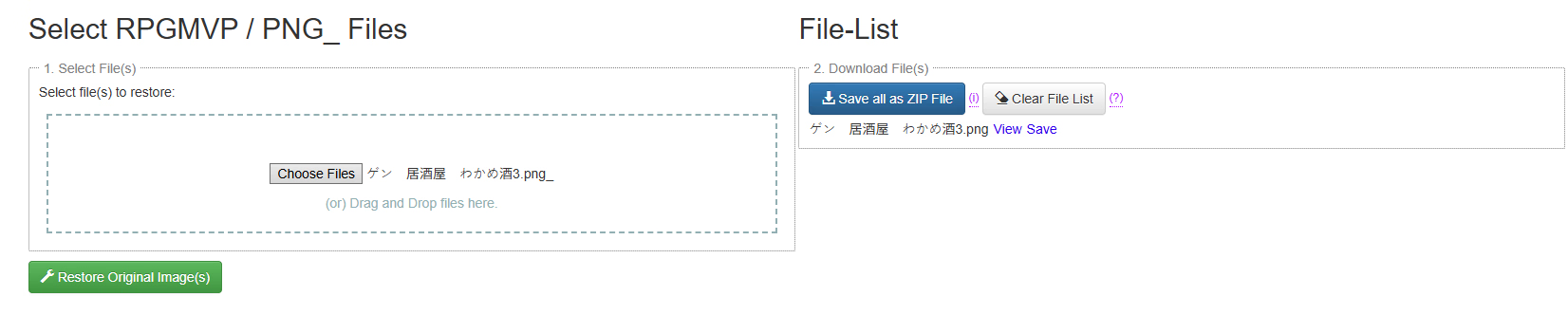
chose the same img like u got, and result was the same.View attachment 5620096
its not working for me though, i know how to use it, but even when viewing it on another tab its just a blank img

Just talk to the guy on the street in front of home, he gives all hints.how tf do i get 50% trust level

