

- Thread starter N7
- Start date
-
- Tags
- 3dcg anal sex animated big ass big tits cheating combat creampie dating sim exhibitionism female domination female protagonist footjob graphic violence groping group sex handjob humiliation humor interracial lesbian male protagonist management masturbation milf multiple protagonist oral sex point & click prostitution puzzle romance sandbox sex toys spanking strategy stripping teasing titfuck turn based combat vaginal sex virgin voyeurism
4.70 star(s)
1,741 Votes

maxthruster
Active Member
- Oct 4, 2025
- 718
- 1,760
- 194
Do... do you want crabs?For EP 12 update details at the start of this forum when it drops.
THERE'S STILL NO SEX WITH ARIETH YET


Znar26
Active Member
- Jul 8, 2024
- 921
- 1,644
- 245
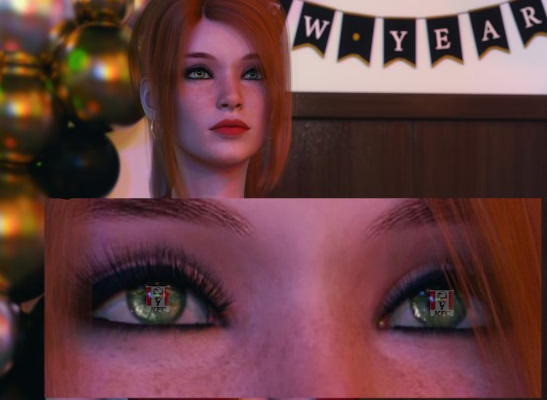
OK...but why does the map of the party location look like a flow chart??? Bet you can't tell me that!!!!Still not a map of the party location
DPC literally said this is the flowchart of events for the party with the text removed.
----
Anyway, I did some research on one of the new EP 12 images, zoomed in a bit... and found the location!

DarkMage73
Member
- Aug 22, 2022
- 179
- 576
- 278
I dont know if your trolling but just incase your not. You do realise the new years EP12 wont be out till NEXT YEAR...New Years fast approaching!!! I have scheduled 2 weeks off work to get ready for the New Years EP12 drop!!!!!!!!!!
View attachment 5520626
If your trolling, well done you got me..

maxthruster
Active Member
- Oct 4, 2025
- 718
- 1,760
- 194
Based on his history in the thread, yes, he is trolling.I dont know if your trolling but just incase your not. You do realise the new years EP12 wont be out till NEXT YEAR...
If your trolling, well done you got me..

Moni23
Member
- Aug 26, 2020
- 145
- 247
- 209
You guessed some things, but how many times were you wrong? I remember when we were arguing about Zoey, you said she would never become a Li, and she wouldn't have a chance to get the MC if he chose a girl in episode 8. I disagreed with you, and now we know that I was right.I'm just so tired of refuting your stupid and repetitive arguments. It reminds me of when I said before episode 6 that Zoey would return to the main character's life. Or how I predicted that the love interests wouldn't be at DIK's Christmas party. It's always the same. There's this one person I beat around the bush with forever, and then exactly what I predicted happens. DPC even made a Interlude for Zoey.
So yeah, the only thing you'll get from me from now on is, "Drink your blue milk."
And I'm not even talking about your crazy theories about Zoey dating Vinny before, or that she raped the MC while he was sleeping and got pregnant. Hell, until episode 11, you even believed that Vinny could be a good guy, even though it was always obvious to anyone with eyes that he was a piece of shit.

I'm Canadian bub
Active Member
- Mar 9, 2019
- 646
- 2,232
- 437

I've been wondering for some time what Magnar's "plan B" is. The implication is that he believes plan B has no chance of failing, and can somehow stop a united Fuckface and Chad from figuring out the blackmail, but he also believes their initial plan is infallible, so I'm not very keen on viewing this "plan B" as some kind of Batman-esque contingency plan. Perhaps I'm thinking too deeply, and there will be no plan B, or maybe there is only it'll turn entirely into a plot armor moment for Fuckface and friends. On the topic of Magnar's scheme itself, do y'all think Tremolo's choices are known to him? Clearly, he's counting on Chad wanting to keep his homosexuality a secret for the blackmail, and Magnar's dialogue suggests he knows that Fuckface knows Chad is gay, but does Magnar know if Tremolo told Josy or Sage, or both? Does he know Tremolo is making moves on Sally? I did toy with the idea that Sally might be a Trojan horse sent to seduce Fuckface, but with all the variables needed to get to that point, it just seemed too convoluted and far-fetched to me. What about the choices Tremolo has made towards the other frats? Does he know about those? That's a shit ton of variables right there to plan for, and I'm willing to bet my left nut Magnar is clueless about these ones.
You don't have permission to view the spoiler content.
Log in or register now.
Basically, I'm trying to start a (god-willing) productive conversation about a topic I haven't seen discussed here, because I am so past listening to some self-prescribed geniuses squabble for days on end about relatively uninteresting topics. Thoughts

- Jul 29, 2017
- 13,767
- 37,913
- 1,105
View attachment 5520894
I've been wondering for some time what Magnar's "plan B" is. The implication is that he believes plan B has no chance of failing, and can somehow stop a united Fuckface and Chad from figuring out the blackmail, but he also believes their initial plan is infallible, so I'm not very keen on viewing this "plan B" as some kind of Batman-esque contingency plan. Perhaps I'm thinking too deeply, and there will be no plan B, or maybe there is only it'll turn entirely into a plot armor moment for Fuckface and friends. On the topic of Magnar's scheme itself, do y'all think Tremolo's choices are known to him? Clearly, he's counting on Chad wanting to keep his homosexuality a secret for the blackmail, and Magnar's dialogue suggests he knows that Fuckface knows Chad is gay, but does Magnar know if Tremolo told Josy or Sage, or both? Does he know Tremolo is making moves on Sally? I did toy with the idea that Sally might be a Trojan horse sent to seduce Fuckface, but with all the variables needed to get to that point, it just seemed too convoluted and far-fetched to me. What about the choices Tremolo has made towards the other frats? Does he know about those? That's a shit ton of variables right there to plan for, and I'm willing to bet my left nut Magnar is clueless about these ones.
You don't have permission to view the spoiler content. Log in or register now.
Basically, I'm trying to start a (god-willing) productive conversation about a topic I haven't seen discussed here, because I am so past listening to some self-prescribed geniuses squabble for days on end about relatively uninteresting topics. Thoughts
Magnar is a fucking cringe nerd and deserves the wedgie I'm gonna give him"Ready thy shivs and sharpen my blade. The DIKs won't see the dawn of spring. And like a house of cards, they all shall fall.
Oh, and bring me a milkshake when you're done. I've got a craving for one."
View attachment 4994635
But seriously, I don't see how he could know that Josy/Sage know Chad is gay, or some of the other choices that don't have visible results atm. As for Plan B, it would have to be something that would help destabilize the frats, I don't see how a potential mole like Sally could pull that off, or other dumb theories like Cindy being a spy.

Lord Bradley
Well-Known Member
- May 28, 2019
- 1,391
- 3,596
- 502
I think Magnar will receive the ultimate flagpole wedgie when he is found out for fucking with us. He will be wedgied and tied to flagpole and then pulled up to dangle there for all to see. It will be both digusting and funny, but absolutely justified.

WolfmanBR
Member
- Jun 30, 2024
- 190
- 317
- 149
I think Magnar's plan involves far more people than just Sally; in retrospect, he seems to have been quite successful in stirring up mixed feelings within the academic community regarding DIKS. In any case, the various problem areas (leaked photos plot, the possible revenge of the drug dealers above Vinny and Rox's friend whose name I've forgotten now, the prostitution ring) should lead to a major event involving far more people than previously known.
At least the story is heading in that direction, and Magnar seems eager for that moment. The fact that he has a plan B does suggest a chance that plan A might fail. Will the MC play any role in this?
At least the story is heading in that direction, and Magnar seems eager for that moment. The fact that he has a plan B does suggest a chance that plan A might fail. Will the MC play any role in this?

-d2d-
Engaged Member
- Feb 26, 2020
- 2,130
- 2,960
- 461

ChipLecsap
Devoted Member
- Aug 4, 2019
- 8,276
- 30,351
- 927

dalli_x
Engaged Member
- Jul 7, 2017
- 3,741
- 8,065
- 769
Well done, Moni! I predicted Zoey's return to the game long before Episode 8, and that's exactly what happened at the end of Episode 8 and in the interlude. Whether she becomes a love option or not is irrelevant to me.You guessed some things, but how many times were you wrong? I remember when we were arguing about Zoey, you said she would never become a Li, and she wouldn't have a chance to get the MC if he chose a girl in episode 8. I disagreed with you, and now we know that I was right.
And I'm not even talking about your crazy theories about Zoey dating Vinny before, or that she raped the MC while he was sleeping and got pregnant. Hell, until episode 11, you even believed that Vinny could be a good guy, even though it was always obvious to anyone with eyes that he was a piece of shit.
Yes, those were just theories because we didn't really know much about Zoey before. That changed with the interlude.

LizaS
Active Member
- Jan 20, 2022
- 903
- 26,200
- 616
You must be registered to see the links

Happy Friday, everyone!
Warning! Today's post is a behemoth. If you're only interested in the normal weekly development content, you can stop reading after the development news section.
I will talk about the Steam/GOG news and try my best to clarify everything about the new 4K mode.
Development news
I've had a great week creating art. It's been smooth and fast, and I've been happy with my daily progress.
There are 21 scenes left to create for the free roam event. They vary in length, with some very long and others short. Some of these scenes are missing writing. I estimate I'm 65-70% done with the free roam event.
Way earlier in the development cycle, I mentioned a special feature that I had implemented. This week, I created the art it needed, tested it in-game, and made some tweaks to improve it. I had a lot of fun with the feature, and I think you will enjoy it too.
The 92-second-long cutscene animation is now 75% complete. The render speed has been very good this week.
22 animations and 478 statics are in the render queue, and two of my PCs are now rendering static renders because I want that part of the queue to deplete faster so I can show you some fresh previews.
I will continue working on the free roam event next week, too. We'll see how far I get. I might reach the point where I need to write more scenes for it.
Steam/GOG news
If you missed it, or couldn't see it because of regional settings - I know, it sucks - here's a recap of Wednesday's news for Steam and GOG.
The title of Episode 12 was revealed: "Smoke and Fire".
The overall Season 3 development is at 90% completion.
The overall development for episode 12 is at 60% completion.
Here are the new screenshots you may have missed.
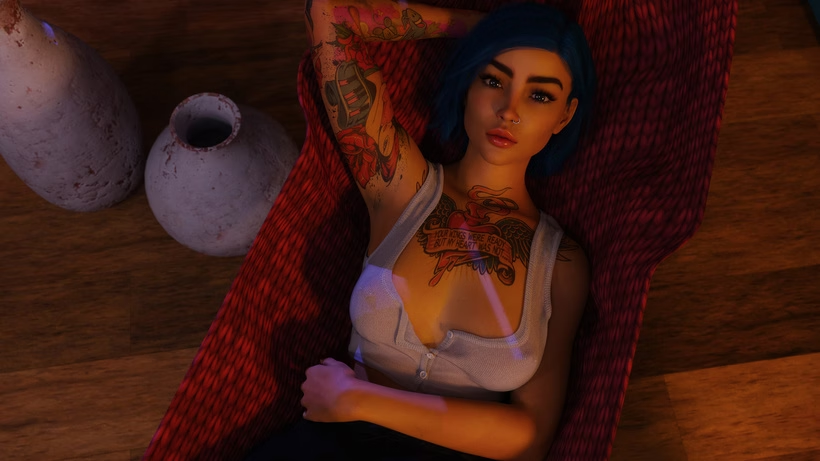
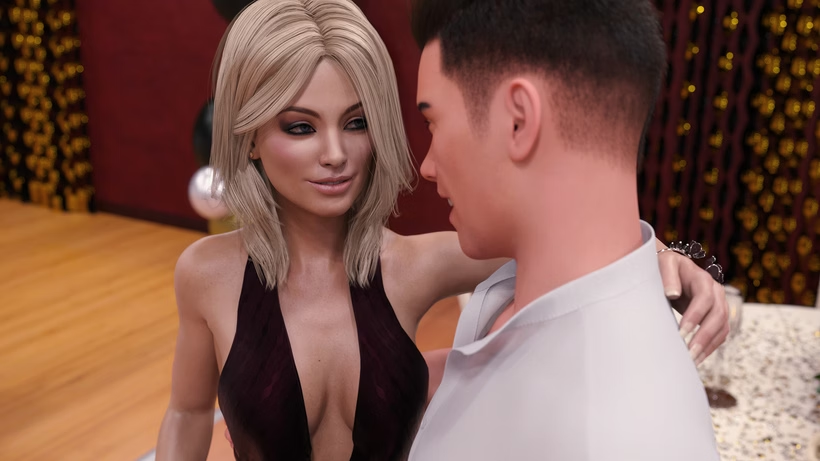
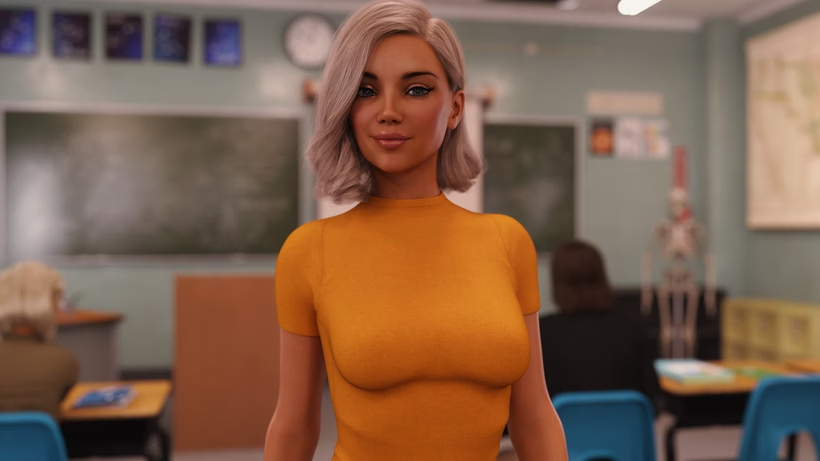
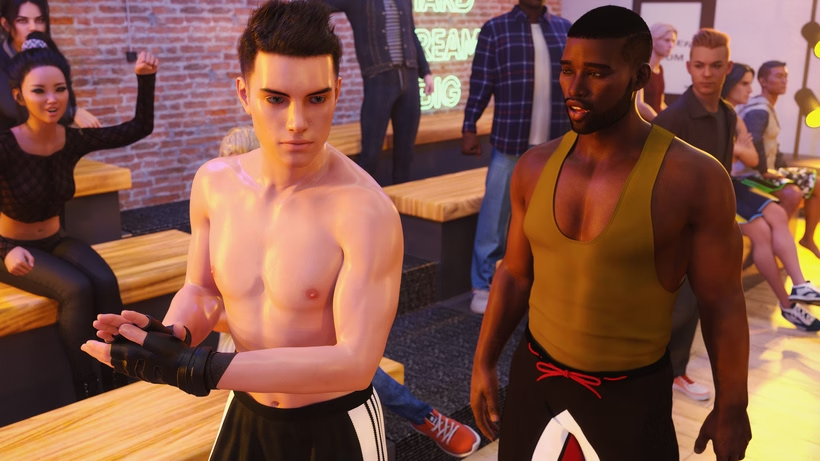
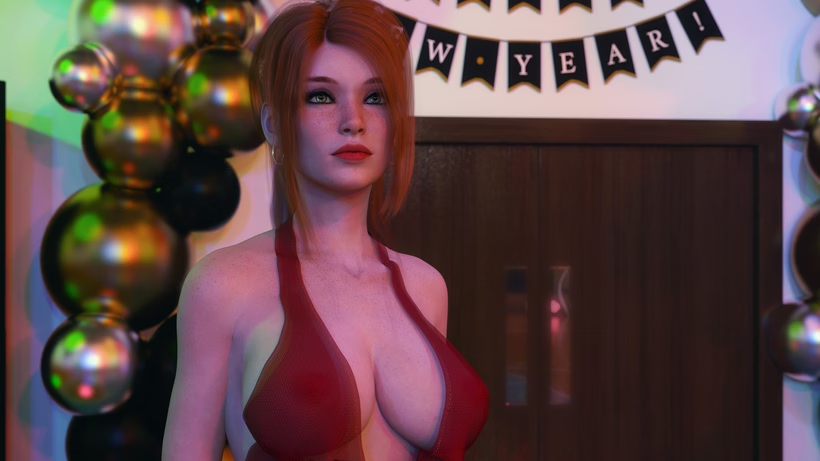
And if you'd like to view the NSFW trailer, it's in the attachments at the bottom of this post.
In the news, I also revealed that I've been working on a 4K mode this year. And that, my friends, is what the rest of the post will be about.
4K mode
I want to clarify what the 4K mode is and answer questions I've seen come up. It will get fairly technical at times, but I've tried my best to explain it.
What is the 4K mode?
Every render, GUI element, and animation frame from Season 3 has been reprocessed and tailored for a 4K experience. You can play the game in 4K resolution instead of full HD, and, while recommended, you don't need a 4K monitor to enjoy this mode, as RenPy will scale the game to your monitor.
The 4K mode is optional and modular. If you don't want it, don't download it.
The 4K mode requires roughly 90 GB of extra disk space and may not be suitable for older computers. You can enable the 4K mode in the settings menu if the game detects 4K files. It will look like this in-game.
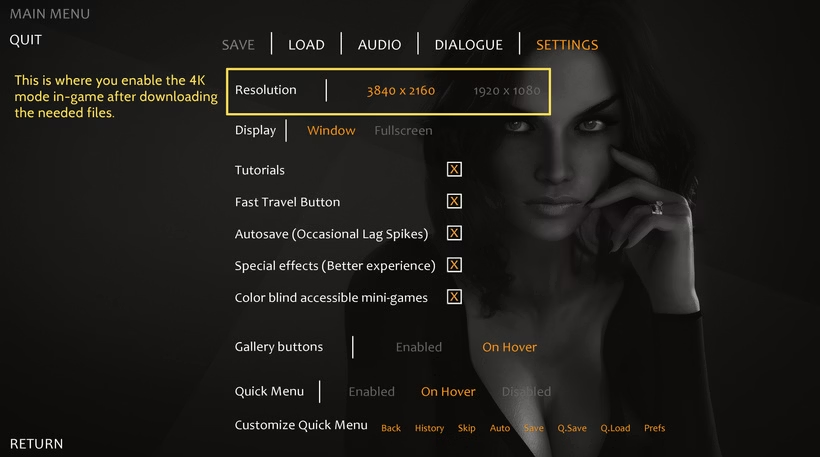
Why did you add the 4K mode?
I wanted to treat players to something special. The game looks beautiful in 4K. By making it 4K, I have future-proofed the game, so it should take longer for it to look dated.
After carefully evaluating how to make it a reality, I realized it wouldn't require much extra development time and that I could maintain a straightforward, automated development process to support both full HD and 4K modes. I didn't want to implement it if it meant a significant increase in development time.
Will it be available on Patreon?
I will investigate how to make this possible. I will be straight with you, distributing 90-100 GB of data outside of fast CDN servers that Steam and GOG use is a huge hurdle.
Some of you have already experienced the difficulties of downloading the current Season 3 version from Patreon, and it was less than 20 GB. I will investigate if and how it's feasible to achieve this distribution for patrons.
How is the 4K mode possible?
This will get fairly technical, but here's the full explanation of why I could create a 4K mode of Season 3 without re-rendering everything.
Ever since I started developing Being a DIK, I have rendered every render and animation in 4K (3840x2160) resolution. This might seem confusing, since the game you have played was in full HD (1920x1080) all this time. But once you understand my render-making process, it becomes clearer.
When you render an image in DAZ3D, you perform iterations of ray tracing. The results of each iteration are pooled, and from these calculations, you get clearer signals with each pooled iteration. You also get what's called noise, or maybe you know it better as grain. Noise works the opposite way of the signal with increased iterations. While the signal increases with every iteration, the noise dissipates. Here's an example.

In this case, I've rendered the same image with 100, 1000, and 10,000 iterations of ray tracing. You can see that it becomes clearer as the iteration count increases, and the noise (grain) dissipates.
To get a beautiful, clear render, you need a very high signal-to-noise ratio, and there are several ways to achieve it.
- You can render with a high iteration count.
- You can downsample your final image from a higher-resolution image.
- You can apply a denoiser after rendering.
By removing method 2 - the downsampling - from my process, I could achieve a 4K mode without re-rendering.
When you downsample an image, you reduce its size by a factor. In my case, I reduced the 4K images to full HD. In this example, you can see how the noise is reduced by downsampling from 4K to full HD. You will lose resolution, but get a sharper signal and less noise.
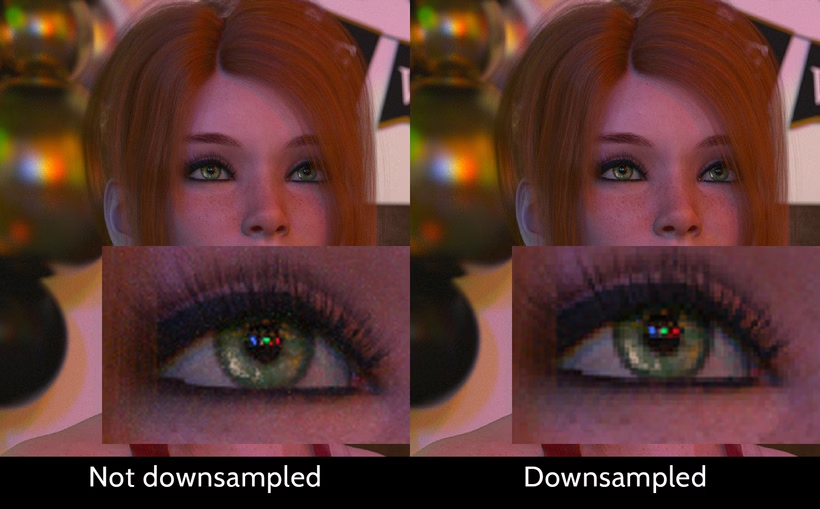
Downsampling uses what's known as the nearest-neighbor principle. In this case, 4 pixels will merge into 1, and the result is an average of the surrounding pixels (the nearest neighbors). The signal thus increases, and you can see this as another pooled result - much like pooled iterations.
By combining methods 1 and 2, I found that the render efficiency increased. I could get a higher quality render in a shorter time than if I were to render at the target resolution using only method 1.
To achieve 4K mode without re-rendering all art, I skipped the downsampling step, accepted a little bit of extra noise, and applied the remaining post-processing to the images. By doing this, nothing needed to be re-rendered (except for some botched animations that had missing frames on my backup disks, which store the raw files).
How does the 4K mode affect development times going forward?
This has not affected any render times. I do not render longer because of the 4K mode, nor would I render faster if I didn't create it.
Hardware capabilities determine render times, and they have improved with each GPU generation. It improved until the point where 4K mode was possible with Season 3 without me planning for it.
It feels weird to say the 4K mode was a hindsight feature, but it has been a happy coincidence. It was made possible by increasing the iteration count and render quality to the point where removing downsampling didn't significantly affect the render quality.
Every script I use will now automatically post-process an image in both 4K and full HD. I have even automated animation processing with a .bat file that runs on a double-click and puts everything together automatically.
Furthermore, I have written a script to cross-check images between 4K and full HD folders to ensure they are identical, removing time-consuming work.
I haven't changed how I manually work in DAZ3D or Photoshop. The changes are made at a script level, which is why I can say the 4K mode does not significantly impact development time.
Will Season 1 and 2 be in 4K mode too?
Not at the moment. I would much rather remaster Seasons 1 and 2 from scratch in the future than introduce a 4K mode right now. However, as I have mentioned in my Q&As, my main priority is to finish the game before any of those ideas are explored.
Phew
If you're still here, I hope this has been helpful, illuminating, comforting, interesting, or just a big wall of text.
If you have any follow-up questions, you can always fire away below, and I'll try to answer.
Thanks for your time reading this!
(And don't forget the trailer in the attachment below)
Have a great weekend.
Dr PinkCake
ChipLecsap
Devoted Member
- Aug 4, 2019
- 8,276
- 30,351
- 927
You predicted something that most of us hoped for not happening because that's how predictable it was.Well done, Moni! I predicted Zoey's return to the game long before Episode 8, and that's exactly what happened at the end of Episode 8 and in the interlude. Whether she becomes a love option or not is irrelevant to me.
Yes, those were just theories because we didn't really know much about Zoey before. That changed with the interlude.
Great Job.
maxthruster
Active Member
- Oct 4, 2025
- 718
- 1,760
- 194
I think there's a couple fundamental misunderstandings here, but it's a fun topic to explore; much better than debating how many named characters we can bend over backwards to squeeze into a party they have no real reason to attend. So let's talk about it.View attachment 5520894
I've been wondering for some time what Magnar's "plan B" is. The implication is that he believes plan B has no chance of failing, and can somehow stop a united Fuckface and Chad from figuring out the blackmail, but he also believes their initial plan is infallible, so I'm not very keen on viewing this "plan B" as some kind of Batman-esque contingency plan. Perhaps I'm thinking too deeply, and there will be no plan B, or maybe there is only it'll turn entirely into a plot armor moment for Fuckface and friends. On the topic of Magnar's scheme itself, do y'all think Tremolo's choices are known to him? Clearly, he's counting on Chad wanting to keep his homosexuality a secret for the blackmail, and Magnar's dialogue suggests he knows that Fuckface knows Chad is gay, but does Magnar know if Tremolo told Josy or Sage, or both? Does he know Tremolo is making moves on Sally? I did toy with the idea that Sally might be a Trojan horse sent to seduce Fuckface, but with all the variables needed to get to that point, it just seemed too convoluted and far-fetched to me. What about the choices Tremolo has made towards the other frats? Does he know about those? That's a shit ton of variables right there to plan for, and I'm willing to bet my left nut Magnar is clueless about these ones.
You don't have permission to view the spoiler content. Log in or register now.
Basically, I'm trying to start a (god-willing) productive conversation about a topic I haven't seen discussed here, because I am so past listening to some self-prescribed geniuses squabble for days on end about relatively uninteresting topics. Thoughts
You don't have permission to view the spoiler content.
Log in or register now.
You don't have permission to view the spoiler content.
Log in or register now.
You don't have permission to view the spoiler content.
Log in or register now.
Overall, while I think Magnar is going to pull something sneaky at the party, I just can't see this being his absolute endgame. It's too early. There's far too many other plot threads hanging for him to be trying to clean up, which means that if he tries he's narratively guaranteed to fail which is uninteresting storytelling. And if the possibility of his success exists, then it's going to be a very delicate matter to balance the exact metrics by which the player beats or loses to him. So I'm not convinced this will be it.
- Jul 29, 2017
- 13,767
- 37,913
- 1,105
It's just so pointless. So, so pointless.Why did you add the 4K mode?
I wanted to treat players to something special. The game looks beautiful in 4K. By making it 4K, I have future-proofed the game, so it should take longer for it to look dated.
Still wants to remaster, that's much more interesting than fucking 4K mode, and is still kinda meh.Will Season 1 and 2 be in 4K mode too?
Not at the moment. I would much rather remaster Seasons 1 and 2 from scratch in the future than introduce a 4K mode right now. However, as I have mentioned in my Q&As, my main priority is to finish the game before any of those ideas are explored.
dalli_x
Engaged Member
- Jul 7, 2017
- 3,741
- 8,065
- 769
Wrong, because most people wrote against it and described it as something that would never happen, since we already had the Zoey flashback.You predicted something that most of us hoped for not happening because that's how predictable it was.
Great Job.
ChipLecsap
Devoted Member
- Aug 4, 2019
- 8,276
- 30,351
- 927
No, around earlier, most people expected and wanted more from DPC, than being that predictable.Wrong, because most people wrote against it and described it as something that would never happen, since we already had the Zoey flashback.
but I know I talk to a brick wall, so, whatever.