herbstpoet

Active Member
Apr 18, 2018
759
2,094
477
I'm confused, the Jast version downloaded from Pixeldrain says 1.03 in the folder name, but when opening the game and checking the version it says 1.05.
1729525318788.png
 

Goeffel

Active Member
Sep 10, 2022
960
671
193
nope, no different routes.
You can somewhat choose what country to go against next, but that's it. Also means there is not anything new in NG(+)
 

GG2ezWP

New Member
Jul 3, 2023
8
0
20
nope, no different routes.
You can somewhat choose what country to go against next, but that's it. Also means there is not anything new in NG(+)
Okay good so I don't need a 15 page guide that tells me what to do every turn? And that if I deviate just a little it's bye bye run? Thanks man, I can play however I like :).

EDIT: Okay so can anyone tell me if JAST version 1.4 have caught up with the content of fan made?

EDIT2: Okay someone just confirmed that JAST 1.4 is still lacking. So Fan made it is.
 

Goeffel

Active Member
Sep 10, 2022
960
671
193

Goeffel

Active Member
Sep 10, 2022
960
671
193
upon further inspection, seems the one I am using all the time is not NTLEA but this xupefei emulator.
oops :rolleyes:

but it works well.
 
Jan 1, 2025
6
0
50
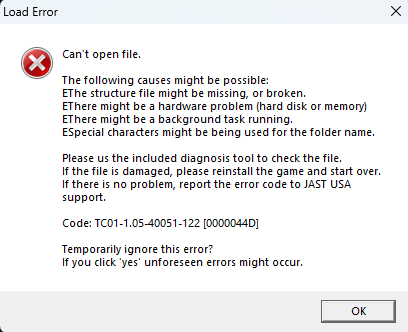
does this game even work on windows 11? i downloaded the emulator but when i right-click the game set up it doesnt give me the option to run it in japanese. and when i try to run senki anyways, this funny thing shows up Screenshot 2025-01-20 004638.png
pretty weird since i downloaded senki gold pretty easily
 

Heimeropen

Engaged Member
Nov 15, 2019
2,122
2,156
428
does this game even work on windows 11? i downloaded the emulator but when i right-click the game set up it doesnt give me the option to run it in japanese. and when i try to run senki anyways, this funny thing shows up View attachment 4462980
pretty weird since i downloaded senki gold pretty easily
Are you trying to run JAST's version or the FanTL?
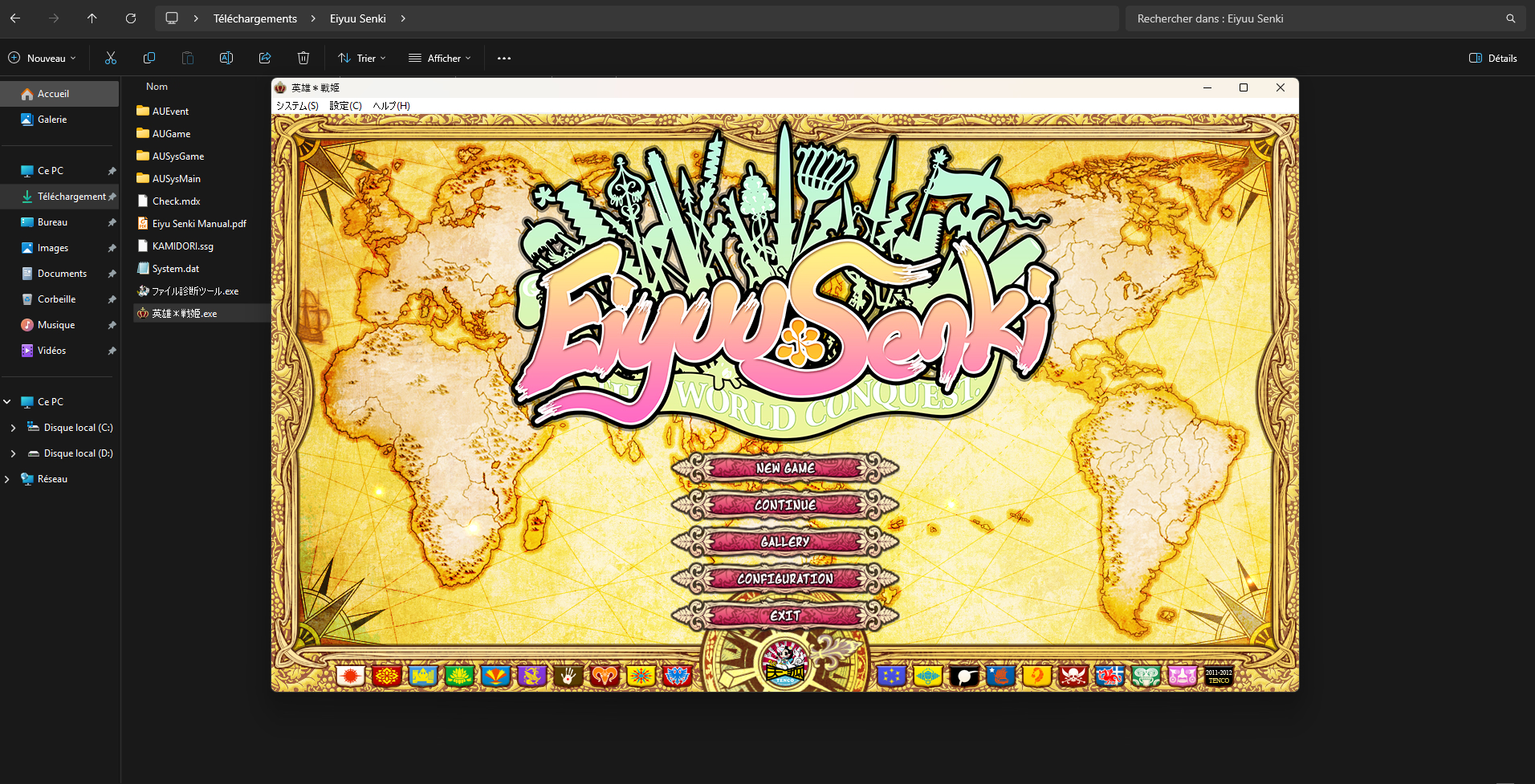
I have the FanTL on my PC right now and on Windows 11 and the game works extremely well, however, I didn't use the Emulator, I have changed to Japanese Locale to completely avoid the hassle of using the Emulator. Pure advantage trust me.
Here, see for yourself. I think that message is related to your save folder. Try deleting your Tenco Save Folder and try again OR as I said, switch your entire Windows Locale to Japanese.
Your save folder should be on C:\Users\(yourusername)\Saved Games\TENCO\EiyuSenki (If JAST Version) or 英雄*戦姫 (If FanTL Version)
Note that the save files are NOT backwards compatible between versions. BE CAREFUL! DON'T TRY TO COPY SAVES BETWEEN VERSIONS or the game won't work!
1737384444433.png
 
Last edited:
Jan 1, 2025
6
0
50
i downloaded the JAST one from MEGA. i changed my locale to japan but the same error message pops up. i havent ever played this version and i plan to start the game from scratch so i dont think its a save file problem. if it is, feel free to call me stupid
 
Last edited:

Goeffel

Active Member
Sep 10, 2022
960
671
193
one more reason to instead play the fantranslated version, which for me works well under locale emulator, in windows 11.
 

Potox2020

Newbie
Jul 24, 2020
47
111
198
I just came back to this game after leaving it unfinished years ago. When I was near the endgame I realized I hadn't seen Billy's H scene, is it exclusive of the fantranslated version?
 

Winkel

Member
Jan 16, 2019
136
89
152
I just came back to this game after leaving it unfinished years ago. When I was near the endgame I realized I hadn't seen Billy's H scene, is it exclusive of the fantranslated version?
It's not, outside of ported Gawain H-scenes from Gold, all exclusive new content is from all-age console versions of the game.
 
4.10 star(s) 14 Votes