

- Thread starter Deleted member 710237
- Start date
4.50 star(s)
2 Votes

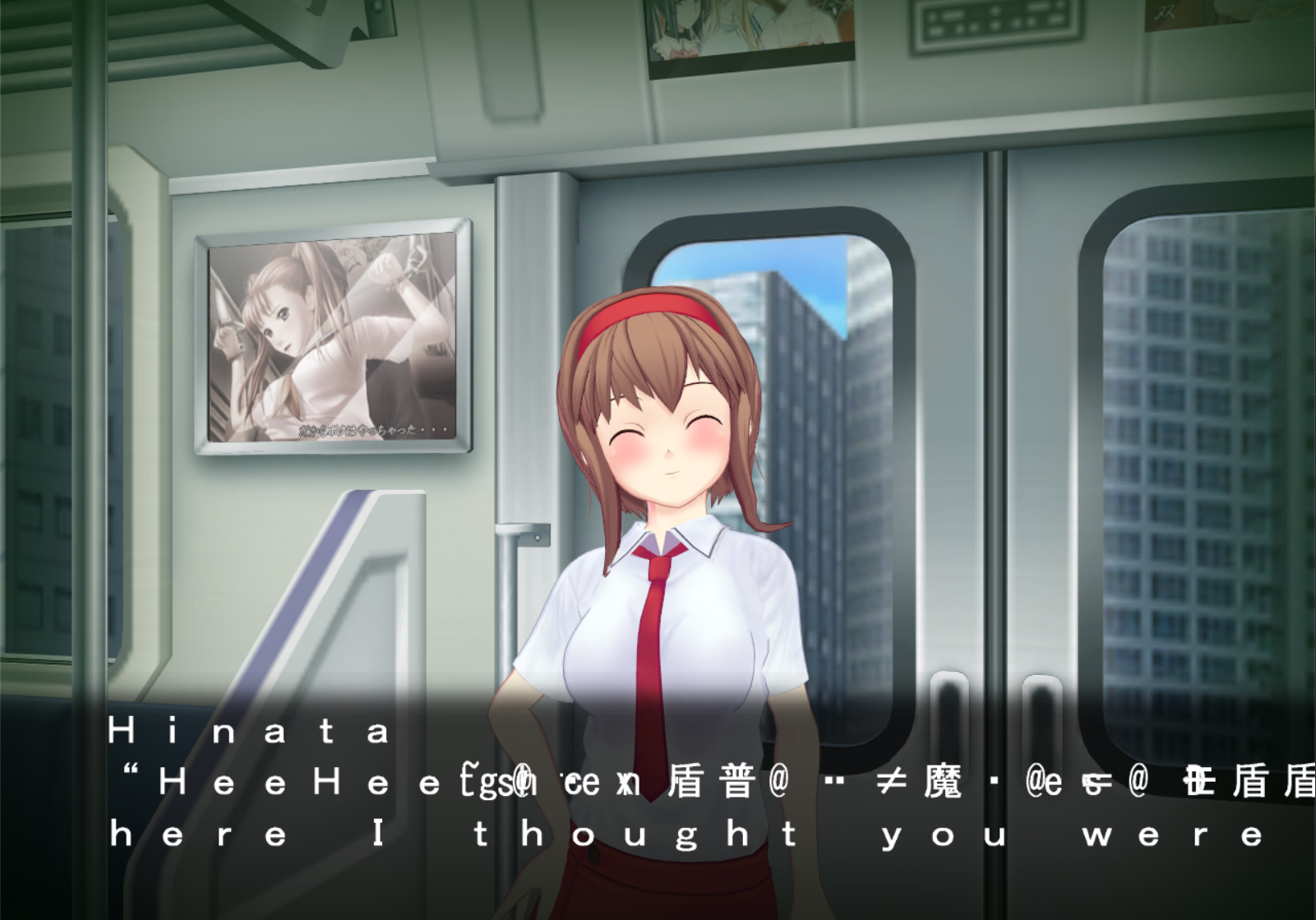
IIRC it only happens on 2.1, play 1.1 instead. That is better in other ways too, like not having the "undress all" cheat.I'm using the repack, occasionally (i think its with long dialogue messages) the text starts glitching (see below, random characters flicker about)
Is there a work around for this?

redsnigami
New Member
- Nov 30, 2023
- 1
- 0
- 11
roflkopter
New Member
- Mar 18, 2018
- 11
- 3
- 13
any guide for the endings for the girls?
You must be registered to see the links
vitalj1991
New Member
- Jan 1, 2021
- 3
- 0
- 87
Hello....
I do what is writen in . how to instal..
1st when i try open installer pc 2-4 times restart it self...
after when i can instal , i instal v2 and 2nd v2.
after this i try open game 1st ask for aploc.exe what is this? and 2nd just restart pc... what i do wrong?!!!
I do what is writen in . how to instal..
1st when i try open installer pc 2-4 times restart it self...
after when i can instal , i instal v2 and 2nd v2.
after this i try open game 1st ask for aploc.exe what is this? and 2nd just restart pc... what i do wrong?!!!

seangeL
Newbie
- Oct 12, 2019
- 49
- 57
- 61
bro, I think you skip this important stepHello....
I do what is writen in . how to instal..
1st when i try open installer pc 2-4 times restart it self...
after when i can instal , i instal v2 and 2nd v2.
after this i try open game 1st ask for aploc.exe what is this? and 2nd just restart pc... what i do wrong?!!!
don't run from the shortcut that HF (hongfire) english patch created, it used pAppLoc which has been sunk together with HongFire domain....
Before you do anything else install the Locale Emulator 2.5.0.1. You can download it here.
You must be registered to see the links
...
try using locale emulator instead, you could just right click > "run in japanese" on most .exe without setting anything.
if some error yada yada happened in times you want to play new japanese games, most of the time locale emulator will save your time.
Last edited:
I have resolved it. The problem was the locale emu i was using
Last edited:
Senormostaza
Newbie
- Oct 20, 2017
- 56
- 24
- 111

LazwelX
Well-Known Member
- Aug 13, 2020
- 1,194
- 794
- 179
this is a game series i wish would get remade especially the first one that got an anime because while it had hot scenes the anime cut some characters or changed them also wold love more mieko, sadly we'll never get it in the current decaying state of the hentai scene


Evil_dna
New Member
- Dec 23, 2021
- 10
- 1
- 66
I'm using the repack but it can only run in fullscreen. Everytime I start in Window mode it crashes. There is the crash.dmp files. Anyone knows what's going on?ScrewThisNoise made Museum R1 release of the Itazura Gokuaku. It's unpack and play.
Also game doesn't like newer Windows (XP/Vista era game). For me for the most comfort playing (without crash on the scene loading) I needed to turn Windowed and 1280x960 resolution. Also remember to use Locale Emulator on Gokuaku English.exe (Start game is bugged).
You don't have permission to view the spoiler content. Log in or register now.
Do you have more than one monitor by chance? If so, it might be finnicky until there's only one. You can do Win + P to change it to "duplicate" and it should be ok in windowed mode.I'm using the repack but it can only run in fullscreen. Everytime I start in Window mode it crashes. There is the crash.dmp files. Anyone knows what's going on?