Since one player asked me how to add a signature image linked to the Steam page, I decided to do a small guide, in case anyone else needs it (you can also use it to link your signature images to the OP of the games you are promoting)
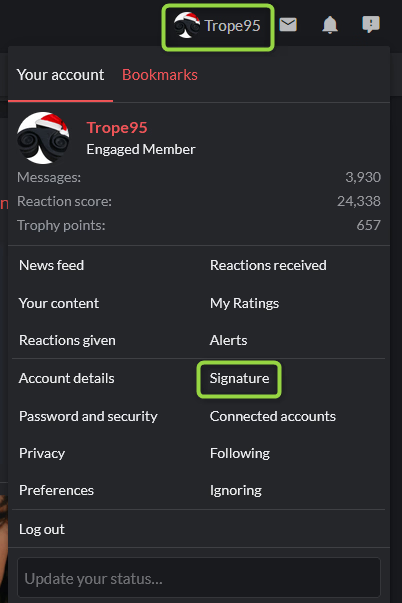
Go to your signature setup page:
View attachment 5310395
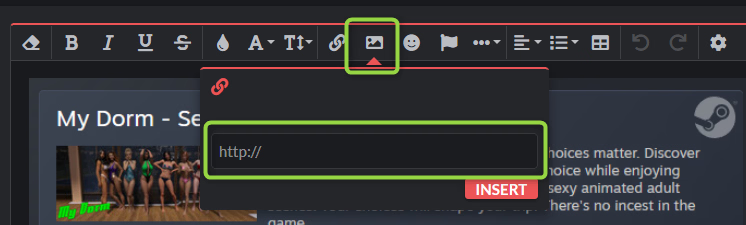
Insert an image and add a link to an image on F95. For the Steam image of My Dorm, you can use this one:
https://attachments.f95zone.to/2025/10/5338169_1759566444767.png
View attachment 5310397
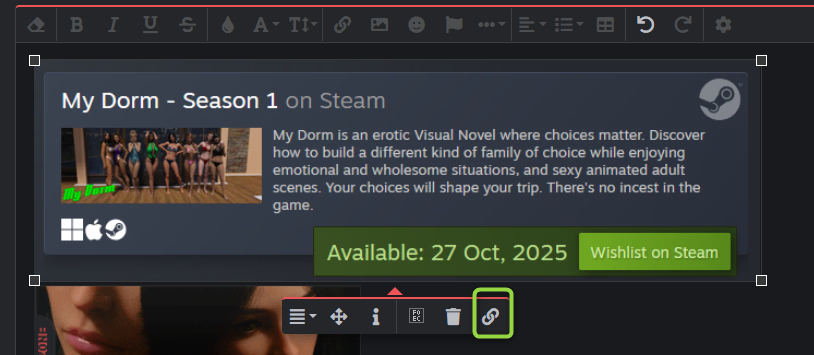
Select the image and click on the link icon
View attachment 5310403
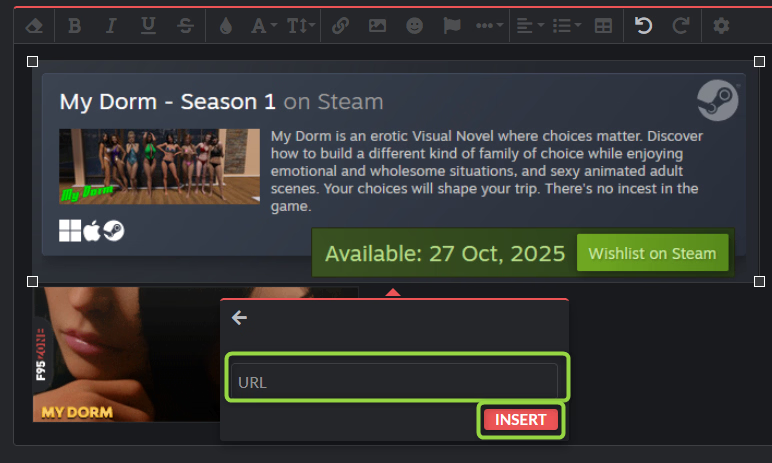
Add the URL (for My Dorm Steam page it is
You must be registered to see the links
) and click on INSERT. As said above, the same system can be used for the OP of the games you are promoting.
View attachment 5310405
Save your new signature
View attachment 5310406
And that's all. I hope it helps.