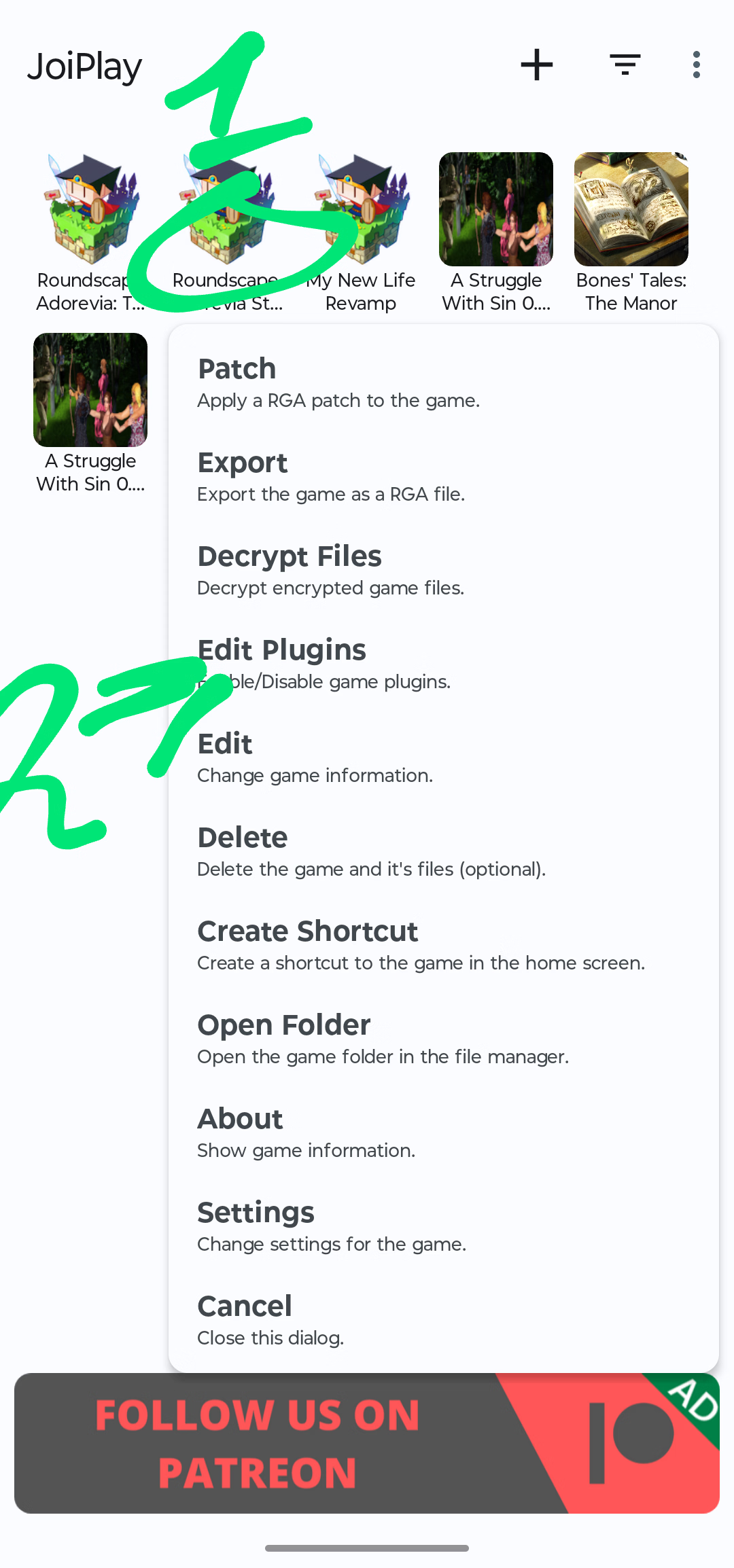
Step 1: Long-press the game until this setting appears.
Step 2: Click "Edit Plugins."
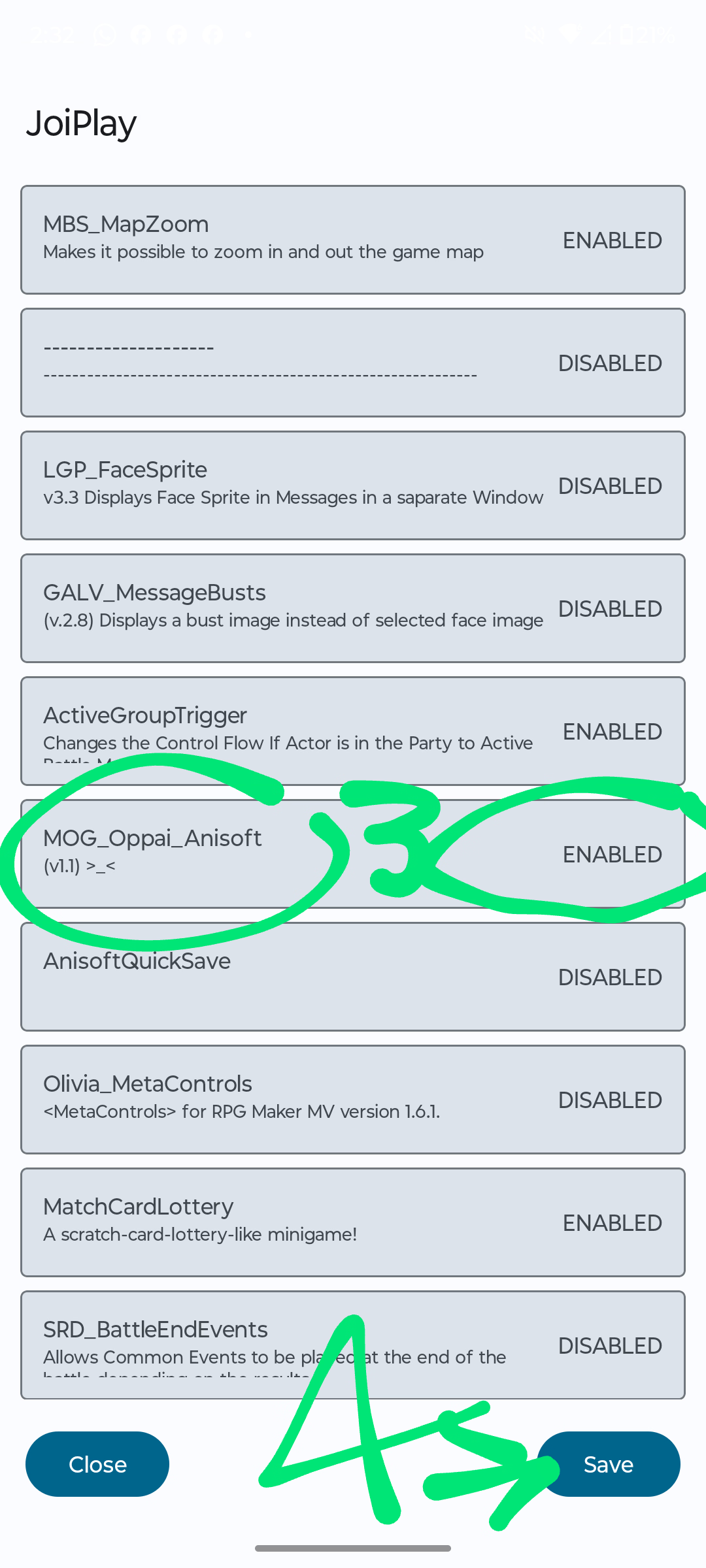
Step 3: Find the option with the green three and click "Enabled" to disable it.
Step 4: Once finished, click "Save" to apply the changes; otherwise, nothing will be changed. Return to the game and your characters should move faster.
Step 3: Find the option with the green three and click "Enabled" to disable it.
Step 4: Once finished, click "Save" to apply the changes; otherwise, nothing will be changed. Return to the game and your characters should move faster.
Dev clearly doesn't have a clue of what ntr means, because this game is full to the brim with it although he assured us that there was no ntr inside. SMH.
Dev clearly doesn't have a clue of what ntr means, because this game is full to the brim with it although he assured us that there was no ntr inside. SMH.
unzip and paste the save and the global file in Roundscape_Adorevia_6.8\Roundscape Adorevia\www\save
MAKE SURE YOU BACK UP YOUR SAVE FILE FOLDER as I am not sure what effect replacing the global file may have for other games
View attachment 4862279View attachment 4862279
"Good day, and merry christma--"
"Sir, it isn't Christmas yet."
"...Whatever it's November. I see Christmas trees and wreaths already!"
I decided to have a whirl at Roundscape. I typically play RPGM games on Joiplay, so Roundscape has some major performance issues.
I did what I typically do and try to fix things, making this js patch pack!
hi what does this MOG_Oppai thing do? does it disable any significant graphical effects I want to play this game on joiplay but I don't want the game breaking
hi what does this MOG_Oppai thing do? does it disable any significant graphical effects I want to play this game on joiplay but I don't want the game breaking
thank you for answering I though it would break some major graphical effects or gameplay mechanics because the performance difference is massive I tested disabling the mog oppai plugin on the unmodded game and it goes from 2 fps to 60