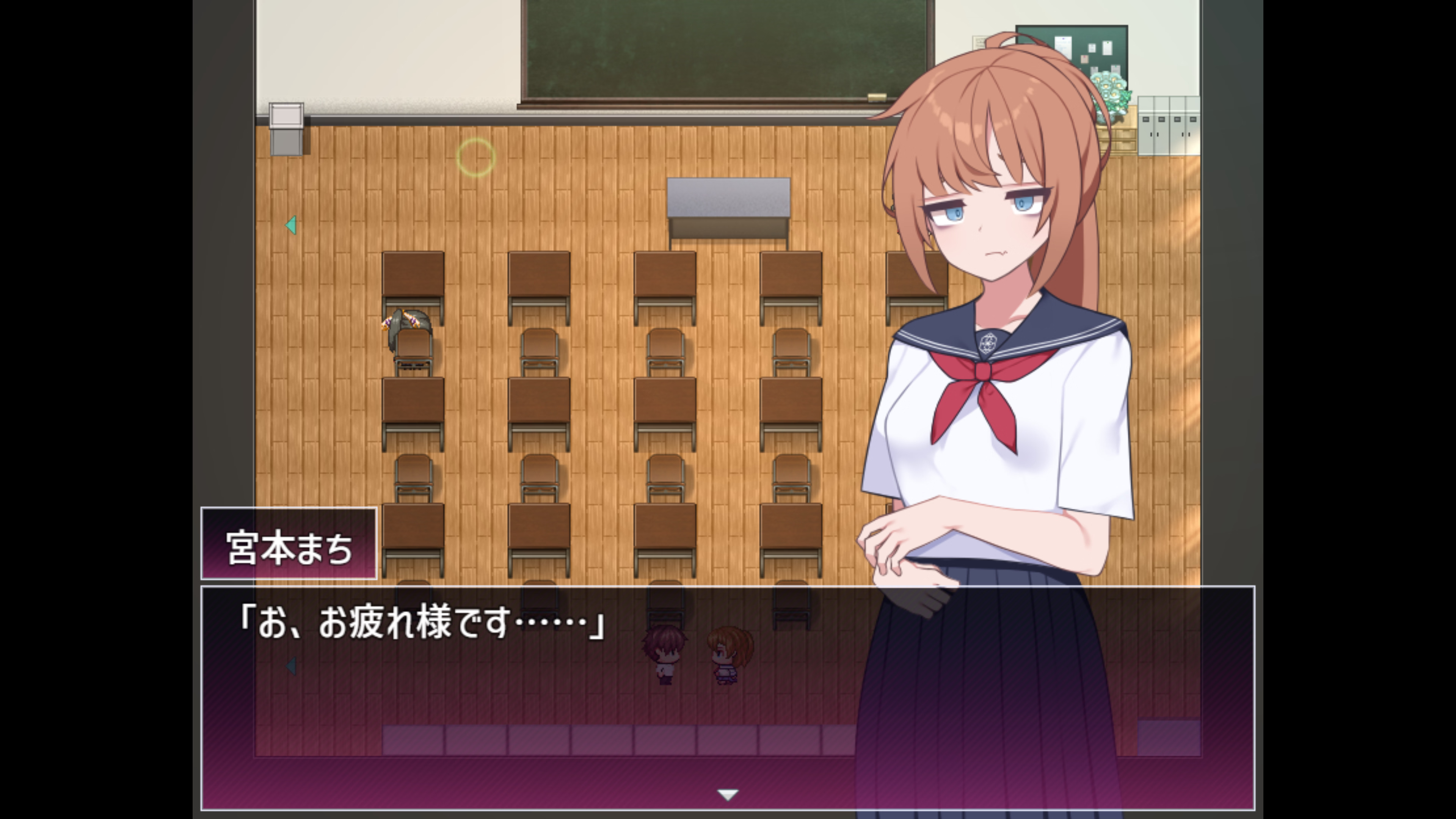
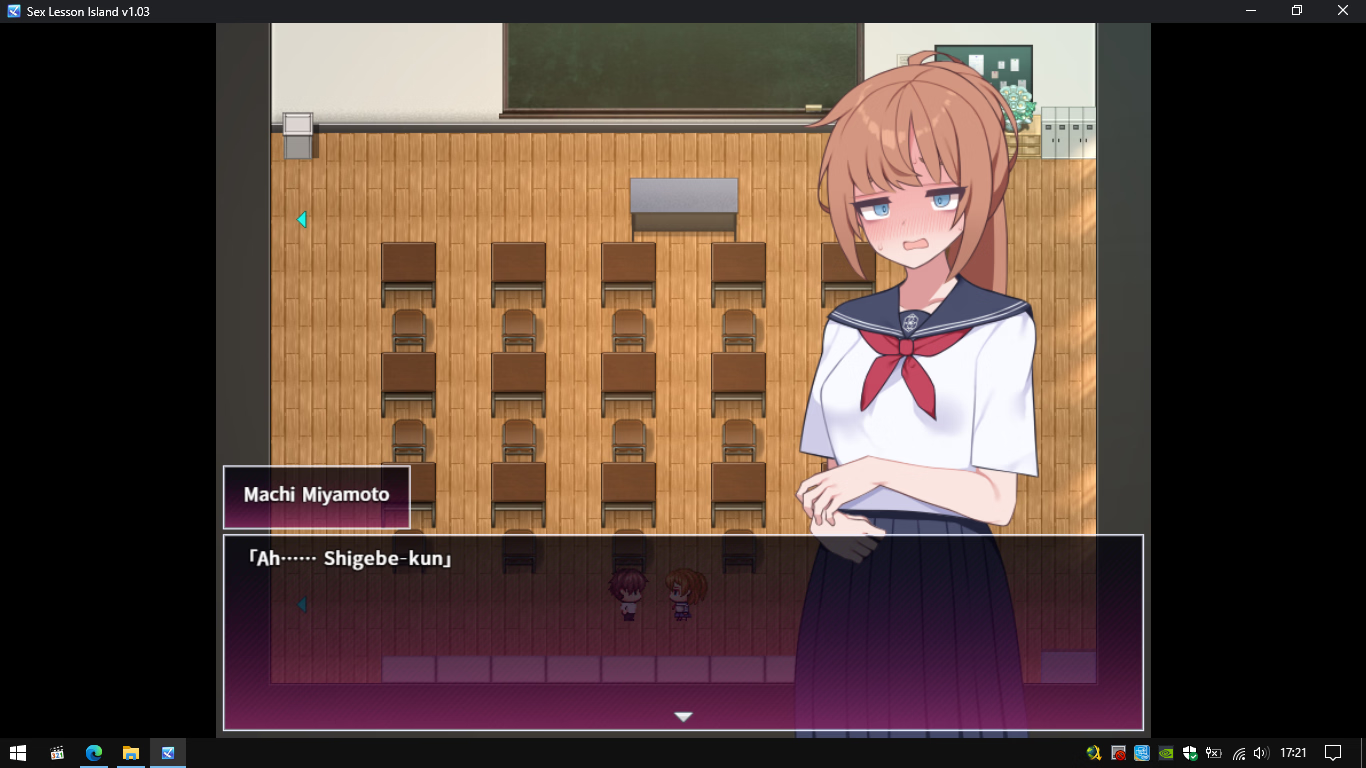
The translations still aren't perfect. They were made on ver 1.02 so once 1.03 is shared it won't translate the new text.
I've shared both but I honestly can't tell which is better. Both of them struggle with names, text wrapping and once you unlock the "secret encyclopaedia" you'll find it's mostly in Japanese.
The translations still aren't perfect. They were made on ver 1.02 so once 1.03 is shared it won't translate the new text.
I've shared both but I honestly can't tell which is better. Both of them struggle with names, text wrapping and once you unlock the "secret encyclopaedia" you'll find it's mostly in Japanese.
Phone zarchive couldn't change shift jis oh well waiting for hero to bring complete guide lookx.fun playable but couldn't find classmates after talk with heroines ask opinion about sex ed
You're supposed to create stuff and sell them for money + create gift and give them to the girls but collecting resources is a pain in the ass, so the best way to play the game is this:
-wake up
-go to each girl and talk to them to gain favor with them
-if there is an event in the classroom do it
-go to sleep
-repeat
-every 10 days you can get 10.000 free coins
Eventually you'll unlock the sex scenes and you won't need to do anything else, there's no time limit so this is pretty much meta lol.
Also there's a teleport, go to the rooftop and talk to a girl there, she'll unlock fast travel
Phone zarchive couldn't change shift jis oh well waiting for hero to bring complete guide lookx.fun playable but couldn't find classmates after talk with heroines ask opinion about sex ed
Here's another MTL (for version 1.02), though this one should be more-complete and less-broken than the others currently available.
Pros:
- Standing art is displayed
- Everyone's names are translated
- Nothing exploded during the first hour of gameplay
Cons:
- Miyamoto's wearing her festival outfit at school
- It's Sugoi, so the translation is notably rougher than LLMs (ChatGPT, Deepseek, etc)
As the file's title suggests, this is mainly a proof of concept. It was painlessly made using SLR Translator, so anyone with an afternoon to spare could re-do the project using a LLM's translation (use DSLR from the translation options after setting it up). Make a glossary (tip: in this game, the profiles are in the 'Items' tab; use those to fill the glossary), use the three buttons, clear errors, wrap the text, clean up visual bugs, take care of the residual Japanese in crafting/shops. If you're feeling particularly motivated then also manually edit the profiles so their standing art doesn't cover up text (or maybe just use an ExtraCondensed font, which'll also eliminate the need to wrap texts).
...
...
Or @ me in Feb 2026 and I'll probably handle it myself since the game should be done getting updates by then. Sure, the dev's blog says it'll only be bugfixes from here on out, but they did just release additional content so I imagine there'll be at least one more update to fix whatever bugs were introduced in the additional content.
The translations still aren't perfect. They were made on ver 1.02 so once 1.03 is shared it won't translate the new text.
I've shared both but I honestly can't tell which is better. Both of them struggle with names, text wrapping and once you unlock the "secret encyclopaedia" you'll find it's mostly in Japanese.
Since an updated version of the game has been released, I don't plan on messing with the outdated MTL I made unless it's to update it to a AI translation in February.
I have already checked the HASH values of versions 1.02 and 1.04.
The only differences are in the following files:
- CommonEvents.json
- Items.json
- Map008.json
- Map038.json
- Map046.json
- Map048.json
- Map109.json
- Map146.json
- Map202.json
- Map220.json
- MapInfos.json
- System.json
- plugins.js
Knowing these differences, you don’t need to worry about any changes to image or sound assets between version 1.02 and 1.04. You can safely upgrade from version 1.02 to version 1.04 without re-downloading the entire game.
Changes in version 1.04:
- Added the unlock conditions for erotic status in each heroine’s secret character encyclopedia
- Added several items to the unmanned marketplace
- Increased the acquisition amount of certain gathering items
You can download the Japanese version 1.04 of the game
You must be registered to see the links
.
You must be registered to see the links
You must be registered to see the links
I am not a native English speaker, so please understand if there are any grammar or vocabulary mistakes.
The Japanese text was translated by DeepSeek 3.1 Terminus and partially by ChatGPT 5.
I have also attached Sex Lesson Island v1.04.tpp in case any of you would like to edit this translation in
You must be registered to see the links
.
I used the
You must be registered to see the links
application with the glossary feature, so specialized terms remained almost always consistent.
In total, approximately 9.05 million tokens were consumed, and the process took about 3.9 hours.
The island area map image has also been translated.
I’m just a player and a
You must be registered to see the links
user, so I don’t know what code changes were made between version 1.02 and 1.03. If there are bugs unrelated to translation errors, I won’t be able to handle that.
I hope the quality of this English translation meets your expectations.
Please don’t ask me for a walkthrough, as I haven’t tested the game to completion yet.
I only played up to the classroom dismissal scene on the first day of academy after the character introductions.
Bug Fix Notice (14 December 2025) – Map044.json
The crash was caused by invalid JSON formatting inside Map044.json. Specifically, the AI forgot to add proper quotation marks for empty values. Corrected Format
Wrong: "item":", and "weapon":",
Fixed: "item":"", and "weapon":"",
After correcting the quotation marks, Map044.json is now valid and the game no longer throws the "Unexpected token error."
Adding Secret Character Encyclopedia translation (16 December 2025) - CommonEvents.json
I need to modify the fetchEventPages function inside rmmv.js from the Translator++ add-on so that Translator++ can extract text in a special Key-Value format, rather than standard JavaScript code.
Font Adjustment inSecret Character Encyclopedia (17 December 2025) - CommonEvents.json
In addition to fixing quotation marks and the \\c[17] and \\c[0] codes in plugins.js, as well as the word‑wrapping issue in the Character Encyclopedia in CommonEvents.json, I’ve found a way to adjust the font size in the Secret Characters Encyclopedia. There are two lines that need to be fixed.
Update to version 1.04 (24 December 2025)
Fix translation bug in version 1.04 (25 December 2025)
Changing the Font Size in RPG Maker MZ
Regarding font size, I realize that your monitor screen sizes may differ.
I am still using a resolution of 1366x768.
To change the font size, follow my instructions below.
Make sure to open the mentioned `.js` files with Notepad++ or a similar text editor.
If you want to make the font size 1.5 times larger, then change the value to 1.5.
- For the common menu, main character, side characters, and quest NPCs dialogue:
Open rmmz_windows.js and edit line 117 as shown in the code.
If you want to change the font, replace $gameSystem.mainFontFace() with 'Arial' (For example, make sure it is enclosed in single quotes and that the font is installed on your computer).
JavaScript:
Window_Base.prototype.resetFontSettings = function() {
    this.contents.fontFace = $gameSystem.mainFontFace();
    this.contents.fontSize = $gameSystem.mainFontSize() * 0.55; // CHANGE THIS MULTIPLIER TO ADJUST THE DEFAULT FONT SIZE
    this.resetTextColor();
};
- For dialogue balloons of common NPCs:
Open MessageWindowPopup_widthfix_12px_even.js and edit line 1299 as shown in the code.
JavaScript:
    const _Window_Base_resetFontSettings    = Window_Base.prototype.resetFontSettings;
    Window_Base.prototype.resetFontSettings = function() {
        _Window_Base_resetFontSettings.apply(this, arguments);
        if (this.isPopup()) {
            this.contents.fontSize = param.FontSize * 0.70; //CHANGE THIS MULTIPLIER TO ADJUST THE FONT SIZE FOR ALL BALOONS TEXT
        }
    };
- For font size in the Characters Encyclopedia:
Open SceneGlossary.js and edit line 2324 as shown in the code.
JavaScript:
    var _Window_Glossary_resetFontSettings = Window_Glossary.prototype.resetFontSettings;
    Window_Glossary.prototype.resetFontSettings = function() {
        _Window_Glossary_resetFontSettings.apply(this, arguments);
        if (param.FontSize) {
            this.contents.fontSize = param.FontSize * 0.6; //CHANGE THIS MULTIPLIER TO ADJUST THE FONT SIZE IN Characters Encyclopedia
        }
    };
- For font size in the Secret Character Encyclopedia:
Open CBR_EroStatus.js and edit two lines as shown in the code.
Line 399
JavaScript:
        this.contents.context.font = this.contents._makeFontNameText();
        this.contents.fontSize = (Number(obj["サイズ"]) || $gameSystem.mainFontSize()) * 0.55; //CHANGE THIS MULTIPLIER TO ADJUST THE FONT SIZE FOR ALL TEXT NUMBERS
        this.resetTextColor();
Line 453
JavaScript:
        this.contents.context.font = this.contents._makeFontNameText();
        this.contents.fontSize = (Number(obj["サイズ"]) || $gameSystem.mainFontSize()) * 0.55; //CHANGE THIS MULTIPLIER TO ADJUST THE FONT SIZE FOR ALL TEXT NUMBERS
Damn seems like version 1.03 gets rid of the character portraits when you talk to them, that's a massive bummer and version 1.02, which displays the character portraits just fails to load the first actual sex scene (a couple days after the handjob) between MC and Miyamoto
I have already checked the HASH values of versions 1.02 and 1.03.
The only differences are in the following files:
- CommonEvents.json
- Map008.json
- Map048.json
- Map109.json
- Map202.json
- MapInfos.json
- System.json
- plugins.js
Knowing these differences, you don’t need to worry about any changes to image or sound assets between version 1.02 and 1.03. You can safely upgrade from version 1.02 to version 1.03 without re-downloading the entire game.
Changes in version 1.03:
- Added a switch to delete certain scenes in the recollection room.
- Added a function to restore the main heroine’s sexual experience to its pre-viewing state when the above is viewed.
I am not a native English speaker, so please understand if there are any grammar or vocabulary mistakes.
The Japanese text was translated by DeepSeek 3.1 Terminus and partially by ChatGPT 5.
I have also attached Sex Lesson Island v1.03.tpp in case any of you would like to edit this translation in
You must be registered to see the links
.
I used the
You must be registered to see the links
application with the glossary feature, so specialized terms remained almost always consistent.
In total, approximately 9.05 million tokens were consumed, and the process took about 3.9 hours.
The island area map image has also been translated.
I hope the quality of this English translation meets your expectations.
Please don’t ask me for a walkthrough, as I haven’t tested the game to completion yet.
I only played up to the classroom dismissal scene on the first day of academy after the character introductions.
Changing the Font Size in RPG Maker MZ
Regarding font size, I realize that your monitor screen sizes may differ.
I am still using a resolution of 1366x768.
To change the font size, follow my instructions below.
Make sure to open the mentioned `.js` files with Notepad++ or a similar text editor.
If you want to make the font size 1.5 times larger, then change the value to 1.5.
- For the common menu, main character, side characters, and quest NPCs dialogue:
Open rmmz_windows.js and edit line 117 as shown in the code.
JavaScript:
Window_Base.prototype.resetFontSettings = function() {
    this.contents.fontFace = $gameSystem.mainFontFace();
    this.contents.fontSize = $gameSystem.mainFontSize() * 0.55; // CHANGE THIS MULTIPLIER TO ADJUST THE DEFAULT FONT SIZE
    this.resetTextColor();
};
- For dialogue balloons of common NPCs:
Open MessageWindowPopup_widthfix_12px_even.js and edit line 1299 as shown in the code.
JavaScript:
    const _Window_Base_resetFontSettings    = Window_Base.prototype.resetFontSettings;
    Window_Base.prototype.resetFontSettings = function() {
        _Window_Base_resetFontSettings.apply(this, arguments);
        if (this.isPopup()) {
            this.contents.fontSize = param.FontSize * 0.70; //CHANGE THIS MULTIPLIER TO ADJUST THE FONT SIZE FOR ALL BALOONS TEXT
        }
    };
- For font size in the Encyclopedia of People:
Open SceneGlossary.js and edit line 2324 as shown in the code.
JavaScript:
    var _Window_Glossary_resetFontSettings = Window_Glossary.prototype.resetFontSettings;
    Window_Glossary.prototype.resetFontSettings = function() {
        _Window_Glossary_resetFontSettings.apply(this, arguments);
        if (param.FontSize) {
            this.contents.fontSize = param.FontSize * 0.6; //CHANGE THIS MULTIPLIER TO ADJUST THE FONT SIZE IN Encyclopedia of People
        }
    };
I also attached the raw japanese in case any of you need them.
Can't craft items outside like woodwork etc but cheat items available can directly obtain I never know how to change bubble text size before so can't play most rpgm because small text like ROBF series this text edit way super useful for me thanks a lot bro
Can't craft items outside like woodwork etc but cheat items available can directly obtain I never know how to change bubble text size before so can't play most rpgm because small text like ROBF series this text edit way super useful for me thanks a lot bro
Can you send me your save folder? Then explain why it could be an error. Provide a screenshot of the error screen. Hopefully, I can figure out what the error is. If the error comes from a mistake in translation, I might be able to fix it. But if it’s due to deeper code changes from version 1.02 to 1.03, I won’t be able to help, so it’s likely we’ll have to wait for an update or bug fix from the developer.
Can you send me your save folder? Then explain why it could be an error. Provide a screenshot of the error screen. Hopefully, I can figure out what the error is. If the error comes from a mistake in translation, I might be able to fix it. But if it’s due to deeper code changes from version 1.02 to 1.03, I won’t be able to help, so it’s likely we’ll have to wait for an update or bug fix from the developer.
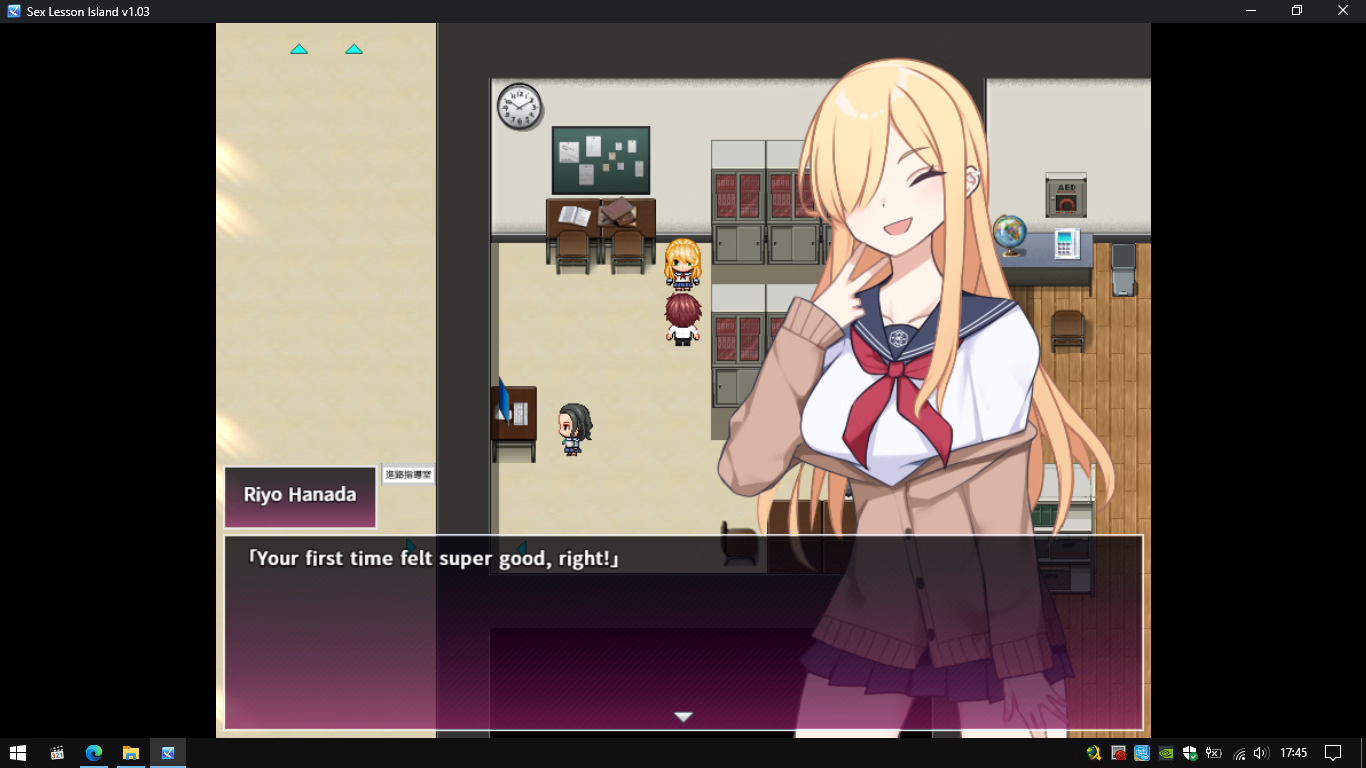
Not the person you were replying to, but in a couple of the versions that have been posted here the characters don't have portraits, including yours. Whenever you talk to a significant npc their character portrait is supposed to appear. (the screenshot and file are from a version with the portraits)
I’ve already tried continuing all of the save files from eric_alvin, and all of them have heroine characters.
Strangely, when continuing your save, the protagonist character moves too quickly. So my temporary conclusion is that this is not due to a translation error.
My suggestion is to try starting a new game. It’s not uncommon for bugs to carry over when continuing save files from an older version of the game.
I’ve also added translations to several texts that were still untranslated. Please re-download the patch from original post.
I’ve attached the SHA256 value of the game. You can load that SHA256 value using your SHA256 checksum verification application, or with RapidCRC from me (specifically for Windows x64).
After replacing your game files with newest patch, place the file RJ01481895 v1.03 eng.sha256 in the same folder as Game.exe. Run RapidCRC, choose “Open files”, navigate to the location of RJ01481895 v1.03 eng.sha256, then select Open.
After finishing the check of thousands of files, click on the “Info” column header at the top right to sort and see which files do not match.