


ipeurogue
New Member
- Jul 28, 2024
- 4
- 3
- 62
You go to I Won't Be Corrupted! Tale of the Naive Elven Swordswoman\www\img\titles1, take the title image, and rename it to "タイトルロゴ".
You go to I Won't Be Corrupted! Tale of the Naive Elven Swordswoman\www\img\titles1, take the title image, and rename it to "タイトルロゴ".

This was really confusing to get. I would have thought that it progresses automatically but you are correct: you have to go to the church at night with the nun clothes before the other bunny appears in the bar.for church, go at night. make sure you're wearing the garments.

Go to the top corner of the page. Find the box that says "search". Type "save" into that box. there you go. This is a very simple way to see if someone posted a full save BEFORE just asking for what's already there.Any Full save?
THis can launch the game and can play through the game, but can't watch any scene on recollection room, can't do battle scene because images aren't there.Reposting fix for users for visibility
HOW TO FIX BROKEN FILES:
Use WINRAR to extract. Open archive with winrar, press ctrl-e in winrar, then select Japanese Shift-JIS, then extract like normal.
I made it work with this method and only this method.7Zip Solution for Japanese char problems/Loading Error. No need for WinRAR:
Run in PowerShell:
Sets 7Zip as an alias. Extract archive with the JAP page.Code:set-alias 7z "$env:ProgramFiles\7-Zip\7z.exe" 7z x -mcp=932 '.\I Won''t Be Corrupted! ~Tale of the Naive Elven Swordswoman~.zip'
Looks like this. My PWSH just looks different. Executed next to the archive.
View attachment 2847904
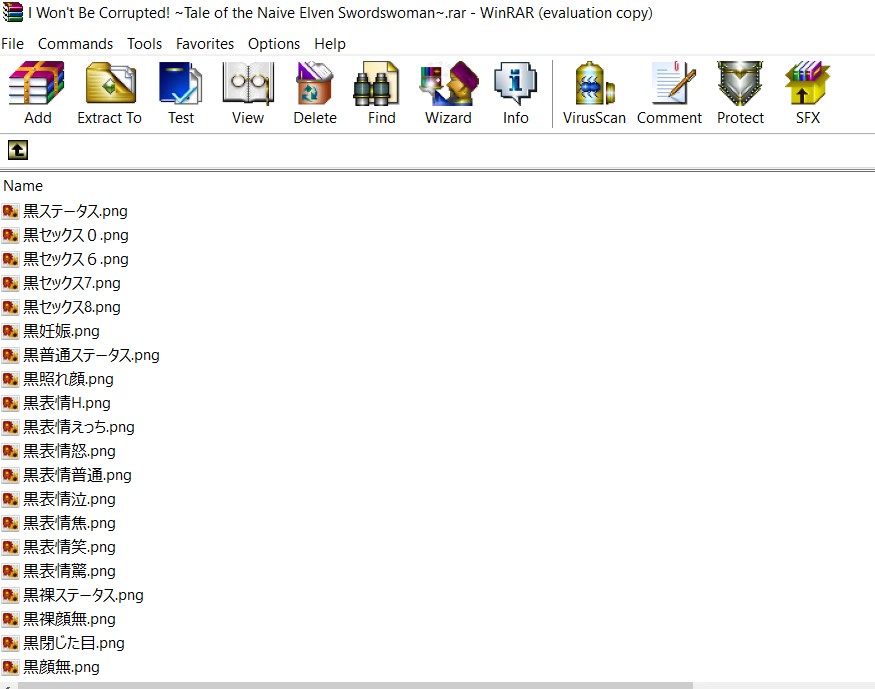
ThxYou go to I Won't Be Corrupted! Tale of the Naive Elven Swordswoman\www\img\titles1, take the title image, and rename it to "タイトルロゴ".
yes did u find a solution to fix this?Anyone else getting this as soon as you open the game?
It says file dosent existI made it work with this method and only this method.
Here's the file for fixed everything + full save
You must be registered to see the links
gofile said it's gonna be deleted in 10 days, so if you want to archive it, you better do it fast
View attachment 5148649
tbh the gallery isn't so good. nice art, but there aren't many of them, they're all very short and lacking BGM and sfx.
But still, massive boobs are always nice.
the post literally says it will be deleted in 10 days and that post was made on the 15th of august so you are 2 months lateIt says file dosent exist
mbthe post literally says it will be deleted in 10 days and that post was made on the 15th of august so you are 2 months late

