It’s probably not the best way to do it, but it’s the way I found, and you don’t need to download anything to do it.
Press Windows Button -> Search for apps -> Search for Registry Editor -> On Computer find HKEY_CURRENT_USER -> Softwares -> S.A.L HIDEOUT -> IKA3D.

Clicking on IKA3D is going to show a bunch of stuff, and now comes the part you need to pay attention to.
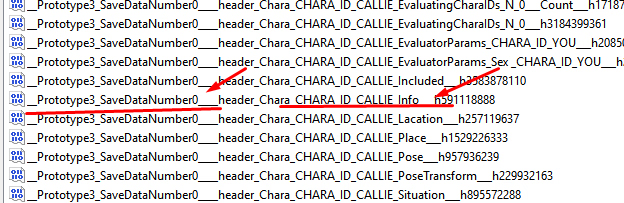
__Prototype3_SaveDataNumber0 <- This number shows which slot your game is saved in. The first slot save is 0. Showing in the image...
Now you need to choose if want to edit your character or the NPCS.
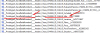
THE NPC is LISTED by their names you need to find this file bellow \/ or in the image above....Callie___Prototype3_SaveDataNumber0____header_Chara_CHARA_ID_CALLIE_Info___ use it to edit callie... and use the same logic for the others characters.... you character don't have name your ID is YOU
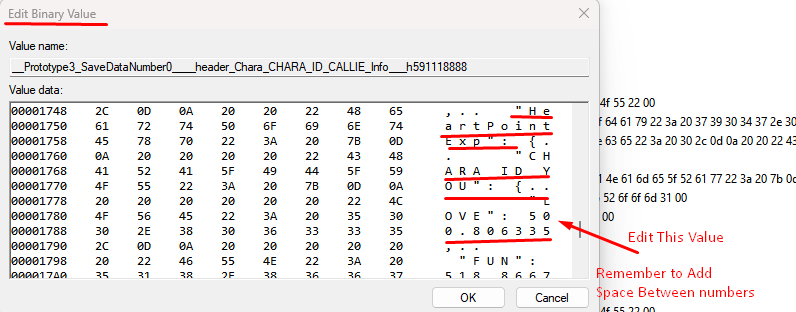
Open it, and a small window called
Edit Binary Value will show up. Now, find the value you want to change on the right side. Hold the bar on the right and drag it about 70–80% down, or use the arrow keys until you find
HeartPointExp : { ... "CHARA_ID_YOU" : { ... "LOVE" : ... } }
From now on, you need to edit this line and others to improve the NPC relationship values: LOVE / FUN/ HORNY / HATE... The values are in
EXP, not percentages, so set them above 500 to reach 100 or more. except HATE set that to 0
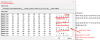
There's a bunch of other stuff to edit if you’d like to make more changes...
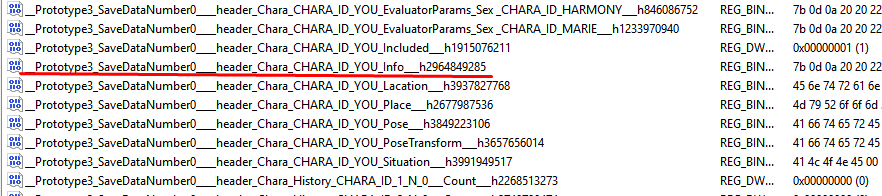
For you character you need to find __Prototype3_SaveDataNumber0____header_Chara_CHARA_ID_YOU_Info___

You need to edit more stuff in this area... Some hints: around 30–40% you can find
"S l e e p" and
"A p e t i t e". Change them to 0 if you want to reset your sleep/appetite bar. A few lines below, there’s
"S t r e s s", and a few lines further down it starts changing your character’s status.
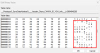
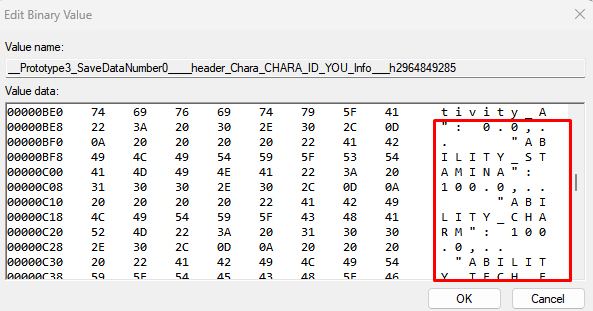
Now find
ABILITY_STAMINA (IMAGE ABOVE) and set it to the number you want (for example, 100.0). Then keep changing the values for all the other abilities (CHARM, TECH_ and a letter for each ability.), one by one. There’s also a TALK SKILLS somewhere in the code, find it and change its value to match your best ability. Check your character stats in game: if one of them is at 100, use that as a reference. In the code, it might appear as a small value like 3, 4, or 5.
Also, somewhere in the code there’s a line that lets you change your MONEY
To make the save edit work, you need to do it in this order: SAVE the game → Edit the save → LOAD the game.