Mod Unity [Secret Flasher Manaka] Cosplay Loader Mod 2.2.1

5.00 star(s) 1 Vote

biwajimadono

Member
Jul 27, 2021
182
231
53
did you encounter a problem that makes manaka stuck in changing animation when you use the [My set] tab to change costume/equip? while the cosplay mod is in effect?
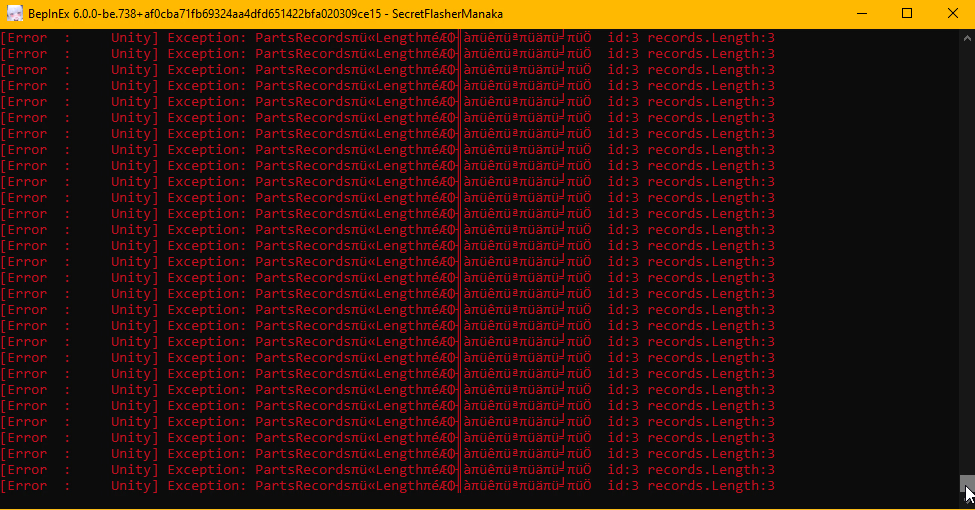
and BepInEx start throwing this error while the game continues to generate more lag and then crashes?
i would like to know the cause

at that time, i only have CustomMissions,Fluid mod and Cosplay Mod in effect
I think I may have experienced the same thing.
Could this be the same phenomenon?
It froze.

The creator of the mod has worked hard to fix it.
2.2.1
It no longer occurs in this version or later.

I am still grateful for his efforts.
 

biwajimadono

Member
Jul 27, 2021
182
231
53
Last version I'm going to make. Specular is working, and lighting shouldn't do anything strange.
I used it right away. It was beautiful.
I'll use this as my sperm.
The first two Bukkake updates go really well with the "Chocolate" White.
It looks like melting vanilla ice cream.
I'll try using each one with a different name and category.

Thank you so much, everyone.
 

LeoVincent69

Newbie
Aug 19, 2025
41
65
18
did you encounter a problem that makes manaka stuck in changing animation when you use the [My set] tab to change costume/equip? while the cosplay mod is in effect?
and BepInEx start throwing this error while the game continues to generate more lag and then crashes?
i would like to know the cause

at that time, i only have CustomMissions,Fluid mod and Cosplay Mod in effect View attachment 5526481
I never met such error before... The mod I am actively running now is Cosplay Mod, Naked Count as Flashing, Voice, and Uncensor mod if that is relevant. But what I can assume if something gone wrong with the Pacifier (item id:3) in GeneralHead category... I might be wrong as there might be other things that are referred as id:3 that Idk in game...

(Edit: Ignore me, I didn't read the post below before replying. Hope the Mod version 2.2.1 fix your problem.)
 

ousawa007

Newbie
Apr 3, 2022
36
16
18
I think I may have experienced the same thing.
Could this be the same phenomenon?
It froze.

The creator of the mod has worked hard to fix it.
2.2.1
It no longer occurs in this version or later.

I am still grateful for his efforts.
yeah i can confirm this is the same issue

but im using the latest version of the mod and it persisted....
what could be the issue then.....
i'll just make a backup of my save then reuse the mod again, i'll try to replicate it again
i downloaded the mod a month ago, never replaced it nor downloaded a new one (the cosplay parts is what im downloading though)
 
Last edited:

ousawa007

Newbie
Apr 3, 2022
36
16
18
I never met such error before... The mod I am actively running now is Cosplay Mod, Naked Count as Flashing, Voice, and Uncensor mod if that is relevant. But what I can assume if something gone wrong with the Pacifier (item id:3) in GeneralHead category... I might be wrong as there might be other things that are referred as id:3 that Idk in game...

(Edit: Ignore me, I didn't read the post below before replying. Hope the Mod version 2.2.1 fix your problem.)
no worries

also the voicepack is great, although i knew it came from the other game made by the same dev but i want to know how to change the values to match the moaning sound to every stroke regardless of speed, (i was expecting the mod included the climaxing line phrase and i appreciate the work)
 
  • Like
Reactions: LeoVincent69

LeoVincent69

Newbie
Aug 19, 2025
41
65
18
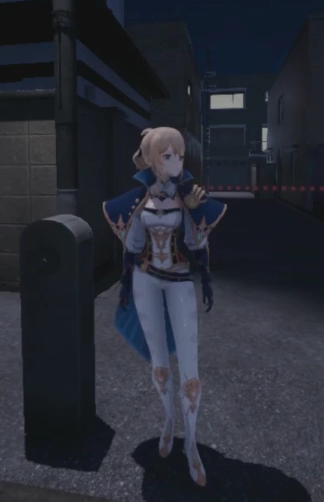
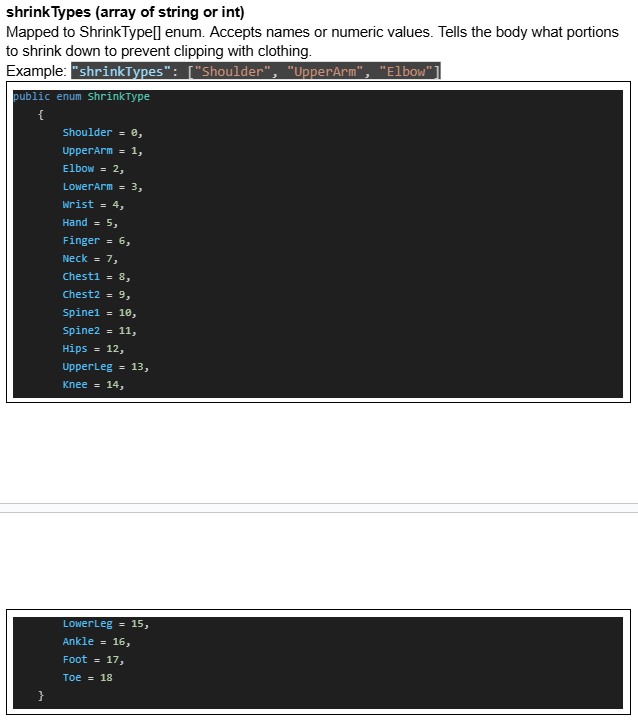
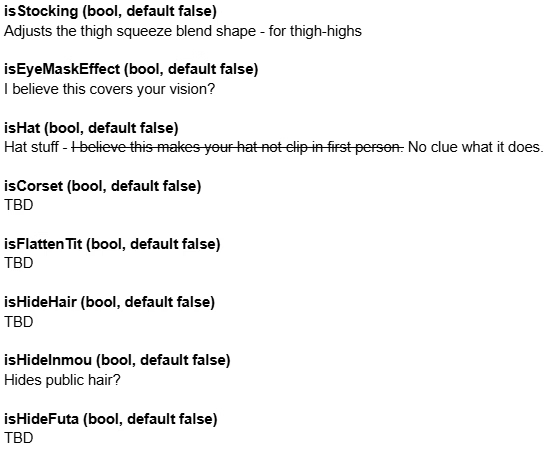
Recently learned new thing, so just gonna share here.
Extra: And yea, now that I know what stopping me from importing some outfits properly, I am importing a few new outfits XD.
 
  • Thinking Face
Reactions: nezumitori

biwajimadono

Member
Jul 27, 2021
182
231
53
yeah i can confirm this is the same issue

but im using the latest version of the mod and it persisted....
what could be the issue then.....
i'll just make a backup of my save then reuse the mod again, i'll try to replicate it again
i downloaded the mod a month ago, never replaced it nor downloaded a new one (the cosplay parts is what im downloading though)
I can't be of any help.
Save data
ModCosplays
ModMaterials
It might be a good idea to back up all three of these.
I saved them a long time ago just in case. The total is 948MB.
If I could downsize each image, I could reduce the size by about 40%.
 
Last edited:

biwajimadono

Member
Jul 27, 2021
182
231
53
did you encounter a problem that makes manaka stuck in changing animation when you use the [My set] tab to change costume/equip? while the cosplay mod is in effect?
and BepInEx start throwing this error while the game continues to generate more lag and then crashes?
i would like to know the cause
This error may be due to the auto-save feature of Custom Mission v2.
The v2 scenarios added to the folder vary by player.
Here's one of my experiences. My save data was corrupted right after completing it in the past.
The My Sets button no longer works.
"BepInEx\plugins\SFM_custom_mission_v2\Save"
Back up this folder and then delete it.
Try restoring them one by one to see what happens.
"SecretFlasherManaka v1.1.3\CustomMissions2"
Back up each scenario in this folder and then try deleting them one by one.
 
Last edited:
  • Like
Reactions: ousawa007

biwajimadono

Member
Jul 27, 2021
182
231
53
If you roughly add costumes without planning... "My Set" becomes another cosplay.
Make sure they're added to the end of the category.
otherwise, you'll have to go through the trouble of recreating your "My Set."
To organize your cosplays, you'll need to change one of the following in "descriptor.json" in "BepInEx\plugins\ModCosplays":
"displayName": "Baby Bib"
"categoryType": "GeneralUpperBody".

When changing "displayName", add X, Y, or Z to the beginning of the name.
Example "zBaby Bib".
I said something like this, but I was completely wrong.

The following points in particular are very wrong.
~~
"To organize your cosplays, you'll need to change one of the following in "descriptor.json" in "BepInEx\plugins\ModCosplays":
"displayName": "Baby Bib"
When changing "displayName", add X, Y, or Z to the beginning of the name.
Example: "zBaby Bib".''
~~
That's a big mistake.
There is no need to change the "displayName" part in "descriptor.json".
(Changing the category is valid, though...)
The folder name was enough.

example
Rename the "abdl_bib" folder in "ModCosplays" to "zabdl_bib".
This will change the order of your shops and categories.

I'm truly sorry for writing something inaccurate due to a mistake.
 
Last edited:
5.00 star(s) 1 Vote