- Thread starter Bob69
- Start date
4.40 star(s)
7 Votes

Stickmanlt
New Member
- May 19, 2021
- 2
- 1
- 73
To "solved" the problem is, well..., the solution is actually buying the game.anyone else get hit with like a static black screen after taking some fruit? not sure if the new links are bugged or not.
It seems the spider nest error is presented in the cracked version, the creator is actually worried about that because is an error that he can't fix it,
You must be registered to see the links
Last edited:
Someonefromamerica
Newbie
- Oct 11, 2022
- 63
- 34
- 193
So, to summarize, the game is still with virus or something that the antivirus apps alerts and bugs?
Iamtheonewhonuts
New Member
- Aug 4, 2025
- 6
- 1
- 3
Game has issues that I believe dont appear in the uncracked ver so that sucks might as well buy it

eevkyi
Member
- Aug 14, 2025
- 345
- 390
- 83
I managed to dump the complete version of the CommonEvents.json file while trying to run the game in a virtual machine. Things should now work as expected, although the game still has some bugs that I need to investigate, such as the screen going black after certain transitions, audio issues, and so on. Rename to "CommonEvents.json", copy it to the data folder and overwrite it (Due to the Chinese characters, the file needs to be encoded in UTF-8 to be read correctly).
I also confirmed that some dialogues were untranslated, and that some terms in the database will inevitably remain untranslated because the developer forgot to enclose them in curly brackets, which prevents the localization plugin from detecting them. Aiming to fix at least the dialogues for now, I regenerated the localization file and translated it again using Grok. Delete the json files from the locales/en subfolder, rename the file to "en_grok.json" and put there (Due to the Chinese characters, the file needs to be encoded in UTF-8 to be read correctly).
Later on, I plan to create a repository with additional translations, so the community can collaborate on improvements and adjustments.
Please keep reporting problems and bugs (with as much information as possible, and maybe some screenshots). I will move forward with the idea of creating a mod, but this time focused on fixing the remaining issues and possibly adding some improvements.
EDIT: To fix the text getting cut off/overflowing on the right side, place
EDIT2: To disable the intro video, open the file data/Map001.json and delete
EDIT3: Due to the Chinese characters, the files need to be encoded in UTF-8 to be read correctly, Without this, you will see several strings displayed as gibberish, and you will get errors when the game tries to load certain files.
I also confirmed that some dialogues were untranslated, and that some terms in the database will inevitably remain untranslated because the developer forgot to enclose them in curly brackets, which prevents the localization plugin from detecting them. Aiming to fix at least the dialogues for now, I regenerated the localization file and translated it again using Grok. Delete the json files from the locales/en subfolder, rename the file to "en_grok.json" and put there (Due to the Chinese characters, the file needs to be encoded in UTF-8 to be read correctly).
Later on, I plan to create a repository with additional translations, so the community can collaborate on improvements and adjustments.
Please keep reporting problems and bugs (with as much information as possible, and maybe some screenshots). I will move forward with the idea of creating a mod, but this time focused on fixing the remaining issues and possibly adding some improvements.
EDIT: To fix the text getting cut off/overflowing on the right side, place
You must be registered to see the links
(Drag_WordWrapping.js) inside the js/plugins folder and edit the js/plugins.js file, replacing the ]; part at the end of the file with:
Code:
,
{"name":"Drag_WordWrapping","status":true,"description":"A word wrapping plugin for MZ.\r\nv1.10.0","parameters":{"offset":"15","calcFaceWidth":"true"}}
];
EDIT2: To disable the intro video, open the file data/Map001.json and delete
{"code":261,"indent":0,"parameters":["开头视频"]}, or replace with a space character.EDIT3: Due to the Chinese characters, the files need to be encoded in UTF-8 to be read correctly, Without this, you will see several strings displayed as gibberish, and you will get errors when the game tries to load certain files.
Last edited:

eevkyi
Member
- Aug 14, 2025
- 345
- 390
- 83
Check if the file "开头视频.webm" is inside the movies subfolder. There may have been a problem during the unzip process.guus problem help me plz View attachment 5532382
Anyone who can should definitely support the developer, but replacing the CommonEvents.json file should solve the problems you're having.Game has issues that I believe dont appear in the uncracked ver so that sucks might as well buy it
The previous (cracked) version was the one detected as malware. The new version is just buggy, but I believe Bob69 will re-upload it soon, including the fix. For now, follow the instructions in this post.So, to summarize, the game is still with virus or something that the antivirus apps alerts and bugs?
You should definitely buy the game to support the developer, but the whole problem only happened because of the drm included in the official version, which "hides" an important file, and this ended up breaking the new version initially.To "solved" the problem is, well..., the solution is actually buying the game.
It seems the spider nest error is presented in the cracked version, the creator is actually worried about that because is an error that he can't fix it,
You must be registered to see the links
Could you share a screenshot showing the problem?I bought the game and my text is also getting cut off/overflowing on the right side, does anyone know a fix for this? I tried playing around with font sizes in the system file but I don't think I'm doing anything
Last edited:

superktkm
Newbie
- Nov 6, 2018
- 19
- 46
- 219
Check if the file "开头视频.webm" is inside the movies subfolder. There may have been a problem during the extraction process.
Anyone who can should definitely support the developer, but replacing the CommonEvents.json file should solve the problems you're having.
The previous (cracked) version was the one detected as malware. The new version is just buggy, but I believe Bob69 will re-upload it soon, including the fix. For now, follow the instructions in this post.
You should definitely buy the game to support the developer, but the whole problem only happened because of the drm included in the official version, which "hides" an important file, and this ended up breaking the new version initially.
Could you share a screenshot showing the problem?
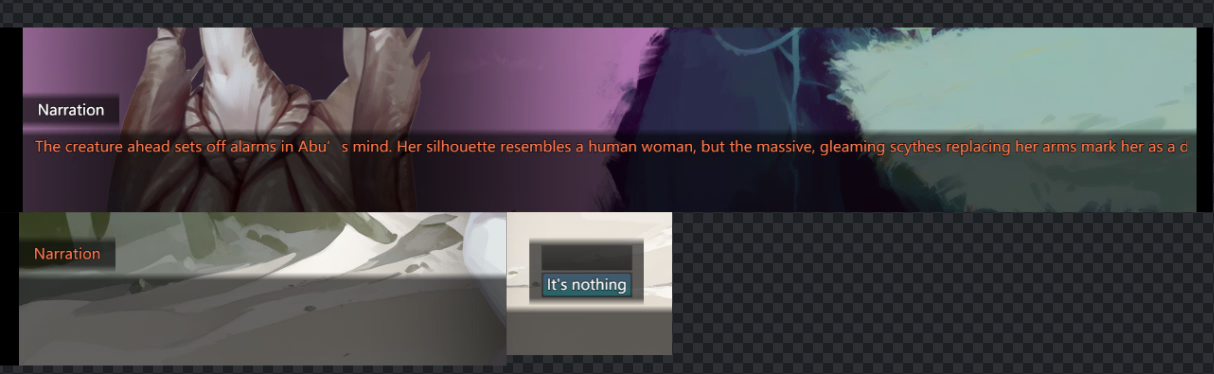
This was while using the English option
It annoyed me so a 'fix' I tried is running the game through MTool and first translating it from Chinese Simplified to English then reducing the font size to -4 which also helped me read the untranslated bits, but eventually some dialogue boxes became empty and some choices too, I finished the game switching to Japanese and using the translate on that which helped solve some of the issues with missing choices
eevkyi
Member
- Aug 14, 2025
- 345
- 390
- 83
View attachment 5532572
This was while using the English option
It annoyed me so a 'fix' I tried is running the game through MTool and first translating it from Chinese Simplified to English then reducing the font size to -4 which also helped me read the untranslated bits, but eventually some dialogue boxes became empty and some choices too, I finished the game switching to Japanese and using the translate on that which helped solve some of the issues with missing choices
Place
You must be registered to see the links
(Drag_WordWrapping.js) inside the js/plugins folder and edit the js/plugins.js file, replacing the ]; part at the end with:
Code:
,
{"name":"Drag_WordWrapping","status":true,"description":"A word wrapping plugin for MZ.\r\nv1.10.0","parameters":{"offset":"15","calcFaceWidth":"true"}}
];
Last edited:
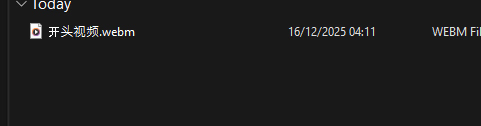
there is this file named like this, and its the only one, tried to re unzip a couple of times, rename it and in some files also rename it, doesnt workCheck if the file "开头视频.webm" is inside the movies subfolder. There may have been a problem during the unzip process.
Anyone who can should definitely support the developer, but replacing the CommonEvents.json file should solve the problems you're having.
The previous (cracked) version was the one detected as malware. The new version is just buggy, but I believe Bob69 will re-upload it soon, including the fix. For now, follow the instructions in this post.
You should definitely buy the game to support the developer, but the whole problem only happened because of the drm included in the official version, which "hides" an important file, and this ended up breaking the new version initially.
Could you share a screenshot showing the problem?
eevkyi
Member
- Aug 14, 2025
- 345
- 390
- 83
Open the file data/Map001.json and deletethere is this file named like this, and its the only one, tried to re unzip a couple of times, rename it and in some files also rename it, doesnt work
View attachment 5534256
{"code":261,"indent":0,"parameters":["开头视频"]}, or replace with a space character. This will disable the intro video.
Last edited:

SuaveSmoothed
Newbie
- Apr 9, 2021
- 84
- 140
- 209
Monster girl enjoyers when is not a cute monstie wifey but an alien monstrosity:
Still, gotta hand it to this dev, he clearly like monster girls to experiment with desings.
Still, gotta hand it to this dev, he clearly like monster girls to experiment with desings.

Oommpphhoo
Member
- Mar 5, 2025
- 373
- 113
- 94
Does this also work with joiplay?I managed to dump the complete version of the CommonEvents.json file while trying to run the game in a virtual machine. Things should now work as expected, although the game still has some bugs that I need to investigate, such as the screen going black after certain transitions, audio issues, and so on. Rename to "CommonEvents.json", copy it to the data folder and overwrite it.
I also confirmed that some dialogues were untranslated, and that some terms in the database will inevitably remain untranslated because the developer forgot to enclose them in curly brackets, which prevents the localization plugin from detecting them. Aiming to fix at least the dialogues for now, I regenerated the localization file and translated it again using Grok. Delete the json files from the locales/en subfolder, rename the file to "en_grok.json" and put there.
Later on, I plan to create a repository with additional translations, so the community can collaborate on improvements and adjustments.
Please keep reporting problems and bugs (with as much information as possible, and maybe some screenshots). I will move forward with the idea of creating a mod, but this time focused on fixing the remaining issues and possibly adding some improvements.
EDIT: To fix the text getting cut off/overflowing on the right side, placeYou must be registered to see the links(Drag_WordWrapping.js) inside the js/plugins folder and edit the js/plugins.js file, replacing the];part at the end of the file with:
Code:, {"name":"Drag_WordWrapping","status":true,"description":"A word wrapping plugin for MZ.\r\nv1.10.0","parameters":{"offset":"15","calcFaceWidth":"true"}} ];
EDIT2: To disable the intro video, open the file data/Map001.json and delete{"code":261,"indent":1,"parameters":["开头视频"]},or replace with a space character.
Nonamenick
New Member
- Jan 27, 2022
- 6
- 0
- 109
How to change the file from text to .json?Check if the file "开头视频.webm" is inside the movies subfolder. There may have been a problem during the unzip process.
Anyone who can should definitely support the developer, but replacing the CommonEvents.json file should solve the problems you're having.
The previous (cracked) version was the one detected as malware. The new version is just buggy, but I believe Bob69 will re-upload it soon, including the fix. For now, follow the instructions in this post.
You should definitely buy the game to support the developer, but the whole problem only happened because of the drm included in the official version, which "hides" an important file, and this ended up breaking the new version initially.
Could you share a screenshot showing the problem?
superktkm
Newbie
- Nov 6, 2018
- 19
- 46
- 219
Thank you! I was trying to wrap my head around how to mod/install plugins for word wrappingPlaceYou must be registered to see the links(Drag_WordWrapping.js) inside the js/plugins folder and edit the js/plugins.js file, replacing the];part at the end with:
Code:, {"name":"Drag_WordWrapping","status":true,"description":"A word wrapping plugin for MZ.\r\nv1.10.0","parameters":{"offset":"15","calcFaceWidth":"true"}} ];
eevkyi
Member
- Aug 14, 2025
- 345
- 390
- 83
https://f95zone.to/threads/far-star-v1-01-gpoint-game.279654/post-18886023for me virus star
The new links don't have this problem.
Yes, but several adjustments will still be needed. The intro video needs to be resized or disabled because it freezes or it cannot be loaded (I'm not sure if this happens on all devices), certain images/sprites appear as black boxes on the screen due to the file resolution, etc.Does this also work with joiplay?
Enable file extensions in your file manager and rename them as any other file.How to change the file from text to .json?
https://f95zone.to/threads/far-star-v1-01-gpoint-game.279654/post-18906563At one point, when you're about to pick up some fruit, the screen goes dark and nothing happens. Please fix it.
If the problem persists even with the new CommonEvents.json file, please let me know.
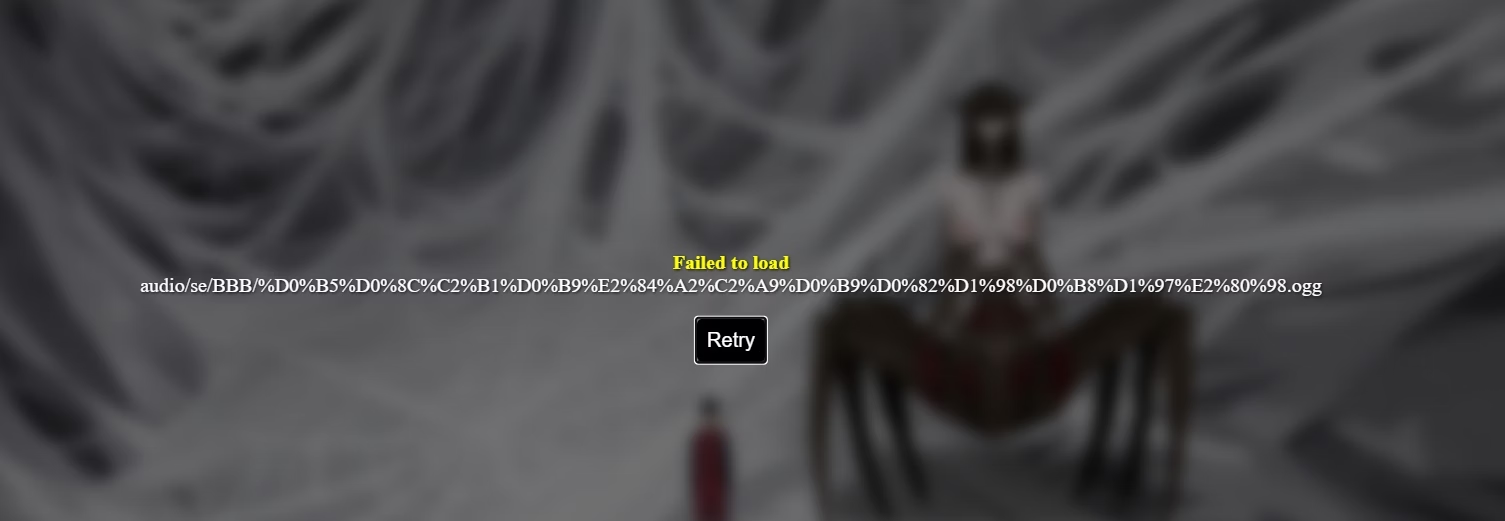
When downloading and replacing your CommonEvents.json, I get this error. What should I do?