

Same problemI'm trying to play the chapter 1.
But when I start a new game I get this error.You don't have permission to view the spoiler content. Log in or register now.
When I ignore it. The game works but inside the game when I click on pc I get this error.
You don't have permission to view the spoiler content. Log in or register now.
WHAT SHOULD I DO??
- Thread starter Kuggazer
- Start date
-
- Tags
- 3dcg anal sex animated bdsm big ass big tits bukkake corruption creampie exhibitionism female domination footjob futa/trans groping group sex handjob harem interracial lactation lesbian male domination male protagonist masturbation milf mobile game multiple penetration netorare oral sex pregnancy prostitution sandbox sex toys spanking stripping swinging teasing titfuck urination vaginal sex virgin voyeurism
3.70 star(s)
104 Votes
cuthbert_binns
Member
- Nov 24, 2018
- 167
- 168
- 281
I'm trying to play the chapter 1.
But when I start a new game I get this error.You don't have permission to view the spoiler content. Log in or register now.
When I ignore it. The game works but inside the game when I click on pc I get this error.
You don't have permission to view the spoiler content. Log in or register now.
WHAT SHOULD I DO??
I had a look at the code and think to have a fix for you. But since I don't have the error myself, I cannot confirm whether it fully fixes everything. (This could be because I played the old ch1, but I'm only guessing)Same problem
On the main menu press SHIFT+o to open the console, then type:
persistent.end = 0 and: persistent.va = 0 each in it's separate line.It looks like these two variables are not predefined while trying to set them for the first time.
Attention: By ignoring the error you skipped the internal game setup, so don't use your saves if you already made some. You have to start a new game afterwards or you will get a lot of similar error screens for the rest of the game.
If anyone knows how to pack this into a patch file, so it can be provided for download and it's only executed on the very first start, feel free to do so.
Thank you very much it worksI had a look at the code and think to have a fix for you. But since I don't have the error myself, I cannot confirm whether it fully fixes everything. (This could be because I played the old ch1, but I'm only guessing)
On the main menu press SHIFT+o to open the console, then type:persistent.end = 0and:persistent.va = 0each in it's separate line.
It looks like these two variables are not predefined while trying to set them for the first time.
Attention: By ignoring the error you skipped the internal game setup, so don't use your saves if you already made some. You have to start a new game afterwards or you will get a lot of similar error screens for the rest of the game.
If anyone knows how to pack this into a patch file, so it can be provided for download and it's only executed on the very first start, feel free to do so.
Deleted member 4514086
Newbie
- Dec 30, 2021
- 23
- 9
- 117

MelodyMark
Newbie
- Mar 20, 2020
- 95
- 28
- 177


Bloodguard
Engaged Member
- Feb 20, 2021
- 3,351
- 5,146
- 707
You seem new, but there are quite a few games like that. Try an advanced search where you can pick multiple tags, and you should see a lot of possibilities.Kind of sad that the game has already ended.... Hopefully, there will be another game like this where no hold bars with the incest sex and more bondage/BDSM with pregnancy.

How do I play chapter 3 after downloading all 3 parts?View attachment 663867
Overview:
Hi, I just discovered the passion for adult games, so I thought to create one of my own. the game will be a dating sim created with Honey Select and Ren'py. The game is about Max, a boy who lives in the house with his mother and two sisters. During the adventure he will meet other women, many more.
Thread Updated: 2024-10-12
Release Date: 2024-10-05
Developer: KuggazerYou must be registered to see the links
Censored: No
Version: Chapter 5 - 0.55
OS: Windows, Linux, Mac, Android
Language: English
Genre:
You don't have permission to view the spoiler content. Log in or register now.
Installation:
You don't have permission to view the spoiler content. Log in or register now.
Changelog:
You don't have permission to view the spoiler content. Log in or register now.
Chapter 2 Information:
You don't have permission to view the spoiler content. Log in or register now.
All chapters are standalone games. Saves are not carried over.
New players should start with Chapter 1.
DOWNLOAD
Win/Linux:You must be registered to see the links-You must be registered to see the links- PIXELDRAIN -You must be registered to see the links
Mac(v0.54):You must be registered to see the links- MEGA -You must be registered to see the links- PIXELDRAIN -You must be registered to see the links
Android(v0.54):You must be registered to see the links- MEGA -You must be registered to see the links- PIXELDRAIN -You must be registered to see the links
Update Only:You must be registered to see the links-You must be registered to see the links- PIXELDRAIN -You must be registered to see the links
You don't have permission to view the spoiler content. Log in or register now.
Extras: Fan-Made Walkthrough 0.31 -You must be registered to see the links- CH.3 0.31 Walkthrough - Walkthrough - Ch4 walkthrough - Game Hint - Fan Sign - Gallery Unlocker - Italian TL*
Video Pack Act 1-3
Bigboijohn420 thanks for the linksYou don't have permission to view the spoiler content. Log in or register now.
* This unofficial version is not released by developer, download at your own risk.
View attachment 663810 View attachment 663815 View attachment 663828 View attachment 663830 View attachment 663833 View attachment 663839 View attachment 663840 View attachment 663841 View attachment 663842 View attachment 663845 View attachment 663846 View attachment 663847 View attachment 663849
Can anyone give me a detailed guide?
Deleted member 8380661
New Member
- Dec 16, 2024
- 8
- 24
- 82
The game has a guide in it, just click the light-bulb near the top left.How do I play chapter 3 after downloading all 3 parts?
Can anyone give me a detailed guide?
If you need help getting the game started just put the three parts in the same folder and then extract one of them and it should give you another archive that you have to extract to get the game files after that you can just launch the game
You can also unlock the gallery here
Hei, can anyone help me? Im stuck in chapter 3 while alvin want to f with Sophia, alvin tell me to pick up the lingerie in sex shop but after i buy it from the shop the mc always says " i need to get a long with alvin first" but when i talk to alvin the mc says " better let alvin rest and i have bettee things to do, to buy shopia a gift" i have the lingerie in the backpack but its always like that, please help me
cuthbert_binns
Member
- Nov 24, 2018
- 167
- 168
- 281
The infamous Alvin lingerie bug in chapter 3! Here is one of the posts explaining the solution:Hei, can anyone help me? Im stuck in chapter 3 while alvin want to f with Sophia, alvin tell me to pick up the lingerie in sex shop but after i buy it from the shop the mc always says " i need to get a long with alvin first" but when i talk to alvin the mc says " better let alvin rest and i have bettee things to do, to buy shopia a gift" i have the lingerie in the backpack but its always like that, please help me
https://f95zone.to/threads/maxs-life-ch-5-v0-55-kuggazer.4815/post-6031658
Have fun!

KINGKUMAR
Well-Known Member
- Dec 23, 2021
- 1,037
- 1,596
- 348
Kuggazer need a making another family game Just like Max's life
Guys i need help, when the game told me to have lunch with maya in chapter 4 but when i come to her house there is nobody there i try everyday every hours but still same. Help guys i dont know what to do because its stuck and i cant progress the game and the laptop bugg too i cant open the laptop please help
Mik_Jagielon
New Member
- Nov 26, 2019
- 10
- 6
- 107
Kontynuacja gry w części 4 jest niemożliwa z powodu błędu:
It is impossible to continue the game in part 4 due to an error:
I'm sorry, but an uncaught exception occurred.
While running game code:
File "game/SCRIPT/pc.rpy", line 8, in script
call screen pc2
File "renpy/common/000statements.rpy", line 609, in execute_call_screen
store._return = renpy.call_screen(name, *args, **kwargs)
File "game/SCRIPT/pc.rpy", line 83, in execute
screen pc2():
File "game/SCRIPT/pc.rpy", line 83, in execute
screen pc2():
File "game/SCRIPT/pc.rpy", line 138, in execute
if persistent.va > 0 or persistent.va is None:
File "game/SCRIPT/pc.rpy", line 138, in <module>
if persistent.va > 0 or persistent.va is None:
TypeError: '>' not supported between instances of 'NoneType' and 'int'
-- Full Traceback ------------------------------------------------------------
Full traceback:
File "game/SCRIPT/pc.rpy", line 8, in script
call screen pc2
File "F:\grymature only\MaxsLife\Maxslife_ch4-0.45-pc\renpy\ast.py", line 2232, in execute
self.call("execute")
File "F:\grymature only\MaxsLife\Maxslife_ch4-0.45-pc\renpy\ast.py", line 2220, in call
return renpy.statements.call(method, parsed, *args, **kwargs)
File "F:\grymature only\MaxsLife\Maxslife_ch4-0.45-pc\renpy\statements.py", line 281, in call
return method(parsed, *args, **kwargs)
File "renpy/common/000statements.rpy", line 609, in execute_call_screen
store._return = renpy.call_screen(name, *args, **kwargs)
File "F:\grymature only\MaxsLife\Maxslife_ch4-0.45-pc\renpy\exports.py", line 3161, in call_screen
rv = renpy.ui.interact(mouse="screen", type="screen", roll_forward=roll_forward)
File "F:\grymature only\MaxsLife\Maxslife_ch4-0.45-pc\renpy\ui.py", line 299, in interact
rv = renpy.game.interface.interact(roll_forward=roll_forward, **kwargs)
File "F:\grymature only\MaxsLife\Maxslife_ch4-0.45-pc\renpy\display\core.py", line 3377, in interact
repeat, rv = self.interact_core(preloads=preloads, trans_pause=trans_pause, pause=pause, pause_start=pause_start, **kwargs) # type: ignore
File "F:\grymature only\MaxsLife\Maxslife_ch4-0.45-pc\renpy\display\core.py", line 3804, in interact_core
root_widget.visit_all(lambda i : i.per_interact())
File "F:\grymature only\MaxsLife\Maxslife_ch4-0.45-pc\renpy\display\core.py", line 582, in visit_all
d.visit_all(callback, seen)
File "F:\grymature only\MaxsLife\Maxslife_ch4-0.45-pc\renpy\display\core.py", line 582, in visit_all
d.visit_all(callback, seen)
File "F:\grymature only\MaxsLife\Maxslife_ch4-0.45-pc\renpy\display\core.py", line 582, in visit_all
d.visit_all(callback, seen)
File "F:\grymature only\MaxsLife\Maxslife_ch4-0.45-pc\renpy\display\screen.py", line 451, in visit_all
callback(self)
File "F:\grymature only\MaxsLife\Maxslife_ch4-0.45-pc\renpy\display\core.py", line 3804, in <lambda>
root_widget.visit_all(lambda i : i.per_interact())
File "F:\grymature only\MaxsLife\Maxslife_ch4-0.45-pc\renpy\display\screen.py", line 462, in per_interact
self.update()
File "F:\grymature only\MaxsLife\Maxslife_ch4-0.45-pc\renpy\display\screen.py", line 653, in update
self.screen.function(**self.scope)
File "game/SCRIPT/pc.rpy", line 83, in execute
screen pc2():
File "game/SCRIPT/pc.rpy", line 83, in execute
screen pc2():
File "game/SCRIPT/pc.rpy", line 138, in execute
if persistent.va > 0 or persistent.va is None:
File "game/SCRIPT/pc.rpy", line 138, in <module>
if persistent.va > 0 or persistent.va is None:
TypeError: '>' not supported between instances of 'NoneType' and 'int'
Windows-10-10.0.19045 AMD64
Ren'Py 8.0.1.22070801
0.45
Sat Feb 8 09:45:19 2025
It is impossible to continue the game in part 4 due to an error:
I'm sorry, but an uncaught exception occurred.
While running game code:
File "game/SCRIPT/pc.rpy", line 8, in script
call screen pc2
File "renpy/common/000statements.rpy", line 609, in execute_call_screen
store._return = renpy.call_screen(name, *args, **kwargs)
File "game/SCRIPT/pc.rpy", line 83, in execute
screen pc2():
File "game/SCRIPT/pc.rpy", line 83, in execute
screen pc2():
File "game/SCRIPT/pc.rpy", line 138, in execute
if persistent.va > 0 or persistent.va is None:
File "game/SCRIPT/pc.rpy", line 138, in <module>
if persistent.va > 0 or persistent.va is None:
TypeError: '>' not supported between instances of 'NoneType' and 'int'
-- Full Traceback ------------------------------------------------------------
Full traceback:
File "game/SCRIPT/pc.rpy", line 8, in script
call screen pc2
File "F:\grymature only\MaxsLife\Maxslife_ch4-0.45-pc\renpy\ast.py", line 2232, in execute
self.call("execute")
File "F:\grymature only\MaxsLife\Maxslife_ch4-0.45-pc\renpy\ast.py", line 2220, in call
return renpy.statements.call(method, parsed, *args, **kwargs)
File "F:\grymature only\MaxsLife\Maxslife_ch4-0.45-pc\renpy\statements.py", line 281, in call
return method(parsed, *args, **kwargs)
File "renpy/common/000statements.rpy", line 609, in execute_call_screen
store._return = renpy.call_screen(name, *args, **kwargs)
File "F:\grymature only\MaxsLife\Maxslife_ch4-0.45-pc\renpy\exports.py", line 3161, in call_screen
rv = renpy.ui.interact(mouse="screen", type="screen", roll_forward=roll_forward)
File "F:\grymature only\MaxsLife\Maxslife_ch4-0.45-pc\renpy\ui.py", line 299, in interact
rv = renpy.game.interface.interact(roll_forward=roll_forward, **kwargs)
File "F:\grymature only\MaxsLife\Maxslife_ch4-0.45-pc\renpy\display\core.py", line 3377, in interact
repeat, rv = self.interact_core(preloads=preloads, trans_pause=trans_pause, pause=pause, pause_start=pause_start, **kwargs) # type: ignore
File "F:\grymature only\MaxsLife\Maxslife_ch4-0.45-pc\renpy\display\core.py", line 3804, in interact_core
root_widget.visit_all(lambda i : i.per_interact())
File "F:\grymature only\MaxsLife\Maxslife_ch4-0.45-pc\renpy\display\core.py", line 582, in visit_all
d.visit_all(callback, seen)
File "F:\grymature only\MaxsLife\Maxslife_ch4-0.45-pc\renpy\display\core.py", line 582, in visit_all
d.visit_all(callback, seen)
File "F:\grymature only\MaxsLife\Maxslife_ch4-0.45-pc\renpy\display\core.py", line 582, in visit_all
d.visit_all(callback, seen)
File "F:\grymature only\MaxsLife\Maxslife_ch4-0.45-pc\renpy\display\screen.py", line 451, in visit_all
callback(self)
File "F:\grymature only\MaxsLife\Maxslife_ch4-0.45-pc\renpy\display\core.py", line 3804, in <lambda>
root_widget.visit_all(lambda i : i.per_interact())
File "F:\grymature only\MaxsLife\Maxslife_ch4-0.45-pc\renpy\display\screen.py", line 462, in per_interact
self.update()
File "F:\grymature only\MaxsLife\Maxslife_ch4-0.45-pc\renpy\display\screen.py", line 653, in update
self.screen.function(**self.scope)
File "game/SCRIPT/pc.rpy", line 83, in execute
screen pc2():
File "game/SCRIPT/pc.rpy", line 83, in execute
screen pc2():
File "game/SCRIPT/pc.rpy", line 138, in execute
if persistent.va > 0 or persistent.va is None:
File "game/SCRIPT/pc.rpy", line 138, in <module>
if persistent.va > 0 or persistent.va is None:
TypeError: '>' not supported between instances of 'NoneType' and 'int'
Windows-10-10.0.19045 AMD64
Ren'Py 8.0.1.22070801
0.45
Sat Feb 8 09:45:19 2025
cuthbert_binns
Member
- Nov 24, 2018
- 167
- 168
- 281
Looks Like a bug.Kontynuacja gry w części 4 jest niemożliwa z powodu błędu:
It is impossible to continue the game in part 4 due to an error:
I'm sorry, but an uncaught exception occurred.
While running game code:
File "game/SCRIPT/pc.rpy", line 8, in script
call screen pc2
File "renpy/common/000statements.rpy", line 609, in execute_call_screen
store._return = renpy.call_screen(name, *args, **kwargs)
File "game/SCRIPT/pc.rpy", line 83, in execute
screen pc2():
File "game/SCRIPT/pc.rpy", line 83, in execute
screen pc2():
File "game/SCRIPT/pc.rpy", line 138, in execute
if persistent.va > 0 or persistent.va is None:
File "game/SCRIPT/pc.rpy", line 138, in <module>
if persistent.va > 0 or persistent.va is None:
TypeError: '>' not supported between instances of 'NoneType' and 'int'
-- Full Traceback ------------------------------------------------------------
Full traceback:
File "game/SCRIPT/pc.rpy", line 8, in script
call screen pc2
File "F:\grymature only\MaxsLife\Maxslife_ch4-0.45-pc\renpy\ast.py", line 2232, in execute
self.call("execute")
File "F:\grymature only\MaxsLife\Maxslife_ch4-0.45-pc\renpy\ast.py", line 2220, in call
return renpy.statements.call(method, parsed, *args, **kwargs)
File "F:\grymature only\MaxsLife\Maxslife_ch4-0.45-pc\renpy\statements.py", line 281, in call
return method(parsed, *args, **kwargs)
File "renpy/common/000statements.rpy", line 609, in execute_call_screen
store._return = renpy.call_screen(name, *args, **kwargs)
File "F:\grymature only\MaxsLife\Maxslife_ch4-0.45-pc\renpy\exports.py", line 3161, in call_screen
rv = renpy.ui.interact(mouse="screen", type="screen", roll_forward=roll_forward)
File "F:\grymature only\MaxsLife\Maxslife_ch4-0.45-pc\renpy\ui.py", line 299, in interact
rv = renpy.game.interface.interact(roll_forward=roll_forward, **kwargs)
File "F:\grymature only\MaxsLife\Maxslife_ch4-0.45-pc\renpy\display\core.py", line 3377, in interact
repeat, rv = self.interact_core(preloads=preloads, trans_pause=trans_pause, pause=pause, pause_start=pause_start, **kwargs) # type: ignore
File "F:\grymature only\MaxsLife\Maxslife_ch4-0.45-pc\renpy\display\core.py", line 3804, in interact_core
root_widget.visit_all(lambda i : i.per_interact())
File "F:\grymature only\MaxsLife\Maxslife_ch4-0.45-pc\renpy\display\core.py", line 582, in visit_all
d.visit_all(callback, seen)
File "F:\grymature only\MaxsLife\Maxslife_ch4-0.45-pc\renpy\display\core.py", line 582, in visit_all
d.visit_all(callback, seen)
File "F:\grymature only\MaxsLife\Maxslife_ch4-0.45-pc\renpy\display\core.py", line 582, in visit_all
d.visit_all(callback, seen)
File "F:\grymature only\MaxsLife\Maxslife_ch4-0.45-pc\renpy\display\screen.py", line 451, in visit_all
callback(self)
File "F:\grymature only\MaxsLife\Maxslife_ch4-0.45-pc\renpy\display\core.py", line 3804, in <lambda>
root_widget.visit_all(lambda i : i.per_interact())
File "F:\grymature only\MaxsLife\Maxslife_ch4-0.45-pc\renpy\display\screen.py", line 462, in per_interact
self.update()
File "F:\grymature only\MaxsLife\Maxslife_ch4-0.45-pc\renpy\display\screen.py", line 653, in update
self.screen.function(**self.scope)
File "game/SCRIPT/pc.rpy", line 83, in execute
screen pc2():
File "game/SCRIPT/pc.rpy", line 83, in execute
screen pc2():
File "game/SCRIPT/pc.rpy", line 138, in execute
if persistent.va > 0 or persistent.va is None:
File "game/SCRIPT/pc.rpy", line 138, in <module>
if persistent.va > 0 or persistent.va is None:
TypeError: '>' not supported between instances of 'NoneType' and 'int'
Windows-10-10.0.19045 AMD64
Ren'Py 8.0.1.22070801
0.45
Sat Feb 8 09:45:19 2025
You don't have permission to view the spoiler content.
Log in or register now.
- open the console by pressing SHIFT+o
- type
persistent.va = 1, then RETURN - Exit the console by pressing ESC
- Then go to the laptop and change the VA (virtual assistant) to your liking
cuthbert_binns
Member
- Nov 24, 2018
- 167
- 168
- 281
Are you sure they aren't in the garden, preparing some delicious barbecue? I can trigger that scene any time of the day as long as I can enter the house.Guys i need help, when the game told me to have lunch with maya in chapter 4 but when i come to her house there is nobody there i try everyday every hours but still same. Help guys i dont know what to do because its stuck and i cant progress the game and the laptop bugg too i cant open the laptop please help
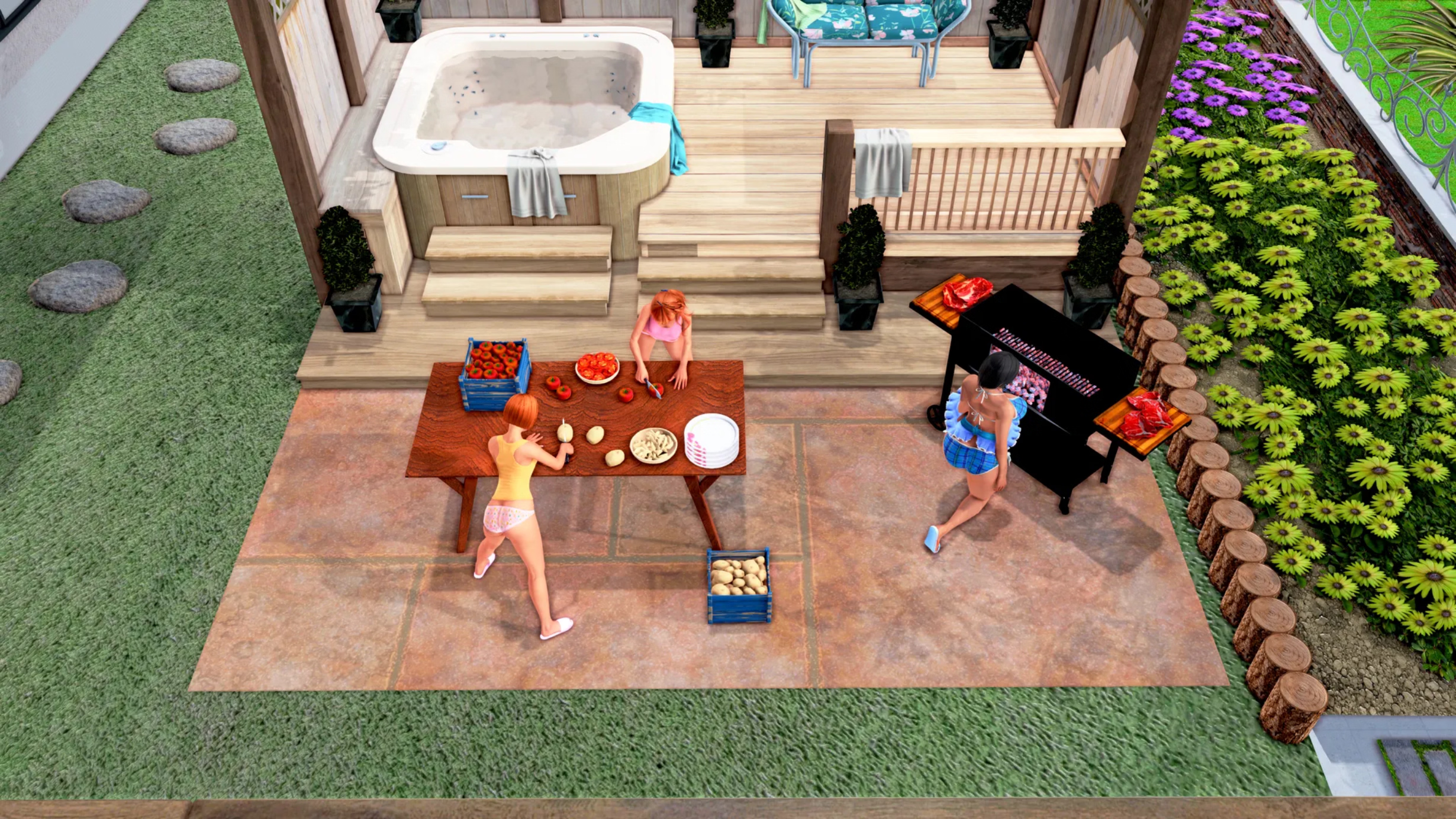
For the laptop bug, if it's the same as Mik_Jagielon had, you can find the solution right above this.

- Oct 24, 2018
- 4,717
- 32,301
- 698
But no ntr.
Those are extra scenes,
This sequence of events is hilarious to meAll ntr scenes are avoidable.
And what do you know, it continues.
Even with the ntr switch off it is only 90% avoidable. Some examples of the top of my head: You organize a fuck for your best friend alvin while you and his family watch. One woman is impregnated by Max's father before you can be with her. The only woman whom you loose from your harem is the head nun maria to the Yakuza boss in exchange for getting his daughters (Black and White) and him leaving your in peace. With ntr switch on, your cousin and grandpa have access to all girls in the house while you are on adventure trips. This gradually becomes more in ch4 and 5.
For those who hate the ntr part, although optional, my intention is to create a version completely without the sharing scenes. The whole game that includes all chapters, 1-5? with all possible fixes and improvements, including graphics(Especially the second chapter )
But for that you have to wait until the game is finished, of course.
at most there are 3-4 extra scenes.
But precisely they are extras, written by some supporters.

Cucks throwing money and devs folding, tale as old as time.
Now I know to avoid How I became a Hero, was always interested to try it at some point, seeing it pop up in new updates.
Mik_Jagielon
New Member
- Nov 26, 2019
- 10
- 6
- 107
Thank you, the laptop works, but I can't find the girls in their house. I'll start over and see if it works.Looks Like a bug.
To fix your Virtual Assistant (and the "cannot click on laptop in chapter 4" bug), follow these steps:You don't have permission to view the spoiler content. Log in or register now.
Have fun!
- open the console by pressing SHIFT+o
- type
persistent.va = 1, then RETURN- Exit the console by pressing ESC
- Then go to the laptop and change the VA (virtual assistant) to your liking